
XPPen’s Magic Note Pad (MNP1095) is a lightweight delight, complete with a responsive and accurate stylus that's lighter than air to write with. With over 16K of pressure levels, and paired with the integrated XPPen Notes app, you’ll benefit from a myriad of digital mediums to draw with or on.
XPPen’s innovative 3-in-1 color modes intrigue me but don’t benefit me. With color switch technology developed in collaboration with TCL, Magic Note Pad's world-first 3-in-1 color options sound exciting. But after exploring, I found no desire to change color mode other than curiosity itself. It’s nice having options other than solely an E Ink tablet, but after using the full-color Nature Color Mode, it’s hard to revert to the other profiles with less vibrant colors.
The built-in XPPen Notes app is optimized for writing notes, doodling, and creating basic digital scrapbooks. It has lots of functionality and customization for a digital note-taking app, and it’s included exclusively with the Magic Note Pad. The paper-like screen is nice to draw on and replicates the traditional pen-on-paper surface I love.
XPPen sent us the Magic Note Pad (MNP1095) for review in February 2025. It had no input on the contents of this article.
XPPen Magic Note Pad
Accessible choice
- Storage
- 128 GB
- CPU
- MT8781, 8-core processor
Magic Note Pad’s 3-in-1 X-paper color display improves picture quality to high levels while providing a paper-like experience with a digital platform. See authentic colors, experience smooth and accurate motion, and elevate your note-taking with the XPPen Notes app and X3 Pro Pencil 2 stylus.
- Accessible sight features
- Lightweight and portable
- Sleek design
- Built-in note-taking app
- Lack of grip
- Awkward placement for stylus holder
XPPen Magic Note Pad (MNP1095): Price and availability
You can buy the XPPen Magic Note Pad — and XPPen tablets and drawing displays — exclusively from its global website or XPPen's Amazon page.
Its full price is $440 with a 10% launch sale for anyone who buys the Magic Note Pad between the launch date of March 19th and April 4th. The sale brings the price down to $396.
Specs
- Storage
- 128 GB
- CPU
- MT8781, 8-core processor
- Operating System
- Android 14
- Ports
- USB-C
- Connectivity
- WiFi
- Weight
- 1.09lbs (495 g)
- RAM
- 6 GB
- Front Camera
- 12 MP
- Rear Camera
- None
- Dimensions
- 7.1” x 10.1” x 0.2” (182 x 259 x 7 mm)
- Refresh rate
- 90 Hz
- Display colors
- 16.7 million
Magic Note Pad’s 3-in-1 X-paper color display improves picture quality to high levels while providing a paper-like experience with a digital platform. See authentic colors, experience smooth and accurate motion, and elevate your note-taking with the XPPen Notes app and X3 Pro Pencil 2 stylus.
A world-first display type
Magic Note Pad has intriguing color displays
Magic Note Pad features a world-first 3-in-1 color display, developed in collaboration with TCL, which has similar design principles. You can change the screen’s color display by pressing the X-paper button, providing real-life paper-like qualities, an E ink display, or a full-color world. The color modes can relieve eye strain or replicate using paper from a digital display. On top of accessible options, there is a full-color option for vibrant digital color.
Nature Color Mode offers high-definition original colors. This mode pushes the Magic Note Pad into similar realms to an iPad and is best for creative tasks, photo editing, illustration, or playing games. However, due to the 400 nit brightness display, this mode may be harsher on your eyes.
Light Color Mode lowers the screen’s saturation. It dulls the colors into a low-contrast display, which helps prevent eye strain. This color mode is good for reading and writing but not good for creative tasks.
Ink Paper Mode provides an E-ink-style display with a paper-like effect using only black and white ink. This replicates other note-taking devices or e-readers, which typically only use E-ink displays. This mode is entirely desaturated, turning everything on your screen into grayscale.
The 3-in-1 color-changing display is a great accessibility feature. I do, however, find two of the color modes disappointing for creative tasks, so I only use Nature Color Mode myself. Color makes up a huge part of the user experience when using devices.

9 of the best Procreate alternatives for tablet-based digital drawing
Procreate isn't the only digital drawing option available
The Magic Note Pad is like holding air
Its weight makes it very portable
As a long-time iPad user, I’m used to a heavier tablet, clunky case, and the weight of the Apple Pencil. XPPen’s Magic Note Pad is only 1.09 lbs. Some of my physical paper notebooks feel heavier than this tablet.
The stylus is also extremely lightweight. The magnet holder on the left side of the screen adds a lot of pull to the X3 Pro Pencil 2 until you remove it from its magnetized holdings and realize it feels as light as a real pencil.
For portability, the Magic Note Pad wins big points. It’s small enough to grab quickly and take with you, but its small size doesn’t hinder its use case. The stylus sits neatly aside its screen with a strong magnet assuring me it won’t fall off.
The Magic Note Pad includes a magnetic protective cover. It’s not quite a case — it has no clasp or pockets — it’s simply a giant magnet with a folded cover. The magnet secures to the back of the tablet, and the front cover folds over the screen with a snug tube to protect the stylus in its holder. I am wowed by the magnetic protective cover, but it doesn’t work well as a hands-free stand. It can be folded to create an A-board-shaped stand, but it isn’t secure on all surface textures.
Sleek and smooth design all-round
Lack of tactile features, but a smooth experience
Everything about the Magic Note Pad feels smooth and sleek. It’s lightweight, but without tactile features on either the device itself or its magnetic cover, it can be difficult to grip securely.
Due to its AG nano-etched surface covering, which provides the paper-like effect I love on the Magic Note Pad, using an external screen protector isn't recommended as you might with other tablets. Its natural screen has scratch-proof technology, which prevents the stylus from damaging; however, this won’t protect against drops.
It’s awkward holding the Magic Note Pad due to its lack of non-screen edges. The magnetic stylus holder is a little in the way and makes holding, gripping, or grabbing the tablet awkward when the stylus is in place. I prefer my iPad’s Apple Pencil holder, which has a magnetic strip on the outside edge of the tablet rather than next to the screen.
The X3 Pro Pencil 2 stylus is similarly sleek and lightweight. Its design features one discreet button that sits flush against the stylus’ length. The stylus slots perfectly in the holder and feels natural to use as a digital stylus.
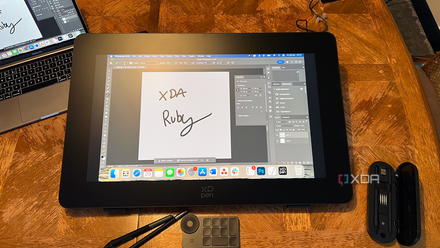
XPPen Artist Pro 24 (Gen 2) 4K Drawing Display review: Affordable tablet, questionable calibration
XPPen Artist Pro 24 (Gen 2) 4K Drawing Display offers affordable digital drawing technology but comes with some calibration issues
Should you buy the XPPen Magic Note Pad (MNP1095)?
You should buy the XPPen Magic Note Pad if:
- You’re looking for a lightweight, portable tablet
- Digital note-taking with a paper-like feel is important to you
- You have vision accessibility needs or a desire to remove eye strain
You should not buy the XPPen Magic Note Pad if:
- You need a secure, hands-free experience
- You’d prefer a bigger name brand
- You only need a full-color tablet
The Magic Note Pad from XPPen is a great way to take your note-taking to a new level with its integrated XPNotes app, X3 Pro Pencil 2, X-paper color options, and AG nano-etched screen coating. All together, these features give you the opportunity to turn your notes into digital masterpieces. It wouldn’t be my first choice for creative illustration or graphic design, which typically benefits more from an iPad. With an Android 14 operating system and Google Play Store options, you can customize the Magic Note Pad for your benefit.
XPPen Magic Note Pad
- Storage
- 128 GB
- CPU
- MT8781, 8-core processor
- Operating System
- Android 14
Magic Note Pad’s 3-in-1 X-paper color display improves picture quality to high levels while providing a paper-like experience with a digital platform. See authentic colors, experience smooth and accurate motion, and elevate your note-taking with the XPPen Notes app and X3 Pro Pencil 2 stylus.