
Years ago, computing was much harder to deal with, especially when upgrading parts. One frustration was the need to reinstall Windows when switching CPUs because of a quirk of Windows's architecture that didn't go away until Windows 8's release. Yes, the tile-based Start menu might have ruffled some feathers, but the underlying changes to Windows were a net benefit. Nowadays, you don't need to reinstall your operating system after swapping CPUs. You don't even need to reinstall it when changing your motherboard or switching between manufacturers. Let's discuss why and how much better this makes computing overall.

How to install a CPU on the motherboard: A beginners guide
More or less the same process for both Intel and AMD CPUs
Why you don't have to reinstall Windows when swapping CPUs
A significant architecture change is responsible
Every version of Windows has maintained a similar architecture throughout the years, with the kernel and the Hardware Abstraction Layer (HAL) being the two most important parts. As you might have guessed by its name, the HAL is responsible for passing commands back and forth between the OS kernel and the physical hardware. While it was designed to make it easier for developers so they could write code without needing the specifics of the hardware, the early days of personal computing were awash with competing standards.
That made it tricky for Microsoft to deal with the wide range of hardware available, but there was a way they managed to do so. Before Windows Vista, every version of Windows had multiple versions of HAL, which were installed based on the hardware configuration when you first installed Windows. Vista and Windows 7 installed two HALs, with the bootloader being able to decide which to load. In Windows 8, the increased standardization of PC components made it possible to include only one HAL, which opened the door for hardware upgrades that didn't require a reinstallation of Windows. Now that every PC comes with Windows 11, the days of reinstalling the OS after a hardware swap are over.

5 reasons Microsoft doesn't like local accounts on Windows 11
Microsoft pesters users a lot to use an online account in Windows 11. But why is that?
What about if you swap from AMD to Intel
Surely, changing the motherboard and CPU means reinstallation?
While PC hardware standardization meant CPU swaps no longer needed a Windows reinstall, it took longer before Windows could swap between Intel and AMD's platforms without requiring a reset or a complete OS reinstallation without user intervention. Windows 7 introduced the System Preparation Tool, which would prepare your Windows installation to be transferred to another computer. This had to be manually executed before swapping to the new motherboard and CPU, but it would keep all your installed files and programs intact.
This was a huge advancement in how easily you could change hardware, but it came with some limitations. The biggest gap was that you couldn't use sysprep if you had done an in-place upgrade between Windows versions. Later on, with the release of Windows 10, the operating system was good enough at handling driver conflicts that you could move your existing OS install drive into another computer, and things would still boot up smoothly. Windows would wipe the drivers from the old motherboard and CPU, then install those it could find in Windows Update for the new configuration. I've done this more times than I can count since W10 was first released, and Windows 11 makes it even more streamlined. It's still wise to find the specific chipset and other motherboard drivers for the new hardware, but at least you don't have to worry about the first boot anymore.
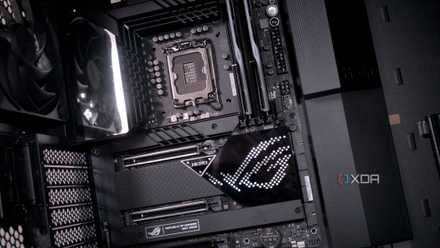
5 things to keep in mind when choosing the right motherboard for your gaming PC
If you are planning your next gaming PC build, consider these 5 things before you buy your next motherboard
You do need to remember to do one thing
Windows 11 won't be happy without TPM enabled
While you don't have to reinstall Windows anymore, there is one thing you will need to do before booting into the operating system. You will need to re-enable TPM again, because the CPU swap likely turned it off. Head into your BIOS, find the TPM setting, and make sure it's turned on. You might also need to find the Secure Boot menu, then clear and re-enroll the factory keys, because the key for the previous CPU isn't going to work with the new hardware. If you swapped motherboards, you will have to do this for sure, along with enabling XMP and other important BIOS settings.

Change these 3 BIOS security settings to make your PC more secure
Modern computers are already pretty secure, but a few BIOS changes will add extra protection
Modern versions of Windows make swapping hardware easier
Whether you're upgrading your CPU or moving platforms, Windows 10 and 11 make it much quicker to do so than ever before. You no longer have to uninstall any drivers specific to the original hardware, and can let Windows fix things on the first boot. The only things to keep in mind will be enabling TPM again and potentially having to re-activate Windows if you had an OEM key tied to the old hardware. Most Windows keys are digitally linked to your Microsoft account, a handy bonus to using the online account to sign in to Windows. We can be thankful that we no longer have to reinstall the operating system after a simple CPU swap.