
For the longest time (and almost as long as I've been alive), "just do a clean install" has been the nuclear option that Windows users recommend for almost everything. If your PC ever feels slower than it did last year, or your games stutter too much, or the Task Manager looks a little too busy for comfort, a clean reinstallation of Windows has been the default answer. Somewhere along the way, reinstalling Windows stopped being a last resort and almost turned into routine maintenance.
The thing is, this advice used to make perfect sense. Older versions of Windows genuinely degraded over time in ways users couldn't realistically fix. But Windows today isn't the same fragile mess it was over a decade ago. Most modern performance issues aren't caused by the OS "rotting." Now, they're caused by bad defaults, aggressive background behavior, and vendors piling on features nobody asked for. Wiping everything often works, sure, but not for the reason people think it does.

6 ignorant PC habits that are slowing your system down
You might be killing your system performance without even realizing it
Why clean installs became popular in the first place
There was a time when Windows rotted gradually
There was a time when reinstalling Windows wasn't merely paranoia. It was survival. Windows XP, Vista, and even early Windows 7 systems could slowly grind themselves into the dirt through normal use. Programs left behind registry entries, uninstallers were unreliable, and drivers loved to fight each other in ways that only became apparent months later. Add OEM bloatware like toolbars, trial antivirus suites, and branded updaters into the mix, and you had a system that felt noticeably worse over time.
Back then, the registry really did behave like a junk drawer. Every new installation added keys, every uninstall forgot to clean them up, and there was no meaningful protection against low-quality software digging wherever it wanted. The average user had no visibility into what was slowing their system down, let alone the tools to fix it.
So, clean installs became ritual. They worked because they erased years' worth of accumulated nonsense in one go. That habit ended up sticking around, passed down through forums, tech YouTube, and well-meaning friends, long after the underlying problems had changed.
Modern Windows even bakes in escape hatches like Reset this PC and Cloud Download, which sound cleaner than they often are. On OEM systems, these "fresh starts" frequently just end up reinstalling the same vendor junk you were trying to escape from in the first place, only faster, and with a progress bar this time around.
Modern Windows doesn't decay the way it used to
It's more about the accumulated background tasks now
Modern versions of Windows are far more resilient than people give it credit for. The idea that the OS gradually "wears out" just from being used doesn't really hold up anymore. Windows 10 and 11 isolate system components better, enforce stricter permissions, and recover from bad updates far more gracefully than their predecessors.
The registry, in particular, has become a misunderstood boogeyman. Yes, it still exists, but no, it doesn't meaningfully slow your PC down just because it's bigger. Registry lookups are fast, cached, and largely irrelevant to modern performance bottlenecks. Removing a few hundred leftover keys hasn't unlocked hidden speed in years.
What has changed is how much Windows does by default. It insists on doing everything for everyone — telemetry, indexing, background syncing, overlays, widgets, and vendor services all run constantly, even on fresh installs. Add GPU overlays, RGB controllers, OEM monitoring tools, and browser background processes, and your system is never truly idle.
None of this is downright catastrophic on its own. Each service only takes a tiny slice of CPU time, memory, or disk access, but collectively, they add friction everywhere: longer boot times, inconsistent frame pacing, higher idle temps, and unexplained stutter during simple tasks.

This free tool lets you make all the Windows registry changes you've been avoiding
The easiest way to get around to do what you've been putting off.
When people say "Windows slows down over time," what they're often noticing is cumulative background behavior instead of OS decay. A clean install feels fast because it temporarily removes that load.
However, in just a matter of weeks, Windows Update re-enables features, vendors reinstall helpers, and users reinstall the same software, and often with the same startup behavior. It's that moment when you come to the realization that the performance gain wasn't magic, but just temporary restraint. Better defaults would solve this, and until Microsoft delivers them, the real fix is intentional configuration instead of starting from scratch every time something feels off.
Most users can fix their PC without ever having to reinstall Windows
Exercising more control over your system will keep it intact
The frustrating part is how little effort it actually takes to reclaim performance on most systems. You don't need registry cleaners, debloating scripts from sketchy GitHub pages, or a weekend-long reinstall ritual. All you need to do is identify what's running when it doesn't to be.
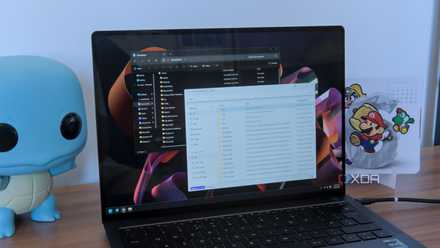
Startup apps are the low-hanging fruit. If it doesn't need to launch at boot, it shouldn't. Not a single game launcher on your PC should be able to boot with your PC — you'll game when you need to. Similarly, your social media apps like Discord, Spotify, and Netflix don't need to have startup enabled, either. Then come other apps that try to slyly start up with Windows after you install them, so always make sure you check Startup Apps in the Windows Task Manager after you install any new software.
Next, Windows insists on running background apps that sync constantly. These can be trimmed by the dozens, and just a couple of good tutorials are enough to make any user realize just how much their PC is doing under the hood without their knowledge. Windows has a rather terrible habit of running legacy services that are both redundant and outdated, and turning off a bunch of them has zero downsides, and all the upside of making your system feel snappier than ever before.
To name a few, start by turning off Windows 11's search indexing, using a lighter and faster file explorer, turning off background notifications and telemetry, and disabling diagnostic data collection. All of these can be tuned and tweaked without breaking the OS, and while the difference may not be too dramatic in benchmarks, it's certainly noticeable in daily use.
With these fixes and more in place, you'll end up seeing better long-term stability than a clean install, simply because you're addressing causes instead of resetting symptoms.
Prevention beats starting over
Fixing your habits means you won't have to fix the OS
Good Windows performance is never just about what you turn off, but also about the habits you keep on. Basic system hygiene goes a long way toward making sure that things never spiral into "nuke it from orbit" territory. Keeping Windows Defender up to date is an easy win. It's light, deeply integrated, and makes any third-party antivirus software unnecessary.
More important, however, is the habit of making system restore points and regular backups. They are boring, invisible, and easy to forget, sure, but only until something breaks. After a bad driver update, a botched tweak, or a rogue app, your system restore points are the only thing standing between having to start over or simply going back to the last saved checkpoint. Rolling back the system or restoring an image lets you recover state, not just files. That's the difference between fixing a problem and erasing your entire setup because one thing went wrong.
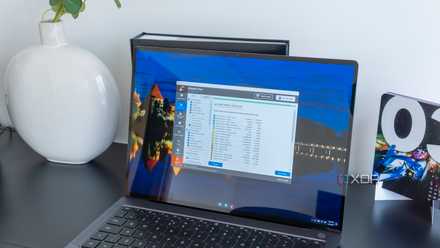
One of the few things that genuinely does accumulate junk is the WinSxS folder and old update logs. That's not rot, but leftovers. The modern fix for this isn't to reinstall Windows, but to use Disk Cleanup instead, which quietly empties the junk drawer Microsoft never advertises.
5 reasons you should avoid PC cleaning apps and use Windows Disk Cleanup instead
They're more trouble than they're worth
Clean installs still have a place — but they’re overused
Break glass only in case of emergency
None of this means that clean installs of Windows are outright useless. They absolutely still have a place, but just not as the default response to discomfort. If a system has been through multiple major version upgrades, suffered malware, or accumulated deeply broken drivers, reinstalling Windows can prove to be the cleanest path forward.
Clean installations also make sense when changing hardware platforms or repurposing a machine entirely. In those cases, starting fresh avoids unknown conflicts and saves time in the long run. The key difference here is intent. A clean install should be a decision instead of a resort or reflex.
Sadly, reinstalling Windows has become such a coping mechanism for bad defaults and opaque system behavior that people stopped questioning why it worked. That's how you end up reinstalling the same OS every year instead of fixing what actually changed.

6 things you didn't know you can do with advanced startup settings in Windows
Windows is hiding a lot of secrets
Windows 11 Pro
A USB installation drive and license key for Windows 11 Pro, with additional features like Hyper-V and Windows Sandbox support.
We don't need clean Windows installs nearly as much as we think
You don't need a fresh Windows. You need a quieter one.
Clean installations earned their reputation back when Windows genuinely required them from time to time. Today's performance issues are more about the user having to take the reins from Windows and exercising control over their system's defaults.
With thoughtful defaults, deliberate tweaks, and cautious habits, you can always keep your OS clean, snappy, and bent to your will, without the downtime, data migration, or ritual frustration. Instead of a fresh Windows, you just need a quieter one.