A headless API testing tool runs your tests from the command line, with no window to click through, so the same checks can fire on every push inside a CI pipeline. If you’ve ever recorded a test in a GUI app and then wondered how to run it on a build server, that gap is exactly what headless tooling closes. This guide explains what makes a tool “headless,” walks through the Apidog CLI, and gives a fair read on other strong runners like Newman and Hurl.
What “headless” actually means for API testing
“Headless” borrows from headless browsers: software that does its job without a graphical interface. For API testing, a headless tool has a few traits in common.
- It runs as a CLI command you can call from a script or a pipeline step.
- It needs no display, no logged-in user, and no manual clicking.
- It reads test definitions from files or a project ID, not from on-screen state.
- It exits with a non-zero code when assertions fail, so CI can mark the build red.
- It emits machine-readable reports (JSON, JUnit XML) and human-readable ones (CLI text, HTML).
That last point matters more than it looks. A GUI tells a person what passed. A headless tool tells a pipeline what passed, and that’s what lets you gate merges, block bad deploys, and catch regressions before users do. For the wider context on why this fits modern delivery, see our notes on CI/CD best practices for API testing.
Why teams move tests off the GUI
A visual client is great for exploring an endpoint, tweaking a header, and watching a response. It’s a poor fit for repetition. You can’t ask a teammate to manually re-run forty requests after every commit, and you can’t put a human in the path of a 2 a.m. deploy.
Headless runners solve the repetition problem. Once a test scenario lives in a file or a shared project, the same command runs it on your laptop, on a colleague’s machine, and on the build server, with identical results. Pair that with data-driven inputs and you cover dozens of cases from one definition. When your API is the thing customers actually depend on, that consistency is the point; it’s part of treating your API as a product.
Apidog CLI: a headless runner backed by your API project
Apidog CLI is the no-GUI side of Apidog. You design, debug, and organize test scenarios in the app, then run them from the terminal with apidog run. The command executes test scenarios, folders, test suites, or a local exported file, prints a report, and returns an exit code your pipeline can act on.
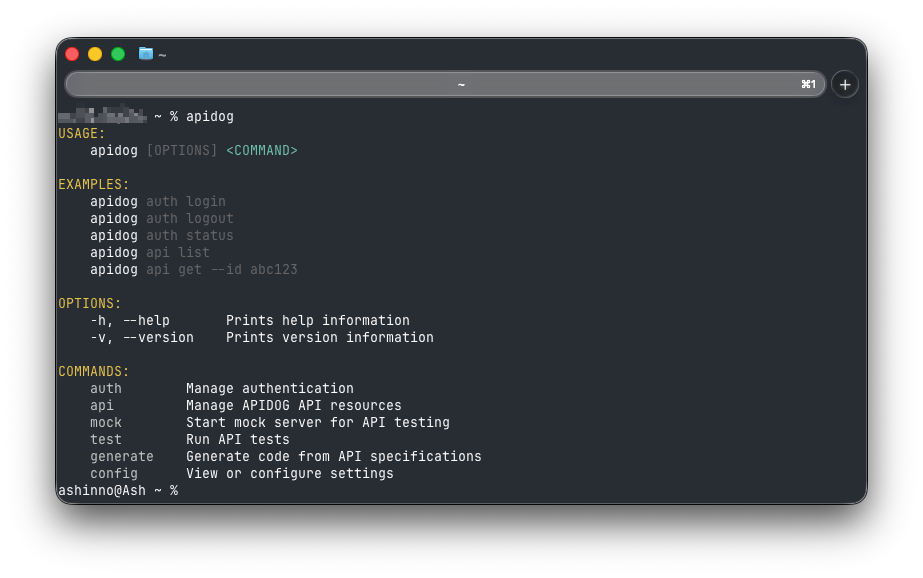
A few things make this Apidog workflow practical for CI.
Data-driven runs. Point the run at a CSV or JSON file and Apidog iterates your scenario once per row. The flag is -d, --iteration-data <path>, with -n, --iteration-count to cap iterations. One scenario, many cases. The full mechanics are in our data-driven API testing with the Apidog CLI walkthrough.
Reporters for humans and machines. The -r, --reporters flag selects output formats, and you can pass several at once, for example -r html,junit. CLI text is the default, JSON is handy for custom post-processing, and JUnit XML drops straight into the test panels of most CI systems.
Environment control. Use -e to pick a runtime environment, and --env-var or --global-var to inject values as key=value at run time, which keeps secrets out of your committed files.
A minimal CI step looks like this:
npm install -g apidog-cli
apidog run https://api.apidog.com/... \
 -e <environment-id> \
 -d ./data/users.csv \
 -r cli,html,junit
By default the HTML and JUnit reports land in an apidog-reports/ directory next to where you ran the command, so CI can collect them as build artifacts.
For a step-by-step build from zero, the Apidog CLI complete guide covers install through first green run, and the REST API command-line tutorial does the same with a concrete endpoint. Option-by-option detail lives in our apidog run command reference.
There’s a second, less obvious headless capability worth knowing. The Apidog MCP server lets an AI agent or AI-enabled IDE (Cursor, or VS Code via Cline) read your API specifications directly, so the assistant generates code and tests grounded in your real contract instead of guessing. It’s a different kind of “no GUI”: the spec drives the agent. We cover the workflow in visual debugging with the Apidog MCP client.
Other headless runners worth knowing
Apidog isn’t the only headless option, and the honest answer is that the right pick depends on where your tests already live.
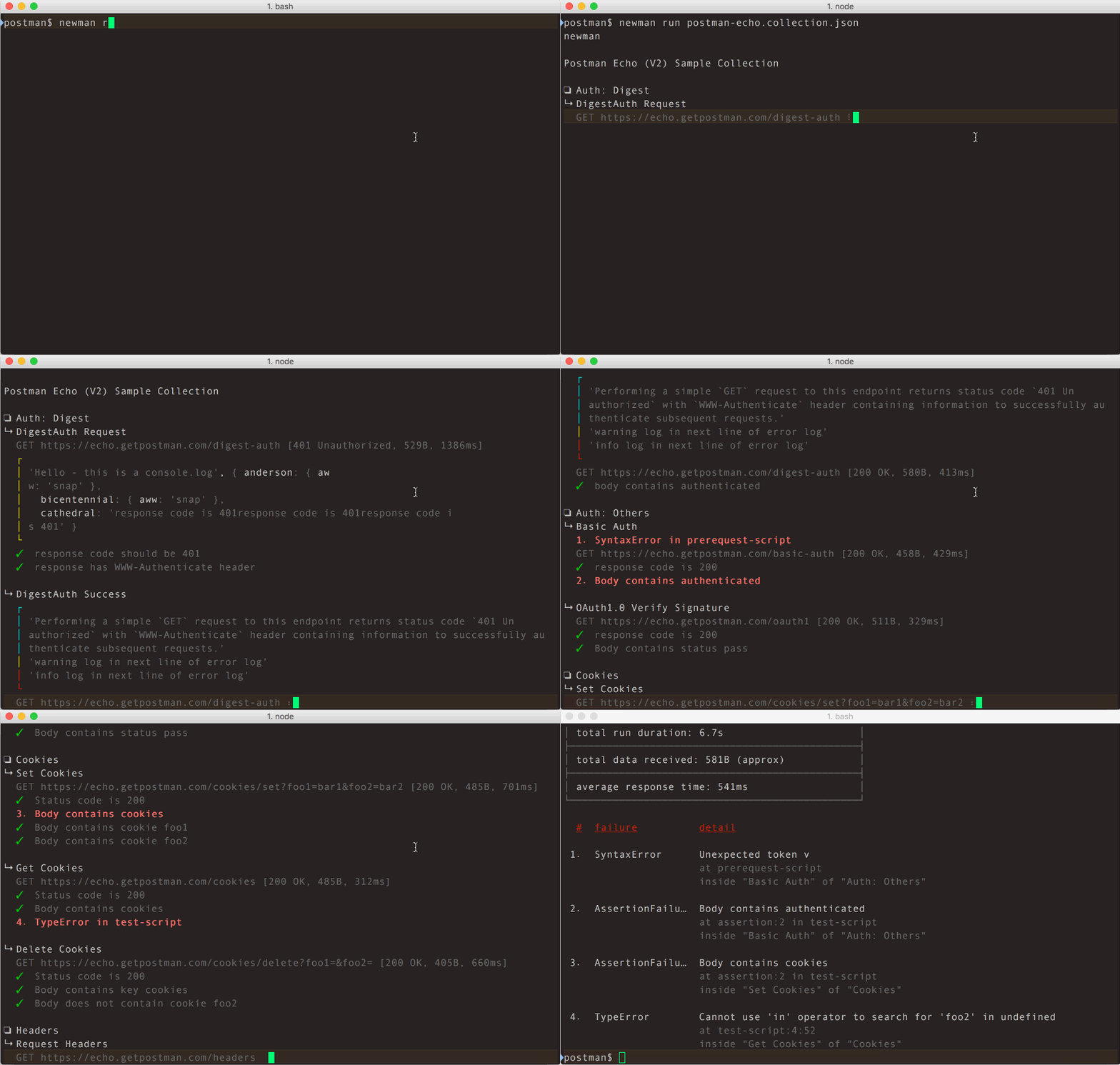
Newman is Postman’s command-line collection runner. If your team has invested in Postman collections, Newman runs them in CI with no GUI. It ships built-in reporters (cli, json, junit, progress, emojitrain), and an HTML reporter is available as a separate npm package. Reporters are set with -r, just like Apidog. It’s mature, widely documented, and the natural choice when Postman collections are your source of truth.
Hurl takes a different shape. You write requests in a plain-text .hurl file, add assertions inline, and run them from the terminal. It’s a small Rust binary built on libcurl, so it’s fast and trivial to drop into a pipeline. Hurl shines when you want tests that read like the HTTP they describe and you’re comfortable living in plain text rather than a project UI.
Hoppscotch CLI (hopp) runs Hoppscotch collections and test scripts in CI. You can pass an exported collection and environment as JSON, or reference collection and environment IDs with an access token. It supports CSV iteration data and a JUnit reporter via --reporter-junit, and it returns a non-zero exit code on failure. It’s a clean fit if your team already uses Hoppscotch. If you’re weighing it, see our best Hoppscotch CLI alternatives rundown.
How the headless runners compare
| Tool | Test source | Data-driven input | Built-in reporters | Best when |
|---|---|---|---|---|
| Apidog CLI | Apidog project, suites, or exported file | CSV / JSON (-d) |
cli, html, json, junit | You want design, mock, test, and docs in one place |
| Newman | Postman collections | CSV / JSON (-d) |
cli, json, junit, progress (HTML via add-on) | Postman collections are your source of truth |
| Hurl | Plain-text .hurl files |
CSV via runner options | JUnit, TAP, JSON report | You prefer plain-text, version-controlled tests |
| Hoppscotch CLI | Hoppscotch collections (file or ID) | CSV (--iteration-data) |
JUnit | Your team already lives in Hoppscotch |
All four are genuinely headless: each runs from a command, skips the GUI, and signals pass or fail through an exit code. Apidog’s edge isn’t that it runs in CI; they all do. It’s that the same project you test from the CLI is where you also design the contract, mock it, and publish docs, so the test definition and the API definition don’t drift apart.
Choosing the right one
Start from where your tests already are. Postman shop? Newman is the least-friction path. Plain-text purist? Hurl. Already on Hoppscotch? Its CLI is right there.
Pick Apidog when you’d rather not stitch four tools together. The scenarios you run headless are the same ones you build visually, backed by the same OpenAPI contract, with a mock server you can also run in CI to test against before the real backend exists. That single source of truth is the difference between “we have CI tests” and “our tests reflect what we actually shipped.”
Frequently asked questions
Is a headless API testing tool the same as a CLI API testing tool?
Effectively yes, in everyday use. “Headless” describes the trait (no GUI required); “CLI” describes the interface (you drive it from a command line). A headless API testing tool is almost always a CLI tool, and the terms get used interchangeably. The thing that matters is that it runs unattended and reports a pass/fail status a pipeline can read.
Can I run these tools without writing test scripts?
It depends on the tool. Apidog lets you build assertions visually in the app, then run those same scenarios headless from the CLI, so you don’t have to hand-write a test harness. Newman and Hoppscotch CLI run collections that may include test scripts authored in their respective apps. Hurl keeps everything in a plain-text file you write yourself. If you’d rather not script at all, the visual-then-headless path is covered in our Apidog CLI complete guide.
Do headless API tests need a real backend to run?
Not always. You can point tests at a running service, a staging URL, or a mock server. Running a mock headlessly in CI lets you test request and response shapes before the backend is finished, which keeps frontend and integration work unblocked. Apidog’s mock server runs in CI for exactly this.
Which headless runner is best for CI/CD?
There’s no single winner; the best one is the one that runs the tests you already have with the least setup. If you’re starting fresh or consolidating tools, Apidog CLI covers design, mock, test, and docs from one project. If you’re tied to an existing ecosystem, match the runner to it: Newman for Postman, Hoppscotch CLI for Hoppscotch, Hurl for plain-text fans. Our Apidog CLI vs Newman and Apidog CLI vs Postman CLI comparisons go deeper on the trade-offs.
Bringing it together
A headless API testing tool is just a runner with no window: a command you can script, point at data, and wire into CI so every push gets tested the same way. Newman, Hurl, and Hoppscotch CLI each do this well within their ecosystems. Apidog CLI does it too, with the added benefit that your tests, mocks, contract, and docs all live in one project instead of four. Download Apidog to design a scenario once and run it headless everywhere.