Pricing
$5.00 / 1,000 results
AI Text Analyzer for Google Reviews
Quickly analyze customer reviews extracted by Google Maps Scraper. Find out what the most frequently used keywords are in each review. Learn how people view your staff and prices. Obtain structured information from unstructured text. Monitor changes in customers’ sentiment over time.
Pricing
$5.00 / 1,000 results
Rating
5.0
(1)
Developer

Actor stats
20
Bookmarked
625
Total users
7
Monthly active users
4 months ago
Last modified
Categories
Share
The analyzer performs a textual analysis of Google Reviews scraped from Google Maps.
This text analysis tool processes text reviews extracted by Google Maps Reviews Scraper. To use the text analyzer, instruct the Google Maps Reviews Scraper to
- extract reviews and
- translate them to English, either by setting the language to English and “Reviews translation” to ”Original & translated” or by setting the language to English and “Reviews translation” to ”Only translated”.
Results
The resulting dataset contains all the data from the input dataset plus a new field nlp,
which has the following information
- Attributes
- Sentiment
- Tags
The results are organized as one review per line, regardless of what you choose in Google Maps Reviews Scraper (where you can set the option “One review per row” to be either true or false).
How to use the analyzer
To understand how to configure the analyzer, you can watch a short video tutorial here:
Or follow our step-by-step guide bellow.
First, you need to run the Google Maps Reviews Scraper or Google Maps Scraper, setting it up according to the type of reviews you want to use.
For Google Maps Reviews Scraper, you can start with your selected Google Place URL.

Then, for the “Reviews translation” field, you can choose Original, Original & translated, or Only translated, depending on whether you want to use automatic translations. Either way, you must set the “Language” option to English.

To set up Google Maps Scraper, you can use search terms like you would type them in Google Maps Search. The only difference is adding the location to a separate “Location” field.
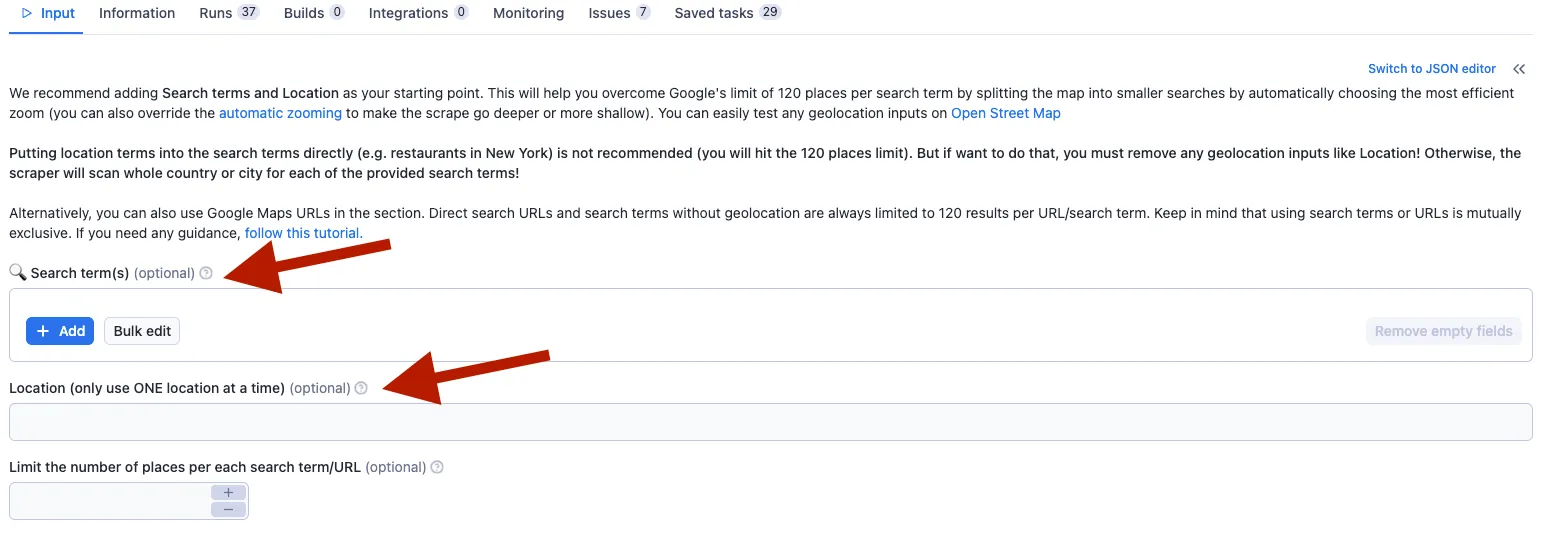
Or you can opt for the URL.

In both cases, you must set the “Language” to English.

Lastly, in the “Do you want to extract reviews” section, check the option “One review per row” and specify other details about the reviews.
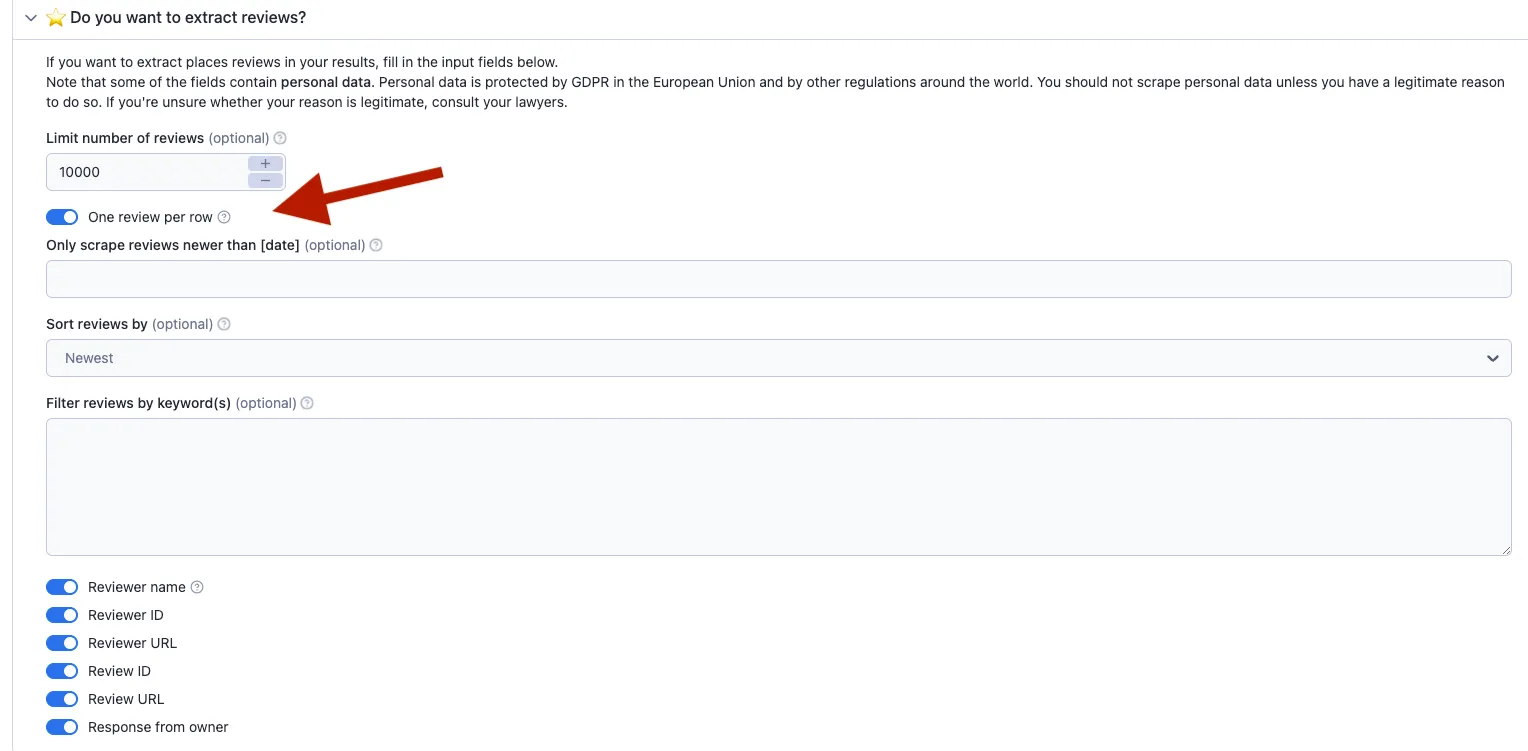
If you're unsure about setting up the scraper, this guide might help.
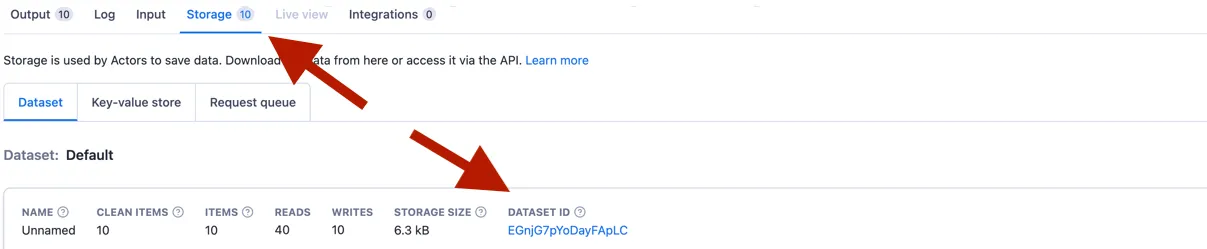
Once you have scraped the reviews, go to Storage and copy the dataset ID of the scraped results you want to analyze. Then, pass it to the field “Source dataset” ID in the analyzer’s input. Please note that the only acceptable input value is the dataset ID, not a URL of the reviews on Google.

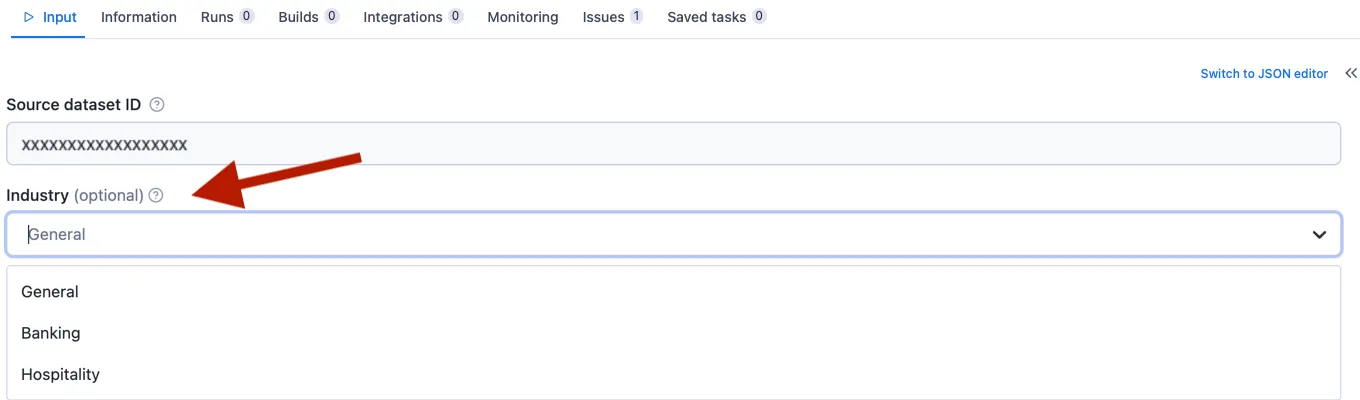
We recommend modifying the optional field “Industry” to give you better results using models specifically targeted to the industry businesses. You can choose between General, Banking, and Hospitality options.
There is also an option to skip reviews with no text, meaning they will not appear in the results. You can also limit the number of reviews to be analyzed.

How much does it cost
Our pricing model is on a pay-per-result basis, with a rate of $5 per 1000 results obtained. You can control the cost either by limiting the number of analyzed reviews or skipping reviews that do not contain text.
Example usages
Let's say we want to analyze restaurant reviews in a chosen area of the city. We configure the Google Maps Reviews Scraper, remembering to set the language to English.
Next, we take the extracted reviews and copy the dataset ID from Storage to the field “Source dataset ID” in the analyzer's input. Because we are analyzing restaurant reviews, we select the Hospitality Industry, and we can skip the reviews without text.
Or you want to keep up with the reviews your biggest competitors in finance are getting. Again, we set up the Google Maps Reviews Scraper to extract the reviews. Once we have the data, we use the dataset ID to configure the analyzer's input. We recommend selecting the Banking option in the “Industry” field.
Visualizations
The resulting dataset can be used in any visualization tool to your preference. Here is an example of dashboards in our web app for comprehensive visualization of text analysis.
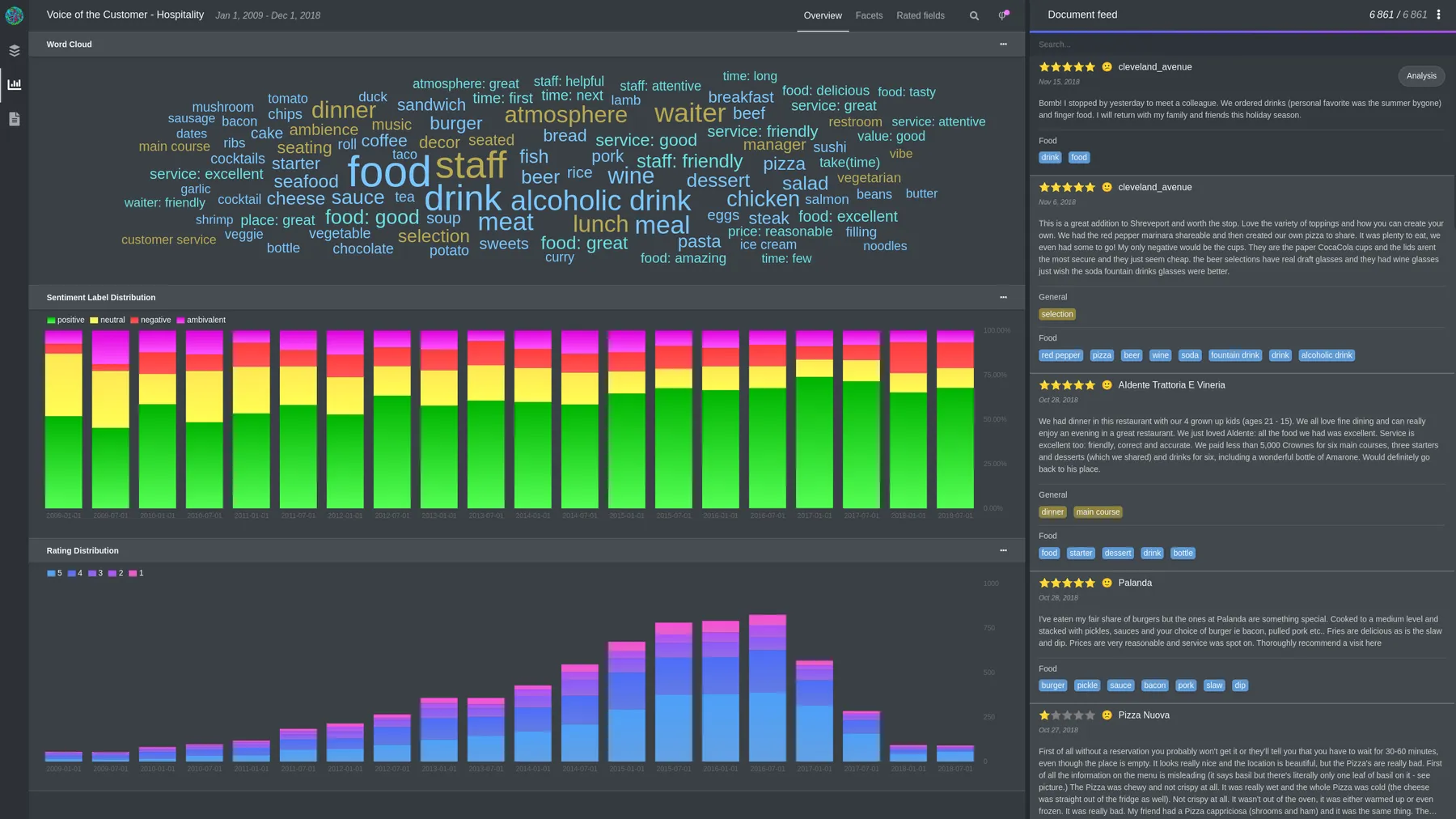
If you need a more detailed overview of the results or would like to do some fine-tuning, please get in touch with us at info@geneea.com.