|
VOOZH | about |
|
VOOZH | about |
It’s 2025, and AI code review tools are everywhere. They promise to catch your bugs, lock down your app, and even write parts of your test suite. The real question is whether any of them actually deliver.
👁 top 5 ai code review toolsSo I lined up five of the leading tools, ran them on the exact same codebase, and compared how they performed in practice.
In this article, I’ll walk through that head-to-head test of the top AI code review tools in 2025:
All of them support GitHub integration for PR reviews, but that’s not what we’re focusing on here. The goal is simple: see how well they review code when you put them to work directly.
The Replay is a weekly newsletter for dev and engineering leaders.
Delivered once a week, it's your curated guide to the most important conversations around frontend dev, emerging AI tools, and the state of modern software.
Before diving into each tool individually, here’s a quick head-to-head comparison so you can see how they stack up at a glance:
| Tool | Speed | Setup Time | Detail Level |
|---|---|---|---|
| Qodo | Very fast | Very fast | Very detailed |
| Traycer | Fast | Fast | Detailed |
| CodeRabbit | Fast | Fast | Moderate |
| Sourcery | Slow | Fast | Moderate |
| CodeAnt AI | Slow | Fast | Low |
Before getting into the results, we need a basic setup. You don’t need much – just enough to run the same tests I did:
To properly test these tools, you need a project with real issues. A simple Hello World app won’t reveal much – you want bugs, shaky security, and a few bad patterns sprinkled in. So I put together a small but realistically messy codebase for this comparison.
For the tools that accept prompts, I used four focused review prompts:
Across all tools, I evaluated three things:
And all of the prompts were built around three core themes:
First up is Qodo.
Qodo – formerly known as Codium – is an AI code review tool built to take the grunt work out of reviews and boost test coverage along the way.
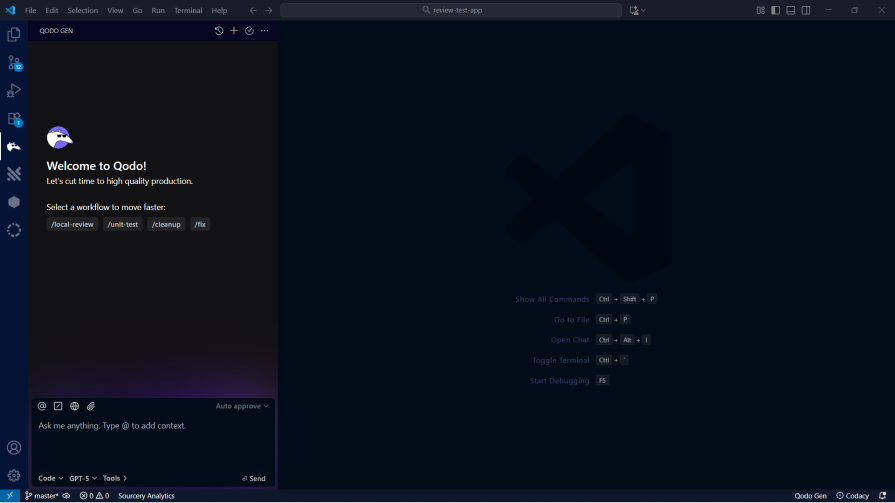
Qodo Gen is available for both VS Code and the JetBrains ecosystem. Getting started is straightforward: install the extension, sign in, and you’re ready to run your first review:
Let’s get into trying the test prompts on Qodo.
This is the prompt I used for the security review:
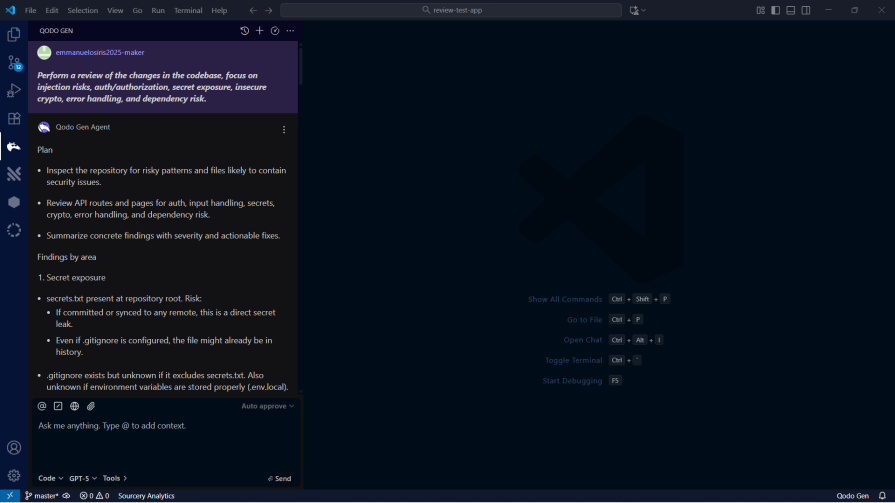
Perform a review of the changes in the codebase, focus on injection risks, authentication /authorization, secret exposure, insecure crypto, error handling, and dependency risks.
I understand this is a fairly small and less complex codebase, but it took Qodo less than a minute to scan and make a security review of the codebase. I consider this very impressive:
It’s pretty obvious the test app is packed with security issues.
I then went on with the next prompt:
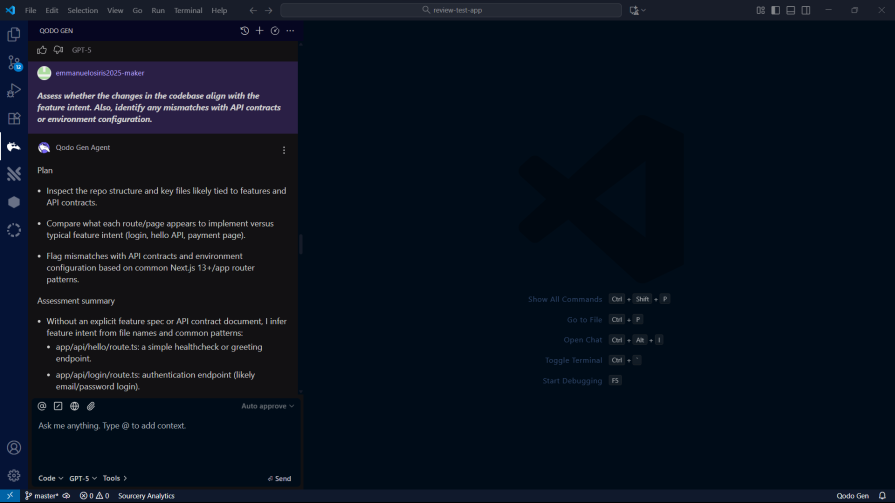

Assess whether the changes in the codebase align with the feature intent. Also, identify any mismatch with API contracts or environment configurations.
Qodo once again did not let me down, as it brought forth context alignment issues in the tested codebase even more than what I could spot out myself:
Now, let’s examine how Qodo handles modularity and design. A well-structured codebase is important for long-term maintainability, and AI tools should be able to identify and suggest improvements in this area.
I used the following prompt to test this:
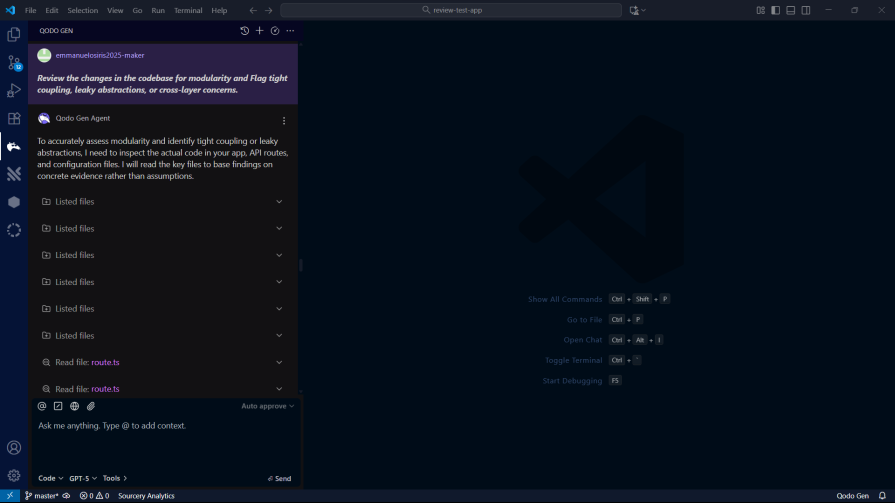

Review the changes in the codebase for modularity and Flag tight coupling, leaky abstractions, or cross-layer concerns.
Qodo’s analysis of the codebase’s modularity was impressive. It identified several areas where the code could be refactored to improve separation of concerns:
The suggestions were not just generic best practices but were tailored to the specific context of the application. I have to say that Qodo is living up to the hype.

Finally, I asked Qodo to generate a consolidated report. I prompted it to:
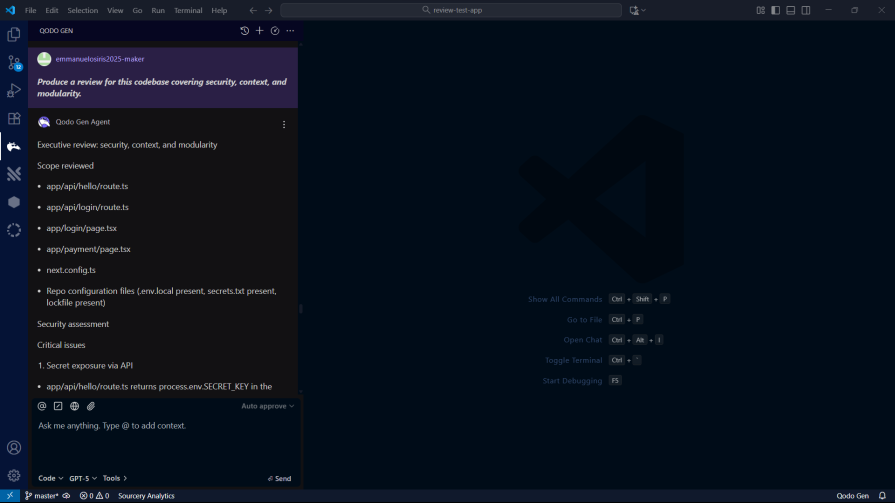
Produce a review for this codebase covering security, context, and modularity.
For the last prompt, Qodo took less than a minute to come up with what I expected it to do with the prompt.
Qodo really shines on speed. In my tests, it took under two minutes to scan the entire codebase and produce full reviews with clear suggestions.
It also doesn’t hold back on depth. Qodo breaks issues into critical, high, medium, and low severity, and explains each one with enough detail that you actually understand the risk and how to fix it.
Traycer is the next tool I tested. It’s free for the first seven days, and after that you’ll need a paid plan to keep using it.
You can install Traycer as an extension in your preferred editor. Once it’s installed, just log in with your Traycer account and you’re set.
Traycer currently supports:
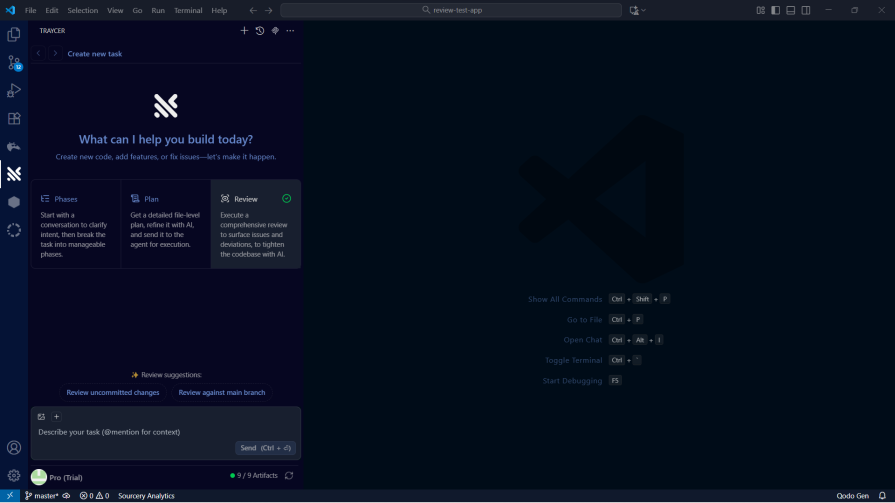
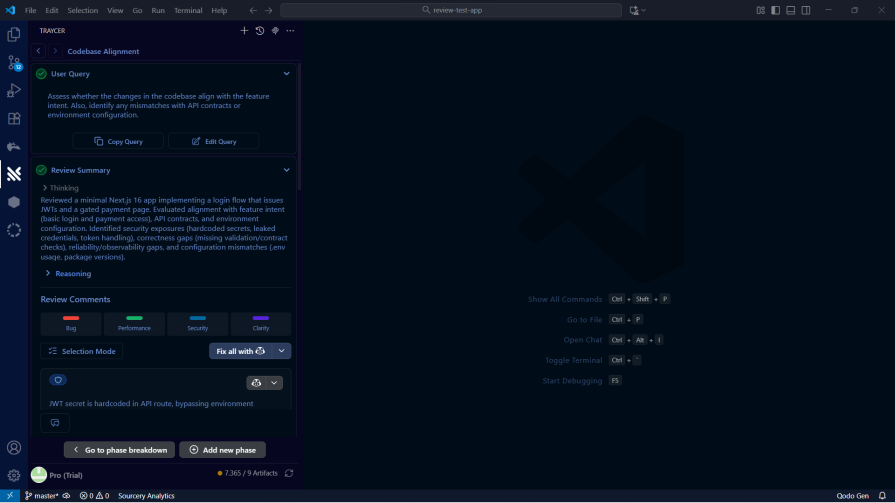
After logging in, you’ll see a screen like this:
Here’s the first prompt I tested Traycer with:
Perform a review of the changes in the codebase, focus on injection risks, authentication /authorization, secret exposure, insecure crypto, error handling, and dependency risks.
Traycer flagged several potential security risks, including an SQL injection in the codebase:
I then tested Traycer with the second prompt:
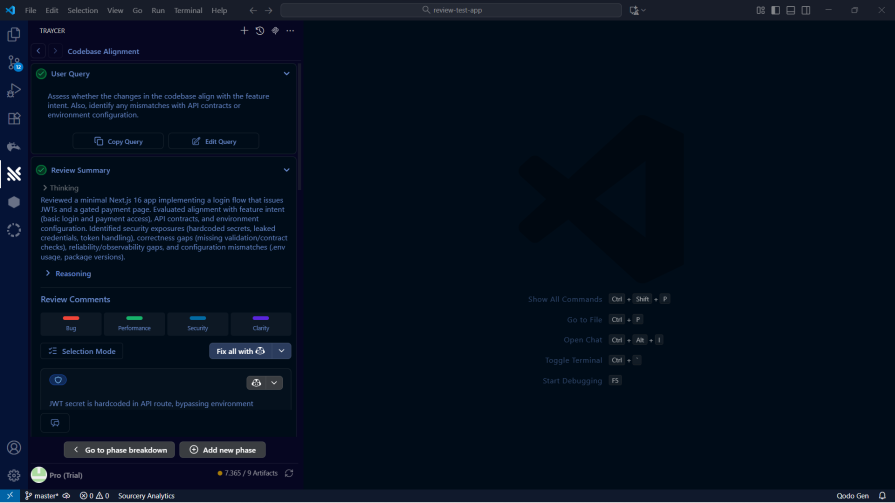
Assess whether the changes in the codebase align with the feature intent. Also, identify any mismatches with API contracts or environment configurations.
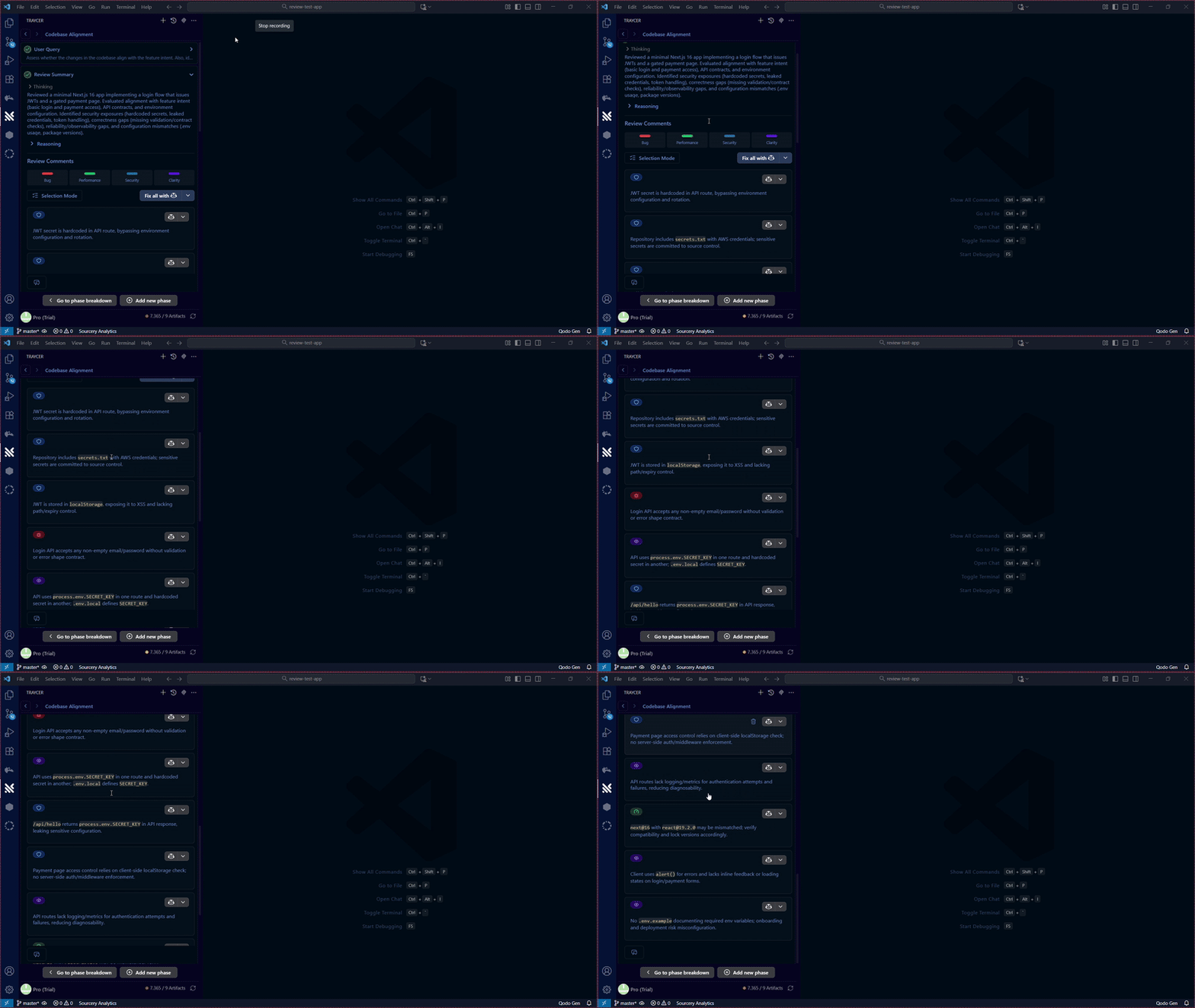
Traycer uses a minimal, list-style interface that surfaces items to fix or improve in the codebase. It took a little over a minute to generate its review, and even with that extra time, the output wasn’t as detailed as what Qodo produced earlier:
Traycer seemed to have been very accurate in getting the intent of the codebase and how the codebase has veered off its intent:
Next, I tested Traycer’s modularity and design analysis capabilities. I used the same prompt as before to see how it would fare.
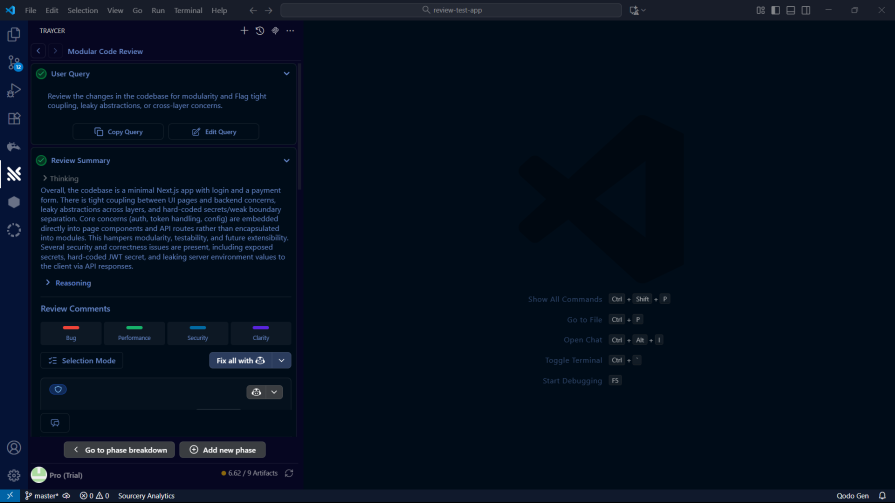

Review the changes in the codebase for modularity and Flag tight coupling, leaky abstractions, or cross-layer concerns.
Traycer’s suggestions were relevant, but they lacked the depth and context that Qodo provided.
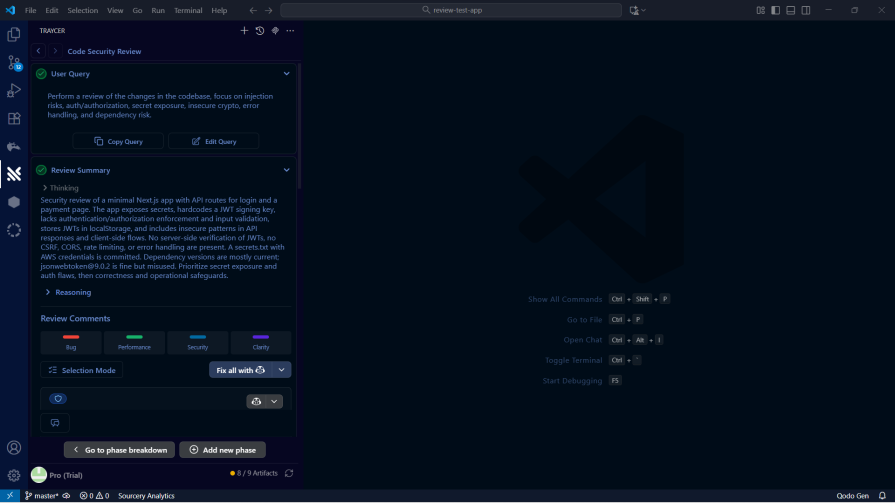
Finally, I asked Traycer for a consolidated report. This would show how well it can bring together all the different aspects of the code review into a single, actionable report.
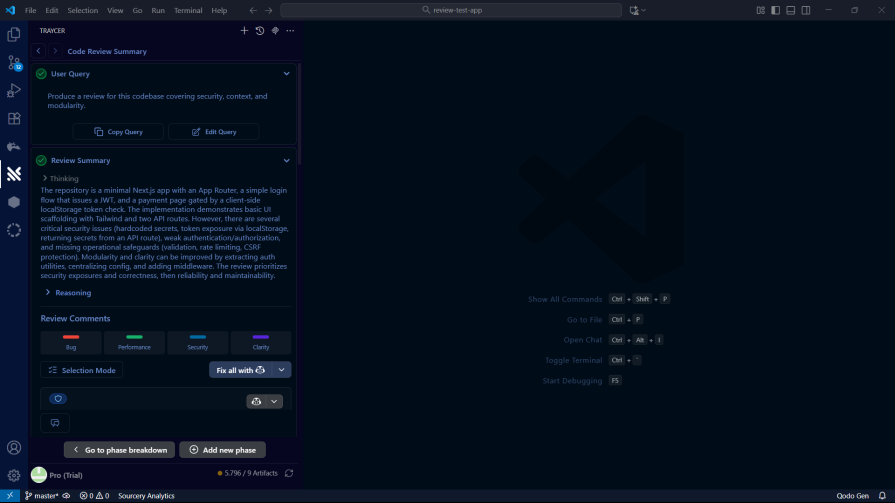
Produce a review for this codebase covering security, context, and modularity.
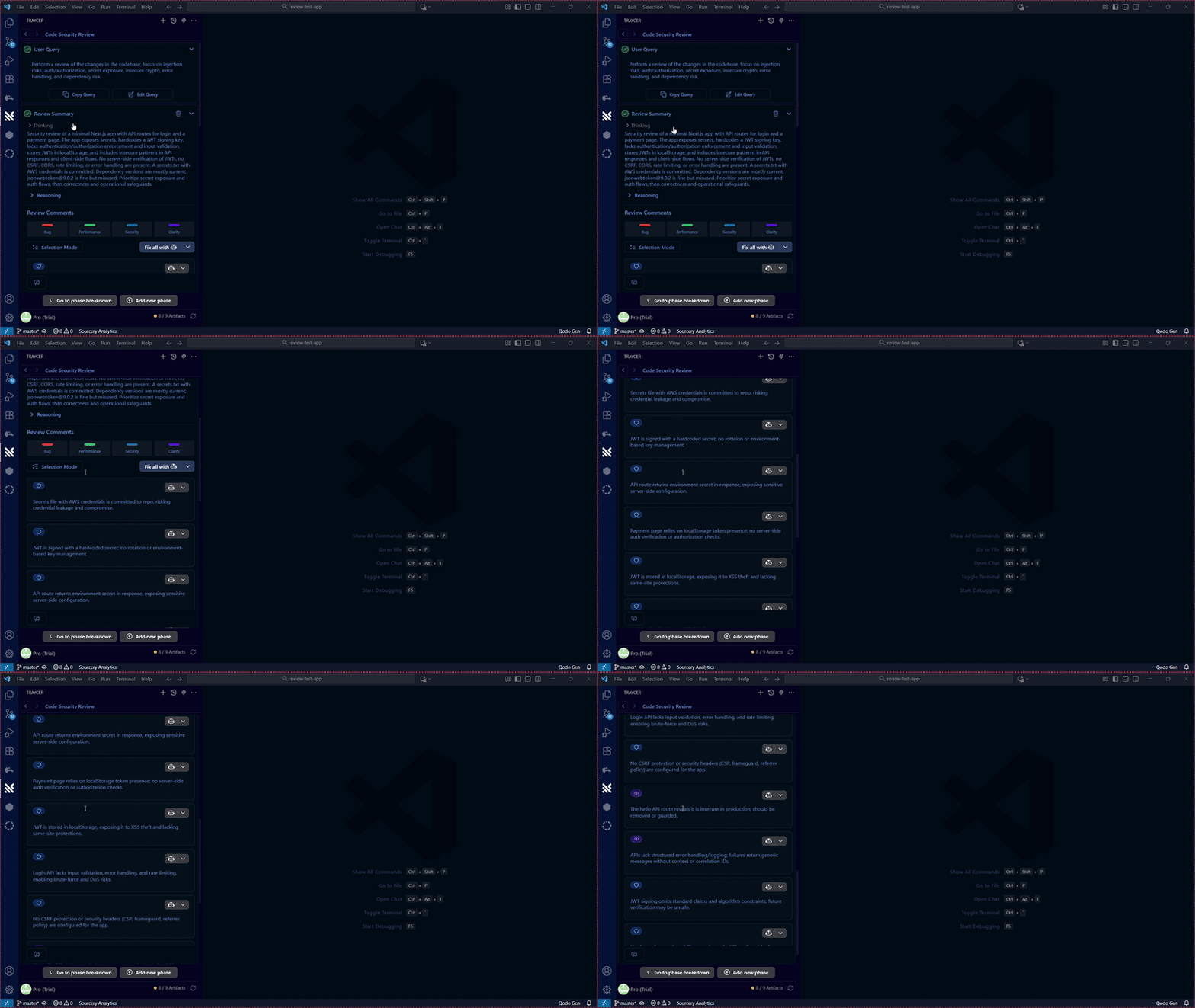
One thing Traycer does well is how it organizes the issues it finds. Everything gets grouped under categories like bug, performance, security, and clarity, which makes the results easy to skim and work through:
Traycer is painless to set up – install the extension, log in, and you’re ready.
On speed, though, it lags behind Qodo. It took a little over a minute to generate its analysis. Not a deal breaker, but you feel the difference.
The reports themselves weren’t as thorough either. Traycer leans more toward high-level, whereas Qodo digs deeper into each issue.
Next up is CodeRabbit. It’s a well-known AI code review tool that pitches itself as a way to cut review time and bugs in half.
CodeRabbit works in VS Code, Cursor, and Windsurf. The setup is the same as the others: install the extension, sign in, and you’re good to go.
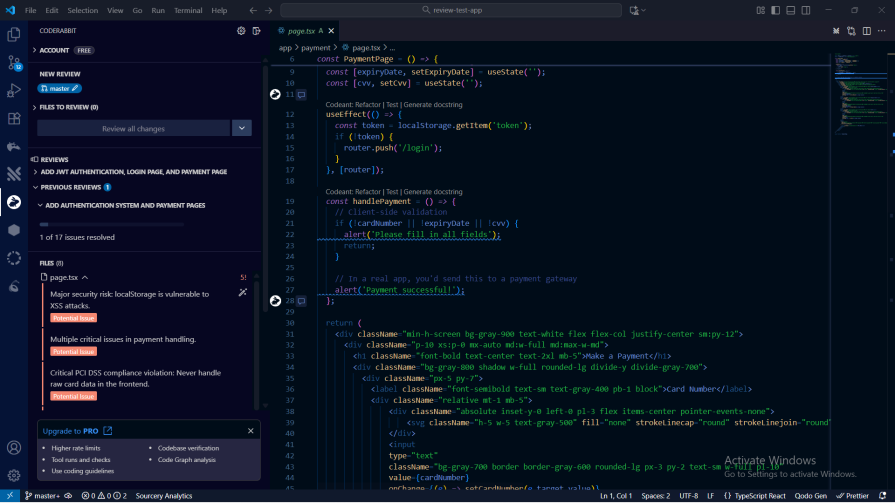
CodeRabbit is built specifically for code review. Unlike the prompt-driven tools, you don’t ask targeted questions. You just run it on your codebase, let it generate a review, and then go through the issues. For smaller items, you can even let CodeRabbit auto-fix them for you:
CodeRabbit’s workflow is a little different from the others. There are no prompts – it just scans your code and gives you a list of issues. That’s great if you want a quick, low-effort pass over your project.
The tradeoff is flexibility. Since you can’t steer the analysis, you can’t ask it to focus on security, or modularity, or API alignment the way you can with the prompt-based tools. That makes it a bit less adaptable.
Even so, CodeRabbit is a solid option. It’s simple, easy to run, and the feedback it provides is genuinely useful.
Sourcery positions itself as a code review platform built with security and speed in mind.
You can install Sourcery in several editors, including:
Once the extension is installed, sign in with your Sourcery account and you’re ready to use it.
Since Sourcery only reviews a single file at a time, I tweaked the prompts to match that limitation – swapping“codebase” for “file.”
I started with the security review:
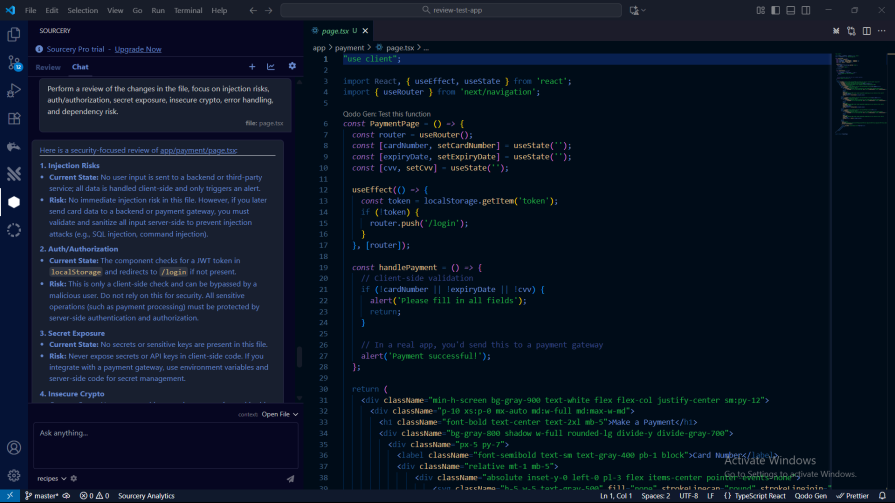

Perform a review of the changes in the file, focus on injection risks, authentication /authorization, secret exposure, insecure crypto, error handling, and dependency risks.
It surfaced a few useful details, but nowhere near the depth you get from Qodo or Traycer:
It also ended up being the slowest tool in the entire lineup.
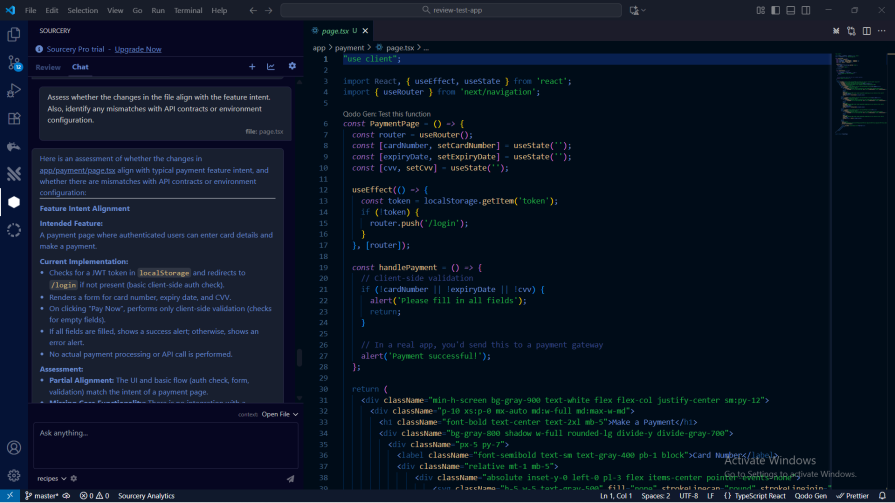

Assess whether the changes in the file align with the feature intent. Also, identify any mismatches with API contracts or environment configurations.
It correctly analysed the intent of the page, the current implementation, and the assessment of the page:
Next, I ran the modularity prompt:
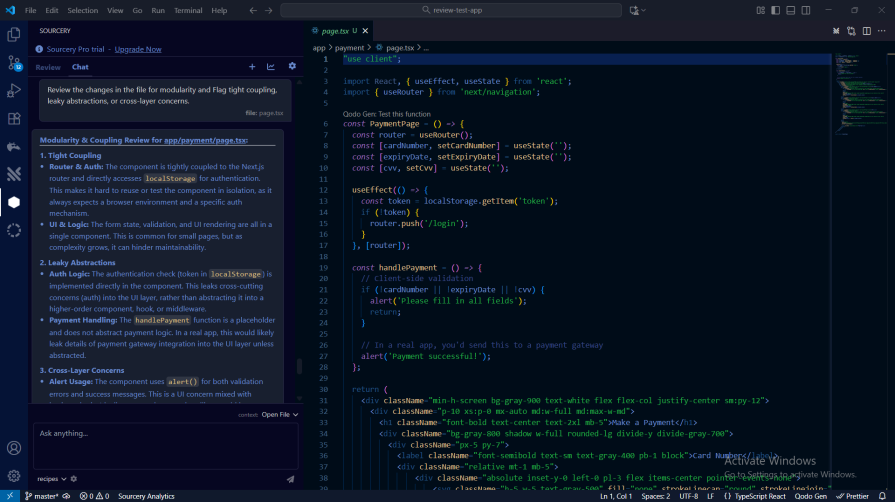

Review the changes in the file for modularity and Flag tight coupling, leaky abstractions, or cross-layer concerns.
It highlighted issues with poor modularity and tight coupling:
Prompt:
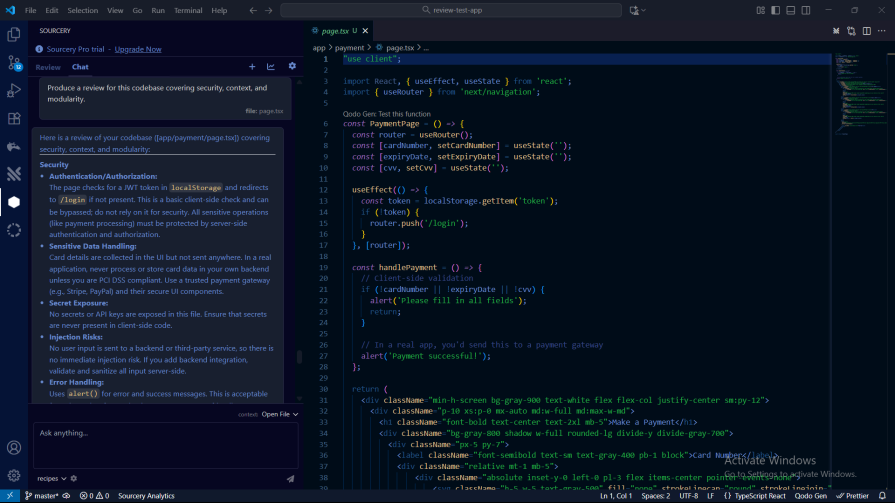
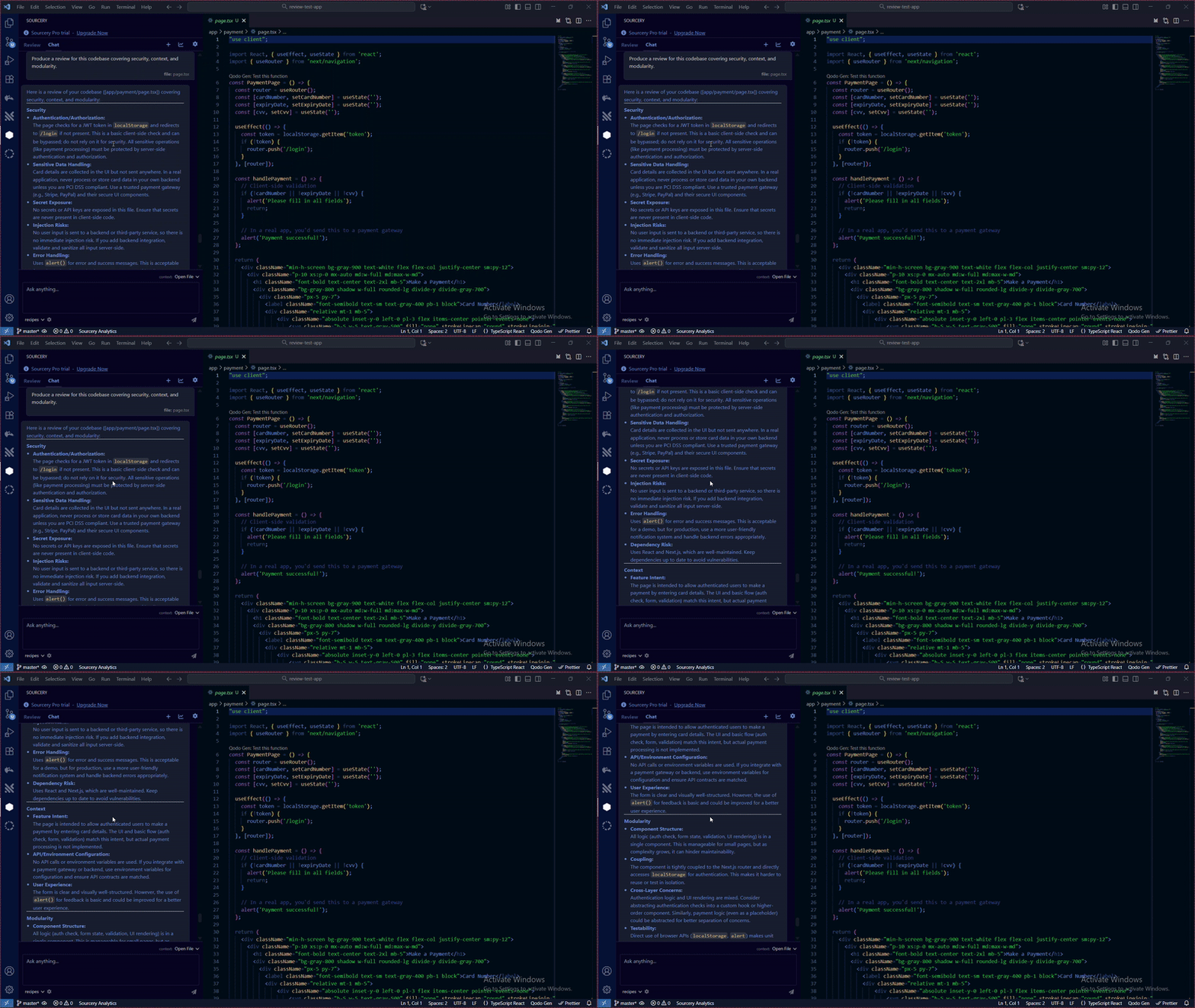
Produce a review for this codebase covering security, context, and modularity.
Finally, I asked Sourcery to generate a consolidated report. It was easy enough to read, but it didn’t have the depth or level of detail that Qodo and Traycer delivered.
It’s also on the slower side – reviewing a single file took over a minute. And since Sourcery only scans one file at a time, reviewing a full codebase means running it file by file, with no real understanding of how those pieces connect.
The output is fairly bare-bones too. It doesn’t go into the kind of depth you get from Qodo or even Traycer; it mostly just lists the findings without much explanation.
CodeAnt AI claims it can help teams cut manual review time and reduce bugs by as much as 80%.
You can install CodeAnt AI as an extension in:
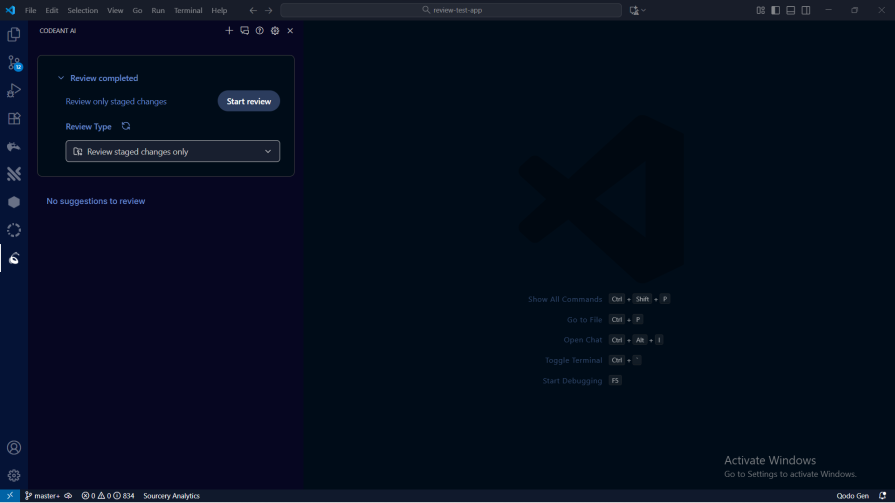
Setup works the same as the other tools – install the extension, log in with your CodeAnt AI account, and you’re ready to start a review:
CodeAnt AI is simple to get running – install the extension, sign in, and you can launch a review right away. It works similarly to CodeRabbit: open the codebase you want to analyze, hit “Start review,” and let it run.
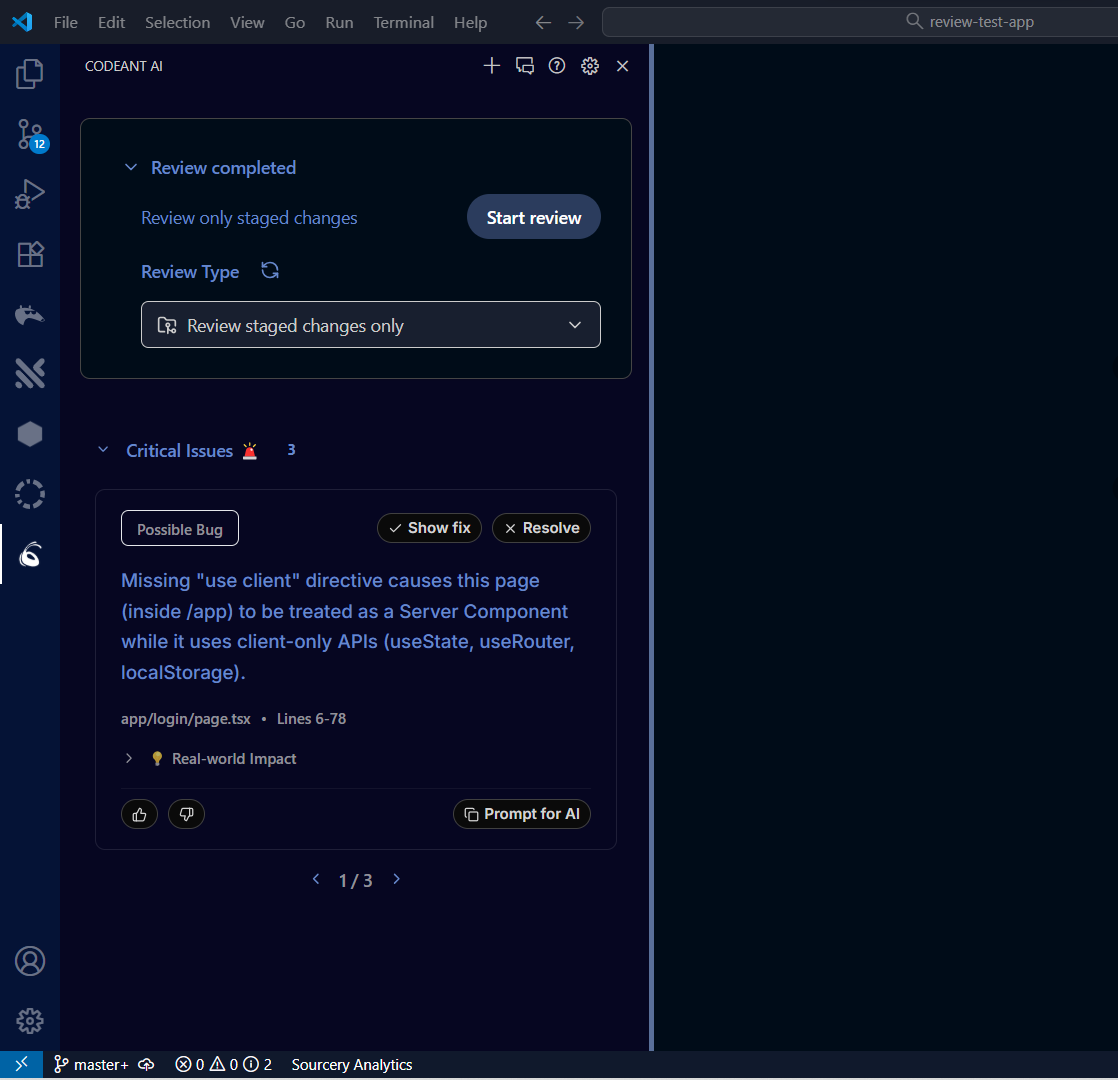
The downside is speed and depth. It took over a minute to review the test project, and the output was pretty thin. For example, it flagged only three critical issues in a codebase where Qodo and Traycer surfaced far more problems worth addressing:
After running all the tests, Qodo comes out on top. It’s the fastest, the most detailed, and easily the most flexible tool in the group. The interface is straightforward, and the prompt-based workflow makes it easy to dig into exactly what you want.
Traycer lands in a solid second place. It’s not as quick or as thorough as Qodo, but it still delivers useful insights and is simple to work with.
CodeRabbit, Sourcery, and CodeAnt AI all have their place, but they don’t match what Qodo and Traycer offer. They’re slower, less detailed, and not nearly as adaptable.
If you want the strongest AI code review tool right now, Qodo is the clear pick.
Learn how next-browser gives AI agents runtime context for debugging Next.js apps, including React props, hydration, PPR, forms, and performance.
Build dynamic LLM routing in Next.js with OpenRouter, TanStack AI, task classification, model fallbacks, and cost-aware routing.
TSRX adds first-class control flow, conditional hooks, and scoped styles to React via a TypeScript compiler extension — no new framework required.
Learn how to build a full React Native auth system using Better Auth and Expo — with email/password login, Google OAuth, session persistence, and protected routes.
Would you be interested in joining LogRocket's developer community?
Join LogRocket’s Content Advisory Board. You’ll help inform the type of content we create and get access to exclusive meetups, social accreditation, and swag.
Sign up now