Canva AI pricing in 2026: a complete guide to plans, credits, and upgrades


Last edited June 9, 2026
What Canva AI actually is
Canva brands all of its AI features under Magic Studio - an umbrella that covers everything from one-click background removal to full text-to-video generation. As of 2026, Magic Studio spans five integrated surfaces inside the Canva editor: the core design editor, Sheets, Code, Video 2.0, and Affinity (the professional design suite Canva acquired in 2024 and made fully free in 2026).
The headline 2026 addition is Canva AI 2.0 - a conversational design interface where you describe what you want in text or voice, and the editor builds fully editable design objects, not flat images. "Make me a 10-slide pitch deck in our brand colors with these four talking points" in 22 seconds. That capability sits at the Ultra AI tier, which burns through your monthly allowance faster than any other feature.
Before the pricing makes sense, you need one key fact: Canva AI is not sold separately. There's no "Magic Studio subscription." You buy Canva - a full design platform with templates, stock assets, and a publishing workflow - and the AI is layered on top according to your plan tier. If you're evaluating AI tools for content creation and Canva is on your list, that bundled context is what drives the real value calculation.
How the Canva AI credit system works
This is where most people get confused - and it's the source of the most common complaint you'll find in community discussions about Canva AI reviews.
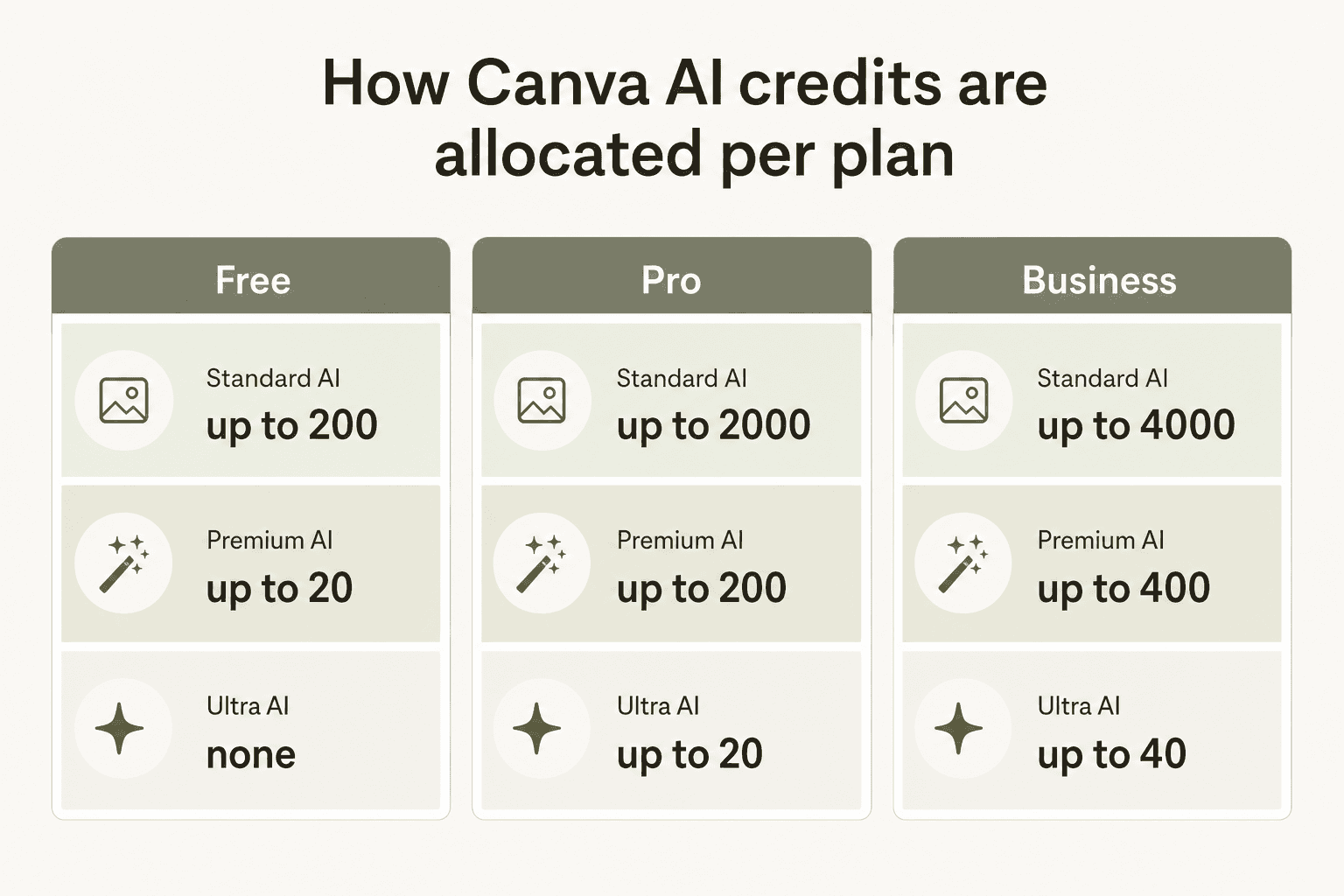
All Canva AI tools share a single combined monthly allowance. Canva divides those tools into three tiers that drain the allowance at different rates:
Standard AI (slowest drain) - Magic Formulas, Magic Write for SEO. Light, relatively obscure tools that most users rarely reach for.
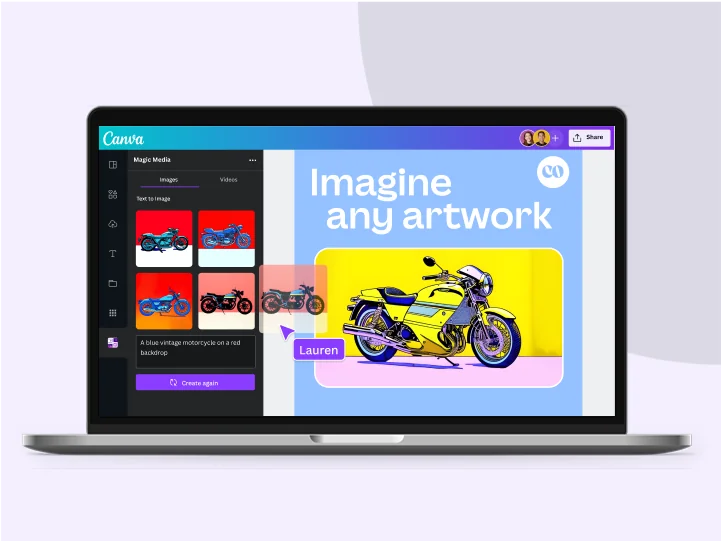
Premium AI (medium drain) - Image generation via Dream Lab, Magic Design, Canva Code, Magic Charts, Magic Insights, Music Generator, Form Generator, and all Affinity Premium AI tools (Generative Fill, Expand, Edit, Generate Images/Vectors). These are the features most people buy Pro for.
Ultra AI (fastest drain) - Canva AI 2.0 conversational design, text-to-video clip generation, and advanced image models. Cutting-edge, but expensive in credit terms.
There's a separate, more important category Canva calls AI Design Tools - Background Remover, Magic Write (basic), Magic Eraser, Magic Expand, Magic Grab, Magic Morph, Magic Animate, Magic Switch, Enhance Voice, Beat Sync, and the Affinity on-device AI tools - that sit outside the allowance entirely. These are included with your plan at fair use, don't pull from the credit pool, and cover a lot of what people actually reach for daily.
The ranges Canva publishes ("up to 200 Premium uses/month on Pro") assume you use only that one tier at minimum complexity with the least-power tool in that tier. In practice, mixing tiers and using complex prompts means your real monthly capacity is lower.
One user complaint that comes up repeatedly: each failed generation counts. If you're iterating on a Dream Lab prompt - running five variations before landing on one you like - all five draw from your monthly allowance. Community discussions report Pro users burning through a significant portion of their 200 Premium uses in a single afternoon of experimenting. It's the main reason the credit system feels frustrating even to people who like the tools.
The Canva AI 2.0 allowance multiplier is particularly steep. A single request to build a 10-slide presentation through the conversational interface uses significantly more than 10 separate one-shot image generations - because AI 2.0 runs as an autonomous multi-step editor, triggering multiple models for layout, copy, image selection, and brand application in sequence.
Canva AI pricing plans compared
| Plan | Annual price | Standard AI/mo | Premium AI/mo | Ultra AI/mo |
|---|---|---|---|---|
| Free | $0 | up to 200 | up to 20 | None |
| Pro | $144/yr (~$12/mo) | up to 2,000 | up to 200 | up to 20 |
| Business | $250/yr per person | up to 4,000 | up to 400 | up to 40 |
| Enterprise | Custom | up to 4,000 | up to 400 | up to 40 |
All allowances reset on your billing date. The Free plan resets at 12:00 a.m. UTC on the first of each month.
Canva Free
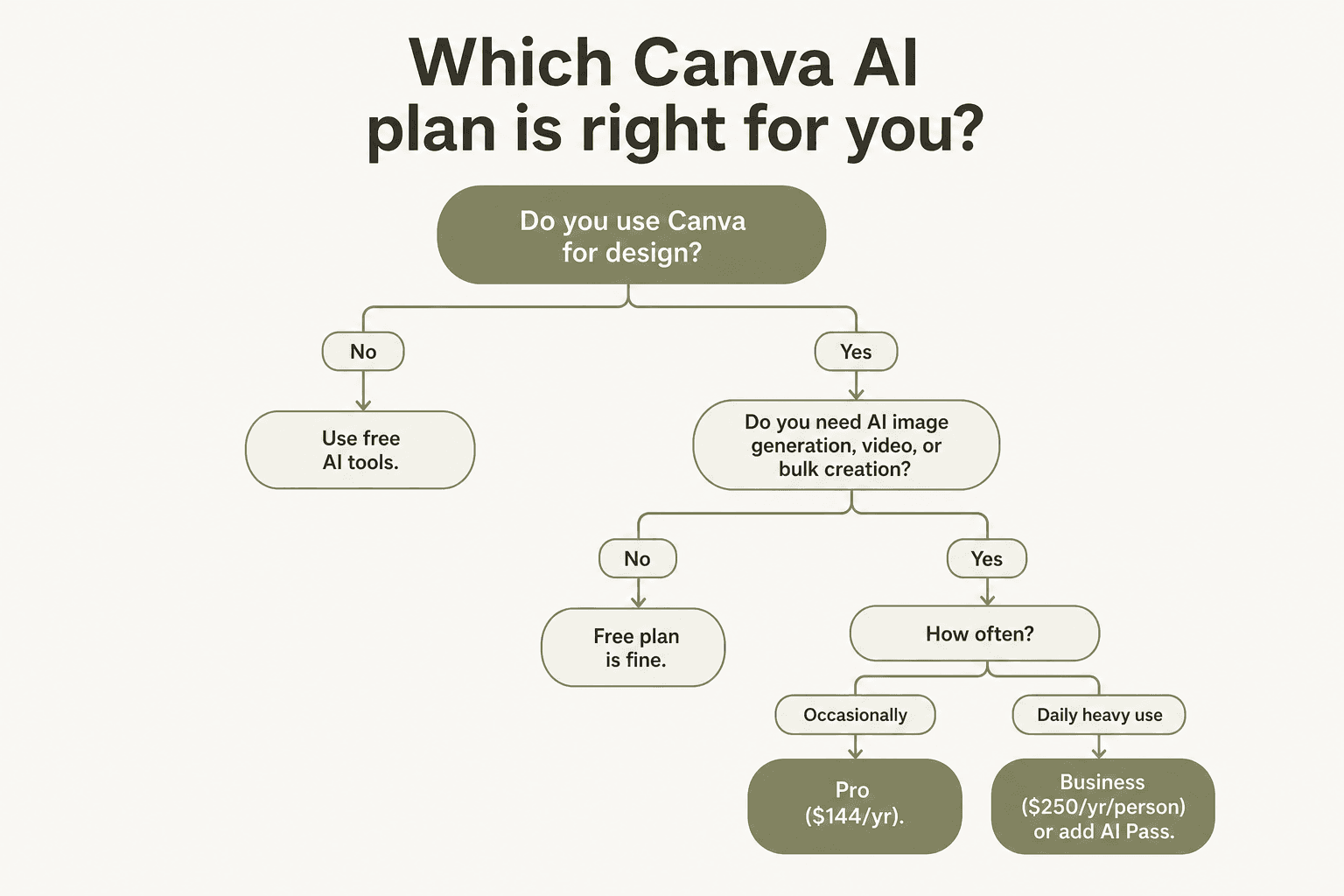
The Free plan is a real starting point, not a stripped demo. Magic Write, Background Remover, Magic Eraser, Magic Expand, and the other AI Design Tools are included without touching the monthly pool. The allowance-based tools (image generation, Magic Design, etc.) give you up to 200 Standard or 20 Premium uses per month - enough for a handful of image generations if you're not iterating heavily.
What Free doesn't give you: Ultra AI (no Canva AI 2.0, no text-to-video), premium stock assets, more than 5 GB of storage, or more than one Brand Kit with three color slots. Dream Lab is available with 5 free generations per month on Free. For occasional personal projects, this is a genuinely usable free tier. For any production-grade creative work, you'll hit the ceiling fast.
Canva Pro - $144/year for one person
Canva Pro is where most individual users serious about design or content marketing should land. The AI allowance jumps 10x over Free (2,000 Standard / 200 Premium / 20 Ultra per month), but the AI is only one argument for Pro. The fuller argument:
- 141M+ premium photos, videos, audio, and graphics (vs. 4.7M on Free)
- 100 GB storage (vs. 5 GB)
- 5 Brand Kits with fonts, colors, and logos
- Magic Switch for one-click resize across every format
- Video Background Remover, Enhance Voice, Automatic Beat Sync
- Affinity (Photo, Designer, Publisher) with AI - Canva acquired Affinity in 2024 and made the base software free in 2026. The professional AI features inside Affinity (Generative Fill, Expand, Generate Images/Vectors) require Canva Pro.
That last point is the sleeper buying signal of 2026. As one independent review put it: "The Canva Pro + free Affinity bundle replaces Adobe Creative Cloud at $15/month - with Magic Studio AI thrown in." If you've previously paid $55+/month for Creative Cloud and your work doesn't require professional prepress or broadcast video editing, that math deserves a second look.
Pro is a solo plan - one person per account. Collaboration requires Business.
Canva Business - $250/year per person
Canva Business is where the team collaboration layer arrives, and it's a meaningful price jump. The AI allowance doubles Pro (4,000 Standard / 400 Premium / 40 Ultra per month), and you get the tools that actually matter for brand-consistent team output:
- 100 Brand Kits with approval workflows
- Real-time collaboration with task assignment
- Brand Controls (lock fonts, colors, and layouts so off-brand outputs get flagged before publishing)
- Roles and permissions
- 500 GB storage
- Bundled access to Leonardo.Ai and Flourish as separate included subscriptions - this is the same Leonardo.Ai Phoenix model powering Dream Lab's image generation
- 10% print discount
One important note for teams switching from the old Canva Teams plan: Teams no longer accepts new sign-ups. Business replaced it, and the pricing shift has been a friction point. A 3-person team previously on Teams at roughly $50/person/year is now at $250/person/year on Business. There's no minimum seat count, but also no discount until Enterprise. For AI tools for social media marketing teams at 2-3 people, the per-person model deserves a hard look at alternatives before committing.
Enterprise - custom pricing
Enterprise adds SSO/SCIM provisioning, 1,000 Brand Kits with multi-team management and tiered approvals, ISO 27001 / SOC 2 Type II certification, AI output indemnity at 100+ seats, Canva Shield, and a dedicated customer success manager at 150+ seats. The AI allowance is identical to Business (4,000/400/40 per month) - Enterprise buyers are paying for security, compliance, and dedicated support infrastructure, not more AI credits.
The AI Pass add-on
If you regularly exhaust your monthly ceiling, Canva offers AI Pass - a separately billed monthly add-on for Pro or Business subscribers that multiplies your allowance:
- Pro + AI Pass: 40x more AI than Pro alone across all three tiers
- Business + AI Pass: 20x more AI than Business across all three tiers
It doesn't unlock new tools - it's pure allowance expansion. AI Pass also extends into Affinity apps, so heavy Generative Fill users inside Affinity Photo are covered.
Canva's pricing page doesn't display the AI Pass cost - it appears at checkout after you log in. You can add or cancel from Settings → Billing at any time, and it bills as a separate line item pro-rated to your existing billing cycle.
Worth noting from Canva's own help docs: "You do not need AI Pass to access AI features." The base Pro and Business plans include meaningful AI allowances. AI Pass is positioned at heavy users - primarily professional content creators, agencies, and design teams - who exhaust their monthly allocation regularly. If you haven't hit your ceiling yet, it's not necessary.
Dream Lab and Magic Design: what you're actually getting
The two AI features most people upgrade Pro for are Dream Lab (image generation) and Magic Design (prompt to layout). Here's an honest look at both.
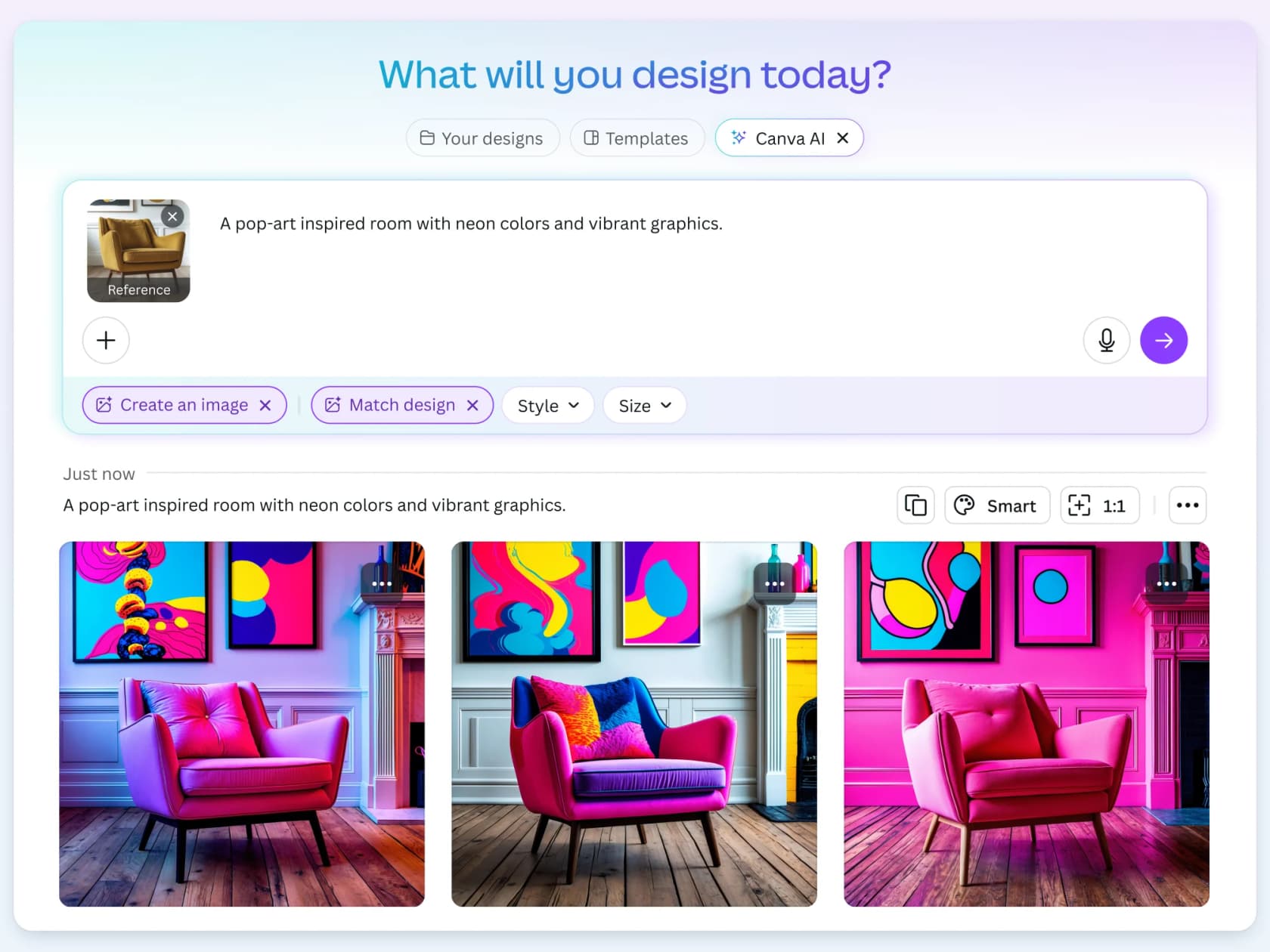
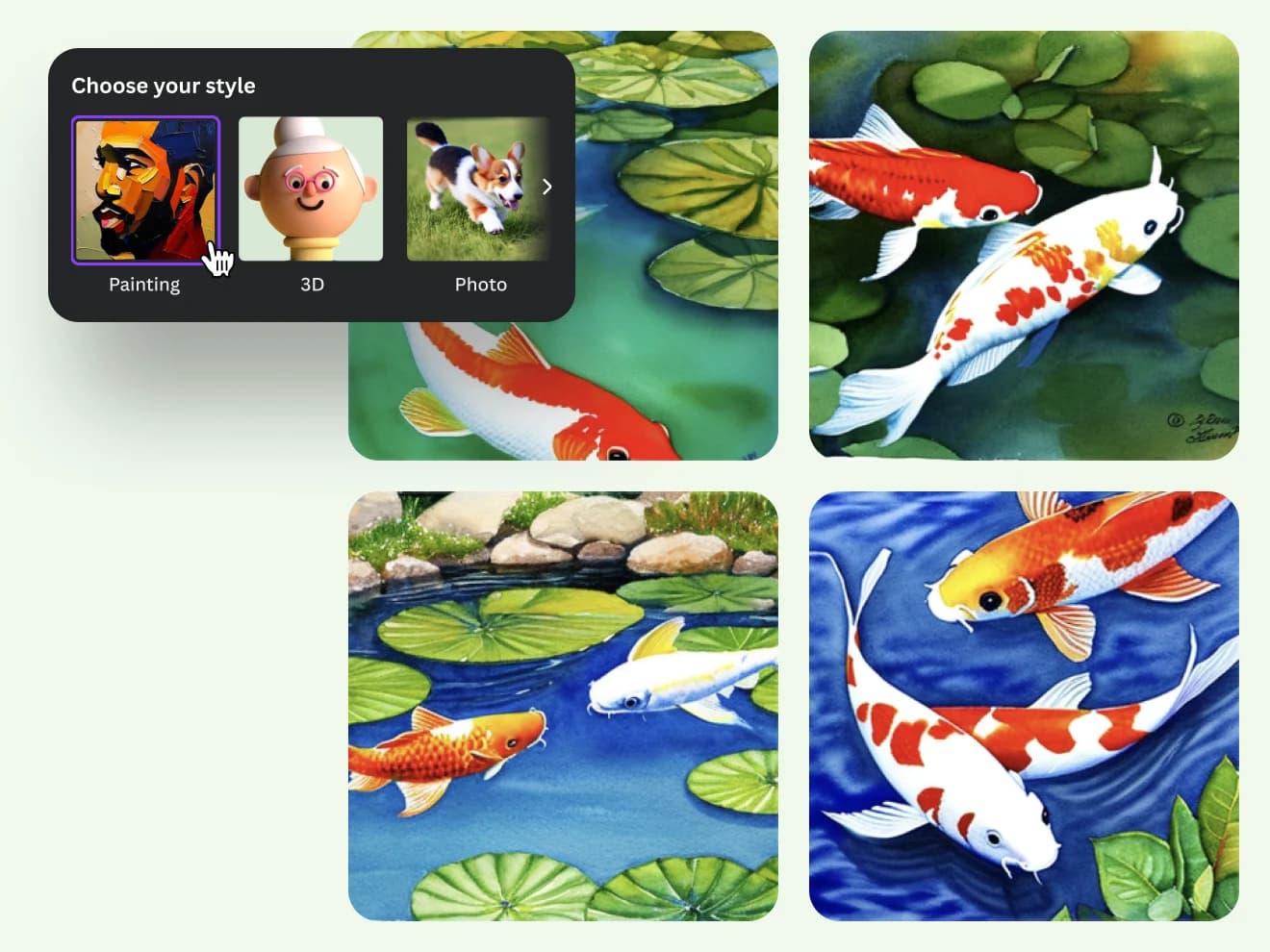
Dream Lab runs on Canva's own model built on the Leonardo.Ai Phoenix architecture, following Canva's 2024 acquisition. The 2026 update added Style Transfer - you upload a reference image and Dream Lab generates new images matching its aesthetic, palette, and composition. In independent testing from aitoolanalysis.com (April 2026), Dream Lab rated above DALL-E 3 for creative output but behind Midjourney v7. Known weaknesses: facial distortion on close-up portraits, problems with hands, and small text within generated images.
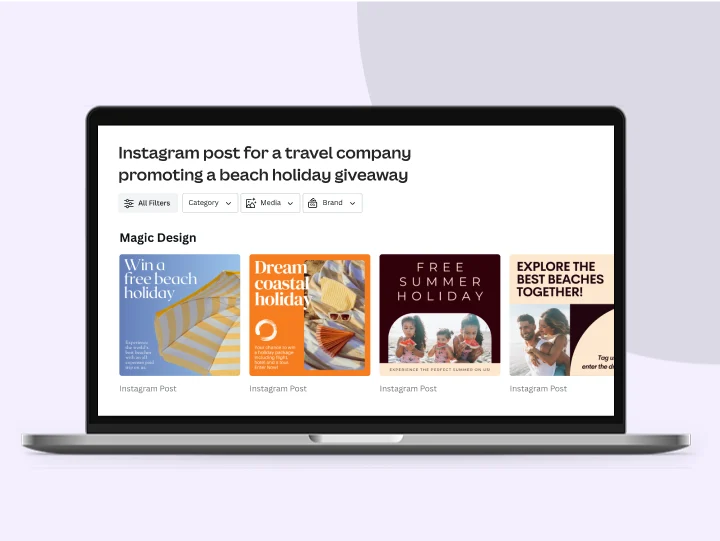
Magic Design takes a text description and generates a complete Canva template - layout, fonts, colors, and placeholder copy - that you can edit immediately. We've found it genuinely useful for brief-to-mockup work where speed matters more than pixel-perfect control. The critical distinction: the output is a fully editable Canva design, not a flat exported image. You can swap every element.
Canva AI 2.0 (the conversational interface added in 2026) is the most powerful thing in Magic Studio and also the fastest way to exhaust your monthly Ultra AI allowance. Tested outputs from aitoolanalysis.com: a usable flyer in 9 seconds, a 5-slide LinkedIn carousel in 14 seconds, a 10-slide pitch deck in 22 seconds. Each of those tasks consumes more than the equivalent number of individual image generations because the conversational editor chains multiple AI models in sequence.
Canva AI pricing vs. alternatives
Canva isn't the only game for AI-assisted creative work. Here's how Canva AI pricing stacks up against the main alternatives at their entry tiers:
| Tool | Entry price | AI image generation | Design editor included | Best for |
|---|---|---|---|---|
| Canva Pro | $144/yr | Included - 200 Premium uses/mo | Full suite | Design + AI in one tool |
| Midjourney Basic | $10/mo | 200 fast GPU hours/mo | None | Pure image generation quality |
| Freepik | ~$15/mo | Unlimited | Limited editor | Stock assets + image generation |
| Adobe CC + Firefly | $55+/mo | Unlimited standard gens | Full pro suite | Professional print/broadcast |
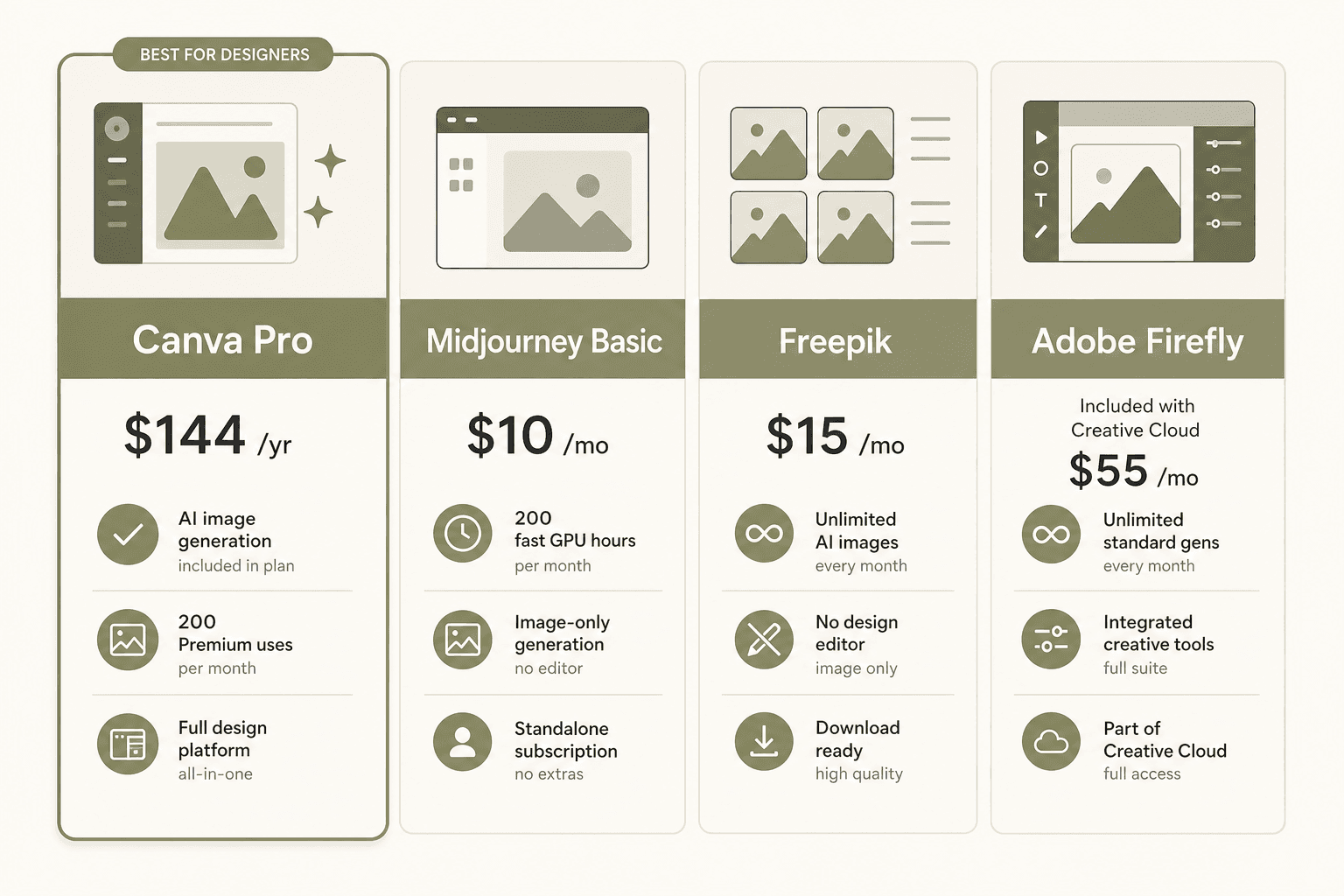
The comparison that comes up most in community discussions is Canva vs. Midjourney. For image quality, Midjourney wins - it's still the benchmark for creative, high-quality AI image generation. But if you need to actually use the image in a design (social post, presentation, banner), Canva's integrated workflow saves significant time. You don't export from one tool, re-import to another, re-crop, and reformat. The whole thing lives in one window.
For teams already on Adobe Creative Cloud who want AI image generation, Firefly's unlimited generation is better value if you're paying for CC anyway. Canva doesn't replace Adobe's professional toolchain for prepress, broadcast video, or complex vector illustration.
There are also dedicated Canva AI alternatives worth exploring if you find Canva's credit limits restrictive for your specific workflow.
Is Canva AI worth upgrading for?
It depends entirely on who you are and how you use it.
"Canva is still the king of 'good enough, fast enough' design. The new AI features save hours of grunt work. But if you are a team of 5+ on a tight budget, the price hike might force you to look at competitors."
Worth upgrading to Pro for:
- Solo creators and solopreneurs doing content marketing, social media, or client presentations. At $12/month, Pro replaces several separate subscriptions and the AI is a genuine time saver for non-designers.
- Non-designers who couldn't produce visual content before. Even imperfect AI output is net positive when the baseline is nothing.
- Social media managers who batch-create content and want the integrated design → AI → scheduling workflow in a single tool.
- Former Adobe CC subscribers who don't need broadcast video or professional prepress. The Canva Pro + free Affinity bundle undercuts Creative Cloud significantly for most practical creative work.
- Content teams using Canva for AI tools for B2B marketing who want branded templates and AI side by side.
Consider alternatives if:
- You need professional-grade image generation for client work. Dream Lab's quality, while solid, is below Midjourney's level, and Midjourney's basic plan at $10/month is cheaper and more capable for pure image generation.
- Your team is 3+ people and you're cost-sensitive. The per-person Business pricing adds up quickly, and cheap AI tools that cover specific use cases may be better value for smaller teams.
- You mainly need AI for writing, not design. Dedicated AI writing tools do significantly more for copy-focused workflows than Magic Write alone.
- You want unlimited AI image generation without a monthly cap. Freepik AI pricing at ~$15/month offers unlimited generation if that's the primary job.
The fine print: what to watch out for
The credit system burns faster than it looks. The published allowance numbers represent theoretical maximums at minimum complexity with the least-demanding tool in a tier. Canva AI 2.0 is a multi-step autonomous editor - a single request to create a 10-slide presentation from scratch uses significantly more than 10 separate one-shot image generations. The complexity multiplier is real and poorly documented.
Each failed generation costs credits. Iterating on a Dream Lab prompt - running five variations to find one you like - means all five count. This is the most consistent complaint from power users, who describe burning through a significant chunk of their Pro allowance "in a weekend of experimenting." Community discussions are full of users surprised by how fast the ceiling arrives.
Teams pricing changed significantly. The old Canva Teams plan no longer accepts new sign-ups. Business at $250/person/year is the only team option now. For small teams that were on the old pricing, this is a meaningful cost increase. If you're evaluating free vs paid AI tools for a budget-sensitive team, model out the per-person costs carefully before committing.
AI Pass pricing isn't public. It's a real product that's useful for heavy users, but Canva doesn't publish its cost. Budget planning requires logging in to see the checkout price.
AI output commercial rights are included. Both Free and Pro include commercial use rights for AI-generated content from Dream Lab, Magic Design, and Magic Write. No separate commercial license needed for client work. Enterprise plans add AI output indemnity at 100+ seats for additional protection.
AI connectors count against your Canva allowance. Third-party apps in Canva's marketplace have their own limits. But if you trigger Canva designs from within an external AI assistant (ChatGPT, Claude, Copilot) using Canva's AI connectors, that does draw from your Canva monthly pool. External app usage doesn't; Canva's own connectors do.
Try eesel.ai
Canva handles the design and visual side of your content workflow. If your team also needs AI that works inside your support stack - resolving Zendesk tickets, fielding Freshdesk queries, handling Slack requests, automating Gmail workflows - eesel.ai is built for exactly that. eesel deploys autonomous AI teammates that live inside the tools you already use, handling repetitive tasks without requiring your team to switch apps or manage another dashboard. Unlike per-seat tool pricing, eesel charges per task ($0.40 per ticket resolution), so teams pay for what they actually use. Start with $50 in free credit, no card required, at eesel.ai.

Frequently Asked Questions

Share this article

Article by
Rama Adi Nugraha
Rama is a software engineer at eesel AI with two years of experience writing about B2B SaaS, AI tools, and customer support technology. Based in Bali, Indonesia, he brings a developer's perspective to product comparisons — cutting through marketing copy to what the integrations and APIs actually do.