
🚀 HTTP-4-MCP 中间件服务器


🌟 简介
HTTP-4-MCP 是一款功能强大的中间件服务器,能够将常规 HTTP 接口神奇地转换为 MCP(模型控制协议)接口。只需简单配置,您的 HTTP API 即可立即成为 MCP 工具!
✨ 主要特点
🔄 HTTP 到 MCP :一键将 HTTP API 转换为 MCP 接口
📝 JSON 配置:简单直观的配置
🌊 SSE 支持:实时数据流
🎨可视化配置:用于 API 配置的拖放界面
🔥热重载:无需重启即可即时更新配置
📊完整监控:详细的日志记录和错误跟踪
🛡️安全可靠:内置错误处理和参数验证
Related MCP server: MCP Swagger Server
👨💻作者信息
📸系统演示
🖥️ 直观的可视化配置界面
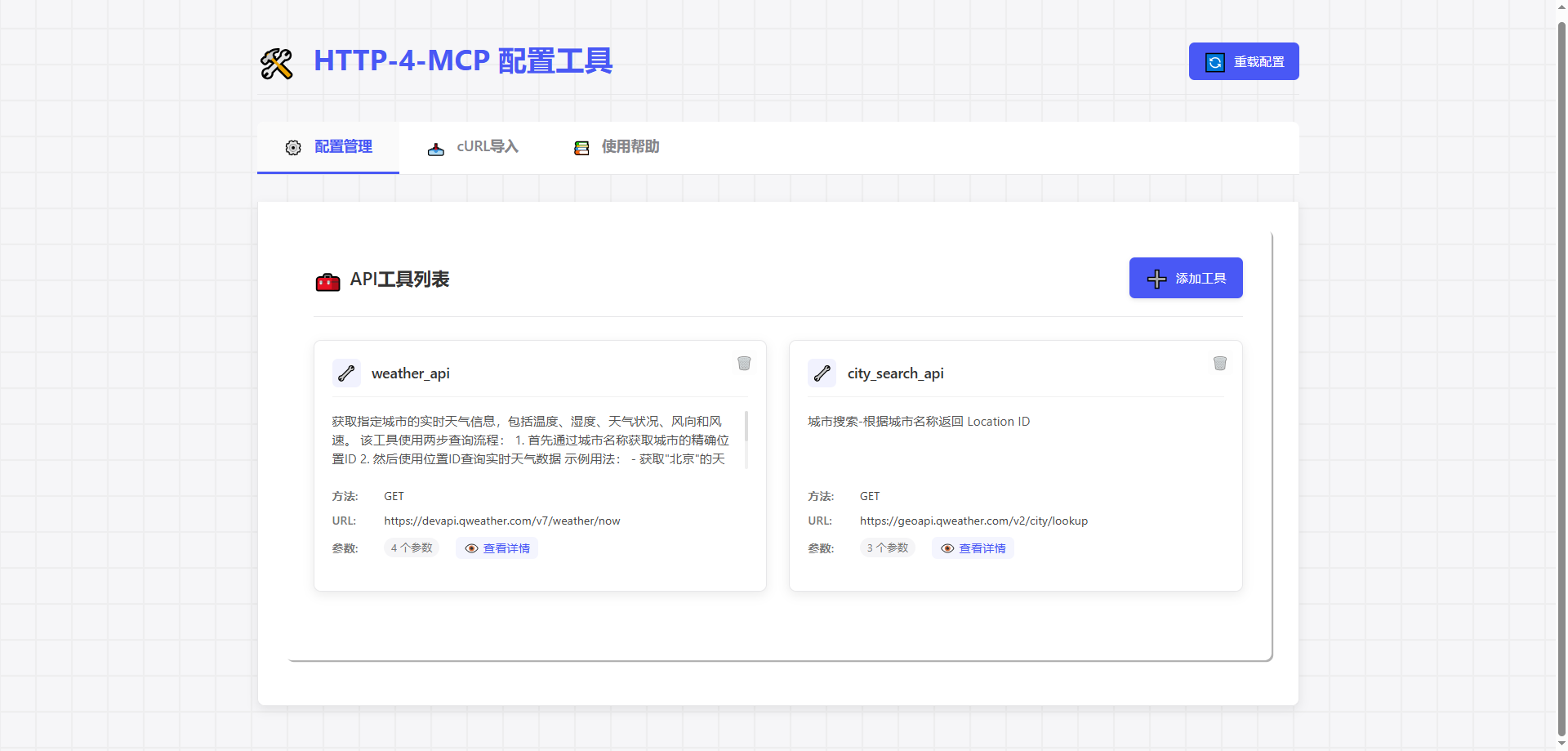
🔄 强大的 API 转换
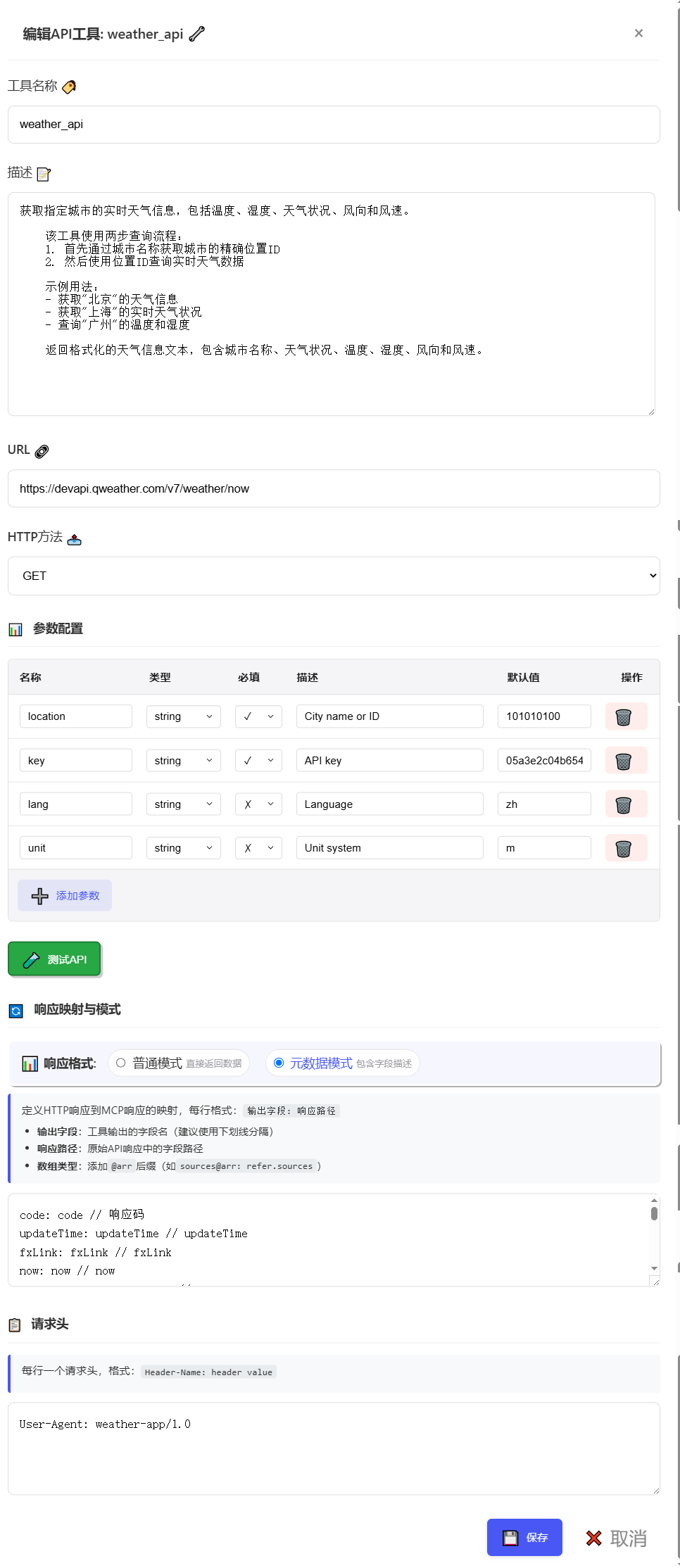
📊 cURL 导入支持
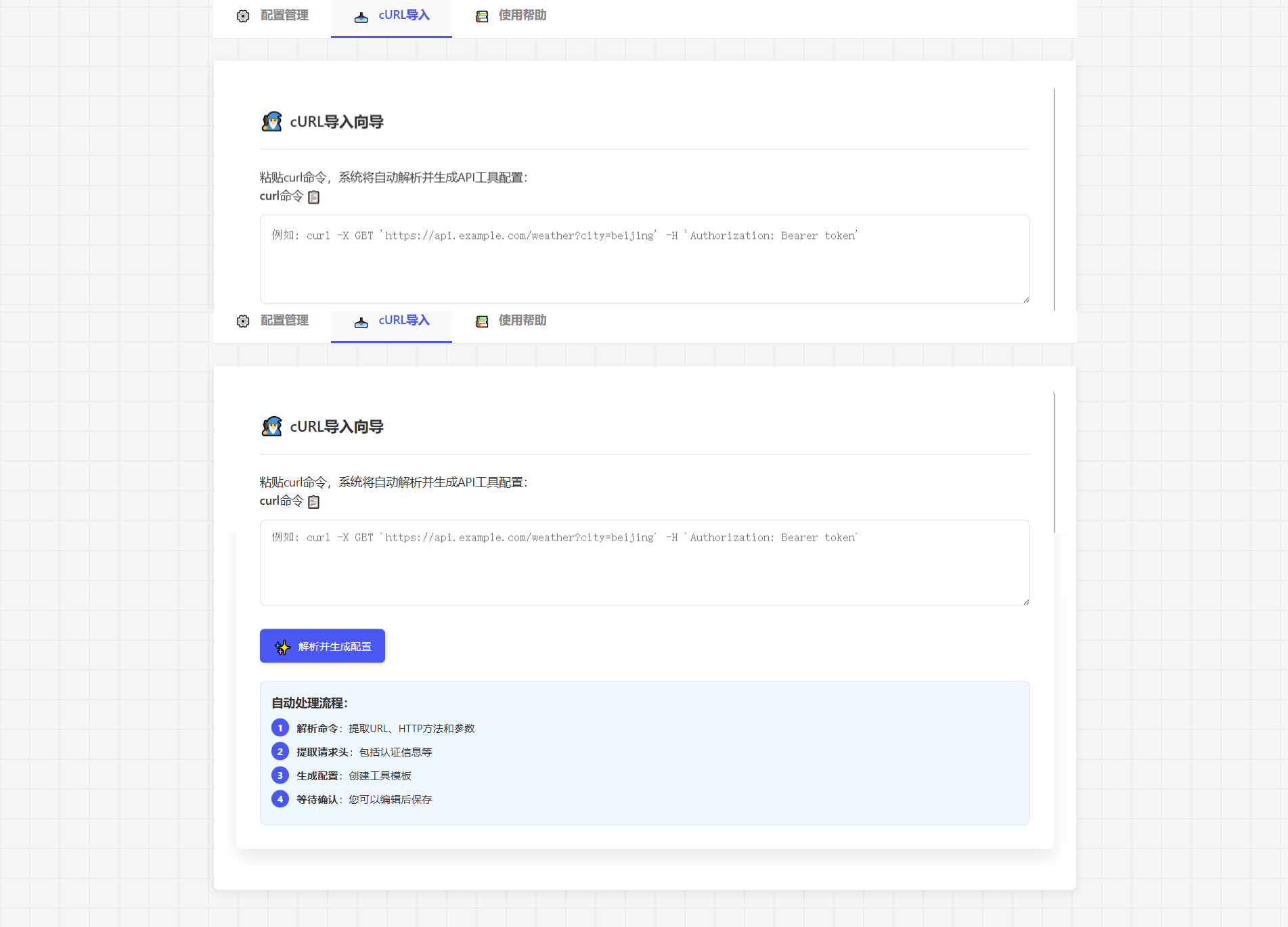
🚀 工具描述
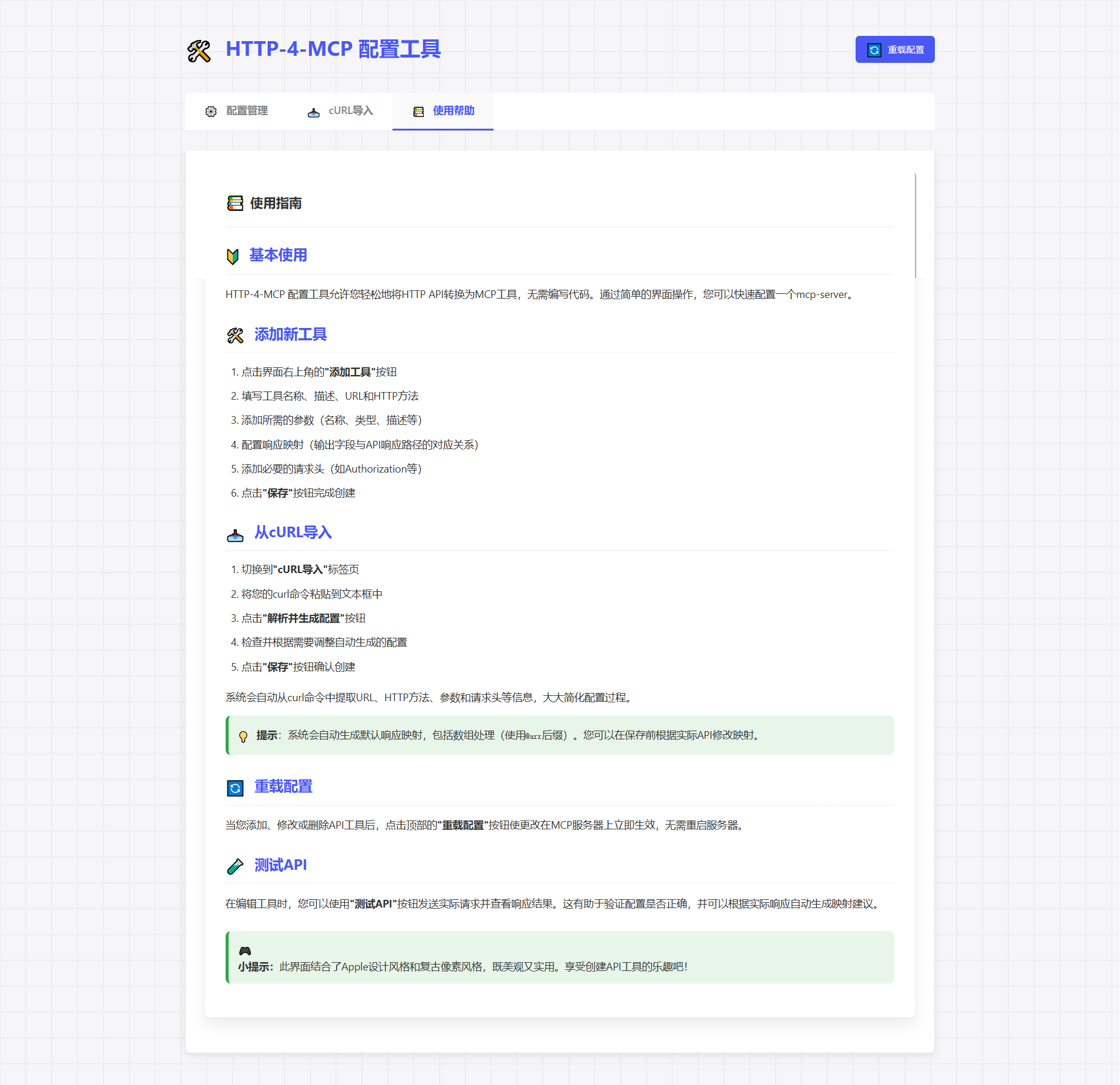
🚀 快速入门
📦安装
# Clone repository
git clone https://gitee.com/tght1211/http-for-mcp-server.git
# or git clone https://github.com/tght1211/http-for-mcp-server.git

cd http-for-mcp-server

# Install dependencies (recommended using uv package manager)
uv venv
uv pip install -r requirements.txt
🎮 启动服务
# Activate virtual environment
.venv/Scripts/activate # Windows
source .venv/bin/activate # Linux/Mac

# Start main server
uv run run.py

# Start configuration UI (optional)
uv run run_config_ui.py
🎯 使用指南
1️⃣ 配置 API
方法 1:🎨 可视化配置(推荐)
访问
http://localhost:8002点击“添加新接口”
填写配置参数
立即保存并应用!
方法 2:📝 JSON 配置
{
 "tools": [
 {
 "name": "weather_api",
 "description": "Get real-time weather information for a specified city, including temperature, humidity, weather conditions, wind direction, and wind speed.\n \n This tool uses a two-step query process:\n 1. First, get the precise location ID through city name\n 2. Then, query real-time weather data using the location ID\n \n Example usage:\n - Get weather information for \"Beijing\"\n - Get real-time weather conditions for \"Shanghai\"\n - Query temperature and humidity for \"Guangzhou\"\n \n Returns formatted weather information text, including city name, weather conditions, temperature, humidity, wind direction, and wind speed.",
 "url": "https://devapi.qweather.com/v7/weather/now",
 "method": "GET",
 "params": {
 "location": {
 "type": "string",
 "desc": "City name or ID",
 "required": true,
 "default": "101010100"
 },
 "key": {
 "type": "string",
 "desc": "API key",
 "required": true,
 "default": "05a3e2c04b65416e912088b76a7a487e"
 },
 "lang": {
 "type": "string",
 "desc": "Language",
 "required": false,
 "default": "zh"
 },
 "unit": {
 "type": "string",
 "desc": "Unit system",
 "required": false,
 "default": "m"
 }
 },
 "headers": {
 "User-Agent": "weather-app/1.0"
 },
 "response": {
 "code": {
 "path": "code",
 "desc": "Response status code"
 },
 "updateTime": {
 "path": "updateTime",
 "desc": "Data update time"
 },
 "fxLink": {
 "path": "fxLink",
 "desc": "Detailed weather information link"
 },
 "now": {
 "path": "now",
 "desc": "Real-time weather data object"
 },
 "now_obsTime": {
 "path": "now.obsTime",
 "desc": "Actual observation time"
 },
 "now_temp": {
 "path": "now.temp",
 "desc": "Current temperature (Celsius)"
 },
 "now_feelsLike": {
 "path": "now.feelsLike",
 "desc": "Feels like temperature (Celsius)"
 },
 "now_icon": {
 "path": "now.icon",
 "desc": "Weather icon code"
 },
 "now_text": {
 "path": "now.text",
 "desc": "Weather phenomenon text description"
 },
 "now_wind360": {
 "path": "now.wind360",
 "desc": "Wind direction 360-degree angle"
 },
 "now_windDir": {
 "path": "now.windDir",
 "desc": "Wind direction description"
 },
 "now_windScale": {
 "path": "now.windScale",
 "desc": "Wind scale"
 },
 "now_windSpeed": {
 "path": "now.windSpeed",
 "desc": "Wind speed (km/h)"
 },
 "now_humidity": {
 "path": "now.humidity",
 "desc": "Relative humidity percentage"
 },
 "now_precip": {
 "path": "now.precip",
 "desc": "Precipitation (mm)"
 },
 "now_pressure": {
 "path": "now.pressure",
 "desc": "Atmospheric pressure (hPa)"
 },
 "now_vis": {
 "path": "now.vis",
 "desc": "Visibility (km)"
 },
 "now_cloud": {
 "path": "now.cloud",
 "desc": "Cloud coverage percentage"
 },
 "now_dew": {
 "path": "now.dew",
 "desc": "Dew point temperature (Celsius)"
 }
 },
 "response_mode": "metadata"
 }
 ]
}
2️⃣ 连接到 MCP
# SSE connection URL
ws_url = "http://localhost:8000/mcp/sse"
🛠️ 项目结构
📦 http-for-mcp-server
 ┣ 📂 config/ # Configuration files
 ┣ 📂 demo/ # Example code
 ┣ 📂 static/ # Static resources
 ┣ 📜 mcp_server.py # Main server
 ┣ 📜 config_ui.py # Configuration UI
 ┣ 📜 run.py # Startup script
 ┗ 📜 requirements.txt # Dependencies
📚 配置参考
🔧 全局配置
配置 | 描述 | 默认 |
🌐 主持人 | 服务器地址 | “0.0.0.0” |
🔌 端口 | 服务器端口 | 8000 |
🐛 调试 | 调试模式 | 错误的 |
📝 log_level | 日志级别 | “信息” |
🎉 特殊功能
🔄 cURL 导入
直接粘贴cURL命令,自动生成配置:
curl -X GET 'https://api.example.com/weather?city=beijing'🎨像素艺术界面
🎮 游戏般的配置体验
🎯 拖放参数设置
📊 实时请求测试
🔄 自动生成配置
🤝 贡献指南
🍴 Fork 这个仓库
🔧 创建功能分支
📝 提交更改
🚀 推送分支
📬 提交 Pull 请求
📞 获取帮助
📧 提交问题
💬 加入讨论组
📚 查看维基
📄 开源许可证
该项目使用 MIT 许可证 - 请参阅LICENSE文件
This server cannot be installed
A
license - permissive license-
quality - not testedD
maintenanceMaintenance
–Maintainers
–Response time
–Release cycle
–Releases (12mo)
Commit activity
Latest Blog Posts
MCP directory API
We provide all the information about MCP servers via our MCP API.
curl -X GET 'https://glama.ai/api/mcp/v1/servers/Tght1211/http-4-mcp'
If you have feedback or need assistance with the MCP directory API, please join our Discord server