
[!NOTE] 오픈 소스 데이터베이스 DevSecOps 플랫폼인 Bytebase에서 제공합니다.
 +------------------+ +--------------+ +------------------+
 | | | | | |
 | | | | | |
 | Claude Desktop +--->+ +--->+ PostgreSQL |
 | | | | | |
 | Claude Code +--->+ +--->+ SQL Server |
 | | | | | |
 | Cursor +--->+ DBHub +--->+ SQLite |
 | | | | | |
 | VS Code +--->+ +--->+ MySQL |
 | | | | | |
 | Copilot CLI +--->+ +--->+ MariaDB |
 | | | | | |
 | | | | | |
 +------------------+ +--------------+ +------------------+
 MCP Clients MCP Server Databases
DBHub는 모델 컨텍스트 프로토콜(MCP) 서버 인터페이스를 구현하는 제로 의존성, 토큰 효율적인 MCP 서버입니다. 이 경량 게이트웨이를 통해 MCP 호환 클라이언트가 다양한 데이터베이스에 연결하고 탐색할 수 있습니다:
로컬 개발 우선: 제로 의존성, 단 두 개의 MCP 도구만 사용하여 토큰 효율성을 극대화하고 컨텍스트 윈도우를 최적화합니다.
다중 데이터베이스: 단일 인터페이스를 통해 PostgreSQL, MySQL, MariaDB, SQL Server 및 SQLite를 지원합니다.
다중 연결: TOML 구성을 통해 여러 데이터베이스에 동시에 연결합니다.
가드레일: 읽기 전용 모드, 행 제한, 쿼리 시간 제한을 통해 예기치 않은 작업을 방지합니다.
보안 액세스: SSH 터널링 및 SSL/TLS 암호화를 지원합니다.
지원되는 데이터베이스
PostgreSQL, MySQL, SQL Server, MariaDB 및 SQLite.
Related MCP server: Multi Database MCP Server
MCP 도구
DBHub는 데이터베이스 작업을 위한 MCP 도구를 구현합니다:
search_objects: 점진적 공개 방식을 통해 데이터베이스 스키마, 테이블, 열, 인덱스 및 프로시저 검색 및 탐색
Custom Tools:
dbhub.toml구성 파일에서 재사용 가능한 매개변수화된 SQL 작업 정의
워크벤치
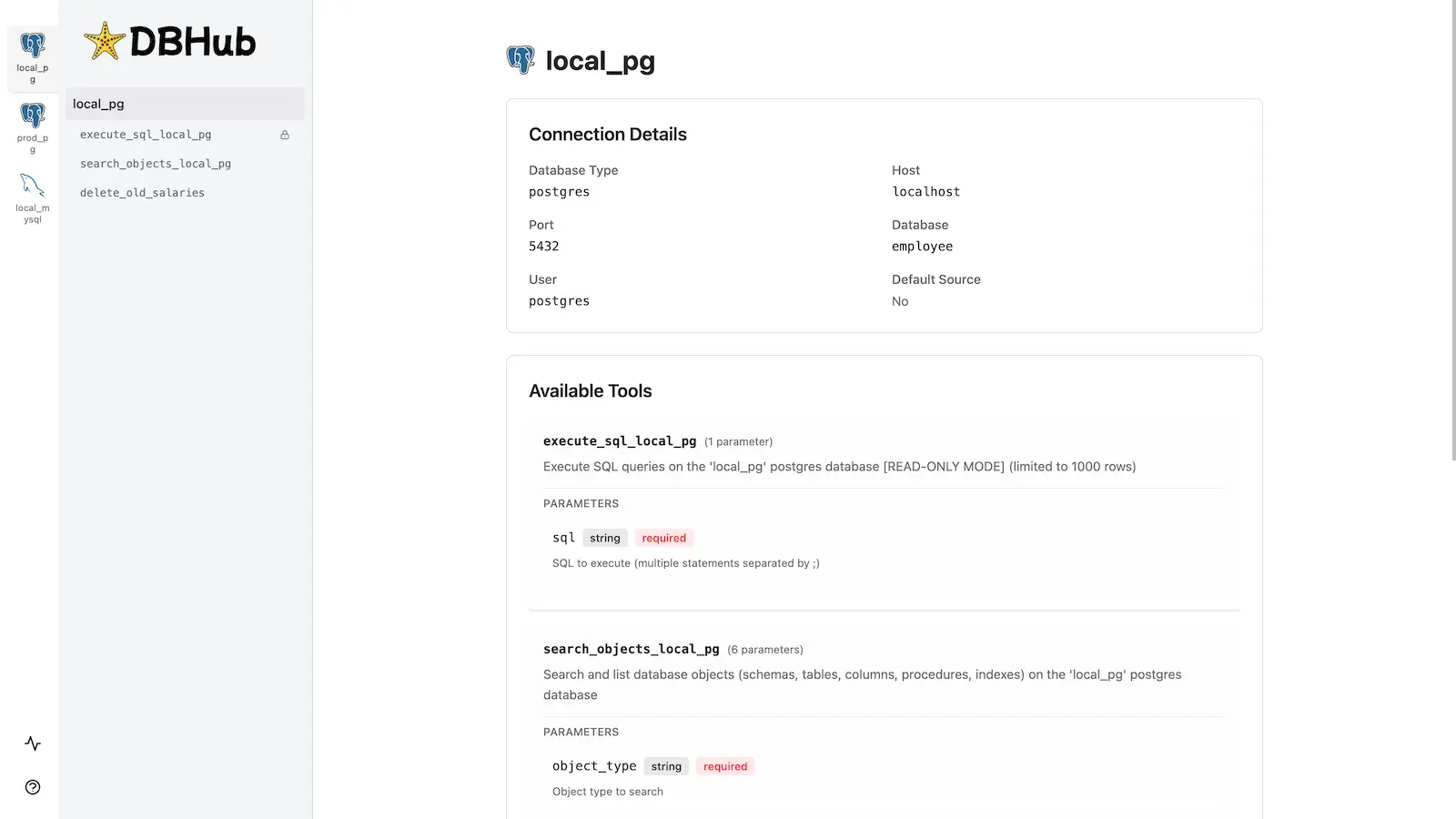
DBHub에는 데이터베이스 도구와 상호 작용하기 위한 내장 웹 인터페이스가 포함되어 있습니다. MCP 클라이언트 없이도 쿼리를 실행하고, 사용자 지정 도구를 실행하며, 요청 추적을 볼 수 있는 시각적 방법을 제공합니다.
설치
자세한 지침은 전체 설치 가이드를 참조하세요.
빠른 시작
Docker:
docker run --rm --init \
 --name dbhub \
 --publish 8080:8080 \
 bytebase/dbhub \
 --transport http \
 --port 8080 \
 --dsn "postgres://user:password@localhost:5432/dbname?sslmode=disable"
NPM:
npx @bytebase/dbhub@latest --transport http --port 8080 --dsn "postgres://user:password@localhost:5432/dbname?sslmode=disable"데모 모드:
npx @bytebase/dbhub@latest --transport http --port 8080 --demo사용 가능한 모든 매개변수는 명령줄 옵션을 참조하세요.
다중 데이터베이스 설정
TOML 구성 파일을 사용하여 여러 데이터베이스에 동시에 연결하세요. 단일 DBHub 인스턴스에서 프로덕션, 스테이징 및 개발 데이터베이스를 관리하는 데 적합합니다.
전체 설정 지침은 다중 데이터베이스 구성을 참조하세요.
개발
# Install dependencies
pnpm install

# Run in development mode
pnpm dev

# Build and run for production
pnpm build && pnpm start --transport stdio --dsn "postgres://user:password@localhost:5432/dbname"기여자
스타 기록
This server cannot be installed
Maintenance
Resources
Unclaimed servers have limited discoverability.
Looking for Admin?
If you are the server author, to access and configure the admin panel.
Latest Blog Posts
MCP directory API
We provide all the information about MCP servers via our MCP API.
curl -X GET 'https://glama.ai/api/mcp/v1/servers/bytebase/dbhub'
If you have feedback or need assistance with the MCP directory API, please join our Discord server