
[!NOTE] 由 Bytebase 提供,这是一个开源的数据库 DevSecOps 平台。
 +------------------+ +--------------+ +------------------+
 | | | | | |
 | | | | | |
 | Claude Desktop +--->+ +--->+ PostgreSQL |
 | | | | | |
 | Claude Code +--->+ +--->+ SQL Server |
 | | | | | |
 | Cursor +--->+ DBHub +--->+ SQLite |
 | | | | | |
 | VS Code +--->+ +--->+ MySQL |
 | | | | | |
 | Copilot CLI +--->+ +--->+ MariaDB |
 | | | | | |
 | | | | | |
 +------------------+ +--------------+ +------------------+
 MCP Clients MCP Server Databases
DBHub 是一个零依赖、Token 高效的 MCP 服务器,实现了模型上下文协议 (MCP) 服务器接口。这个轻量级网关允许兼容 MCP 的客户端连接并探索不同的数据库:
本地开发优先:零依赖,Token 高效,仅需两个 MCP 工具即可最大化上下文窗口
多数据库支持:通过单一接口支持 PostgreSQL、MySQL、MariaDB、SQL Server 和 SQLite
多连接:通过 TOML 配置同时连接多个数据库
防护机制:只读模式、行数限制和查询超时,防止失控操作
安全访问:SSH 隧道和 SSL/TLS 加密
支持的数据库
PostgreSQL、MySQL、SQL Server、MariaDB 和 SQLite。
Related MCP server: Multi Database MCP Server
MCP 工具
DBHub 为数据库操作实现了以下 MCP 工具:
自定义工具:在
dbhub.toml配置文件中定义可重用的参数化 SQL 操作
工作台
DBHub 包含一个内置 Web 界面,用于与您的数据库工具进行交互。它提供了一种可视化的方式来执行查询、运行自定义工具和查看请求跟踪,而无需 MCP 客户端。
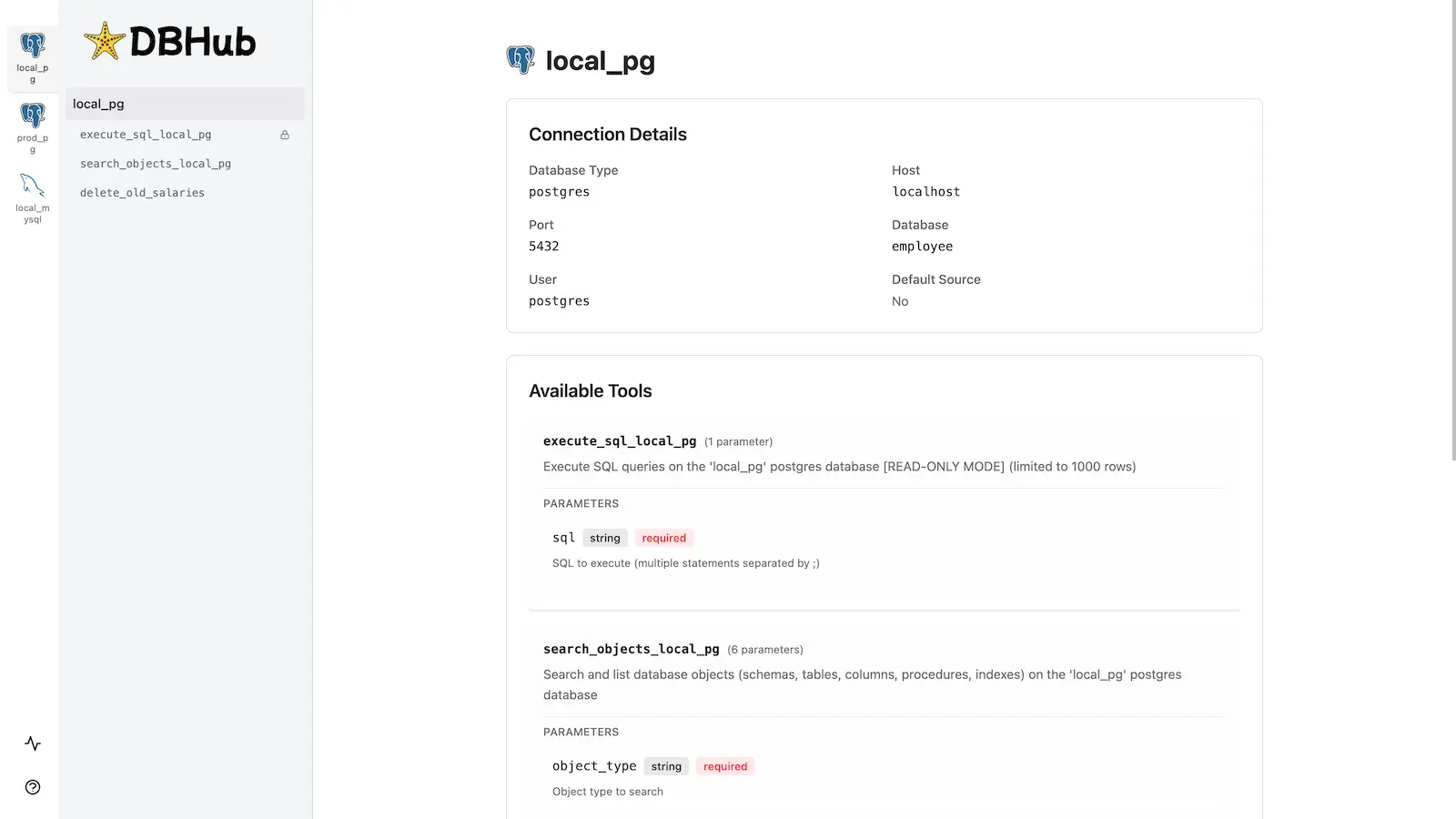
安装
请参阅完整的安装指南以获取详细说明。
快速开始
Docker:
docker run --rm --init \
 --name dbhub \
 --publish 8080:8080 \
 bytebase/dbhub \
 --transport http \
 --port 8080 \
 --dsn "postgres://user:password@localhost:5432/dbname?sslmode=disable"
NPM:
npx @bytebase/dbhub@latest --transport http --port 8080 --dsn "postgres://user:password@localhost:5432/dbname?sslmode=disable"演示模式:
npx @bytebase/dbhub@latest --transport http --port 8080 --demo请参阅命令行选项以获取所有可用参数。
多数据库设置
使用 TOML 配置文件同时连接多个数据库。非常适合从单个 DBHub 实例管理生产、预发布和开发数据库。
请参阅多数据库配置以获取完整的设置说明。
开发
# Install dependencies
pnpm install

# Run in development mode
pnpm dev

# Build and run for production
pnpm build && pnpm start --transport stdio --dsn "postgres://user:password@localhost:5432/dbname"贡献者
Star 历史
This server cannot be installed
Maintenance
Resources
Unclaimed servers have limited discoverability.
Looking for Admin?
If you are the server author, to access and configure the admin panel.
Latest Blog Posts
MCP directory API
We provide all the information about MCP servers via our MCP API.
curl -X GET 'https://glama.ai/api/mcp/v1/servers/bytebase/dbhub'
If you have feedback or need assistance with the MCP directory API, please join our Discord server