
MSSQL MCP 서버
개요
MSSQL MCP 서버는 데이터베이스 연동 및 비즈니스 인텔리전스 기능을 제공합니다. 이 서버를 통해 SQL 쿼리 실행, 비즈니스 데이터 분석, 비즈니스 인사이트 메모 자동 생성이 가능합니다.
MSSQL에 맞게 수정하려면 공식 웹사이트의 SQLite를 참조하세요.
Related MCP server: SQLite MCP Server
구성 요소
read_query데이터베이스에서 데이터를 읽기 위해 SELECT 쿼리를 실행합니다.
write_queryINSERT, UPDATE 또는 DELETE 쿼리 실행
create_table데이터베이스에 새 테이블을 만듭니다
list_tables데이터베이스의 모든 테이블 목록을 가져옵니다.
describe-table특정 테이블에 대한 스키마 정보 보기
append_insight메모 리소스에 새로운 비즈니스 통찰력 추가
데모
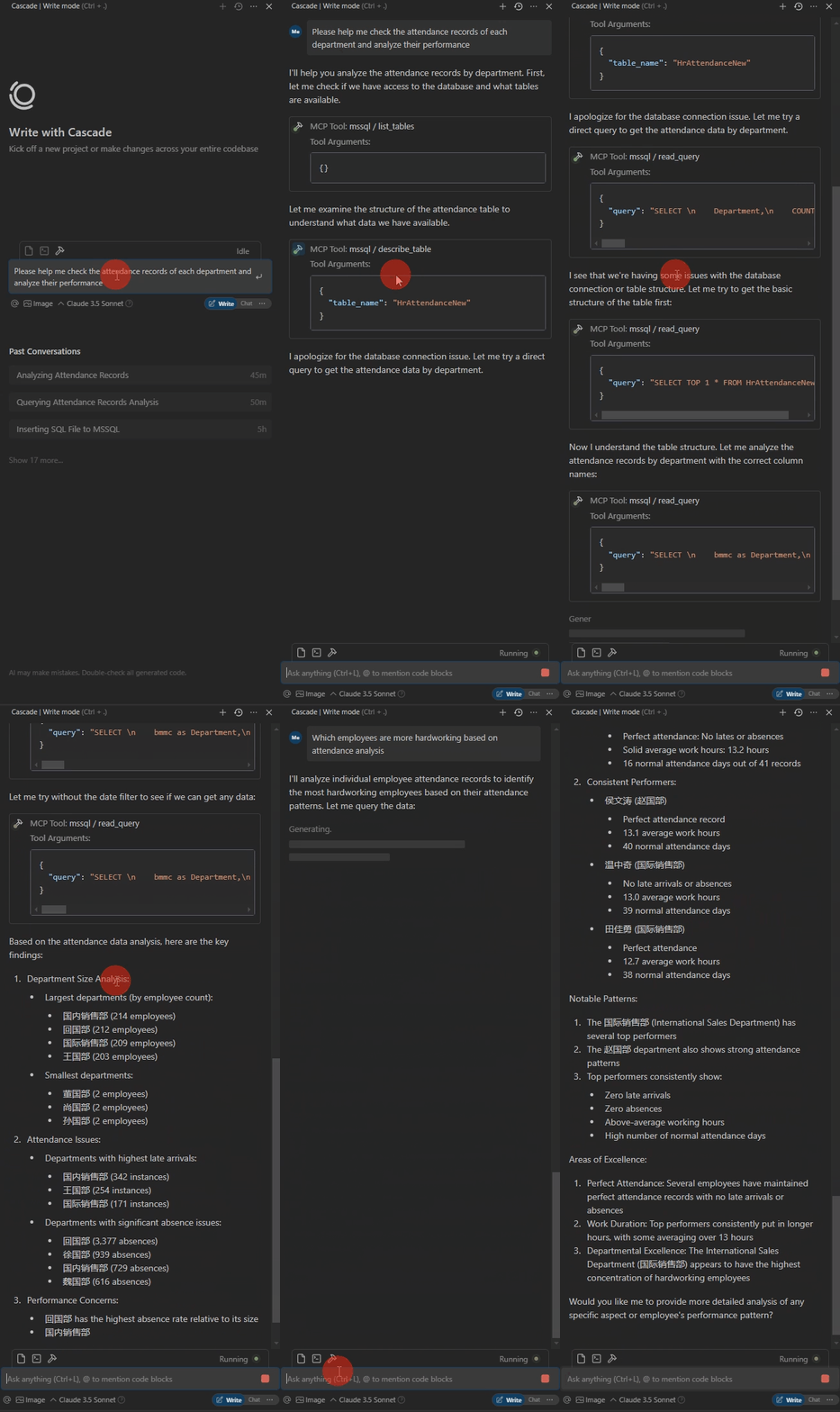
데이터베이스 테이블은 다음과 같습니다. 열 이름은 표준화되어 있지 않으며, AI가 자동으로 일치시킵니다. SQL 실행 중 발생하는 오류는 자동으로 수정됩니다.

데모는 다음과 같습니다.
작동 환경
Python 3.xPackagespyodbc>=4.0.39
파이댄틱>=2.0.0
mcp>=0.1.0
ODBC Driver 17 for SQL Server
용법
패키지 설치
지엑스피1
설정
#with server.py same folder create config.json,add:
{
 "database": {
 "driver": "ODBC Driver 17 for SQL Server",
 "server": "server ip",
 "database": "db name",
 "username": "username",
 "password": "password",
 "trusted_connection": false
 },
 "server": {
 "name": "mssql-manager",
 "version": "0.1.0"
 }
}
클로드 데스크탑 、 윈드서핑
# add to claude_desktop_config.json. Note:use your path
{
 "mcpServers": {
 "mssql": {
 "command": "python",
 "args": [
 # your path,e.g.:"C:\\mssql-mcp\\src\\server.py"
 "~/server.py"
 ]
 }
 }
}
커서
# Add according to the following diagram Cursor MCP. Note:use your path 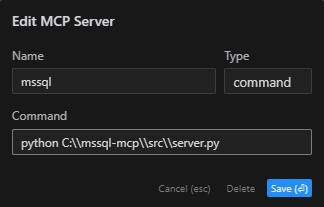
참고: 커서의 새 버전도 JSON 구성으로 변경되었습니다. 이전 섹션을 참조하세요.
MCP 검사관
# Note:use your path
npx -y @modelcontextprotocol/inspector python C:\\mssql-mcp\\src\\server.py
프로젝트 구조
mssql-mcp
├── .git
├── .gitignore
├── LICENSE
├── README.md
├── README_en.md
├── README_zh.md
├── imgs
│ ├── cursor_config.png
│ ├── table.png
│ └── demo.gif
├── requirements.txt
└── src
 ├── __init__.py
 └── server.py
특허
MIT 라이센스
This server cannot be installed
Maintenance
Latest Blog Posts
MCP directory API
We provide all the information about MCP servers via our MCP API.
curl -X GET 'https://glama.ai/api/mcp/v1/servers/daobataotie/mssql-mcp'
If you have feedback or need assistance with the MCP directory API, please join our Discord server