
MSSQL MCP 服务器
概述
MSSQL MCP 服务器,提供数据库交互和商业智能功能。该服务器支持运行 SQL 查询、分析业务数据并自动生成业务洞察备忘录。
参考官网的SQLite进行修改,适配MSSQL
Related MCP server: SQLite MCP Server
成分
read_query执行 SELECT 查询以从数据库读取数据
write_query执行 INSERT、UPDATE 或 DELETE 查询
create_table在数据库中创建新表
list_tables获取数据库中所有表的列表
describe-table查看特定表的架构信息
append_insight向备忘录资源添加新的业务见解
演示
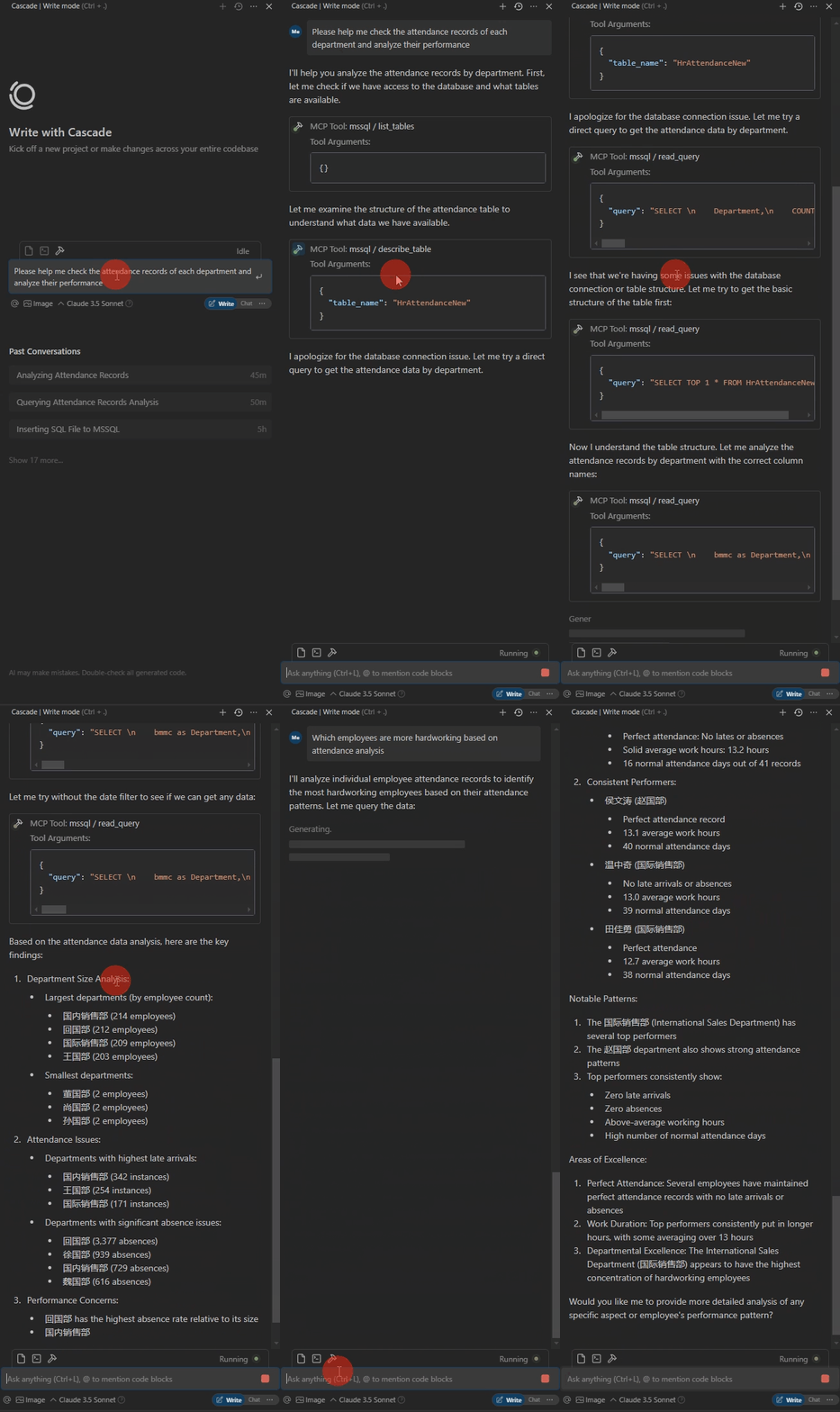
数据库表如下。列名非标准化,AI 会自行匹配。SQL 执行过程中的错误会自行纠正。

以下是演示。
操作环境
Python 3.xPackagespyodbc>=4.0.39
pydantic>=2.0.0
mcp>=0.1.0
ODBC Driver 17 for SQL Server
用法
安装软件包
CD /d ~/mssql-mcp
pip install -r requirements.txt
配置
#with server.py same folder create config.json,add:
{
 "database": {
 "driver": "ODBC Driver 17 for SQL Server",
 "server": "server ip",
 "database": "db name",
 "username": "username",
 "password": "password",
 "trusted_connection": false
 },
 "server": {
 "name": "mssql-manager",
 "version": "0.1.0"
 }
}
Claude Desktop、Windsurf
# add to claude_desktop_config.json. Note:use your path
{
 "mcpServers": {
 "mssql": {
 "command": "python",
 "args": [
 # your path,e.g.:"C:\\mssql-mcp\\src\\server.py"
 "~/server.py"
 ]
 }
 }
}
光标
# Add according to the following diagram Cursor MCP. Note:use your path 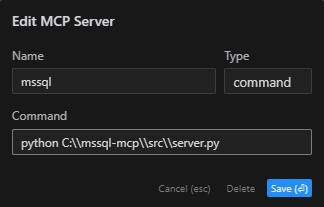
注:新版cursor也改为JSON配置,请参考上一节
MCP 检查器
# Note:use your path
npx -y @modelcontextprotocol/inspector python C:\\mssql-mcp\\src\\server.py
项目结构
mssql-mcp
├── .git
├── .gitignore
├── LICENSE
├── README.md
├── README_en.md
├── README_zh.md
├── imgs
│ ├── cursor_config.png
│ ├── table.png
│ └── demo.gif
├── requirements.txt
└── src
 ├── __init__.py
 └── server.py
执照
MIT 许可证
This server cannot be installed
A
license - permissive license-
quality - not testedD
maintenanceMaintenance
–Maintainers
–Response time
–Release cycle
–Releases (12mo)
Commit activity
Latest Blog Posts
MCP directory API
We provide all the information about MCP servers via our MCP API.
curl -X GET 'https://glama.ai/api/mcp/v1/servers/daobataotie/mssql-mcp'
If you have feedback or need assistance with the MCP directory API, please join our Discord server