


While writing a document in Markdown, you may feel the need to add a list.
Fundamentally, there are two types of lists in Markdown:
- Unordered list (a list that uses bullet points)
- Ordered list (where you use numbers to keep things in order)
Markdown supports both.
| Keys | List |
|---|---|
| *, + or - followed by a space | Unordered list (bullet points) |
| 1 or number followed by . | Start an ordered list (numbered list) |
Let me show you how to use bullet points and numbered lists using Markdown syntax.
How to add bullet points in Markdown
You can start writing in bullet points by starting the sentence with *, + or -.
For your reference, here, I have showcased how you can different symbolic characters (*, + and -) to add bullet points:
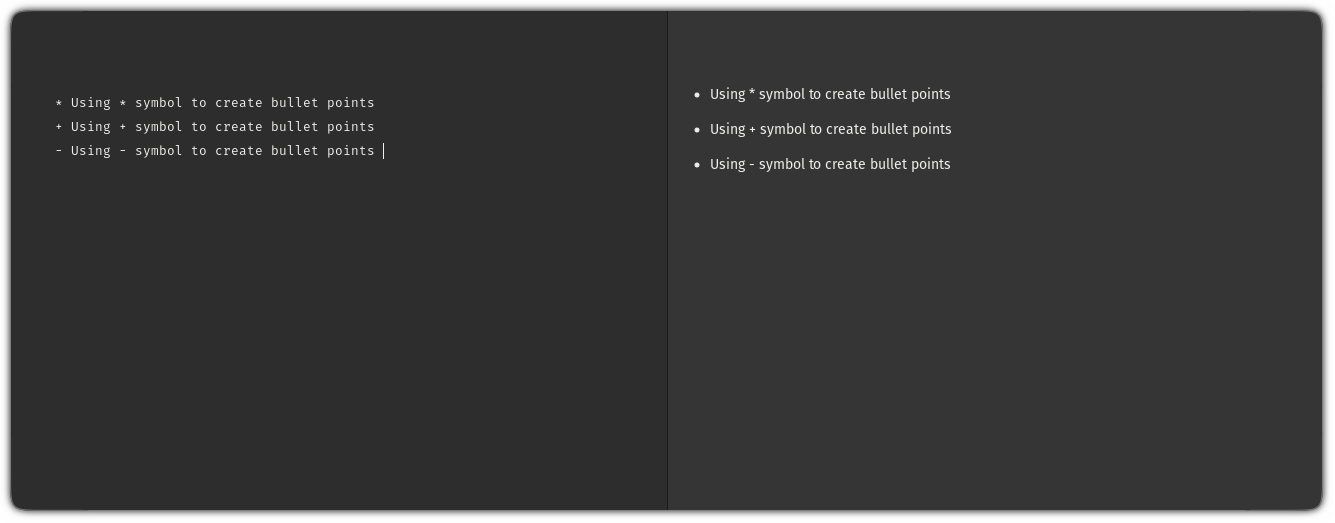
To add bullet points, you'd have to follow the given simple steps:
- Start typing with
*(or any other character) - When you want to break the sentence, add two space strokes at the end of the line and hit enter
To make things easy, here's a quick demo of how you should proceed to create bullet points:

How to create a numbered list in Markdown
Crating numbered list (known as an ordered list) is quite easy compared to the bullet points (unordered list).
To create a numbered list, all you have to do is to start with the desired starting number and appending . next to it:
[number]. write_here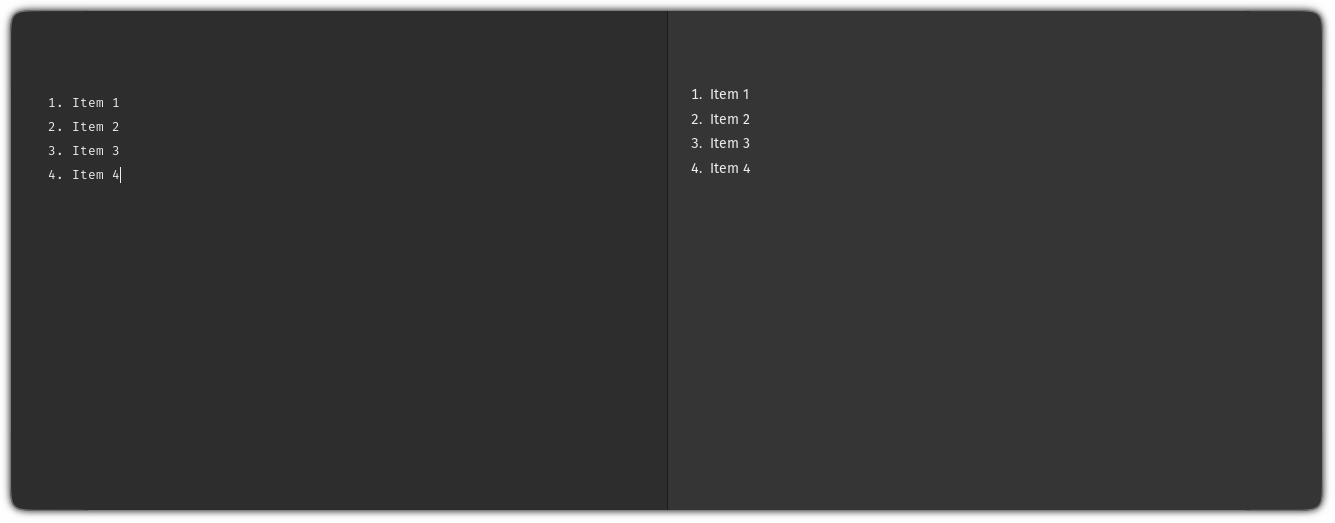
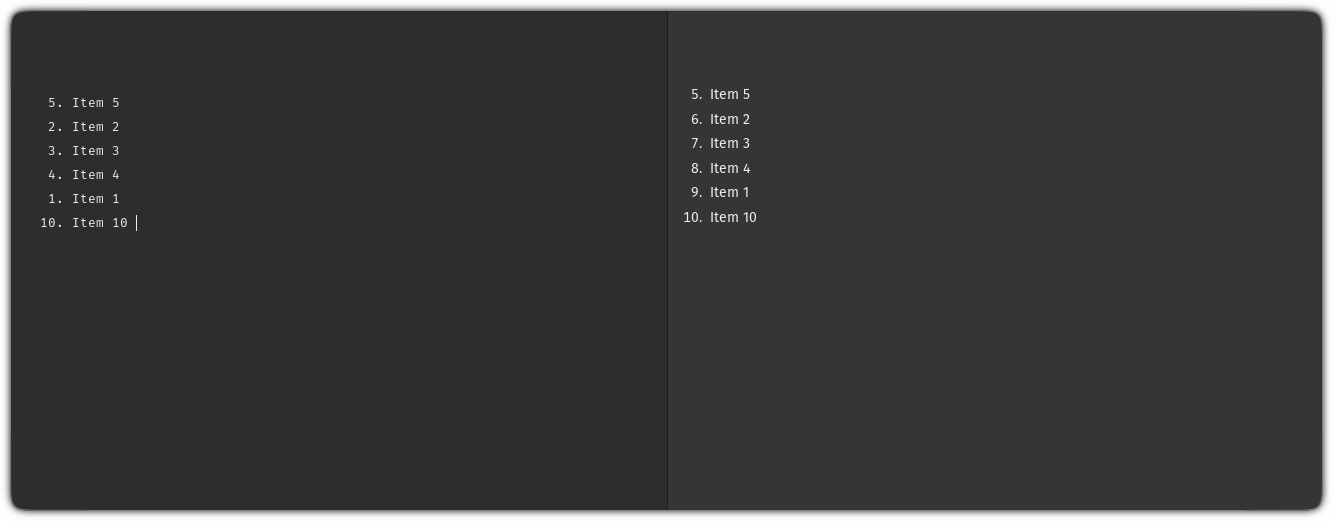
Remember, it is not necessary to go in the sequence.
You can start from wherever you want or change the order in between the list:
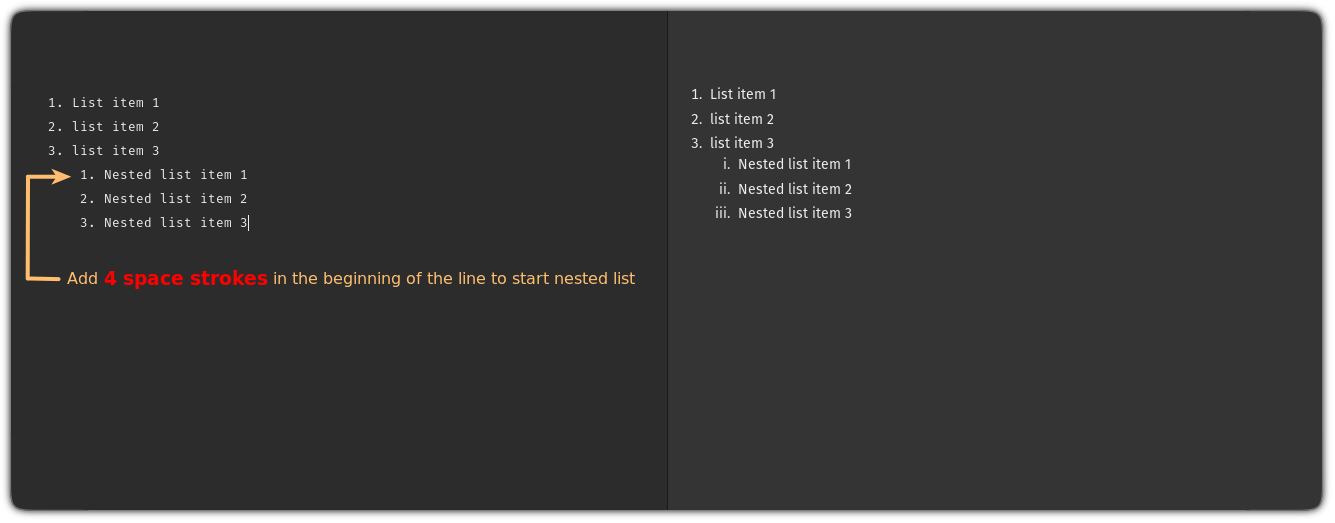
Nested list?
But do you know that you can create nested lists in Markdown? Nested lists are nothing but lists inside the list. Just add 4 spaces at the beginning of the line and start the list.


New to this? Check out our starter's guide to Markdown syntax and learn all the essentials.


Did you know that you can convert Markdown files to HTML?
Want to convert one or more markdown files to HTML? Well, it's quite easy, and here's a detailed guide for that:

I hope this quick guide will make you a bit better with our markdown journey!
And if you have any queries, let me know in the comments.
