


Want to create a table like this in Markdown?
| Keys | List |
|---|---|
| | | Column separator |
| - | Delimiter row to separate the header from the body |
| : | For header alignment |
It's not that complicated if you know the Markdown syntax. Let me show you how to add tables in Markdown.
Add tables using Markdown syntax
In typical Markdown, a table must have a header. The header is basically the first row that is highlighted in bold letters.
The header is separated from the rest of the rows with -:
|Header column 1|Header column 2|
|-----------|-----------|
There is no rule behind the number of -. You can just put one like this |-|-| and it will work the same. But keeping multiple ------ helps understand the table code better.
Once you have added the headers, adding the rows are simple. You just create columns in each row by keeping the text between |
|some text|more text|
|some text|more and longer text|
Now, if I combine it, the table code looks like this:
|Header column 1|Header column 2|
|-----------|-----------|
|some text|more text|
|some text|more and longer text|
And the rendered Markdown table looks like this:
| Header column 1 | Header column 2 |
|---|---|
| some text | more text |
| some text | more and longer text |
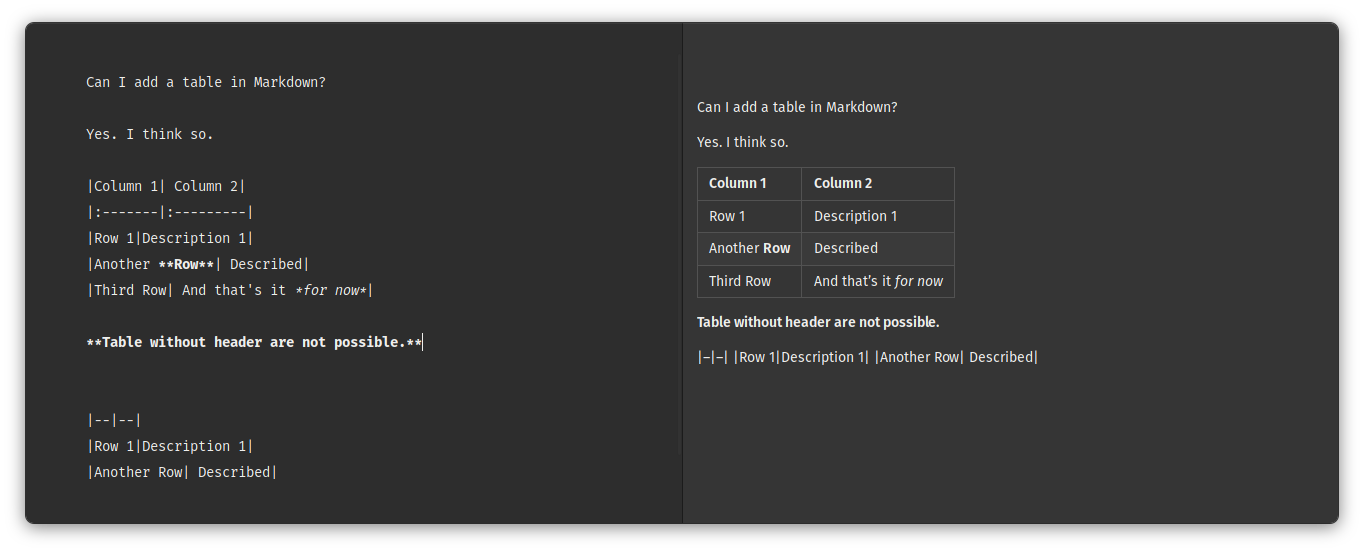
Did you notice that text in the header is center aligned? That's the default behavior. You can change it with the help of :.
In the header separator, use |:---| to make the column text left-aligned and |---:| to right-align it. You can force it to center aligned with |:---:|.
Here's another example. Click on it to enlarge it:
Other ways to create Markdown tables
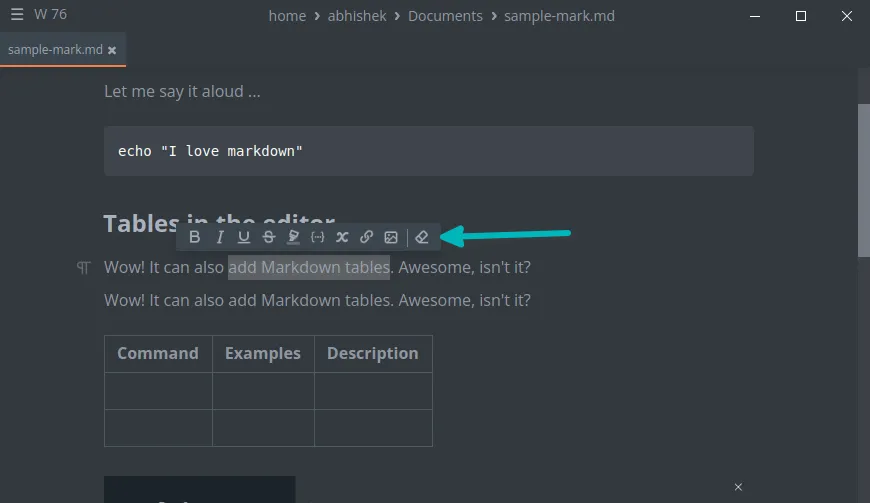
Some Markdown editors allow adding tables in a graphical manner. That makes the job easier as it is not easy to remember the syntax for tables.
For example, the MarkText editor has an initutive interface that makes using Markdown easier.
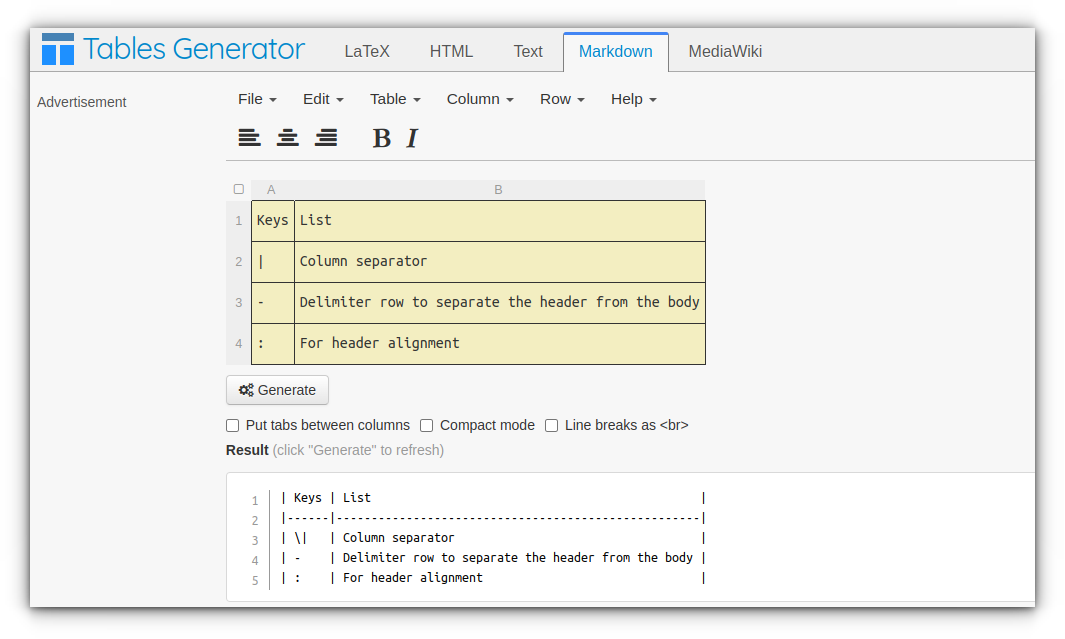
You don't need to install a new Markdown editor just for tables though. You may also use online Markdown table generators. Just enter the content of the table and hit generate to get the Markdown code for your desired table.
There are plenty of online Markdown editors to try.

If you are new to it, please refer to our beginner's guide to Markdown.

Let me know if you have any questions.
