|
VOOZH | about |
|
VOOZH | about |
Query Code is the automatic code generation feature that converts MongoDB, aggregation, and SQL queries to JavaScript (Node.js), Java (2.x and 3.x driver API), Python, C#, Ruby, and the mongo shell language.
Query Code is Studio 3T’s code generation tool that automatically converts queries to MongoDB syntax, JavaScript, Java, C#, Python, PHP, and Ruby.
With a single-click, you can translate queries or aggregations into code you can use in your applications.
You can also ease the transition from SQL to MongoDB and instantly generate the equivalent MongoDB syntax for your SQL queries.
Query Code automatically translates queries to the following languages:
Simply click Query Code to view the generated code in the following areas of the application:
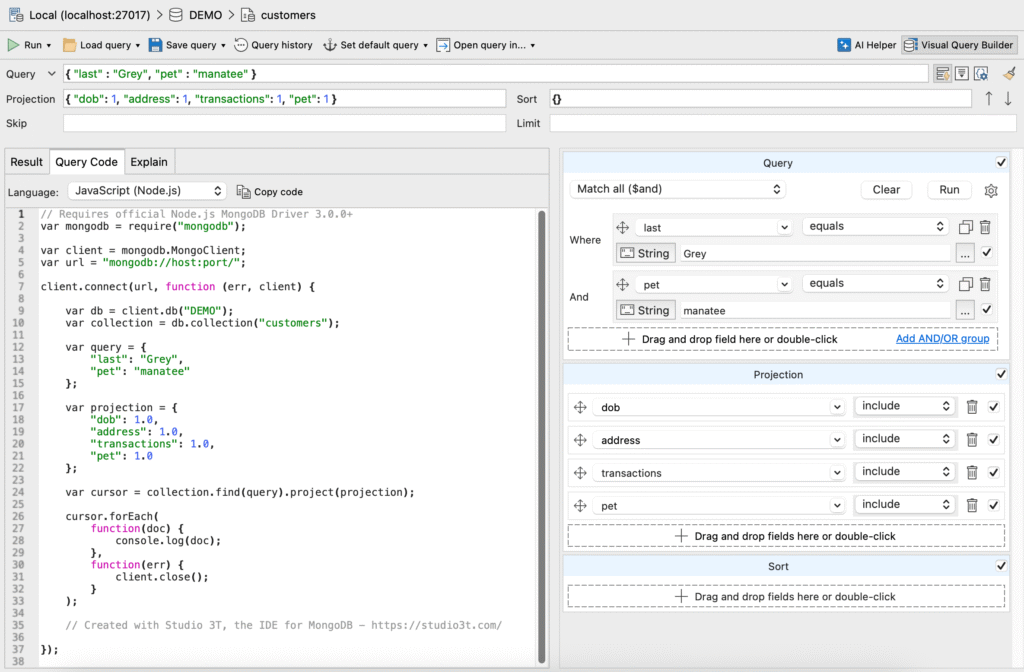
The image below shows the generated JavaScript code for a simple MongoDB query that’s been built with the Visual Query Builder:
Watch the video below to learn how you can write a simple SQL SELECT statement and convert it to a MongoDB query:
You can continue developing the MongoDB Shell code in IntelliShell. IntelliShell allows you to write queries faster with auto-completion on field names, collection names, shell methods, JavaScript standard library functions, and more.
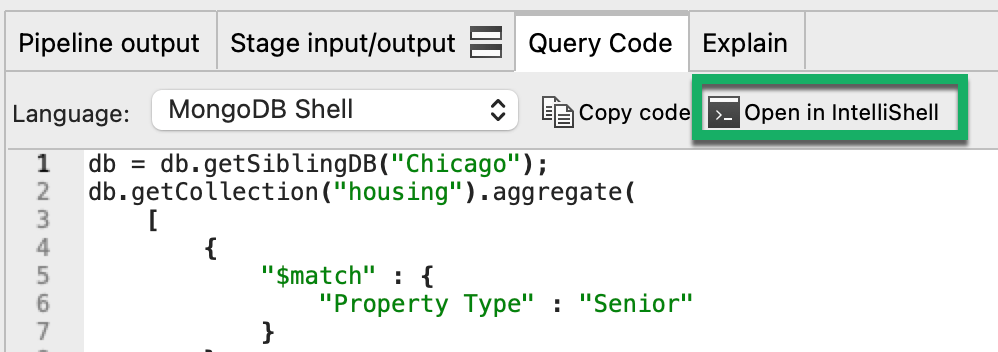
In SQL Query and the Aggregation Editor, with MongoDB Shell selected as the target language, click on Open in IntelliShell.
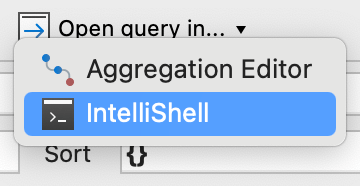
In the Collection Tab, click on Open Query in and select IntelliShell from the list:
This article was originally published by Kathryn Vargas and has since been updated.
Kirsty Burgess
With your consent, we and third-party providers use cookies and similar technologies on our website to analyse your use of our site for market research or advertising purposes ("analytics and marketing") and to provide you with additional functions (“functional”). This may result in the creation of pseudonymous usage profiles and the transfer of personal data to third countries, including the USA, which may have no adequate level of protection for the processing of personal data. Please choose for which purposes you wish to give us your consent and store your preferences by clicking on “Accept selected”. You can find further information in our Privacy Policy.
Essential cookies are strictly necessary to provide an online service such as our website or a service on our website which you have requested. The website or service will not work without them.
Performance cookies allow us to collect information such as number of visits and sources of traffic. This information is used in aggregate form to help us understand how our websites are being used, allowing us to improve both our website’s performance and your experience.
Functional cookies collect information about your preferences and choices and make using the website a lot easier and more relevant. Without these cookies, some of the site functionality may not work as intended.
Social media cookies are cookies used to share user behaviour information with a third-party social media platform. They may consequently effect how social media sites present you with information in the future.