



This simple tutorial shows how to switch CPU power mode between ‘Performance’, ‘Balanced’, and ‘Power Saver’ using Linux command in Ubuntu 22.04, Ubuntu 23.10, and Ubuntu 24.04.
GNOME has options in both ‘Settings’ and top-right system status menu to change CPU frequency by switching between ‘Performance’, ‘Balanced’, and ‘Power Saver’.
It’s useful for saving battery life while being able to get better performance when gaming or doing heavy work.

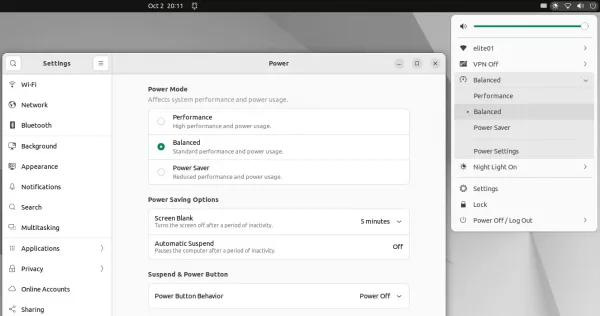
For users who want to bind the options to keyboard shortcuts, or make the function into script or even application, here’s the single command to switch the power mode.
Single command to change Power Mode in Ubuntu
NOTE: This tutorial is only tested in Ubuntu (GNOME ONLY) with Intel CPU, though it should also work in Fedora workstation and Debian 12 with GNOME desktop.
The power mode setting option is handled by the power-profiles-daemon. It has a command line tool powerprofilesctl to check current and switch power profile.
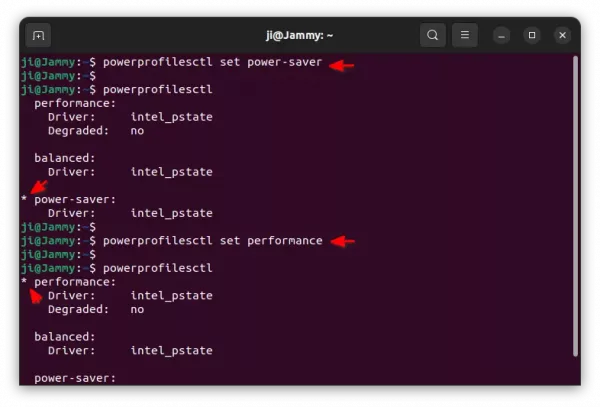
To switch power mode to ‘power-saver’ for example, just press Ctrl+Alt+T on keyboard to open terminal and run command:
powerprofilesctl set power-saver
In command, replace power-saver with balanced or performance as you want.
After making change, verify by running command:
powerprofilesctl
In the output, the one with an asterisk ‘*’ in the beginning is the power profile currently in use.

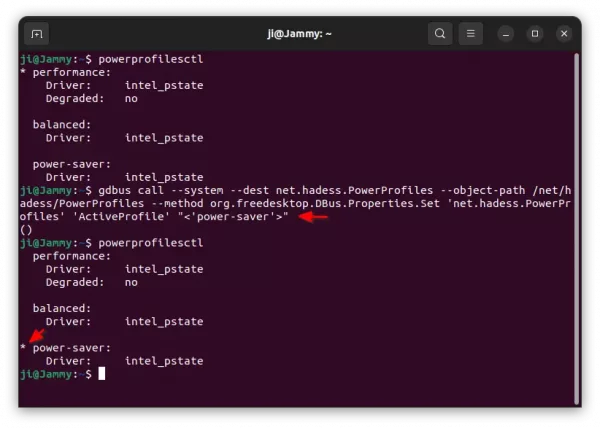
For those who want to do the job through D-Bus interface, run the single command below instead:
gdbus call --system --dest net.hadess.PowerProfiles --object-path /net/hadess/PowerProfiles --method org.freedesktop.DBus.Properties.Set 'net.hadess.PowerProfiles' 'ActiveProfile' "<'power-saver'>"
Also, change power-saver in command with balanced or performance as need.

View CPU Speed / frequency in Real Time
As mentioned, you can verify CPU power mode by simply running powerprofilesctl command.
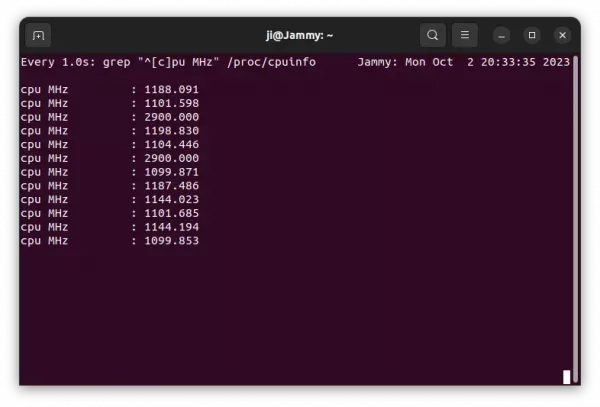
For choice, you may also see CPU frequency (aka clock speed) in real-time by running command in terminal:
watch -n 1 "grep \"^[c]pu MHz\" /proc/cpuinfo"
It will show you the speed for all CPU cores, and update every 1 second. As you want, you may replace number 1 in seconds (e.g., 2 for 2 s, or 0.5 for 500 ms).














Thank you!