



This simple tutorial shows how to install GDM Settings tool to configure the Gnome Login Screen in Ubuntu 22.04, Ubuntu 24.04, and Ubuntu 26.04 LTS.
GDM Settings, aka Login Screen Manager, is a graphical configuration tool for GNOME Login Screen. With it, user can easily configure following things for the login screen:
- Background image or color.
- Theme, icons, and cursor.
- font and scaling factor.
- top bar text color and background color.
- Mouse and touchpad settings.
- Disable user list.
- Sound, night light, logo, etc.

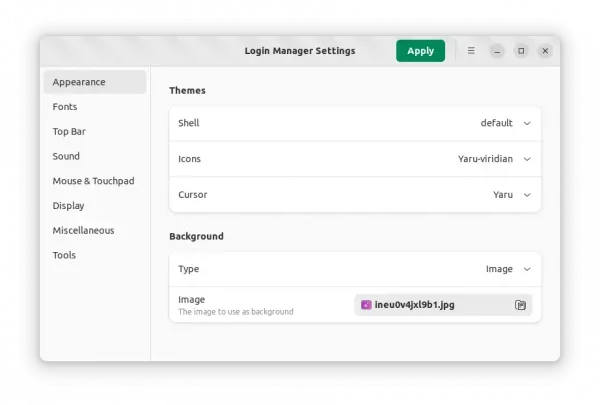
The tool is keeping updated. At the moment of writing, the latest version is 5.0. And, it provides official packages through both Flatpak and AppImage packages.
However, the latest releases packages often do NOT work properly or even refuse to launch in Ubuntu, probably because of different GNOME run-time.
In my test, the last version that is working good in Ubuntu 22.04 is GDM settings 2.0. You can try it by downloading the AppImage from Github page, however it does NOT build into native .deb package due to minimum requirement of LibAdwaita 1.2. For choice, I built the 1.0 version that is working good with Ubuntu 22.04’s native GTK4 and LibAdwaita libraries.
Install GDM Settings via PPA in Ubuntu
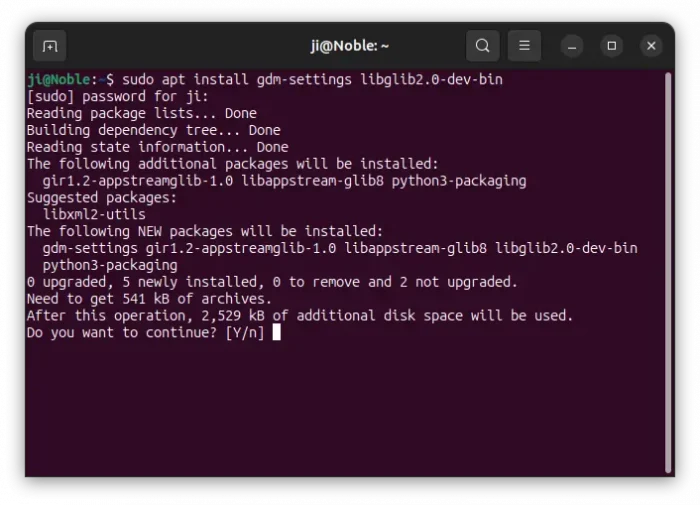
For Ubuntu 24.04 only, the app is already made into system repository, though always old. Simply press Ctrl+Alt+T to open terminal and run command to install it:
sudo apt install gdm-settings libglib2.0-dev-bin
NOTE: the run time library libglib2.0-dev-bin is required, or the app won’t work! And run sudo apt update to refresh cache if package not found.

For Ubuntu 24.04, Ubuntu 25.10, and Ubuntu 26.04, I’ve built the most recent GDM Settings 5.0 into this unofficial PPA for users who prefer running apps in native .deb format. And, it also contains old 1.0 version for Ubuntu 22.04.
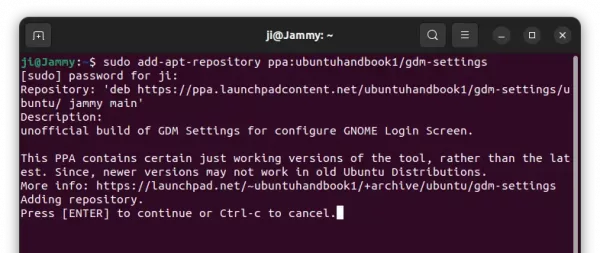
To install it, simply press Ctrl+Alt+T on keyboard to open terminal. Then, run the commands below one by one.
- First, add the PPA by running command:
sudo add-apt-repository ppa:ubuntuhandbook1/gdm-settings
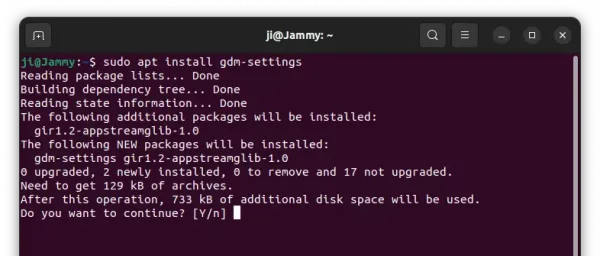
- Then, install the login manger settings via command:
sudo apt install gdm-settings


For choice, you may also download & install the deb package directly from the link below (22.04 only):
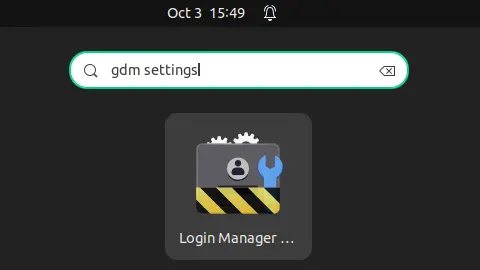
After installation, search for and launch it from ‘Activities’ overview screen and enjoy!
👁 Image
NOTE: GDM Settings has potential to break login screen and run into “Oh no! Something has gone wrong.” issue. Use the tool as your own risk, or see Step 5 in this tutorial if you’ve already run into the problem.

Uninstall
To remove the tool, press Ctrl+Alt+T to open terminal and run command:
sudo apt remove --autoremove gdm-settings
Also, remove the Ubuntu PPA by running command in terminal:
sudo add-apt-repository --remove ppa:ubuntuhandbook1/gdm-settings













Thank you