

Take Your Profile to the Next Level with Adobe Express
Keep adding new skills with 10,000+ programs for $239 (usually $399). Save now.

Take Your Profile to the Next Level with Adobe Express

Included with
Ask Coursera
Recommended experience
Recommended experience
What you'll learn
Plan and schedule social media posts using Adobe Express to stay consistent and organized.
Write engaging, on-brand captions that capture attention and reflect your voice with the help of AI-driven tools.
Adapt your designs for multiple platforms with Adobe Express to keep your look and message consistent.
Skills you'll gain
Tools you'll learn
Details to know

See how employees at top companies are mastering in-demand skills

There are 3 modules in this course
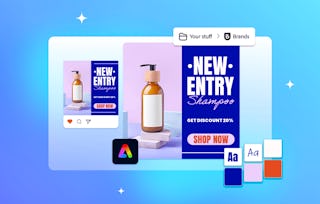
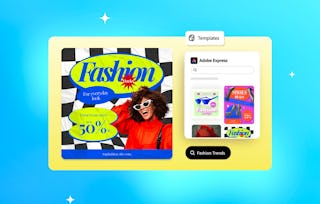
Ready to give your social media a boost? In this short, hands-on course, you’ll use Adobe Express to plan and schedule posts, write captions that capture attention, and tailor content for different platforms. Through quick, practical activities, you’ll explore how to create consistent, engaging, and on-brand content with the help of AI tools and creative templates. Perfect for anyone looking to refresh their profile and start building a stronger, more cohesive online presence.
This module teaches learners how to plan and schedule content strategically by building a content strategy, timing posts effectively, and using Adobe Express Content Scheduler to publish consistently across platforms.
What's included
2 videos4 readings1 assignment
2 videos•Total 7 minutes
- Planning a content strategy and content calendar•5 minutes
- What to post and when•3 minutes
4 readings•Total 40 minutes
- Course outline•10 minutes
- Content Scheduler in Adobe Express•10 minutes
- Learning Paths and Certifications•10 minutes
- Join the Adobe Community•10 minutes
1 assignment•Total 30 minutes
- Practice using content scheduler•30 minutes
This module teaches learners how to craft effective social media text by developing brand voice, writing compelling captions, leveraging SEO, and practicing AI-powered caption creation in Adobe Express.
What's included
2 videos1 reading1 assignment
2 videos•Total 8 minutes
- Write compelling social copy•4 minutes
- Leveraging text in your content•3 minutes
1 reading•Total 10 minutes
- How to write better social media captions•10 minutes
1 assignment•Total 30 minutes
- Practice generating captions for social media using AI•30 minutes
This module teaches learners how to tailor content for multiple platforms by understanding platform differences, resizing and translating designs in Adobe Express, and practicing these skills to ensure consistency and cultural relevance.
What's included
2 videos2 readings2 assignments
2 videos•Total 6 minutes
- Posting across platforms•4 minutes
- Resize content across platforms•3 minutes
2 readings•Total 20 minutes
- Showcase your creativity with Behance•10 minutes
- You did it — now share the love•10 minutes
2 assignments•Total 55 minutes
- Knowledge check•25 minutes
- Practice resizing and translating content•30 minutes

Explore more from Entrepreneurship
- Status: Preview
Course
- Status: Preview
Course
- Status: Preview
Course
- Status: Preview
Course


Why people choose Coursera for their career






Frequently asked questions
To access the course materials, assignments and to earn a Certificate, you will need to purchase the Certificate experience when you enroll in a course. You can try a Free Trial instead, or apply for Financial Aid. The course may offer 'Full Course, No Certificate' instead. This option lets you see all course materials, submit required assessments, and get a final grade. This also means that you will not be able to purchase a Certificate experience.
When you purchase a Certificate you get access to all course materials, including graded assignments. Upon completing the course, your electronic Certificate will be added to your Accomplishments page - from there, you can print your Certificate or add it to your LinkedIn profile.
Yes. In select learning programs, you can apply for financial aid or a scholarship if you can’t afford the enrollment fee. If fin aid or scholarship is available for your learning program selection, you’ll find a link to apply on the description page.
More questions
Financial aid available,