

Templates in Adobe Express
Keep adding new skills with 10,000+ programs for $239 (usually $399). Save now.


Recommended experience
Recommended experience
What you'll learn
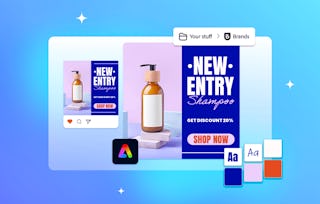
Create and customize designs using Adobe Express templates and Firefly-powered text-to-template tools to produce polished, professional visuals.
Apply principles of color, typography, and layout to develop cohesive designs that align with your brand and communication goals.
Adapt and resize content for different platforms and formats while maintaining visual consistency and quality.
Skills you'll gain
Tools you'll learn
Details to know

See how employees at top companies are mastering in-demand skills

There are 2 modules in this course
Learn how to design with confidence and speed using Adobe Express. This course shows you how to transform your ideas into professional-quality visuals by starting with ready-made templates. You’ll discover how to quickly create, customize, resize, and adapt designs for multiple platforms, ensuring your content always looks polished and on-brand. Along the way, you’ll explore how color, typography, and layout work together to elevate your visuals, helping you design with both efficiency and creative flair. By the end of the course, you’ll be able to create cohesive, eye-catching designs that communicate your message clearly and consistently across any format.
This module guides learners in applying accessibility principles throughout the design process, using Adobe Express tools and best practices to create inclusive, user-friendly, and standards-compliant content.
What's included
1 video4 readings1 assignment
1 video•Total 3 minutes
- Utilizing templates effectively•3 minutes
4 readings•Total 40 minutes
- Course outline•10 minutes
- Templates speed creation•10 minutes
- Learning Paths and Certifications•10 minutes
- Join the Adobe Community•10 minutes
1 assignment•Total 30 minutes
- Practice using templates•30 minutes
In this module, learners will explore how color and typography work together to shape design impact by studying key principles, reviewing bold template examples, and practicing with Adobe Express to identify and save effective combinations for future projects.
What's included
4 readings2 assignments
4 readings•Total 40 minutes
- Color and typography for content creators•10 minutes
- Examples of bold color and font templates•10 minutes
- Showcase your creativity with Behance•10 minutes
- You did it — now share the love•10 minutes
2 assignments•Total 55 minutes
- Knowledge check•25 minutes
- Practice identifying effective color and typography•30 minutes

Explore more from Entrepreneurship
- Status: Preview
Course
- Status: Preview
Course
- Status: Preview
- Status: Preview
Course



Why people choose Coursera for their career






Frequently asked questions
To access the course materials, assignments and to earn a Certificate, you will need to purchase the Certificate experience when you enroll in a course. You can try a Free Trial instead, or apply for Financial Aid. The course may offer 'Full Course, No Certificate' instead. This option lets you see all course materials, submit required assessments, and get a final grade. This also means that you will not be able to purchase a Certificate experience.
When you purchase a Certificate you get access to all course materials, including graded assignments. Upon completing the course, your electronic Certificate will be added to your Accomplishments page - from there, you can print your Certificate or add it to your LinkedIn profile.
Yes. In select learning programs, you can apply for financial aid or a scholarship if you can’t afford the enrollment fee. If fin aid or scholarship is available for your learning program selection, you’ll find a link to apply on the description page.
More questions
Financial aid available,