AI customer service for insurance: what actually works in 2026


Last edited June 18, 2026
Why insurance support is harder to automate than most
Most "add AI to support" advice is written for ecommerce, where the worst case of a wrong answer is a confused customer and a refund. Insurance doesn't get that luxury.
A policyholder asks "am I covered if a tenant damages the property?" and the honest answer is "it depends on your policy, your endorsements, and your state." If an AI guesses, you've potentially given unlicensed advice, set a false expectation that surfaces at claim time, and created a paper trail a regulator can read. That's a different category of risk from a late parcel.
At the same time, insurance support is drowning in questions that have nothing to do with that risk. "What's my renewal date?" "Where do I upload my claim photos?" "Why did my premium go up?" "Can I add my partner to the policy?" These repeat thousands of times, they're already answered in your documents, and they're exactly what burns out an agent who'd rather be helping someone through an actual claim. This is the classic case for tier-1 deflection, and it's where the real time savings (and a better first-contact resolution rate) live.
So the job isn't "can AI do insurance support." It's drawing a clean line between the volume you want to automate and the regulated decisions you never will. Get the line right and the rest is setup.
What AI customer service can actually handle in insurance
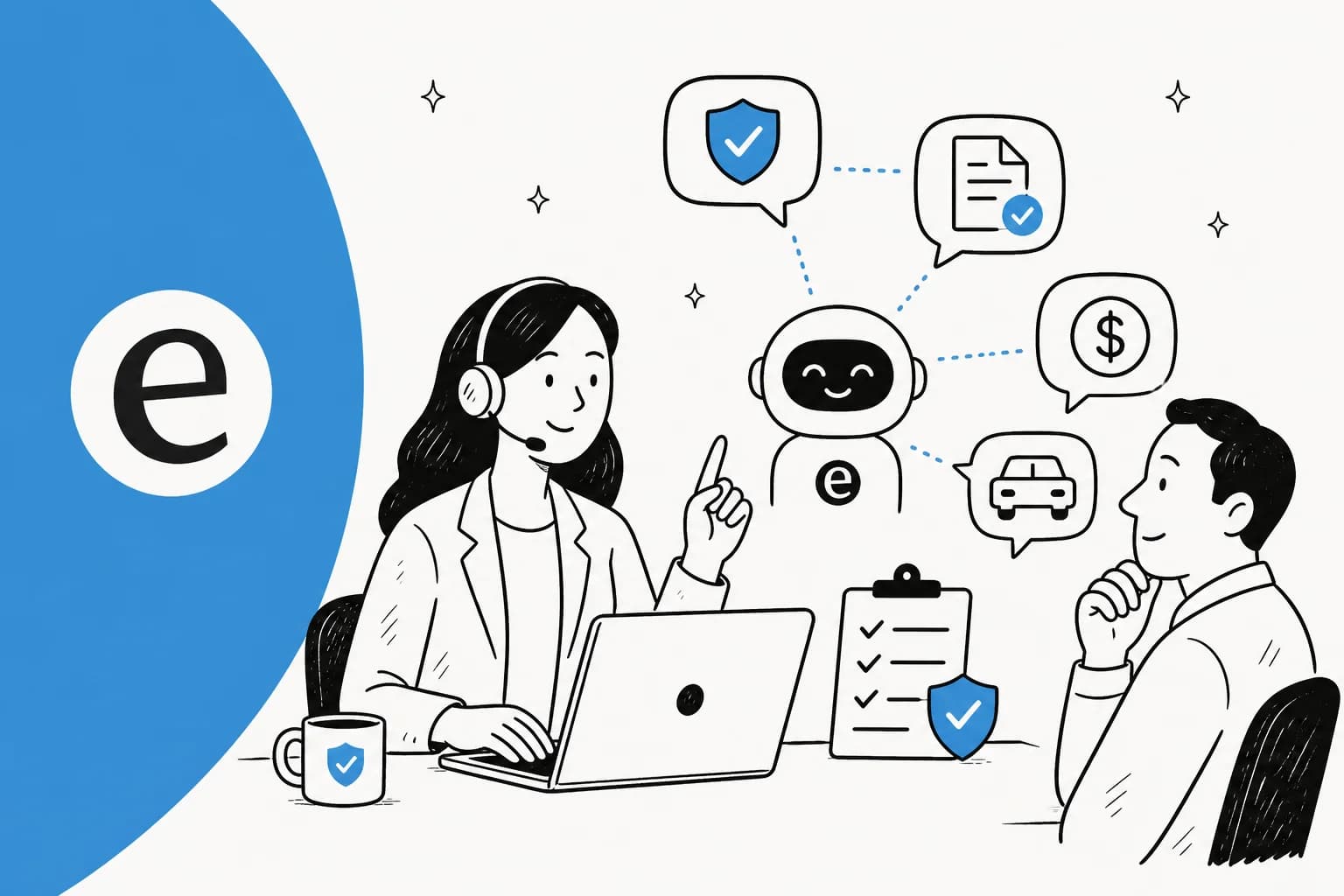
Here's the split I'd start from. The left column is safe to automate today. The right column needs a human in the loop, full stop.
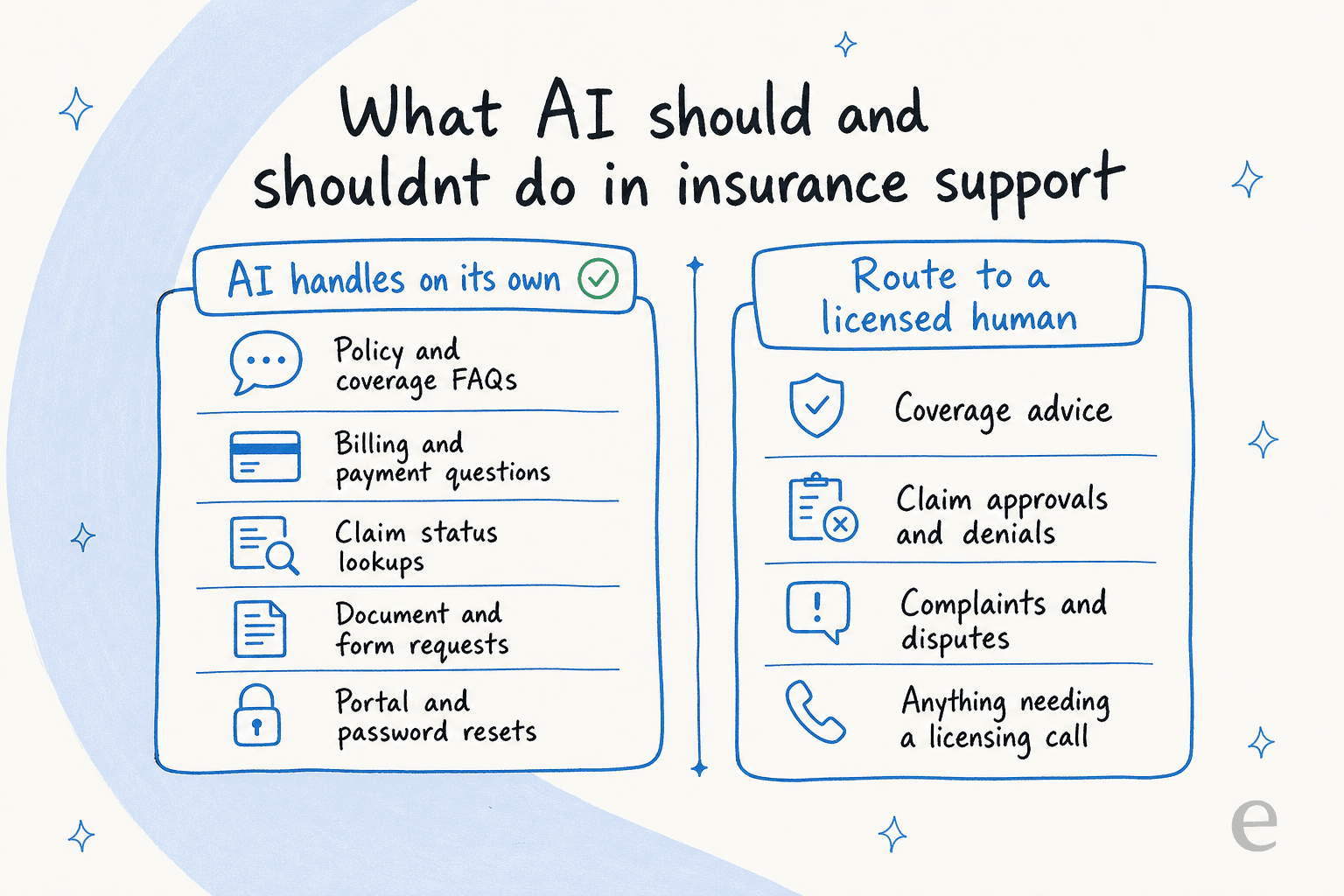
To put numbers and channels against it:
| Task | Automate? | Why |
|---|---|---|
| Policy and coverage FAQs | Yes | Answer lives verbatim in your documents |
| Billing, payments, renewals | Yes | Lookup-and-explain, no judgement call |
| Claim status updates | Yes | Pulls a state from your system, no decision |
| Document and form requests | Yes | Sends the right form, explains the next step |
| Portal access and password resets | Yes | Pure self-service, high volume |
| Coverage advice or recommendations | No | Regulated, often requires a license |
| Claim approvals and denials | No | Irreversible decision with legal weight |
| Complaints and formal disputes | No | Needs human judgement and a documented trail |
The thing I'd stress to anyone in insurance: the right column isn't a limitation of the technology, it's a deliberate boundary you set. A good agent lets you exclude whole ticket types from automation and escalate them cleanly, so a "new claim" or "complaint" tag never touches the AI. One support lead we talked to put it plainly: there are certain tickets they simply don't want going through AI, and that needs to be a setting, not a hope.
If you want a broader view of where this fits, the general AI customer service workflow and our take on AI in customer service both walk through the same logic for less regulated industries.
Accuracy and compliance are the whole game
For insurance, this section is the one that actually matters. A demo where the bot answers ten questions beautifully tells you nothing. What tells you something is what the bot does on question eleven, the one it doesn't know.
The honest failure mode I've watched happen: a knowledge base says "we support all models" or "most policies include X," and the AI repeats that as a definitive yes to a customer whose situation is the exception. It sounds confident. It's wrong. In a regulated field there's a fine line between being helpful and saying something you're not licensed to say, and a careless agent sprints straight across it.
The fix is mechanical, not magical. It comes down to confidence-based routing.
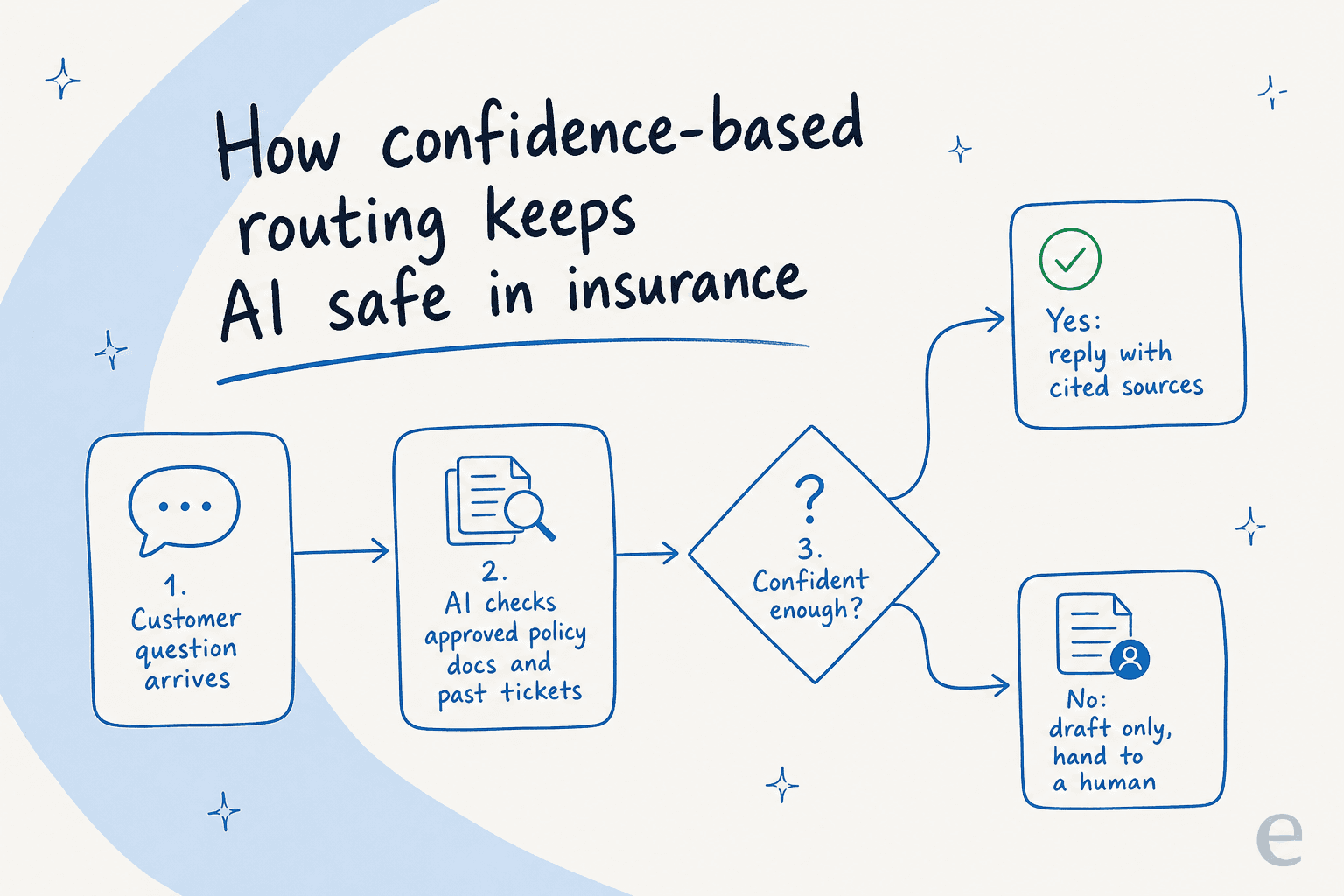
The agent only auto-replies when it clears a confidence bar you set. Below that, it drafts a reply for a human or hands the ticket off entirely. When it does answer, it cites the document it pulled from, so an agent or auditor can see the source in one click. A CX lead we lost a deal to a competitor over said the quiet part out loud: if the AI just answers "sorry, I don't know" on everything it's unsure about, you can't go back and check thousands of tickets to find the bad guesses, so it needs to only handle what it's confident about and leave the rest alone. They were right, and it's why setting the confidence threshold is the first thing I'd configure.
Then there's the data side, which in insurance is a hard gate, not a nice-to-have. Tickets carry names, policy numbers, payment details, and sometimes health information. Before you sign anything, get clear answers on:
- SOC 2 and, if you touch health data, a signed BAA for HIPAA, the same bar that gates helpdesk software for healthcare. We see deals stall for weeks, or die, when these aren't in place.
- GDPR with EU data residency if you operate in Europe. One EU customer needed exactly this and it was a precondition, not a preference.
- PII redaction, so card numbers and sensitive details are stripped before anything is processed.
- A written promise that your customer data is never used to train a shared model. Reputable vendors silo data per account and only retain it briefly for abuse monitoring.
If a vendor can't give you crisp answers on those four, that's your answer. Our deeper guides on AI data privacy and GDPR compliance spell out what good looks like.
One more accuracy lever that's easy to miss: the agent should learn from your actual resolved tickets, not just your help center. Your help center is the sanitised version. Your past tickets are how your team really phrases coverage explanations and handles edge cases, which is exactly the nuance a regulated answer needs. That's the difference between training the AI on your knowledge base and training it on the messy reality. If your documents are scattered to begin with, the right AI knowledge base tools pull them into one place first.
How to roll it out without a compliance incident
The mistake I see is teams flipping AI to "fully automated" on day one because the demo looked great, then discovering the gaps in production with real customers. In most industries that's embarrassing. In insurance it's reportable. Here's the order I'd actually follow.
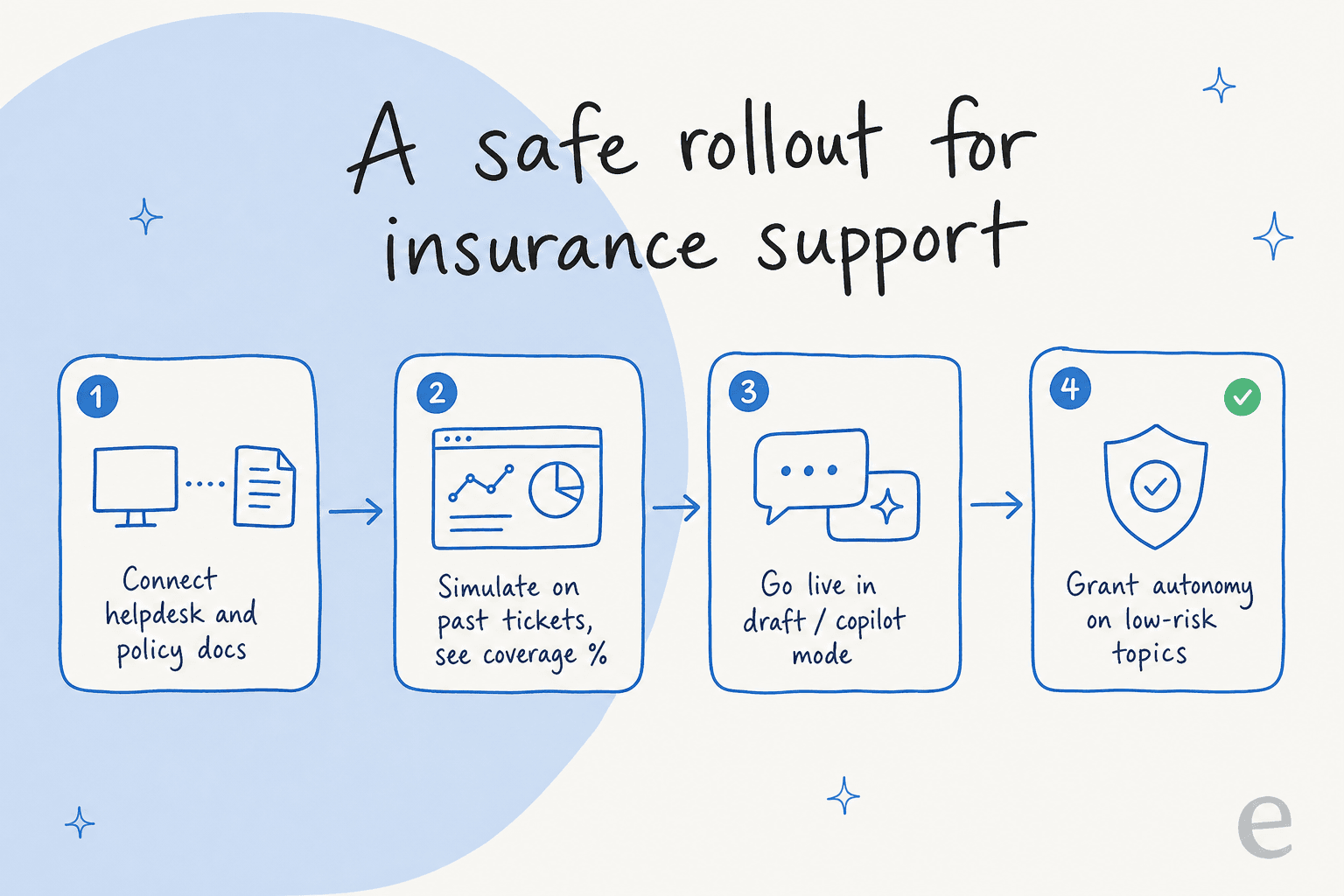
Connect, then simulate before going live. This is the step that separates a safe rollout from a hopeful one. With eesel you run the agent against thousands of your past tickets in simulation mode and get a coverage report by topic: how many it would have handled, where it was unsure, and where it would have been wrong, all before a customer is involved. For insurance, that report is your risk assessment, and a far better starting point than guessing at AI customer service metrics after the fact. You can see that it nails "renewal date" and "claim status" and that it correctly stays away from "is this covered."
Go live in draft mode. Let the AI write replies that a human approves and sends. Your agents move faster, every answer still gets a human check, and the AI quietly learns from the edits. One of our customers in debt resolution, a heavily regulated space, describes using it as the first responder to their helpdesk tickets:
"We use it to be the first responder to our Helpdesk tickets in Jira. It essentially acts just like an agent would."
Jason Loyola, Head of IT, InDebted (15% deflection, on the way to a 55% target)
Grant autonomy only on the safe topics. Once the simulation and draft-mode data back you up, let the AI auto-resolve the low-risk categories you've verified, like password resets and claim-status checks, while everything regulated still routes to a person. You're not turning on "AI does everything." You're turning on "AI does the five things we proved it's good at."
And if you're tempted to just build this yourself on a raw model API, plenty of teams consider it and then don't. As one customer told us:
"We could try to write our own LLM application but we didn't want to invest our time into that. We wanted something that we would not have to maintain."
Karel, GENERAL BYTES
The reporting and activity logs are part of the compliance story too. You want to be able to show, after the fact, exactly what the AI did and why.

Because eesel sits inside your existing helpdesk rather than replacing it, whether that's Freshdesk, Zendesk, or Front, none of this means a migration or a loss of ticket history.
What it costs
Pricing matters more in insurance than people admit, because support volume is spiky. A weather event, a regulatory change, or a renewal season can triple your tickets overnight, which is its own reason to pick helpdesk software for high-volume tickets. Any pricing model that charges you more precisely when you're busiest is working against you.
eesel runs on usage-based pricing with no per-seat fees and no platform fee on the standard plans:
| Plan | What you pay | Best for |
|---|---|---|
| Free trial | $50 in free usage, no card | Kicking the tyres and running a simulation |
| Pay-as-you-go | From $0.40 per resolved ticket | Teams that want to start without a big commit |
| Annual commit | 25% less, on a $300+/month commit | Predictable, steady volume |
| Enterprise | $1,000/month platform fee plus usage | SSO, HIPAA, BAA, signed agreements, higher limits |
A quick word on a model I'd watch out for: per-resolution pricing. On the surface it sounds fair, you pay for outcomes. In practice it penalises you for the two things you want, a higher resolution rate and the ability to absorb a volume spike without a budget shock. A flat or per-ticket model keeps your November bill looking like your March bill. For the wider math, our AI vs human agent cost guide and the cheapest AI helpdesk apps roundup are good companions, and the full numbers are on the eesel pricing page.
Try eesel for insurance support
If you run support for an insurer, eesel is built to sit on top of the helpdesk you already use, learn from your past tickets and policy documents, and handle the high-volume questions while keeping every regulated decision with a licensed human. The part I'd point to specifically: you can simulate the whole thing on your real ticket history before going live, so the coverage and accuracy numbers are yours, not a vendor's slide.

You can configure when it jumps in, what it stays away from, and how it sounds, all in plain English, then connect it in minutes rather than a quarter-long project. Start with the eesel AI helpdesk agent, or see how teams in regulated and high-volume spaces use it across the customer service AI landscape.
Frequently asked questions

Share this article

Article by
Riellvriany Indriawan
Riell is a designer and writer at eesel AI with about two years of experience researching CX platforms, AI chatbots, and helpdesk software. She combines her design background with a sharp eye for how these tools actually look and feel in practice — making her comparisons unusually visual and user-focused.