AI ticket swarming: what it is, and where AI actually fits


Last edited June 19, 2026
What is ticket swarming?
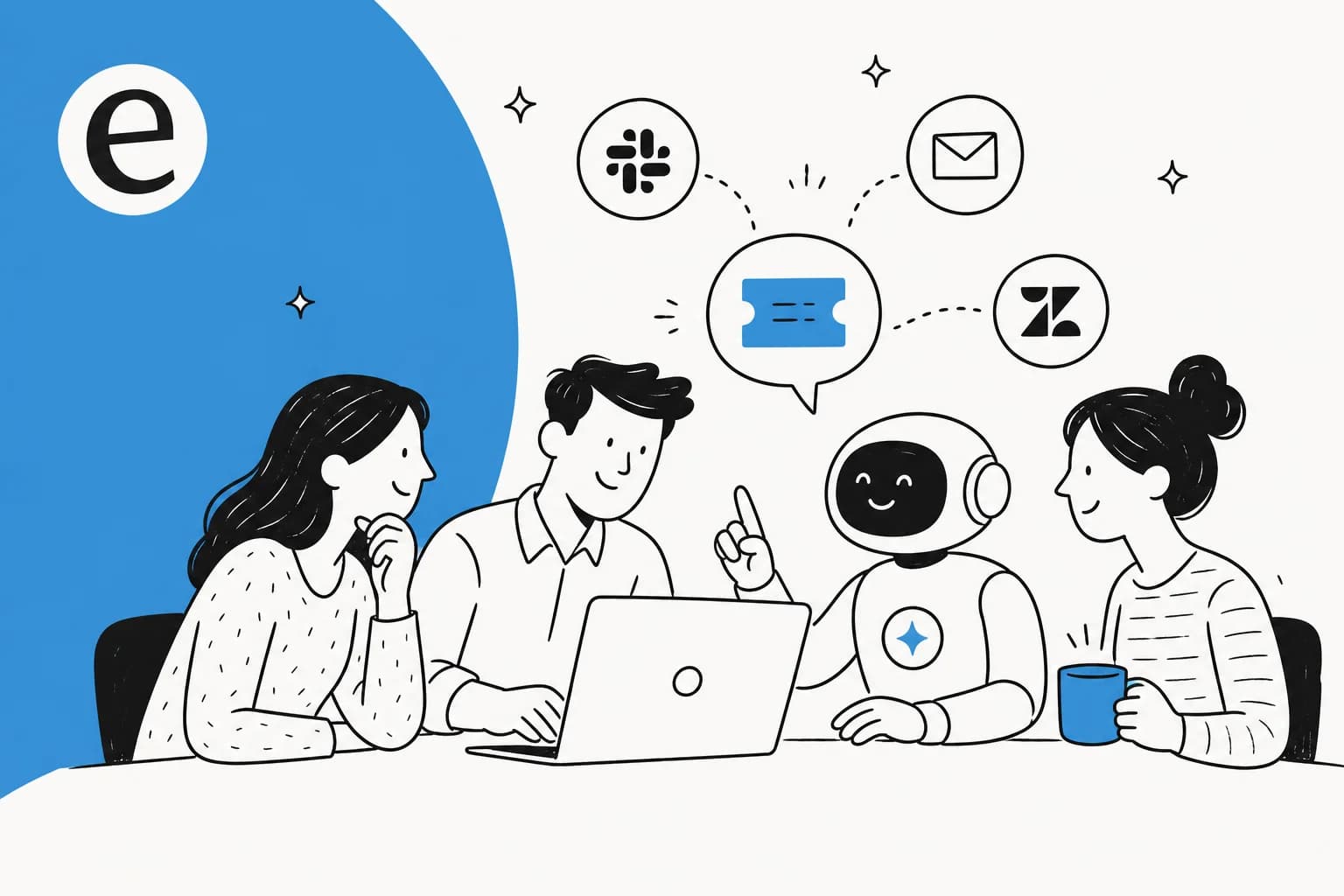
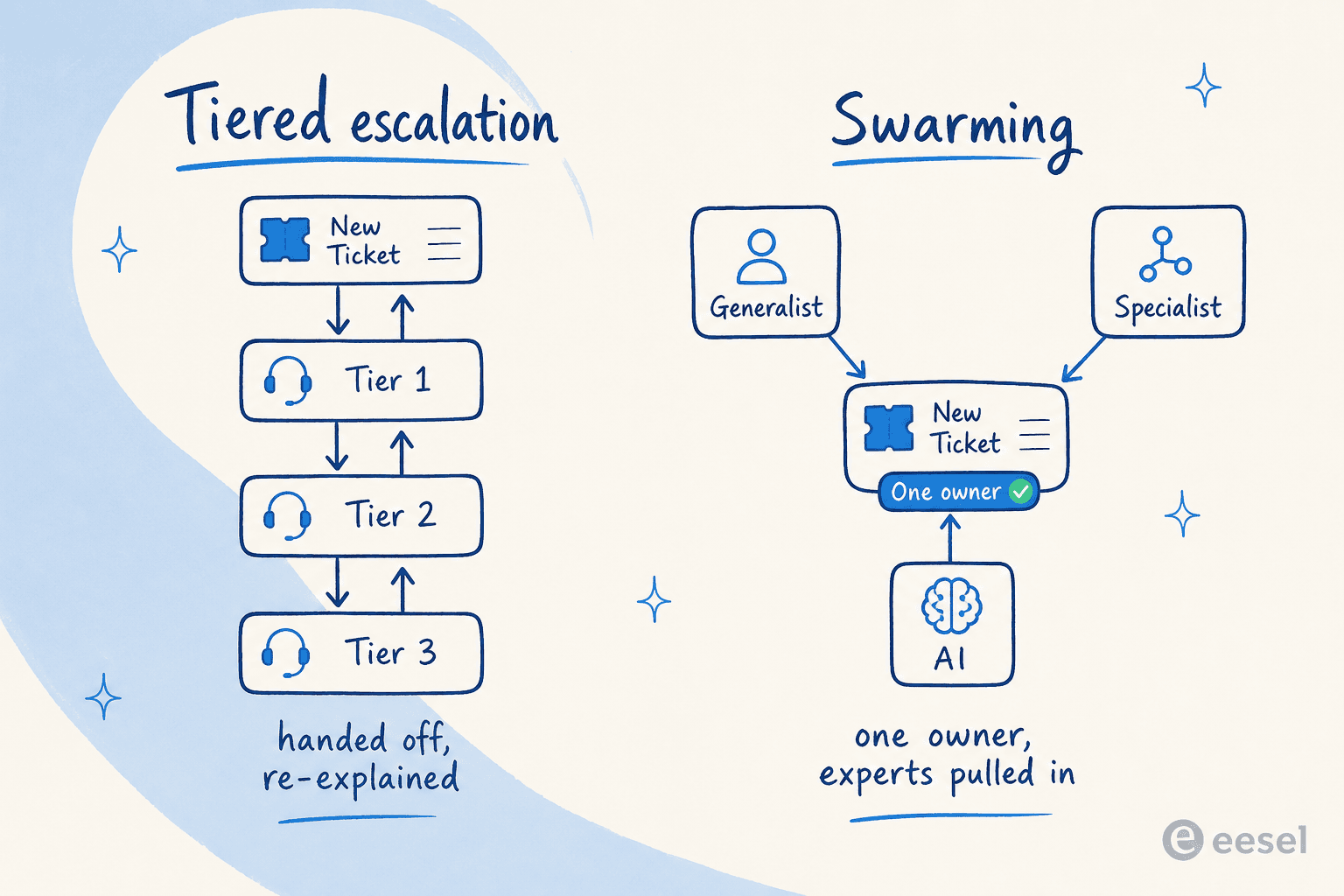
Ticket swarming (you'll also see it called case swarming, support swarming, or the collaborative support model) is an approach where, instead of escalating a ticket up through tiers, a group of people collaborate on it together. One person takes ownership and brings in the experts they need, rather than handing the ticket off and walking away.
The formal version comes from the Consortium for Service Innovation, the same body behind Knowledge-Centered Service (KCS). They coined "Intelligent Swarming" and define it as "a smarter way to align resources to work… removing the tiers of support and, when appropriate, calling on the collective expertise of a 'swarm' of analysts." Zendesk frames the same idea for customer support as "an approach used by customer service teams that utilises collaboration instead of escalation to solve a complex customer problem."
As BMC's Jon Stevens-Hall lays out the core principles, swarming is a direct inversion of the tiered orthodoxy:
- There are no tiered support groups.
- There are no escalations from one group to another.
- The case goes straight to the person most likely to resolve it.
- Whoever takes the case sees it through to resolution (they keep ownership even while pulling others in).
The idea isn't new. A big early pioneer was Cisco, which set out its "Digital Swarming" model in a 2008 white paper; the Consortium then developed it into Intelligent Swarming, and HDI lists Cisco, BMC, Red Hat, and Allscripts as early adopters that reported dramatic improvement. What's new is the "AI" in front of it, and that changes the maths in a way I'll get to.
Swarming vs tiered support
Tiers aren't evil. They're a filter, and a good one, when the work fits. The Consortium's own framing is that tiered support works when most issues are simple and known (95% or more), resolved on first contact, with each level resolving 70-80% of what it receives. The trouble starts when that mix shifts.
Here's how the two models actually differ:
| Dimension | Tiered support | Swarming |
|---|---|---|
| Structure | Silos and hierarchies (L1 / L2 / L3) | One networked team |
| How work is assigned | Pushed up the ladder | Pulled in / opt-in |
| Process | Pre-defined, linear | Emergent, collaborative |
| Core motion | Escalation | Collaboration |
| Ticket ownership | Changes hands at each step | One owner, start to finish |
| Best for | High-volume, repeatable, known issues | Complex, cross-team, novel issues |
(Comparison drawn from the Consortium's "How Does It Work" and Zendesk's case-swarming guide.)
The Consortium has a great metaphor for the difference: tiers mean "multiple teams that toss issues back and forth through incident routing, rerouting, escalation, and rejection (playing ping pong)," while swarming collapses that into "a single team of people who collaborate… (play catch)." Zendesk's practical line: "Tiered support is great for recurring problems… Case swarming is ideal for more complex issues where different skills are required." The decision of which ticket goes where is, fundamentally, a ticket triage problem.
Why everyone's suddenly saying "AI ticket swarming"
This is the bit that ties it together. The original argument for swarming was demographic: as customers solve more of their own known issues through self-service, the tickets that reach a human get harder. It's the same logic behind every modern AI helpdesk. The Consortium points out that "a number of companies' customers are now solving 80 percent of their issues via self-service," which means the residue landing in the queue is disproportionately new, complex, and escalation-prone, exactly where tiers fall apart.
AI accelerates that shift hard. Once an AI agent and good self-service absorb the repeatable volume, what's left for humans skews even more toward the genuinely hard cases. So "AI ticket swarming" isn't really about AI joining a Slack huddle. It's two distinct jobs:
- AI clears the 95%: the known, repeatable tickets, through ticket automation and classification, so they never need a swarm.
- AI assists the 5%: when a real swarm fires, it does the context-gathering, knowledge-base surfacing, and reply drafting so the humans spend their time thinking, not hunting.
The 5% figure isn't mine. The sharpest framing I've seen came from a Salesforce practitioner on Reddit, pushing back on someone who didn't see the point of swarming:
"The main problem statement for swarming is as follows: 5% of cases take up to 30%… of the overall effort to resolve due to complexity, many teams involved, etc… Swarming is not a volume play - it tackles a very small % of cases that take a lot of time to resolve correctly."

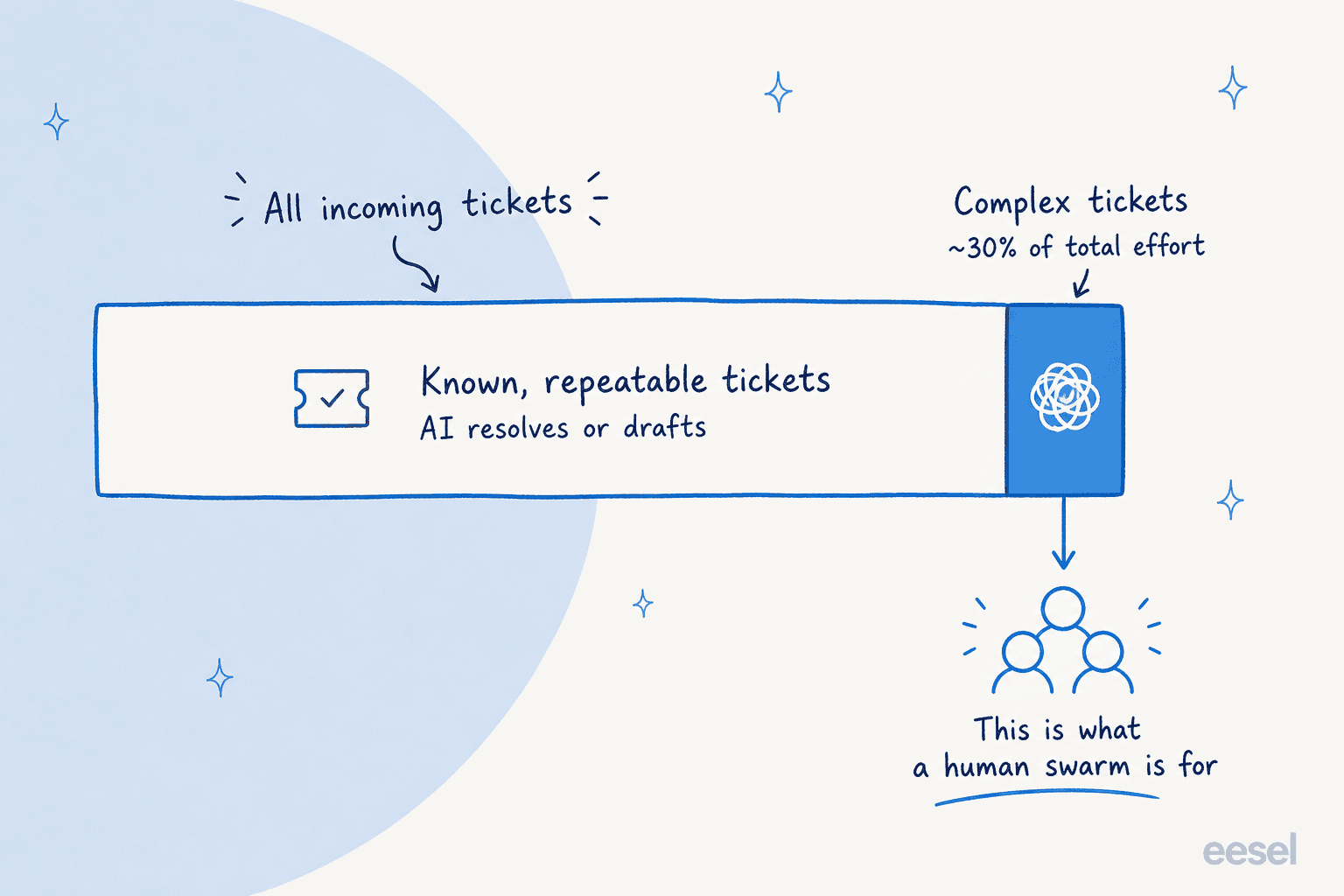
That's the whole game. If you point AI at the wrong slice (trying to make it swarm on everything, or trying to make a human swarm handle volume) you get the worst of both. Get the split right and the model finally works the way it was drawn up.
Where AI actually fits in a swarm
So what does AI do inside this, concretely? In the teams I work with, the pattern that holds up looks like this: AI sits at the front of the queue as the first responder, and a confidence check decides what happens next.
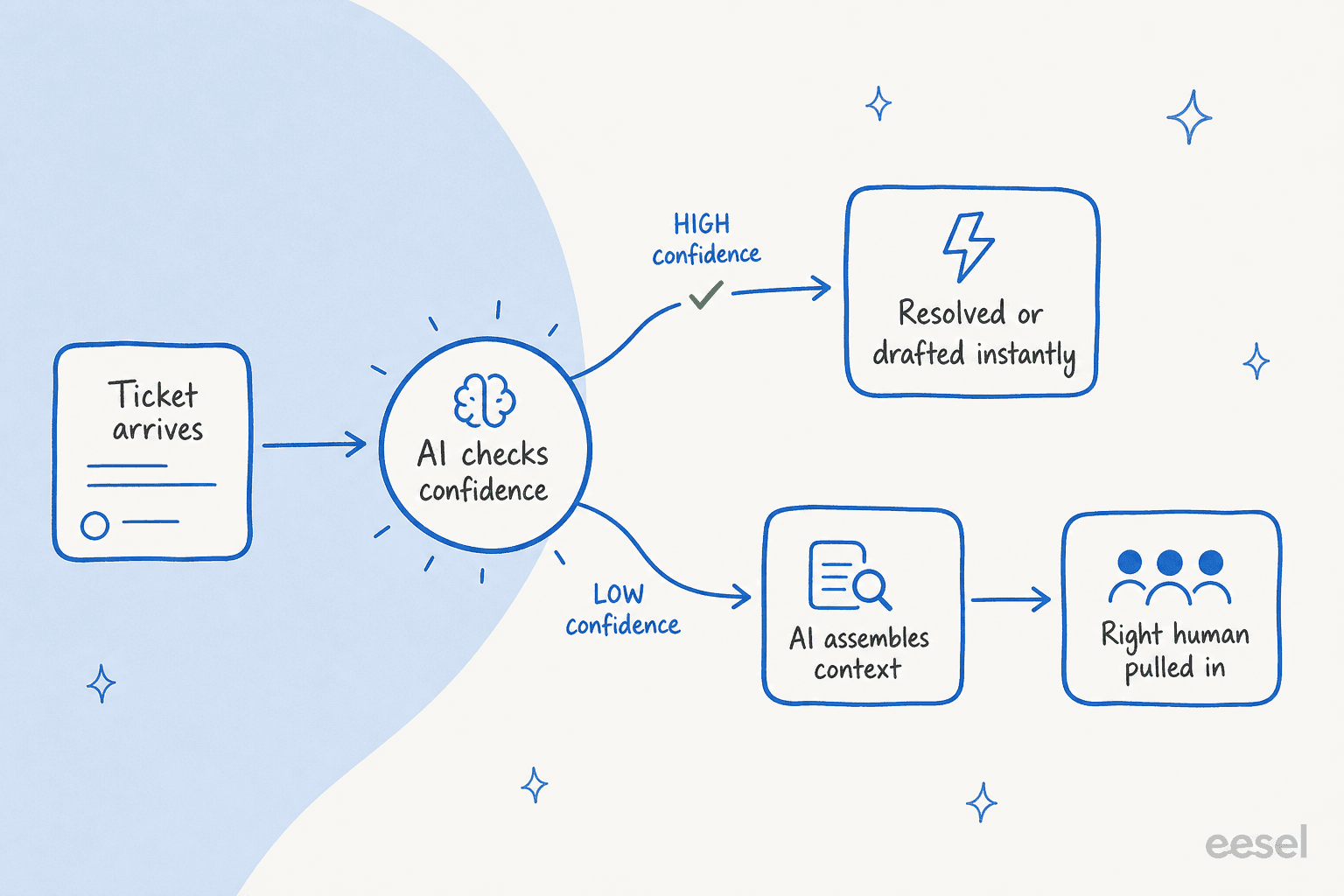
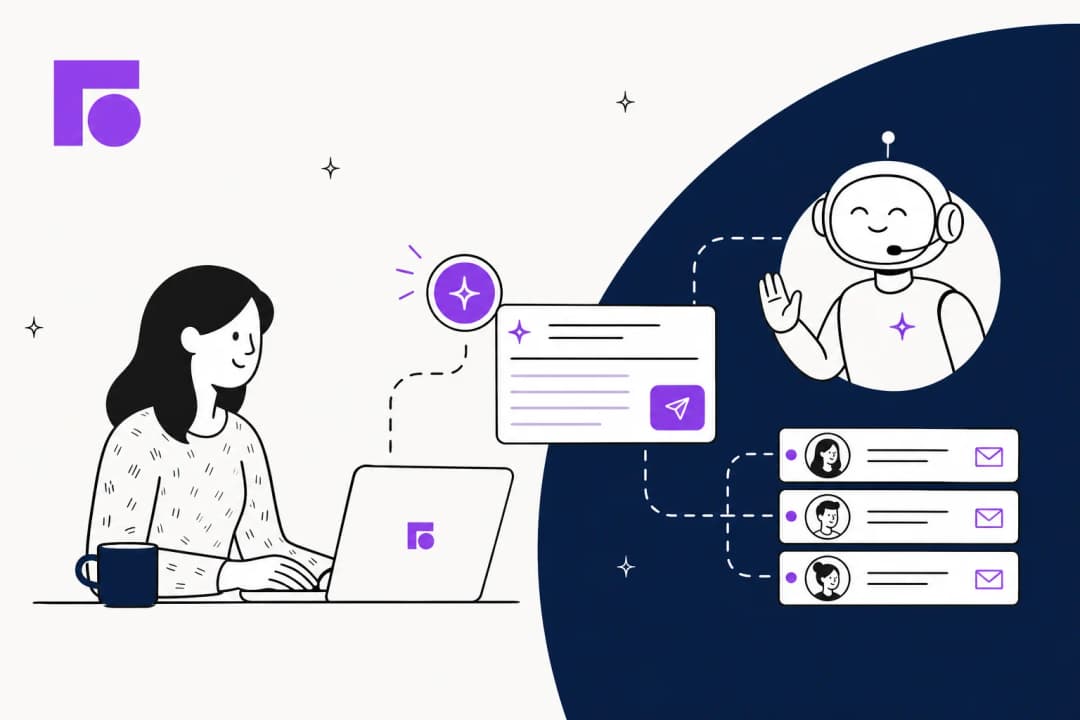
When the AI is confident, it resolves the ticket or drafts a reply for an agent to send. When it isn't, it doesn't guess; it quietly leaves the ticket for a human, but not empty-handed: it tags and routes the ticket, pulls the relevant past tickets and docs, and leaves a suggested reply as an internal note. The human who picks it up walks into context, not a cold start.
That confidence gate is the single most important design decision, and it's the one buyers care about most. I was once on a call with a CX lead at a brand doing 7,000 tickets a month, and she put the requirement better than any product brief could. Her words, roughly: "The AI will never be able to answer 100% of the questions… I need an AI who is only handling the tickets that it's confident to handle and all the other ones, leave them alone."
That's the principle eesel is built around. You set a confidence threshold, exclude ticket types you're not ready to automate, and the AI silently hands off anything it's unsure about. And because we've watched confident-sounding bots give wrong answers, every rollout gets simulated against your historical tickets first so you can see coverage and the error rate by ticket type before anything goes live, rather than finding out in production. In one real trial on live traffic, that simulate-first approach surfaced 93% triage accuracy and 100% spam detection before the team flipped anything to auto-reply, which is the kind of support ticket analysis you want before trusting any automation.
There's also a forward-looking version of this that practitioners are already imagining. As one IT leader wrote on LinkedIn:
"Imagine an 'intelligent swarm' powered by AI and machine learning, anticipating issues, suggesting solutions, and even automating some remediation tasks."

The parts of swarming AI doesn't fix
Now the honest bit, because this is where most vendor posts go quiet. Swarming has real, documented failure modes, and AI fixes some while leaving others completely untouched. If you're going to do this, go in with eyes open.
The "Chinese whispers" handoff. Swarming can degrade into telephone when the owner doesn't actually understand the problem they're relaying. A sysadmin on Reddit described living through one as the end user:
"Once the first tech finished his script and started pulling in support from more technical teams, it just turned into Chinese whispers with a 24 hour turn around… Trying to explain it to them we have to go through the L1 tech and our explanation gets filtered through his understanding."
AI genuinely helps here, by capturing the full ticket context in one place so the specialist reads the original detail instead of a paraphrase of a paraphrase.
Invitation refusal. This one AI does not fix on its own. As one operator put it on LinkedIn, "The theory behind Intelligent Swarming is flawless… [but] in practice, I see a significant friction point: the 'Invitation Refusal' problem. When you invite an expert into a Slack swarm, you are asking them to break their own focus to solve someone else's puzzle." If your experts are measured purely on closing their own tickets, no AI will make them want to join your swarm. That's a metrics-and-incentives problem.
Coordination cost. The Consortium is blunt that "collaboration takes time because more interaction… is needed among the collaborators," which is exactly why not every ticket should be swarmed. AI reduces the number of tickets that need a swarm, but a swarm that does fire still costs real human time.
Ownership turning into gaming. When "the team fixes it" becomes "the tech who picked it up fixes it," people adapt. One sysadmin warned that users start gaming the system, trying to bypass your ticketing tool and request specific techs, quietly wrecking your routing and metrics. That's a process-design problem AI can support (with consistent routing and tagging) but can't solve by itself.
The honest summary: AI is a fantastic answer to the volume and context problems, and no answer at all to the culture and incentive problems. Anyone selling you "AI ticket swarming" as a fix for the second category is overselling.
How to make AI ticket swarming actually work
If you want to put this into practice without the chaos, here's the sequence I'd follow:
- Scope the swarm narrow. Decide which ticket types are genuinely complex enough to warrant collaboration, and protect them. Everything else should be heading toward automation or self-service, not a huddle.
- Let AI clear the known volume first. Connect an AI helpdesk agent to your existing ticketing system and let it handle the repeatable tickets. The fewer easy tickets in the queue, the more your humans' attention is free for the hard ones.
- Gate everything on confidence. Set the threshold so the AI only auto-replies when it's sure, and silently routes the rest. This is the difference between an AI that helps and one that quietly creates new problems.
- Make AI the swarm's note-taker. Before a human is pulled in, the AI should already have gathered the context, surfaced the relevant docs, and drafted a starting point as an internal note.
- Simulate before you ship. Run the whole thing against your last few thousand tickets first, so you know the coverage and accuracy by ticket type. Guessing is how you end up with the confident-but-wrong bot everyone fears.
- Fix the incentives yourself. Make sure your experts are recognised for helping on swarms, not just for closing their own queue. No tool does this for you.
Most of this is about getting the split right, deciding which way each ticket should flow, and then making the AI carry as much of the load as it safely can on either side of that line.
Try eesel for AI ticket swarming
If the model above sounds right, eesel AI is built to be the always-on first member of your swarm. It plugs into your existing helpdesk (Zendesk, Freshdesk, Gorgias, HubSpot, Front, and more), learns from your past tickets and help docs on day one, and resolves or drafts the known tickets so your team's attention is free for the complex ones that genuinely need a human.
The differentiator for swarming specifically is the simulate-first rollout: you run the AI against thousands of your historical tickets, see exactly which types it can safely handle and where it should hand off, and set the confidence threshold accordingly before it ever touches a live customer. One team, Gridwise, saw eesel resolve 73% of tier-1 requests in the first month, results that showed up during a 7-day trial. Pricing is usage-based with no per-seat fees, so you're not paying for headcount you're trying to free up.

It's free to try, no credit card, and the simulation runs on your own data so you can see the split for yourself before committing.
Frequently Asked Questions

Share this article

Article by
Riellvriany Indriawan
Riell is a designer and writer at eesel AI with about two years of experience researching CX platforms, AI chatbots, and helpdesk software. She combines her design background with a sharp eye for how these tools actually look and feel in practice — making her comparisons unusually visual and user-focused.