Atlassian Intelligence: A realistic guide to AI in Jira and Confluence


Last edited May 8, 2026

Table of Contents
- What is Atlassian Intelligence?
- Atlassian Intelligence for Jira: Features and capabilities
- Atlassian Intelligence for Confluence: Features and workflows
- Understanding the pricing for Atlassian Intelligence
- One complementary option to expand your knowledge base
- Is Atlassian Intelligence the right choice for your team?
Disclosure: This article is published by eesel AI, a competitor of Atlassian. We encourage you to read Atlassian's own materials for their perspective.
Atlassian has introduced powerful AI capabilities, and it's hard to miss the excitement around Atlassian Intelligence. They're presenting it as a "virtual teammate" that enhances the way you work across their entire suite of products.
This guide is a straightforward look at what Atlassian's AI features can do inside Jira and Confluence. We’ll dig into the core features, explain the pricing, and talk about how teams are using these tools in 2026. The goal is simple: to help you understand how Atlassian Intelligence can benefit your team and where you might consider complementary AI tools to further expand your capabilities.
What is Atlassian Intelligence?
First things first, Atlassian Intelligence is a core part of the cloud experience. It's a set of AI-powered features that have been woven into their cloud products, like Jira, Confluence, and Jira Service Management. It acts as a sophisticated AI layer sitting on top of the apps you already use.
The whole thing is powered by a platform Atlassian calls Rovo. Rovo uses a "Teamwork Graph" to understand your company's data, projects, and team structures. This context is designed to serve up relevant, personalized answers. Under the hood, it’s a mix of Atlassian's own models and LLMs from third parties like OpenAI.
Atlassian has established data protection policies to ensure your information is handled securely, which is a key priority for teams with specific security or privacy requirements.
Atlassian Intelligence for Jira: Features and capabilities
For many of us, Jira is the daily command center, and Atlassian Intelligence is designed to make that work even more efficient. Let's look at the main features and how they help teams manage their projects.
Asking Jira questions in plain English
One of the most accessible features is the ability to plain English search rather than writing complex Jira Query Language (JQL) from the ground up. For example, typing "show me all high-priority bugs in Project Phoenix assigned to Sarah this month" can generate the JQL query for you.
This works well for standard queries and serves as a helpful assistant for users who are still learning JQL syntax. While experienced Jira admins might still prefer writing their own complex queries for total precision, this feature significantly lowers the barrier to entry for the rest of the team. It’s an excellent tool for making Jira's data more accessible to everyone.
AI-powered summaries and task breakdowns
This is where Atlassian Intelligence provides immediate, tangible value. A couple of features really stand out here.
First, the summarization tool. The AI can read through a long comment thread on a Jira ticket and provide a concise summary. This is a genuinely helpful feature and a massive time-saver for anyone who needs to quickly get up to speed on a ticket mid-conversation.
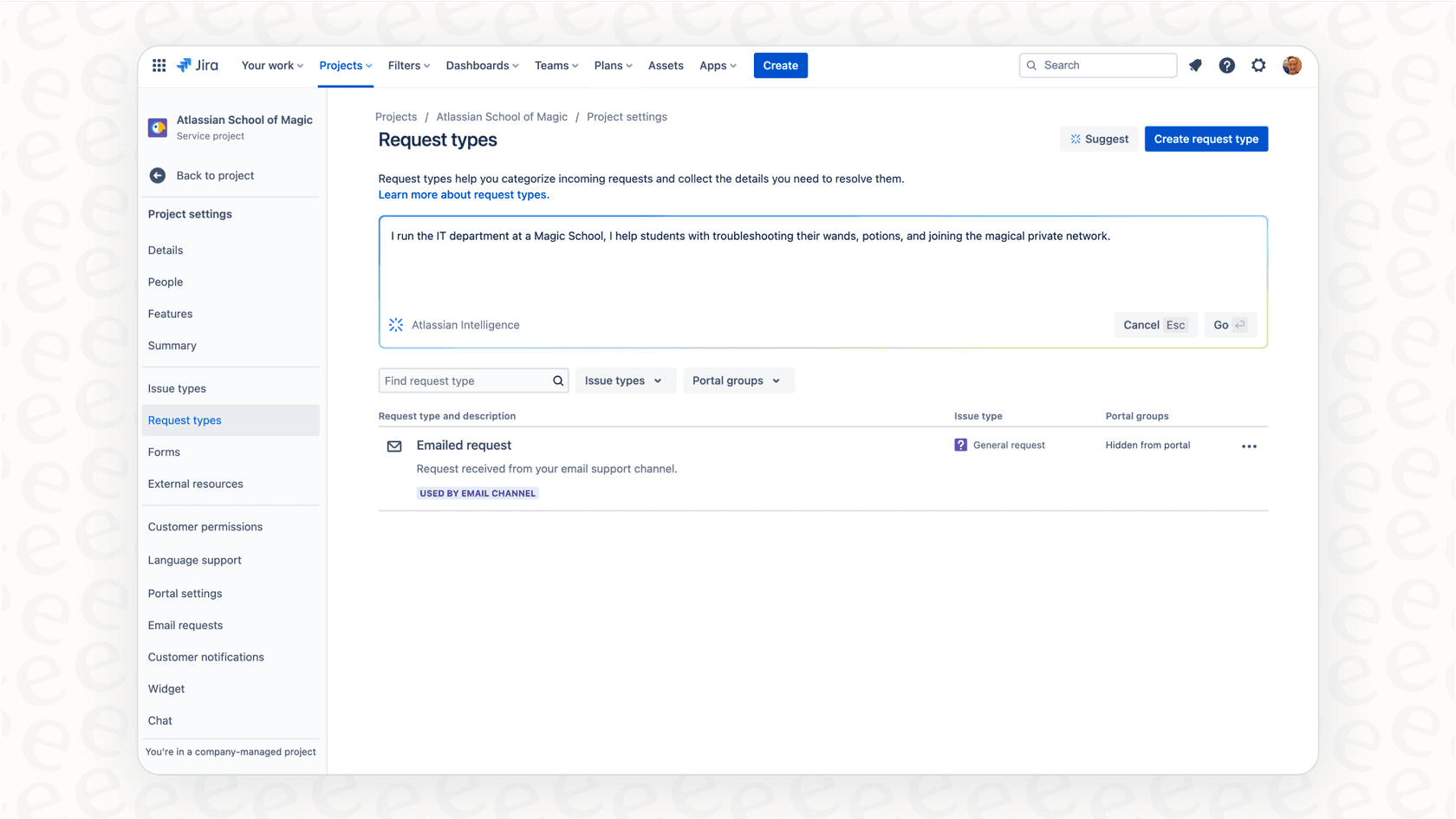
Second is the work breakdown feature. You can ask the AI to suggest how to break down a big epic into smaller stories, or a user story into sub-tasks. It provides a helpful starting point that helps teams move faster. While you'll likely want to refine these tasks to match your specific project nuances, it effectively eliminates the "blank page" problem when planning. The same applies to creating automation rules - it provides a strong foundation that makes Jira's powerful automation more accessible to everyone.
Atlassian Intelligence for Confluence: Features and workflows
Confluence is the home for your company's knowledge, and AI assistance makes that information easier to create and find. Atlassian Intelligence aims to make your documentation more dynamic. Here’s a look at what works well.
Finding answers with Q&A search
A major feature is the ability to Q&A search and receive a direct answer. Asking "what's our policy on parental leave?" can pull the answer directly from your HR space in Confluence.
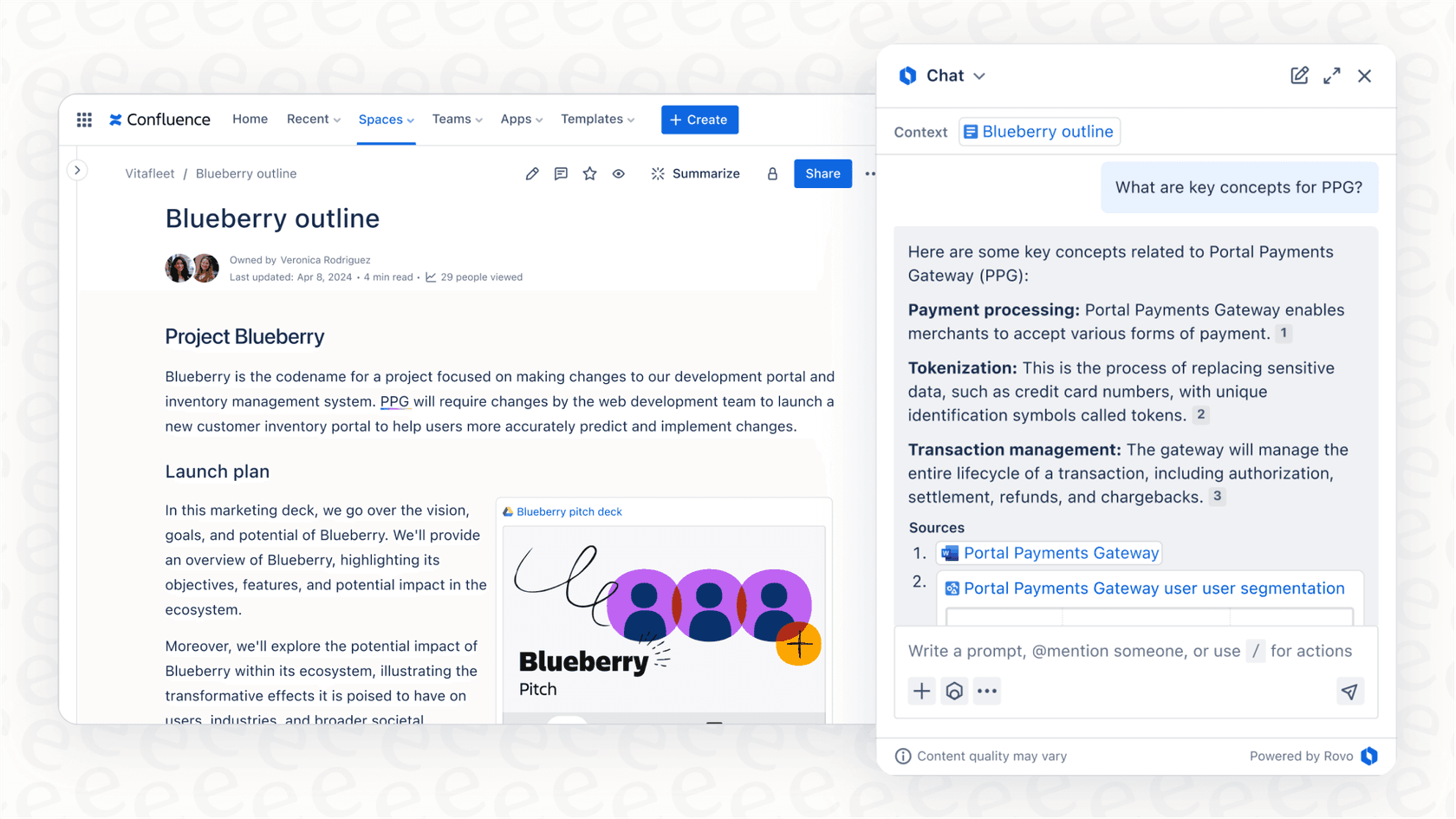
This feature encourages teams to maintain a high-quality Confluence knowledge base. The more organized your documentation is, the more effective the AI becomes at serving accurate answers. It's a great incentive for keeping documentation fresh and relevant.
While Atlassian's AI is deeply integrated with Confluence data, many teams find that it works best as the centerpiece of their knowledge strategy, often supplemented by other tools to capture information from outside the Atlassian ecosystem.
Generating and summarizing content
This is another area where the AI is highly effective. Inside the Confluence editor, you can ask the AI to draft and summarize content, or brainstorm ideas.
These features are solid time-savers. They're great for getting past that initial hurdle when starting a new document. The AI acts as a capable writing assistant, helping you get a draft ready that you can then refine with your team's specific voice and expertise.
Understanding the pricing for Atlassian Intelligence
Atlassian Intelligence is conveniently bundled into Atlassian's cloud subscription plans, making it easy to start using without extra procurement steps.
The system uses "AI credits" to manage usage. Standard, Premium, and Enterprise plans include a monthly allowance of credits. This allows teams to choose a plan that matches their expected usage level.
Here’s a quick look at how the Jira and Confluence plans compare in 2026:
| Plan | Jira Price (per user/mo) | Confluence Price (per user/mo) | Key AI Features & Allowance |
|---|---|---|---|
| Free | $0 | $0 | Comprehensive core features with the option to upgrade for AI capabilities. |
| Standard | $7.53 | $5.16 | Rovo Search, Chat & Agents. Includes 25 AI credits per user/month. |
| Premium | $13.53 | $9.73 | Everything in Standard. Increased to 70 AI credits per user/month. |
| Enterprise | Contact Sales | Contact Sales | Everything in Premium. Maximum allowance of 150 AI credits per user/month. |
The plan structure allows you to scale your AI usage as your team grows. For teams looking for the full Rovo experience, adding the platform can further expand your Atlassian AI capabilities.
One complementary option to expand your knowledge base
Atlassian Intelligence is a powerful built-in tool that provides excellent value for teams working within the Atlassian cloud. To build on this foundation, some teams look for specialized tools to bridge the gap between different platforms.
eesel AI is one such complementary option that works alongside the Atlassian ecosystem. It's designed to help you connect your scattered company knowledge to give your team fast answers across multiple apps.
It can be a great addition to your Jira and Confluence setup:
It helps bring external knowledge together. While Atlassian AI is focused on your Atlassian data, eesel AI can connect to Confluence as well as Google Docs, Notion, Slack, and support platforms like Zendesk or Freshdesk. This provides a broad view for teams using many different tools.

It offers quick, self-serve setup. You can connect your knowledge sources and have an AI agent ready in minutes, providing a flexible way to test AI workflows alongside your Jira setup.
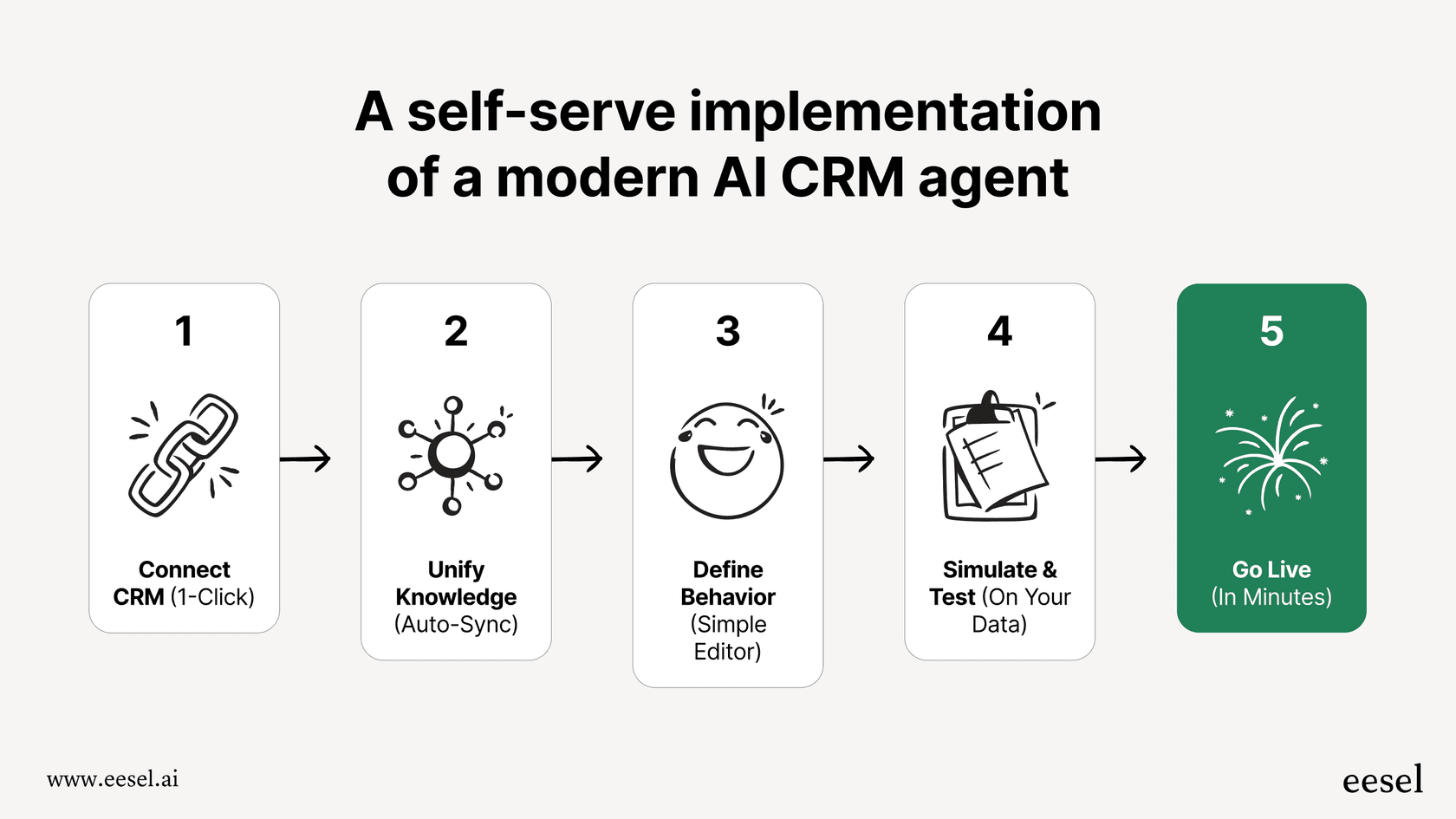
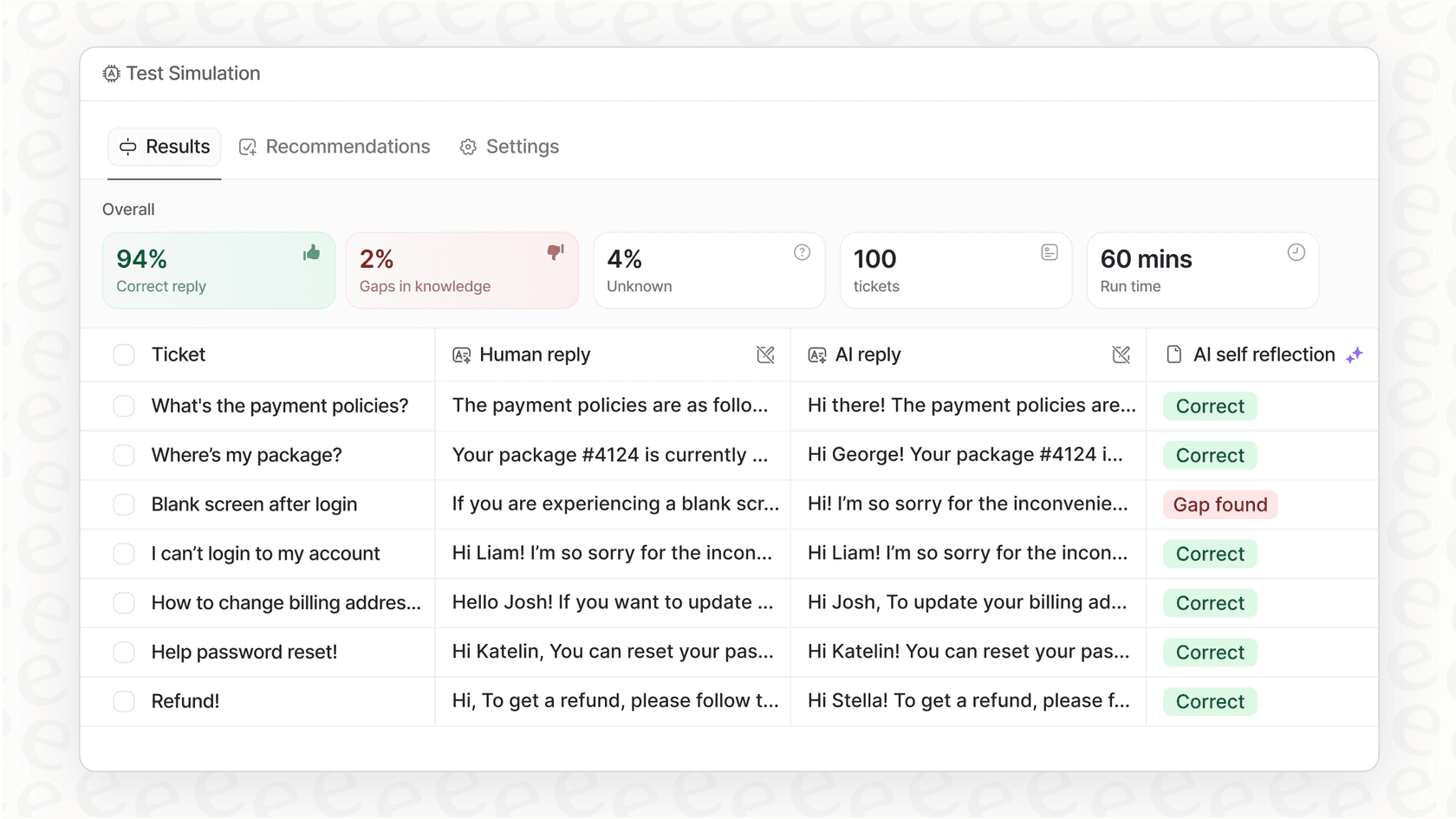
It allows for robust testing. eesel AI includes features to test your agent on past questions, which can be a helpful way to refine your AI strategy before rolling it out to a larger team.
Is Atlassian Intelligence the right choice for your team?
Atlassian Intelligence offers impressive, built-in benefits for teams that utilize the Atlassian cloud ecosystem. The summarization, drafting, and JQL assistance tools are highly effective for streamlining daily project management tasks. It's a mature, reliable choice from a trusted market leader.
If your team is looking for reliable automation and you want to leverage your existing investment in Jira and Confluence, Atlassian Intelligence is an excellent path forward.
For those who need to unify knowledge from a wide variety of external tools, exploring specialized options like eesel AI as a supplement can help you provide even more comprehensive answers right where your team works. Both paths offer exciting ways to make your team more productive in 2026.
Frequently asked questions


Share this article

Article by
Stevia Putri
Stevia Putri is a marketing generalist at eesel AI, where she helps turn powerful AI tools into stories that resonate. She’s driven by curiosity, clarity, and the human side of technology.