7 best AI tools for RingCentral in 2026: I tested them all

Last edited March 23, 2026
Table of Contents
- What to look for in RingCentral AI tools
- Comparison table: RingCentral AI tools at a glance
- 1. eesel AI
- 2. RingCentral AI Receptionist (AIR)
- 3. RingCentral AI Virtual Assistant (AVA)
- 4. RingCentral AI Conversation Expert (ACE)
- 5. Fireflies.ai
- 6. Mindtickle Call AI
- 7. Gong
- Choosing the right AI tool for your RingCentral setup
- Getting started with AI-enhanced RingCentral communications
RingCentral's AI ecosystem has expanded significantly in 2026. If you're already using RingCentral for business communications, you now have more options than ever to add AI capabilities. The question is: should you stick with RingCentral's native AI features, or look at third-party integrations?
I spent time testing both approaches. Here's what actually works, what doesn't, and which AI tools make the most sense for different use cases.
What to look for in RingCentral AI tools
Before diving into specific tools, let's clarify what you're actually shopping for. RingCentral AI tools generally fall into three categories:
Native features (built into RingCentral) offer seamless integration but limited scope. Third-party integrations add specialized capabilities but require setup. Standalone platforms work alongside RingCentral for advanced use cases like customer service automation.
When evaluating options, consider:
- Your base RingCentral plan - Some AI features require Advanced or Ultra tiers
- Setup complexity - Native features work immediately; third-party tools need configuration
- Specific use case - Customer service, sales coaching, and meeting productivity need different tools
- Budget - Factor in both the RingCentral subscription and any add-on costs
Comparison table: RingCentral AI tools at a glance
| Tool | Type | Best For | Starting Price | Setup |
|---|---|---|---|---|
| eesel AI | Third-party | Customer service automation | $299/month | Simple |
| RingCentral AI Receptionist | Native | Call routing & front desk | $39/month add-on | Moderate |
| RingCentral AI Virtual Assistant | Native | Meeting notes & transcription | Included in Advanced+ | Simple |
| RingCentral AI Conversation Expert | Native | Sales coaching & analytics | $60/month add-on | Moderate |
| Fireflies.ai | Third-party | Meeting intelligence | Free, or $10/month | Simple |
| Mindtickle Call AI | Third-party | Sales training | Custom pricing | Complex |
| Gong | Third-party | Revenue intelligence | Custom pricing | Complex |
1. eesel AI

If you're running customer service through RingCentral and need more than basic call routing, eesel AI is worth serious consideration. Unlike the other tools on this list, it's designed specifically for autonomous customer service.
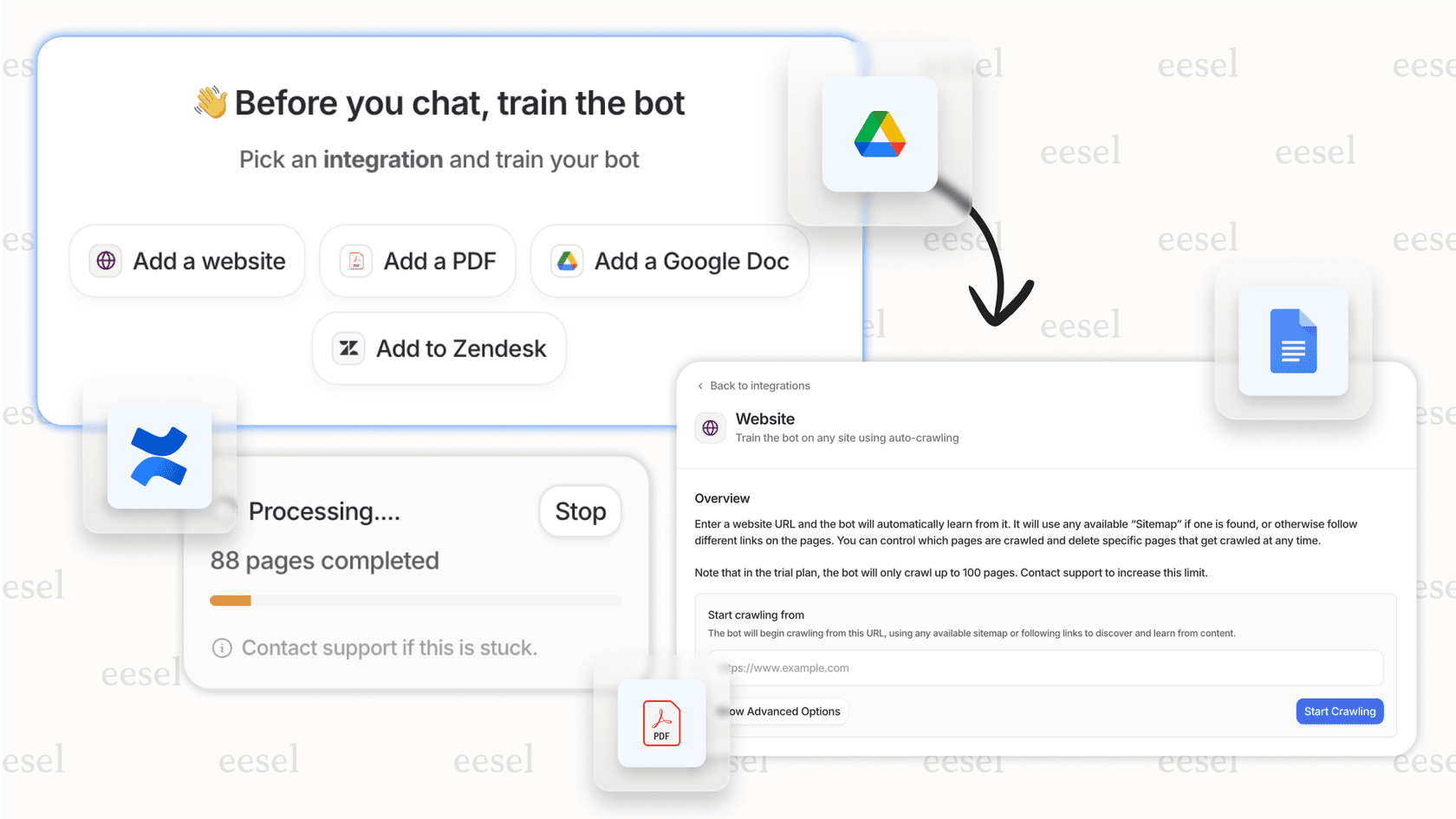
Here's how it works: you connect eesel AI to your help desk (it integrates with RingCentral plus Zendesk, Freshdesk, and others). It immediately learns from your past tickets, help center articles, and any connected documentation. Within minutes, it understands your business context, tone, and common issues.
You start with eesel AI drafting replies for your agents to review. Once you're confident it understands your business, you level it up to handle frontline support autonomously. Mature deployments achieve up to 81% autonomous resolution rates.
What makes it different:
- Learns your business in minutes, not weeks
- Plain-English escalation rules (no coding required)
- Works across 80+ languages
- Run simulations on past tickets before going live
Pricing: Starts at $299/month for the Team plan (1,000 AI interactions, up to 3 bots). Business plan at $799/month includes unlimited bots and 3,000 interactions. See our pricing page for full details.
Best for: Teams wanting advanced customer service automation beyond what RingCentral's native features can provide.
Pros:
- True autonomous resolution, not just assistance
- Progressive rollout lets you verify quality before expanding
- No per-seat fees (pay for interactions, not users)
Cons:
- Separate platform from RingCentral
- Additional cost on top of RingCentral subscription
- Overkill if you only need basic call routing
2. RingCentral AI Receptionist (AIR)
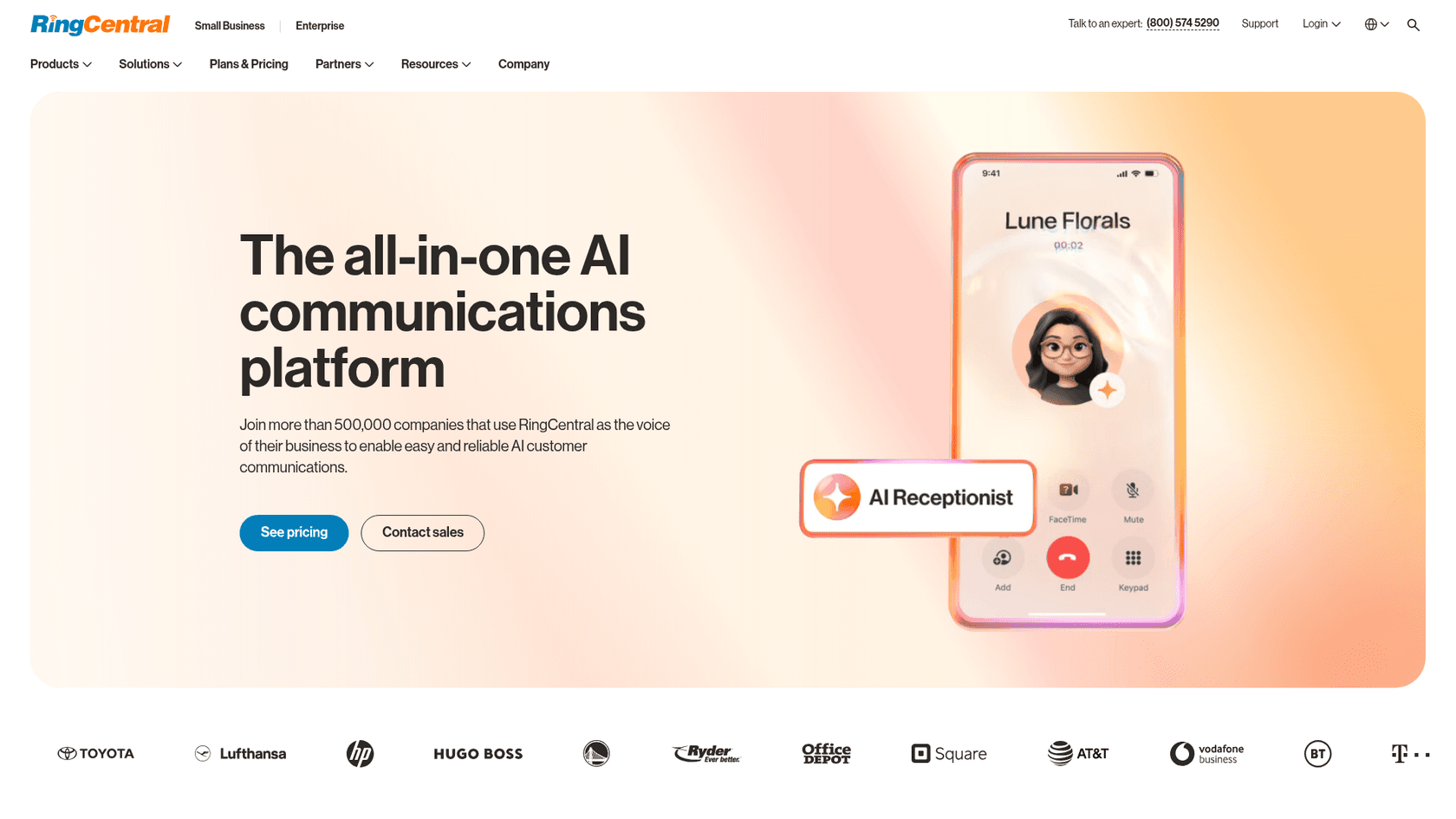
RingCentral's native AI Receptionist is exactly what it sounds like: a 24/7 digital receptionist that answers calls, routes callers, handles FAQs, and can even capture leads and send follow-up texts.
The setup is visual and no-code. You configure how the AI should greet callers, what questions it can answer, and when to transfer to a human. It understands natural language, so callers don't need to press buttons or use specific phrases.
Key capabilities:
- Answers calls in English and Spanish
- Routes based on name, context, or department
- Handles appointment booking
- Captures lead information and sends SMS follow-ups
- Integrates with your existing RingCentral phone system
Pricing: AIR is a $39/month add-on available on Core, Advanced, and Ultra plans. It's included at no extra cost in the Customer Engagement Bundle.
Best for: Businesses wanting seamless native integration for front-desk automation without managing a separate platform.
Pros:
- No integration complexity (works immediately)
- Built on RingCentral's 99.999% uptime infrastructure
- Visual, no-code configuration
Cons:
- Limited AI features compared to dedicated solutions
- Requires higher-tier RingCentral plans for full functionality
- Complex calls still need human handoff
3. RingCentral AI Virtual Assistant (AVA)
AVA is RingCentral's productivity-focused AI assistant. It's included at no extra cost on Advanced and Ultra plans, and provides real-time assistance during calls and meetings.
During video meetings, AVA transcribes conversations, generates summaries with action items, and creates highlights you can reference later. For phone calls, it provides real-time transcription and note-taking.
Key capabilities:
- Real-time call and meeting transcription
- Automated summaries with action items
- Message drafting and translation (15+ languages)
- Live knowledge surfacing during calls
- Meeting highlights and chapters
Performance: RingCentral claims AVA saves 9 hours per employee per month and that 84% of organizations report improved call engagement after using it.
Pricing: Included in Advanced ($30/user/month annual) and Ultra ($40/user/month annual) plans. Not available on Core.
Usage limits: 500 minutes per user per month for AI notes.
Best for: Teams needing productivity assistance during live conversations who are already on qualifying RingCentral plans.
Pros:
- Included at no additional cost on qualifying plans
- 84% of users report improved call engagement
- Works across phone, video, and messaging
Cons:
- 500-minute monthly usage limit per user
- Limited customization options
- Not available on Core plan
4. RingCentral AI Conversation Expert (ACE)
ACE is RingCentral's conversation intelligence platform, designed for sales teams and contact centers that need deep analytics and coaching capabilities.
Unlike AVA which focuses on productivity, ACE focuses on performance. It analyzes conversations for sentiment, tracks topics and trends, provides automated coaching tips, and integrates with CRMs like Salesforce to auto-update records.
Key capabilities:
- Conversation analytics and sentiment tracking
- Automated coaching tips for agents
- CRM integration and auto-updates
- Compliance monitoring and risk flagging
- Industry-specific templates (legal, healthcare, finance)
Performance metrics from case studies:
- Ree Medical achieved 166x increase in call audit capacity
- TarryTown Expocare saved 20 hours of analysis per week
- MedCare saw 92% increase in call review time savings
Pricing: Starts at $60/user/month as an add-on to any RingCentral plan.
Best for: Sales teams and contact centers needing deep conversation analytics and coaching workflows.
Pros:
- Native integration with RingCentral platform
- Proven ROI in case studies
- Industry-specific compliance templates
Cons:
- Add-on pricing (not included in base plans)
- Requires higher-tier RingCentral subscription for full features
- Setup complexity for advanced features
5. Fireflies.ai
Fireflies.ai is a third-party meeting assistant that works across multiple platforms, including RingCentral. If your team uses multiple communication tools beyond RingCentral, Fireflies provides a unified place to capture and search all your conversations.
The RingCentral integration is available through the App Gallery. Once connected, Fireflies automatically joins your RingCentral meetings, transcribes them, and makes them searchable.
Key capabilities:
- Meeting transcription in 100+ languages
- AI summaries with action items
- AskFred AI assistant for meeting Q&A
- Conversation intelligence and analytics
- Search across all your meetings
Pricing:
- Free: Unlimited transcription, 800 min storage, limited AI summaries
- Pro: $10/seat/month (annual) - unlimited summaries, 8,000 min storage
- Business: $19/seat/month (annual) - unlimited storage, video recording, conversation intelligence
- Enterprise: $39/seat/month (annual) - SSO, HIPAA, private storage
Best for: Teams using multiple communication tools beyond RingCentral who want a single repository for all meeting notes.
Pros:
- Freemium plan available
- Strong search and highlight features
- Broad integration ecosystem (works with Zoom, Teams, Meet, etc.)
Cons:
- Not native to RingCentral (separate setup required)
- Limited real-time assistance (mostly post-meeting)
- Additional subscription cost on top of RingCentral
6. Mindtickle Call AI
Mindtickle is primarily a Sales Readiness platform, and Call AI is their conversation intelligence module. It integrates with RingCentral to import calls for analysis, coaching, and training workflows.
The focus here is on rep development. Call AI identifies what top performers do differently, flags deals at risk, and provides structured coaching workflows.
Key capabilities:
- Automated call importing from RingCentral
- AI-powered seller coaching and insights
- Deal risk identification
- Performance benchmarking against top reps
- Collaboration tools for coaching conversations
Pricing: Custom pricing based on team size. No public pricing available.
Requirements:
- Registration at Call AI required before usage
- Admin authorization needed
- No software installation required
Best for: Sales organizations focused on rep development, training, and reducing ramp time for new hires.
Pros:
- Deep integration with sales training workflows
- Actionable coaching insights
- Reduces ramp time for new reps
Cons:
- Complex setup and configuration
- Enterprise pricing (custom quotes only)
- Overkill for small teams or simple use cases
7. Gong
Gong is the category leader in revenue intelligence. It's a comprehensive platform that captures customer interactions across calls, emails, and CRM activity to provide deal insights, forecasting, and coaching.
The RingCentral integration allows Gong to capture and analyze your RingCentral calls alongside other communication channels.
Key capabilities:
- Comprehensive call, email, and CRM capture
- Deal intelligence and risk alerts
- AI-powered revenue forecasting
- Automated coaching and alerts
- Pipeline management and analytics
Pricing: Per-user licensing plus platform fee based on user count. Custom quotes only - no public pricing tiers.
Customer base: 5,000+ customers including Dropbox, LinkedIn, Google, ADP, and Nasdaq.
Best for: Enterprise sales teams needing comprehensive revenue analytics and forecasting.
Pros:
- Industry-leading conversation analytics
- Strong forecasting capabilities
- Proven ROI for large sales teams
Cons:
- Premium pricing (custom enterprise quotes)
- Complex implementation
- Requires dedicated admin resources
- Overkill for smaller teams
Choosing the right AI tool for your RingCentral setup
So which one should you actually choose? Here's a simple framework:
For customer service:
- Start with RingCentral AI Receptionist if you just need basic call handling and routing
- Consider eesel AI if you want true autonomous ticket resolution and advanced customer service automation
For meeting productivity:
- Use RingCentral AI Virtual Assistant if you're already on Advanced or Ultra plans
- Go with Fireflies.ai if you use multiple meeting platforms and want everything in one place
For sales teams:
- RingCentral AI Conversation Expert works well for coaching and analytics within RingCentral
- Mindtickle Call AI fits if you need deep sales training integration
- Gong is the choice for enterprise revenue intelligence and forecasting
Decision factors:
- Team size: Small teams (under 10) should stick with native features or Fireflies. Larger teams can justify Mindtickle or Gong.
- Budget: Factor in both RingCentral plan costs and AI add-ons. Native features are cheaper but less capable.
- Use case complexity: Simple needs (transcription, routing) = native features. Complex needs (autonomous service, forecasting) = third-party tools.
Getting started with AI-enhanced RingCentral communications
If you're just beginning, here's a practical path forward:
- Start with what's included - If you're on Advanced or Ultra, enable AVA and see how your team uses it
- Add AIR if you need front-desk help - The $39/month add-on is reasonable for 24/7 coverage
- Evaluate third-party tools for gaps - If native features don't solve your specific problem, that's when to look at Fireflies, eesel AI, or others
- Run pilots before full deployment - Most tools offer trials or freemium plans. Test with a small group first
For customer service teams specifically, our AI agent offers something the native RingCentral features don't: true autonomous resolution. You can start with drafts for review, then level up to full automation as eesel AI proves it understands your business. Try it free or book a demo to see how it works alongside your RingCentral setup.
Frequently Asked Questions

Share this article

Article by
Stevia Putri
Stevia Putri is a marketing generalist at eesel AI, where she helps turn powerful AI tools into stories that resonate. She’s driven by curiosity, clarity, and the human side of technology.