Bitbucket pricing in 2025: A complete guide to the new plans

Last edited October 6, 2025

If you’re a Bitbucket user, you probably got an email recently that made your eyebrows shoot up. Starting April 28, 2025, Bitbucket Cloud's free plan is getting a serious trim, dropping the total repository storage limit to a tiny 1 GB. For tons of solo developers and small teams, that news was a tough pill to swallow. All of a sudden, a tool that was a dependable part of their setup is making them rethink their budgets and even consider the headache of migrating dozens of repos.
And honestly, the frustration makes sense. In a world where cloud storage gets cheaper by the day, a 1 GB limit feels like a huge step backward. It’s a move that shoves a lot of loyal free-tier users into a corner: start paying up or pack your bags and move your code somewhere else.
If that sounds like the boat you're in, you've come to the right place. My goal here is to give you a clear, no-fluff breakdown of the current Bitbucket pricing structure. We'll walk through what each plan actually gives you, dig into the not-so-obvious costs, and see how it stacks up against the competition. By the end, you should have everything you need to make the right call for your projects.
What is Bitbucket?
So, what’s Bitbucket all about? In short, it’s a code hosting and collaboration tool from Atlassian that’s built on Git. It’s a central spot for you and your team to store code, keep track of every change, and work together on software.
Its biggest draw, and the main reason teams pick it, is how beautifully it plays with other Atlassian products. If your team is already running on Jira for project management and Confluence for documentation, Bitbucket just clicks right into place. You can spin up new branches directly from Jira tickets, check commit details inside your project board, and have issue statuses update automatically. It’s built for professional teams who want their entire development process, from planning to deployment, to live under one roof.
A full breakdown of Bitbucket pricing plans
Before we get into the nitty-gritty of each plan, just know that Bitbucket’s pricing is meant to grow with you, from a small side-project to a full-blown enterprise setup. Let's see what you get for your money at each tier.
The free plan
-
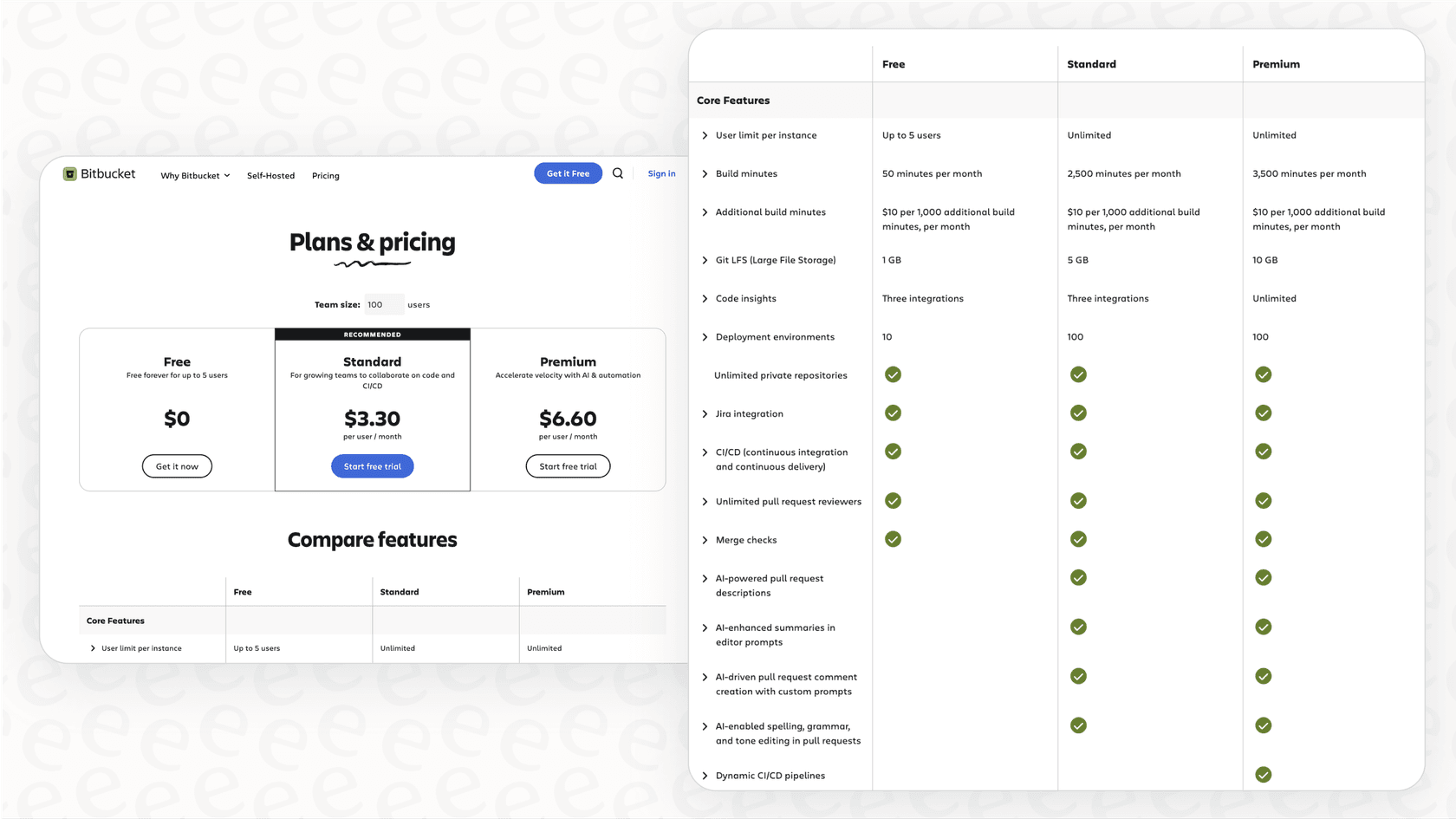
Cost: $0, for up to 5 users.
-
Key limits: This is where the big changes hit. You now get only 1 GB of total storage for all your repositories, 1 GB for Git Large File Storage (LFS), and just 50 CI/CD build minutes per month.
-
Features: You still get unlimited private repos and that signature integration with Jira Software.
-
Best for: Honestly? Individuals or super small teams with tiny projects that won’t even come close to the storage or build limits. It can work as a starting point, but the new restrictions make it a tough choice for any serious, long-term work.
The standard plan
-
Cost: $3.30 per user per month. It's important to note that for teams with one to five users, Bitbucket has a flat monthly fee of $16.50.
-
Key limits: The limits get a lot more reasonable here. You get a bump to 2,500 build minutes a month and 5 GB of LFS storage.
-
Features: You get everything from the Free plan, plus you can have unlimited users and use merge checks to help enforce code quality before anything gets merged.
-
Best for: Growing teams who've hit the ceiling on the Free plan and need more CI/CD muscle and better control over their workflow.
The premium plan
-
Cost: $6.60 per user per month. Just like the Standard plan, this one has a flat fee of $33.00 a month for teams of one to five.
-
Key limits: You get another boost here, with 3,500 build minutes per month and 10 GB of LFS storage.
-
Features: This plan includes everything from Standard and then layers on a bunch of advanced security and compliance tools. We're talking IP allowlisting (so people can only log in from approved locations), enforced merge checks, deployment permissions, and a 99.9% uptime Service Level Agreement (SLA).
-
Best for: Bigger companies or teams with strict security requirements that need fine-grained control over who can access and deploy their code.
Bitbucket Data Center
This is Bitbucket's self-hosted option. It’s aimed at large enterprises with specific rules around security or operations that mean they can't use a cloud service. You run it on your own servers, which gives you total control.
- Cost: This is priced with an annual license, and costs start at around $44,000 per year for 500 users.
Bitbucket pricing at a glance
| Feature | Free | Standard | Premium |
|---|---|---|---|
| Price (per user/mo) | $0 | $3.30 (min $16.50/mo) | $6.60 (min $33/mo) |
| User Limit | 5 | Unlimited | Unlimited |
| Repo Storage | 1 GB (total) | Unlimited | Unlimited |
| Git LFS Storage | 1 GB | 5 GB | 10 GB |
| Build Minutes/mo | 50 | 2,500 | 3,500 |
| Security | Basic | Merge Checks | IP Allowlisting, 2FA |
The hidden costs and limitations of Bitbucket pricing
The prices you see on the main pricing page don't always tell the whole story. A few other things can sneak up on you and affect your final bill.
Overage fees
One of the biggest gotchas is the cost of overages. If your team is big on CI/CD or you work with large files, you can chew through your monthly limits faster than you think.
-
Additional build minutes: Go over your plan's limit? That’ll be $10 for every extra 1,000 minutes.
-
Additional LFS storage: Use up your storage? That’s another $10 per month for each additional 100 GB.
These fees can make your monthly bill a bit of a rollercoaster. A busy month with a lot of builds could lead to a much bigger invoice than you budgeted for, which is a real pain for anyone trying to keep costs predictable.
The steep jump for solo developers
The new pricing structure really puts the squeeze on solo developers. If you're working by yourself and a few of your projects now push you over that 1 GB free storage limit, your only choice is to jump to the Standard plan. Thanks to the minimum fee, you're looking at going from $0 to $16.50 a month, just like that.
For one person, that’s a pretty hefty price increase and makes Bitbucket a lot less appealing compared to other platforms with more generous free plans.
The challenge of ecosystem lock-in
Bitbucket’s tight integration with the Atlassian suite is its superpower, but it can also be its kryptonite. The platform delivers the most bang for your buck when you're already paying for and living in Jira and Confluence. If your team isn't on board with that whole ecosystem, you might find you're paying for integrations you never touch.
On top of that, this deep connection can make it tough to leave. If all your project management in Jira is tied to your Bitbucket repos, moving to another Git provider becomes a complicated, messy job. It's a classic case of being "locked in," which can leave you feeling a bit stuck.
How Bitbucket pricing compares to alternatives
To really get a feel for the value of Bitbucket pricing, it helps to put it side-by-side with the other heavyweights.
Bitbucket pricing vs. GitHub
-
GitHub free: GitHub is much kinder to free users. You get 2,000 CI/CD Actions minutes per month, and while individual repos have some limits, there's no overall cap on your total storage. It’s just a better home for free projects.
-
GitHub team ($4/user/mo): This is priced very close to Bitbucket Standard, but many people feel GitHub's paid plan offers more. It has a huge community, a bigger marketplace of apps and integrations, and a feature set that feels more modern and complete.
Bitbucket pricing vs. GitLab
-
GitLab free: GitLab sells itself as an entire DevOps platform in one package. Its free tier is incredibly generous, offering powerful, built-in CI/CD pipelines from the get-go. That’s a massive advantage for teams who want an all-in-one tool without paying extra.
-
GitLab premium ($29/user/mo): Yes, it's a lot more expensive, but GitLab's premium plan is a full DevSecOps platform. It includes security scanning, advanced CI/CD, and project management features that would mean paying for several different tools in the Atlassian or GitHub worlds.
Is Bitbucket pricing right for you?
So, what’s the final word? Bitbucket pricing makes perfect sense for one very specific group: professional teams who are already all-in on the Atlassian ecosystem. For them, the smooth workflow between Jira, Confluence, and their code is a genuine productivity booster that makes the cost worth it.
For just about everyone else, it’s a harder sell. The new limits have made the free plan pretty much useless for anything but the smallest of projects. For solo devs, small teams not using Jira, or anyone who relies heavily on CI/CD, you’ll probably find that alternatives like GitHub or GitLab give you much more for your money.
Picking the right development tools is a big step in making your team more efficient. But that work shouldn't stop with your code. How you manage support requests, both from inside and outside the company, is just as important for your team's focus and flow.
Stop letting support tickets slow down your developers
Your development team is your most valuable, and expensive, resource. Their time should be spent building and shipping features, not getting pulled away to answer the same questions over and over again in Slack or Jira Service Management.
This is where eesel AI can help. It’s an AI support agent that handles your frontline support by plugging right into the tools you already know and love, like Jira, Confluence, and Slack. There's no need to move your knowledge or change how you work.
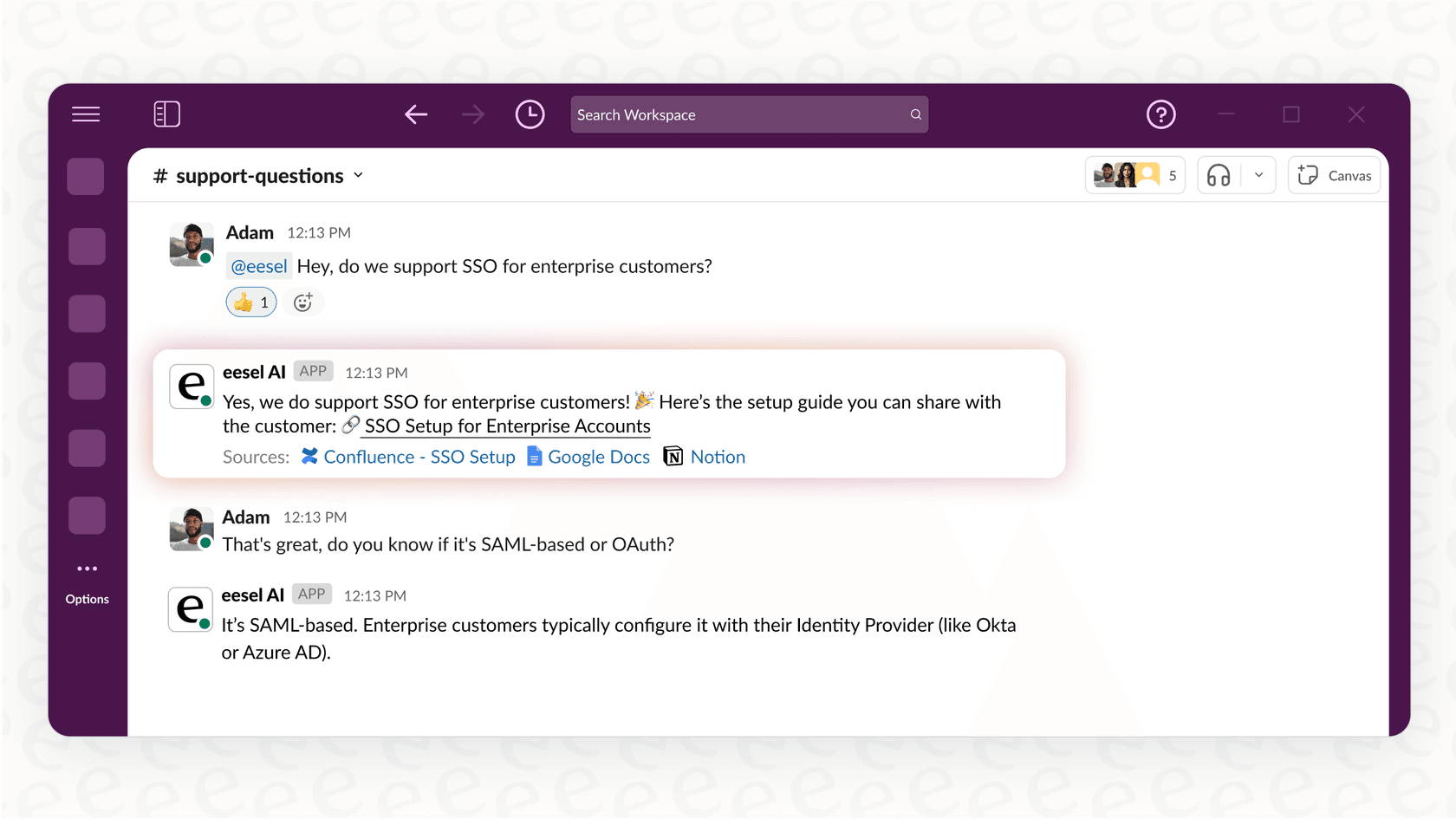
Here’s how eesel AI helps your team get back to work:
-
Go live in minutes, not months: eesel AI is a true self-serve tool. With one-click integrations, you can set up and launch your AI agent all on your own, no sales calls or long onboarding sessions required.
-
Unify all your knowledge: It learns from all the information you have scattered across different places, whether it's in Confluence, Google Docs, or old support tickets, to give fast, accurate, and context-aware answers.
-
Free up your team: By taking care of Tier 1 support, answering common questions, and triaging tickets, eesel AI lets your developers stay focused on what they do best: building great software.
See how you can cut down on interruptions and empower your team. Try eesel AI for free.
Frequently asked questions

Share this article

Article by
Stevia Putri
Stevia Putri is a marketing generalist at eesel AI, where she helps turn powerful AI tools into stories that resonate. She’s driven by curiosity, clarity, and the human side of technology.