Botpress review: The pros, cons, and a better alternative


Last edited December 4, 2025
Everyone’s talking about how AI is going to revolutionize customer support, and platforms like Botpress are a big part of that conversation. They offer a pretty impressive toolkit for building custom chatbots that can automate conversations and, hopefully, solve customer problems.
But here’s the catch: many of these powerful platforms are built for developers, not for the actual support teams that have to use them every single day. If you pick the wrong tool, you can end up tangled in a complicated setup, surprised by hidden costs, and constantly needing to ask an engineer for help. That kind of defeats the whole purpose of getting a quick and efficient solution, right?
This Botpress review is going to skip the heavy technical jargon. We'll look at its features, try to make sense of its pricing model, and point out some major limitations for support teams. By the end, you’ll have a much clearer idea of whether Botpress is the right fit for you, or if a more straightforward alternative makes more sense.
What is Botpress?
Botpress is an open-source platform for building, deploying, and managing chatbots. People often call it the "WordPress for chatbots," which is a pretty good analogy. It gives you a flexible foundation with a ton of room for customization. The main workspace is a visual studio where developers can map out conversations, connect to other tools, and write custom code to handle more complicated requests.
The entire platform is really built with a developer-first mindset. It gives technical folks the fine-grained control they love. And while it has some low-code features like a drag-and-drop editor, you can only unlock its real potential if you know your way around code. This makes it a go-to for developers and agencies building complex AI agents from scratch. For a support team that just wants something that works without a fuss, it means facing a pretty steep learning curve.
Key features of Botpress
Botpress is packed with features, but let's break down what they actually mean for a support team on the ground.
Visual flow builder and autonomous nodes
The core of Botpress is its visual flow builder. It’s where you map out conversations using a system of nodes and cards. On the surface, this drag-and-drop interface looks simple enough. It even has an "Autonomous Node" feature that’s supposed to let the AI figure out the best path for the conversation on its own. Sounds great in theory.
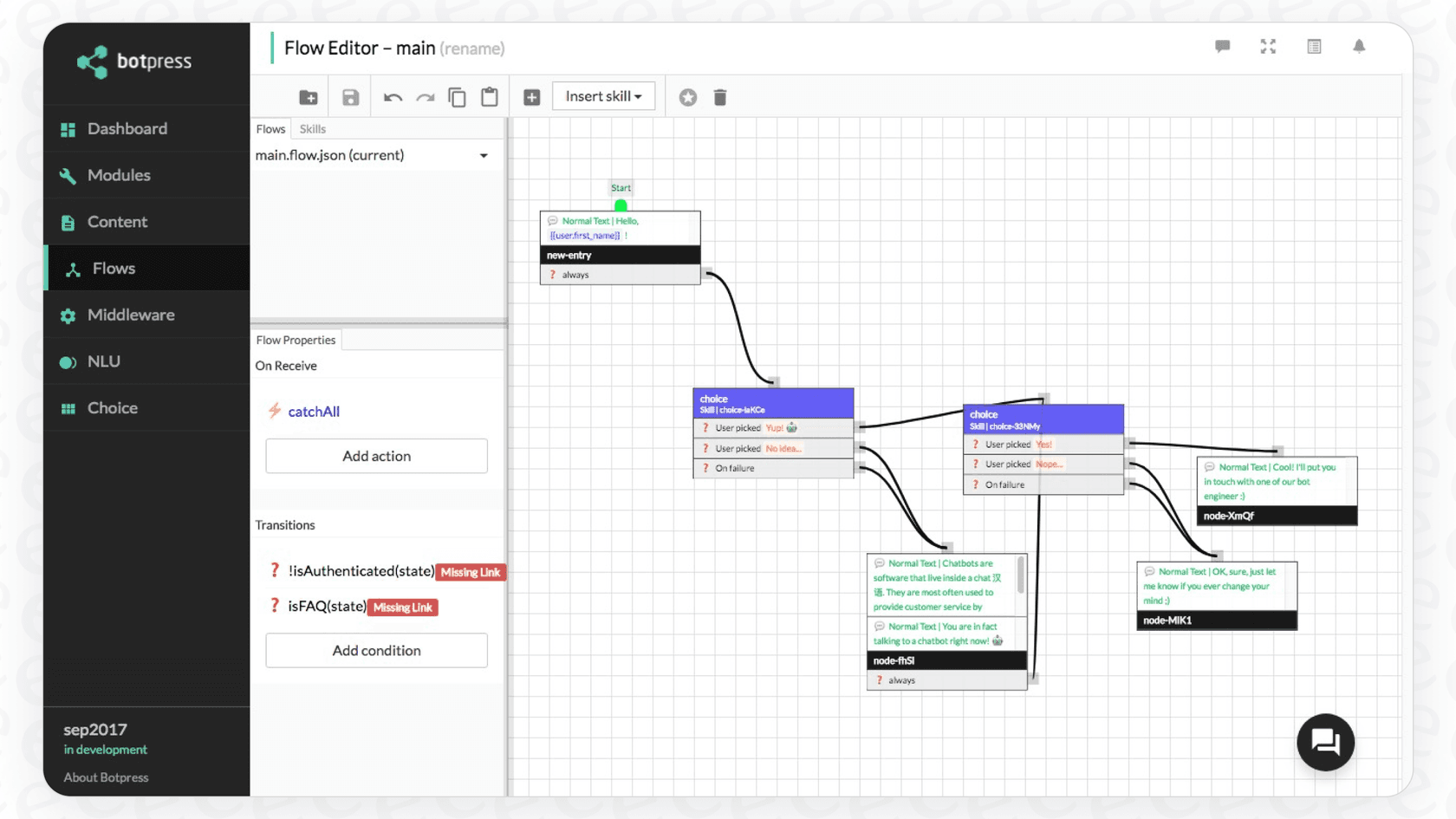
In reality, building a bot that customers can rely on is way more complicated than just connecting a few boxes. Every conversational path needs to be carefully planned, tested, and fixed to handle all the weird and wonderful ways customers ask questions. The autonomous features need super specific instructions and a perfectly organized knowledge base to work correctly. If they don't have that, they can make mistakes, and managing all of that can easily turn into a full-time job.
For teams without a developer on standby, a tool that looks simple can quickly become a technical headache. It's a big difference from platforms like eesel AI, which can go live in minutes. It just learns from your past help desk tickets, so you don't have to spend your time building and tweaking complicated visual flows.
AI and knowledge base integration
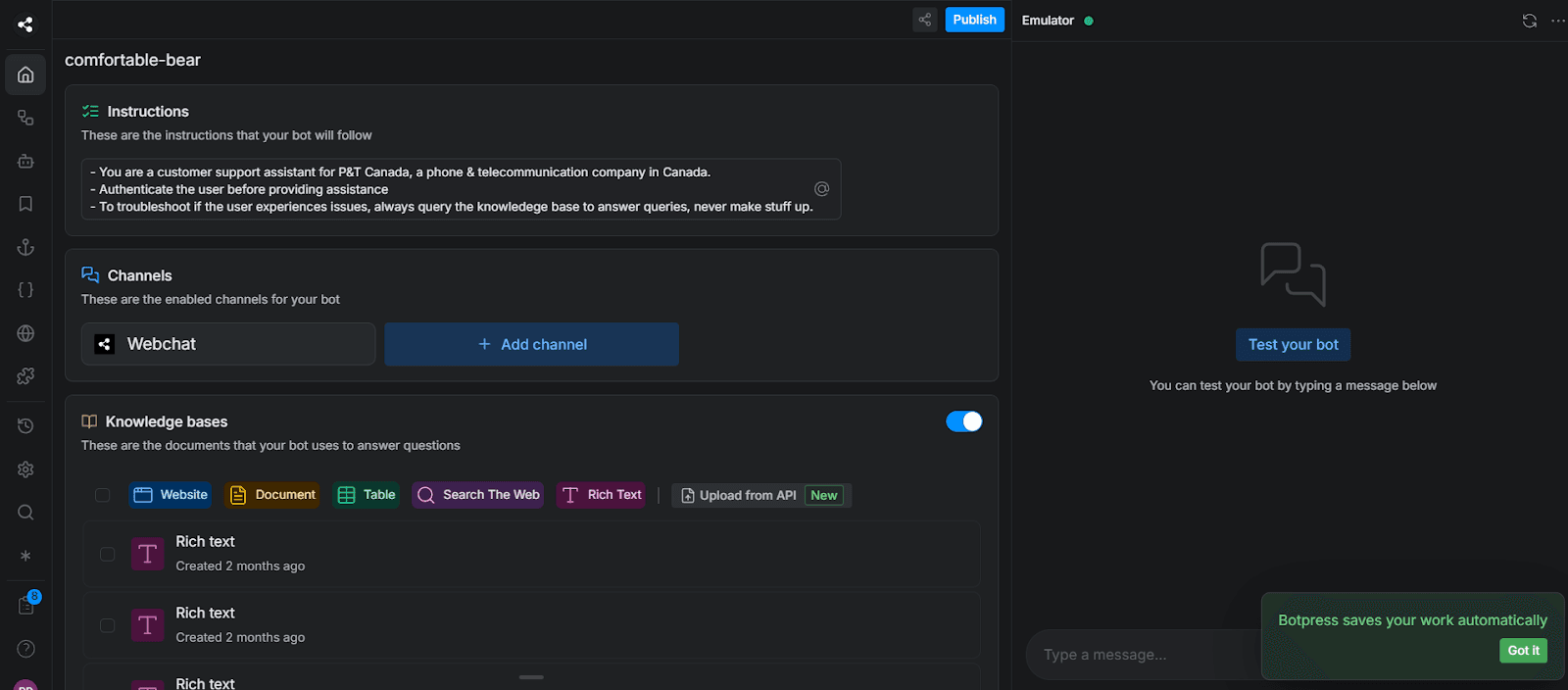
Botpress lets you feed its "Knowledge Agent" information by giving it website links or uploading documents. This allows the bot to pull answers from the content you provide.

While that's a necessary feature, the real challenge for most companies is that their knowledge is all over the place. Let's be honest, your support wisdom isn't sitting in one neat help center. It’s scattered across thousands of past tickets, internal wikis, and random documents. Pulling all of that together and keeping it synced for Botpress is a huge amount of work.
A better approach is a system that handles that mess for you. For example, eesel AI automates this from the start by training on all your historical support conversations. It also has one-click integrations that pull knowledge directly from the places you already use, like Google Docs, Confluence, and Notion.

Integrations and extensibility
One of Botpress's main selling points is how much you can extend it. It has a library of integrations with popular platforms like Shopify, Zendesk, and Slack. Plus, its API lets developers connect it to just about anything.
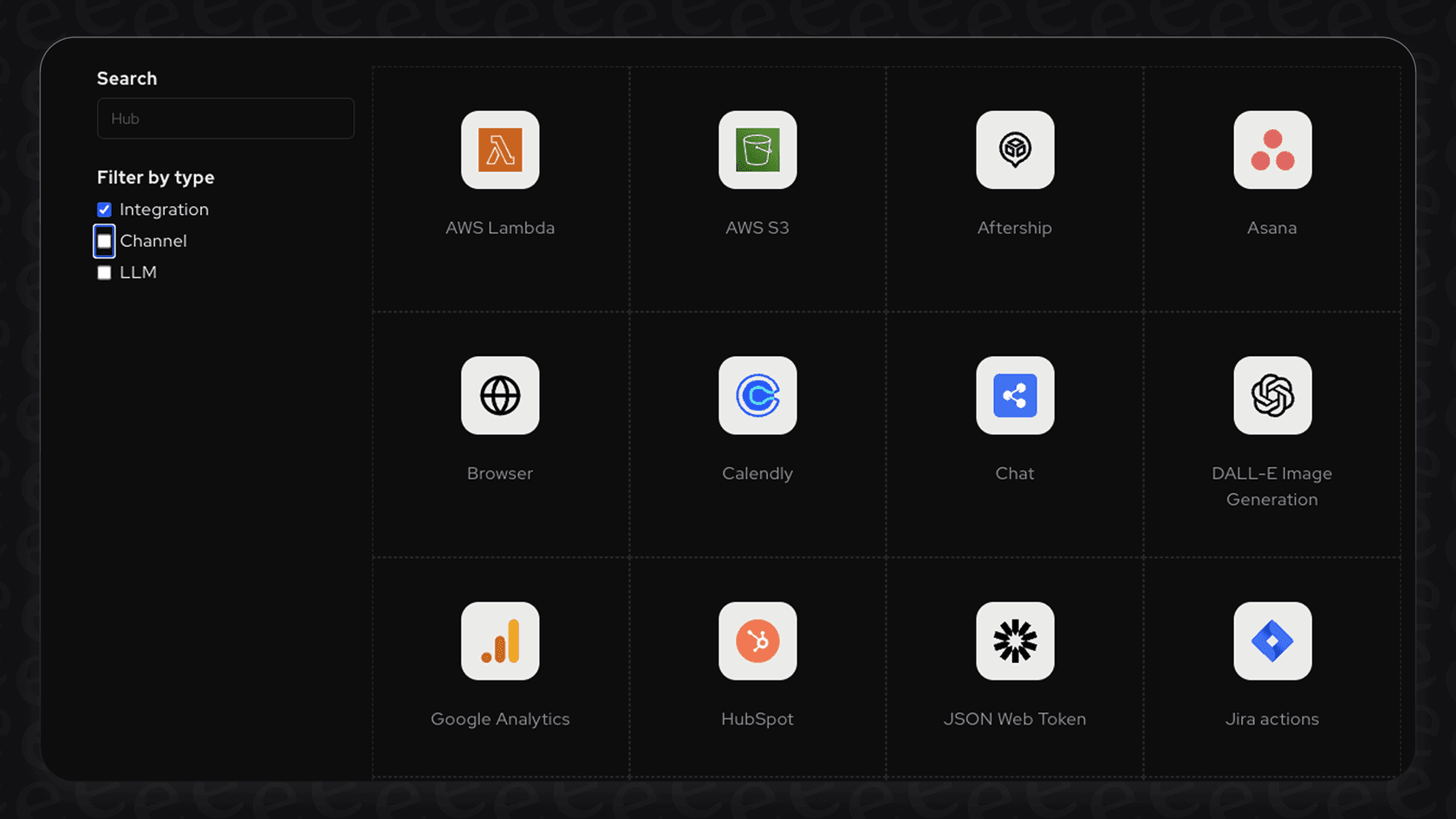
The only problem is that making these integrations work usually requires a developer. Whether you're setting up API calls or using a third-party tool like Make.com to connect things, you'll probably need technical help to get it running smoothly. This just adds to the hidden costs and complexity.
For the most important support tasks, a tool built specifically for the job is usually a better bet. A solution like eesel AI offers deep integrations with help desks that are designed for support workflows, like sorting new tickets and helping agents find answers. You can automate those crucial tasks without having to write a single line of code.
The real cost: A breakdown of Botpress pricing
Botpress's pricing is, to put it mildly, confusing. It has a free tier that lets you try it out, but as soon as you start using it for real, you can run into unpredictable costs that are tough to plan for.
Pricing tiers
Botpress uses a pay-as-you-go model that starts at zero but quickly piles on paid add-ons for anything beyond basic use. The paid plans bundle some features, but the overall structure is still a bit of a maze.
| Plan | Base Price (Monthly) | Key Features |
|---|---|---|
| Pay-as-you-go | $0 + Usage | Visual studio, $5 monthly AI credit, community support. |
| Plus | $89 + Usage | Human handoff, conversation insights, watermark removal. |
| Team | $495 + Usage | Role-based access, real-time collaboration, custom analytics. |
| Enterprise | Starts at $1495 | Whiteglove onboarding, custom limits, dedicated support. |
The hidden costs of usage-based add-ons
That base price is really just the entry fee. Almost every feature has a limit, and you have to pay to increase it. These extras include:
-
Incoming Messages & Events: $20/month for every extra 5,000 messages.
-
Bots: $10/month for each additional bot.
-
Collaborators: $25/month for each extra team member.
-
Vector DB Storage: $20/month for each extra 1GB of knowledge base storage.
This makes budgeting a nightmare. A successful marketing campaign or a busy season could send your monthly bill through the roof with no warning.
Separate "AI Spend" charges
And if that wasn't enough, Botpress also charges for "AI Spend." This is the cost of using the Large Language Models (LLMs) like GPT that power the AI. It's billed separately and is based on how many "tokens" you use, which adds another layer of unpredictability to your bill.
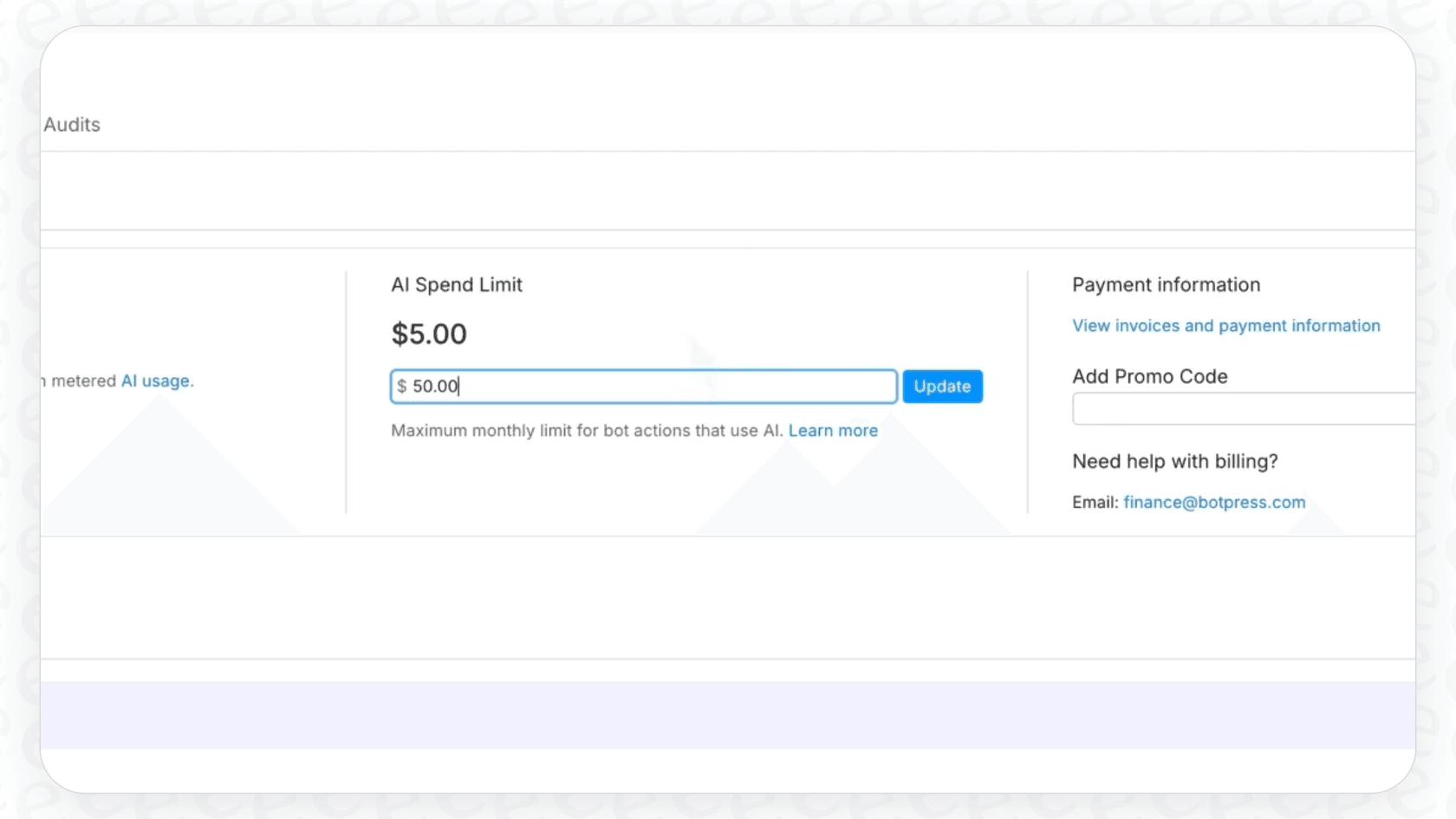
This is where a platform with clear, all-inclusive pricing is a breath of fresh air. eesel AI's pricing, for instance, is totally transparent. Plans are based on a straightforward monthly interaction limit, and all the essential features are included. You won't find any per-resolution fees or get a surprise bill because you added a new bot or team member. Your costs stay predictable, even as you grow.

Key limitations for support teams
Beyond the features and pricing, there are a few practical limitations that make Botpress a tough sell for busy support teams.
Steep learning curve and developer dependency
As you'll see in plenty of reviews online, Botpress is not a tool you can pick up in an afternoon. All that flexibility comes at the cost of complexity. To build, launch, and maintain a genuinely helpful chatbot, you almost always need a developer in the loop. This not only increases the total cost but also slows everything down. Support managers can't even make simple text changes on their own without creating a ticket for the engineering team.
Limited testing tools for business users
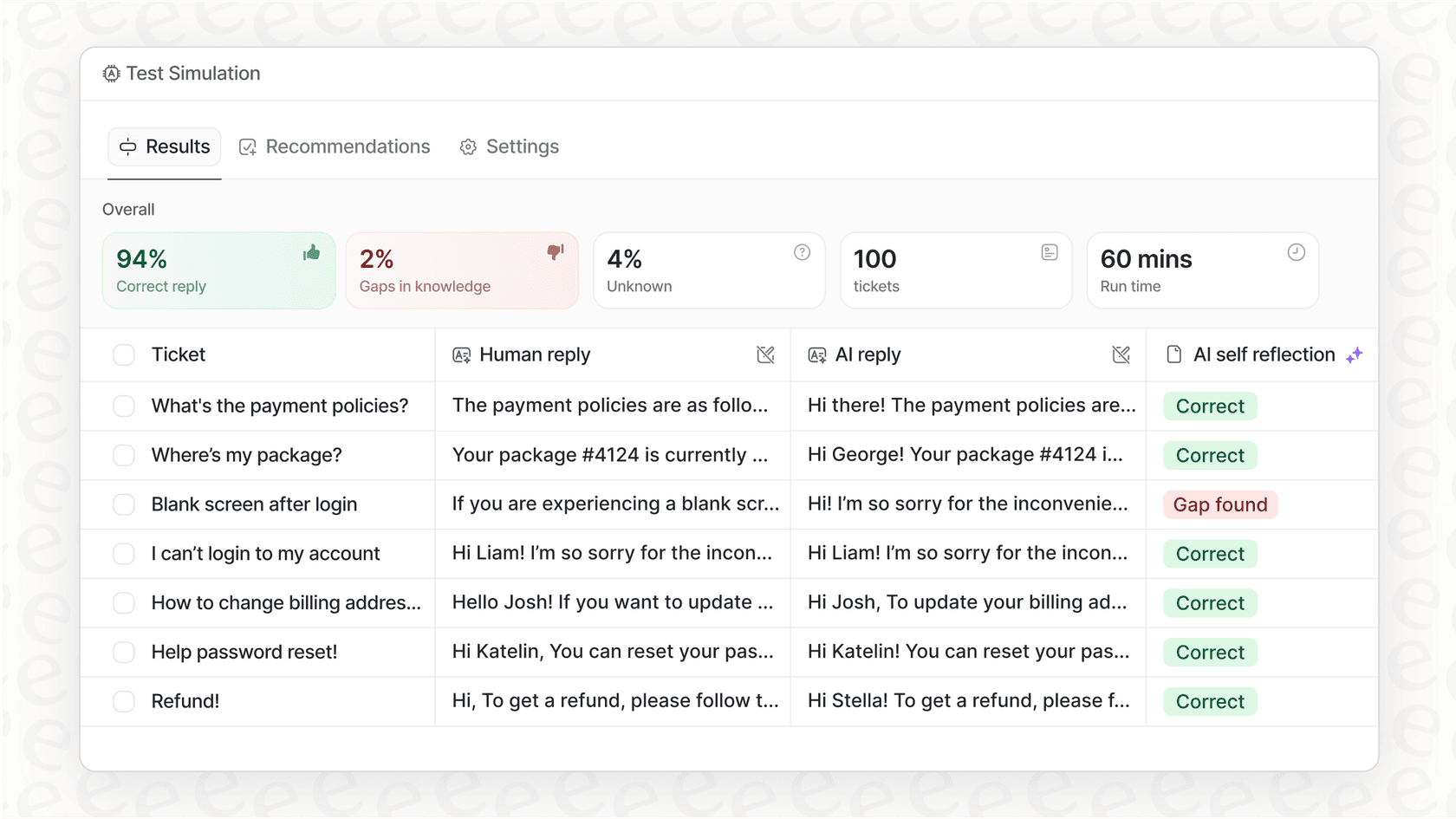
How can you be sure your bot is ready to talk to real customers? With Botpress, the only way is to test it yourself, again and again. There’s no built-in feature that lets a support manager see how the bot would have handled last week's actual customer tickets. This makes going live feel like a bit of a gamble. You could be hurting your customer experience without knowing it until the complaints start rolling in.
This is a huge gap that eesel AI fills with its simulation mode. It lets you test your AI on thousands of your past tickets in a safe environment. You get an accurate prediction of its resolution rate and performance before a single customer ever interacts with it.
Basic analytics for performance optimization
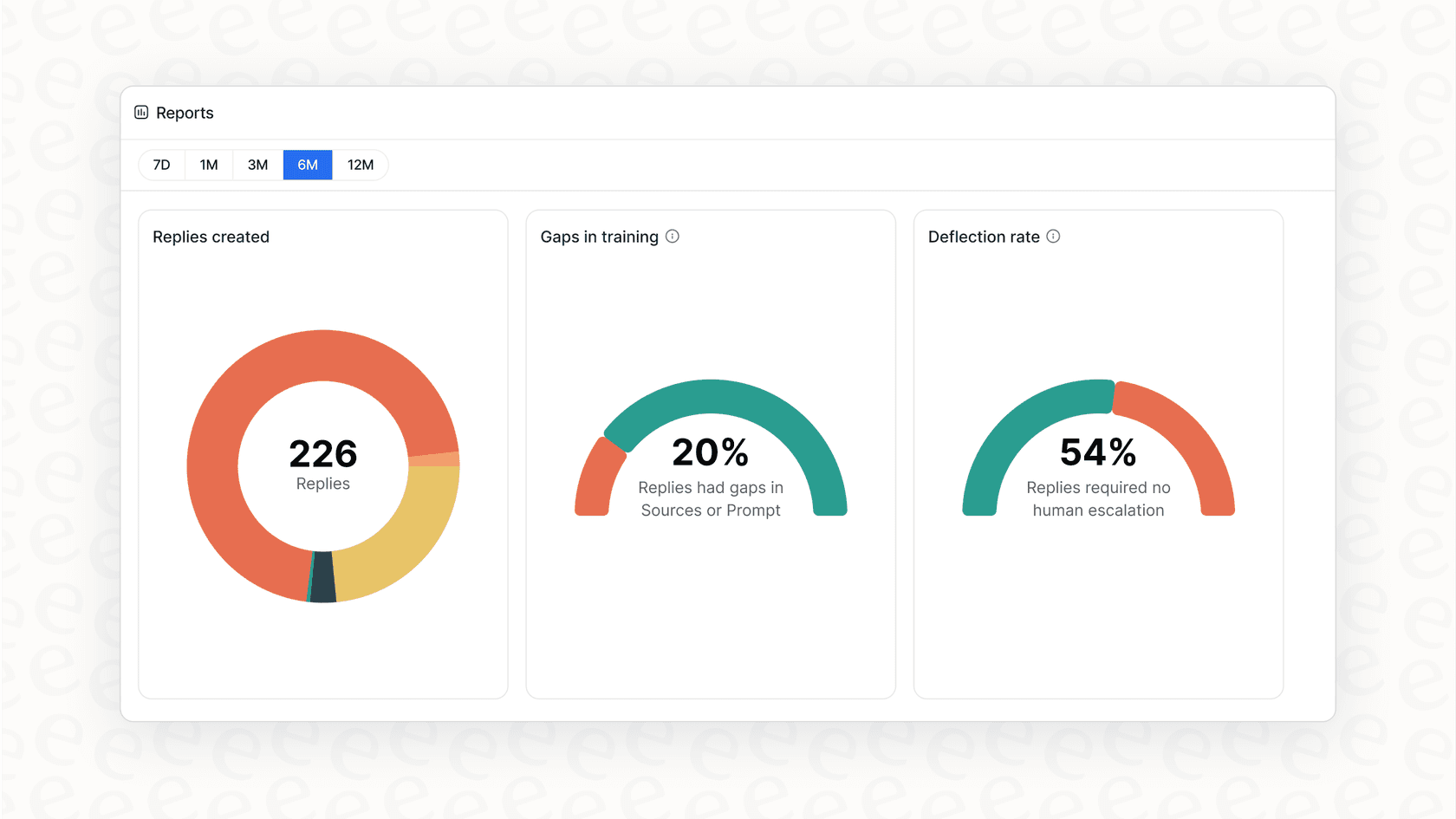
Botpress gives you a simple dashboard with metrics like monthly users and the number of conversations. You can get custom analytics on the more expensive plans, but they require extra setup and don't give you strategic advice right away. You can see what the bot did, but it doesn't really tell you why it did it or how you can make it better.
In contrast, the reporting in eesel AI is designed to be useful. It doesn't just track performance; it also flags gaps in your knowledge base and points out trends in customer questions. It basically gives you a roadmap for improving both your bot and your overall support operations.
Is Botpress the right choice for you?
Botpress is a powerful and flexible platform, but it’s definitely not for everyone.
Botpress is probably a good fit for:
-
Developers and agencies who want a customizable, open-source framework to build chatbots for their clients from the ground up.
-
Companies with a dedicated engineering team who want total control over their bot's code and are ready for the maintenance that comes with it.
Botpress is likely the wrong choice for:
-
Support and IT teams who need a tool they can set up and manage themselves, without having to rely on developers.
-
Businesses that want a fast, predictable, and low-risk way to start using AI in their help desk.
-
Leaders who need transparent pricing that won’t give them a heart attack at the end of the month.
A simpler, more powerful alternative for support teams
If your goal is to reduce your ticket queue, make your agents more efficient, and give customers instant answers without all the technical drama, there’s a much better way.
eesel AI was built specifically for support, ITSM, and internal help desk teams. It was designed to solve the exact problems you run into with platforms like Botpress by being radically simple, completely controllable, and totally transparent.
With eesel AI, you can:
-
Go live in minutes, not months. It’s a one-click integration with the helpdesk you already use, like Zendesk or Freshdesk.
-
Train the AI on your past tickets. It learns your brand voice and knows how to solve issues with your proven solutions from day one.
-
Test with confidence. Use the simulation mode to see exactly how it will perform before you turn it on.
-
Enjoy transparent and predictable pricing. No per-resolution fees and no hidden costs.
Stop wrestling with complicated tools. See how easy AI can actually be.
Frequently asked questions

Share this article

Article by
Stevia Putri
Stevia Putri is a marketing generalist at eesel AI, where she helps turn powerful AI tools into stories that resonate. She’s driven by curiosity, clarity, and the human side of technology.