A strategic guide to chatbot escalation in 2025


Last edited October 14, 2025

We’ve all been there. You’re trying to solve a seemingly simple problem, but you’re stuck in a loop with a chatbot that just doesn't get it. You rephrase your question, try different keywords, and still get the same canned, unhelpful response. The worst part? There’s no "talk to a human" button anywhere in sight. It's more than just annoying; it's how you lose customers.
But what if automation wasn't just about deflecting tickets, but about resolving them efficiently? That’s where a smart chatbot escalation strategy comes in. It’s not about admitting your bot has failed. It’s a sign of a mature support system that knows exactly when to pass the baton to a human agent.
This guide will break down the why, when, and how of building an escalation workflow that actually works. We'll get into the specific triggers for a handoff, the practical steps for designing a smooth process, and how to measure it all so you can keep making things better.
What is chatbot escalation?
At its core, chatbot escalation is simply the process of smoothly passing a customer conversation from an AI chatbot to a human agent. Think of it less like a panic button and more like an intelligent routing system. The goal is to connect customers with the best resource to solve their problem, whether that’s a bot or a person.
A well-planned escalation path is the difference between a customer feeling trapped and one feeling heard. It builds trust by showing that a real person is ready to jump in when things get complicated. It tells your customers you respect their time and you're committed to finding a solution, not just closing a ticket.
The three core triggers for intelligent chatbot escalation
Knowing when to escalate is half the battle. A smart system doesn't wait for a customer to get angry. It anticipates their needs by looking for clear signals, which usually fall into three main buckets.
1. Customer-driven triggers: When the user asks for help
This one's pretty straightforward. A customer straight up asks to talk to a person. They might say things like:
-
"Talk to a human"
-
"Can I speak to an agent?"
-
"I need more help"
-
"This isn't helping"
Modern chatbots use Natural Language Processing (NLP) to catch this intent, even if the phrasing isn’t an exact match. This is a non-negotiable feature for any support bot, if someone asks for a person, they should get one.
2. AI-driven triggers: When the bot reaches its limits
A good bot knows what it doesn't know. Instead of guessing or giving a wrong answer, it recognizes when a query is out of its depth and hands the conversation over. This can happen for a few reasons:
-
Repeated misunderstandings: The bot has tried to understand the request two or three times and is still missing the mark. Instead of another "I don't understand," it’s time to escalate.
-
Complex or niche topics: The question is about something outside the bot's training, like a super technical bug, a unique billing issue, or a question about a product that just launched.
-
Vague requests: The user's query is too ambiguous for the bot to answer with any confidence. It's better to bring in a human who can ask the right follow-up questions than to take a wild guess.
3. Sentiment-driven triggers: When customers get frustrated
Sometimes a customer won't directly ask for help, but you can tell they're getting annoyed. A chatbot with sentiment analysis can pick up on these cues before the customer throws in the towel. These signs often include:
-
Typing in ALL CAPS.
-
Using negative words like "frustrating," "useless," or "this is a joke."
-
Sending a bunch of messages in a row.
A truly flexible system needs to handle all these triggers. While many platforms have basic keyword routing, tools like eesel AI let you build more nuanced rules based on sentiment, complexity, and what the customer is trying to do. This ensures you’re always escalating at the right moment.
How to design a seamless chatbot escalation workflow
Knowing when to escalate is crucial, but how you do it matters just as much. The goal is a smooth, frustration-free handoff. Here’s how to pull it off.
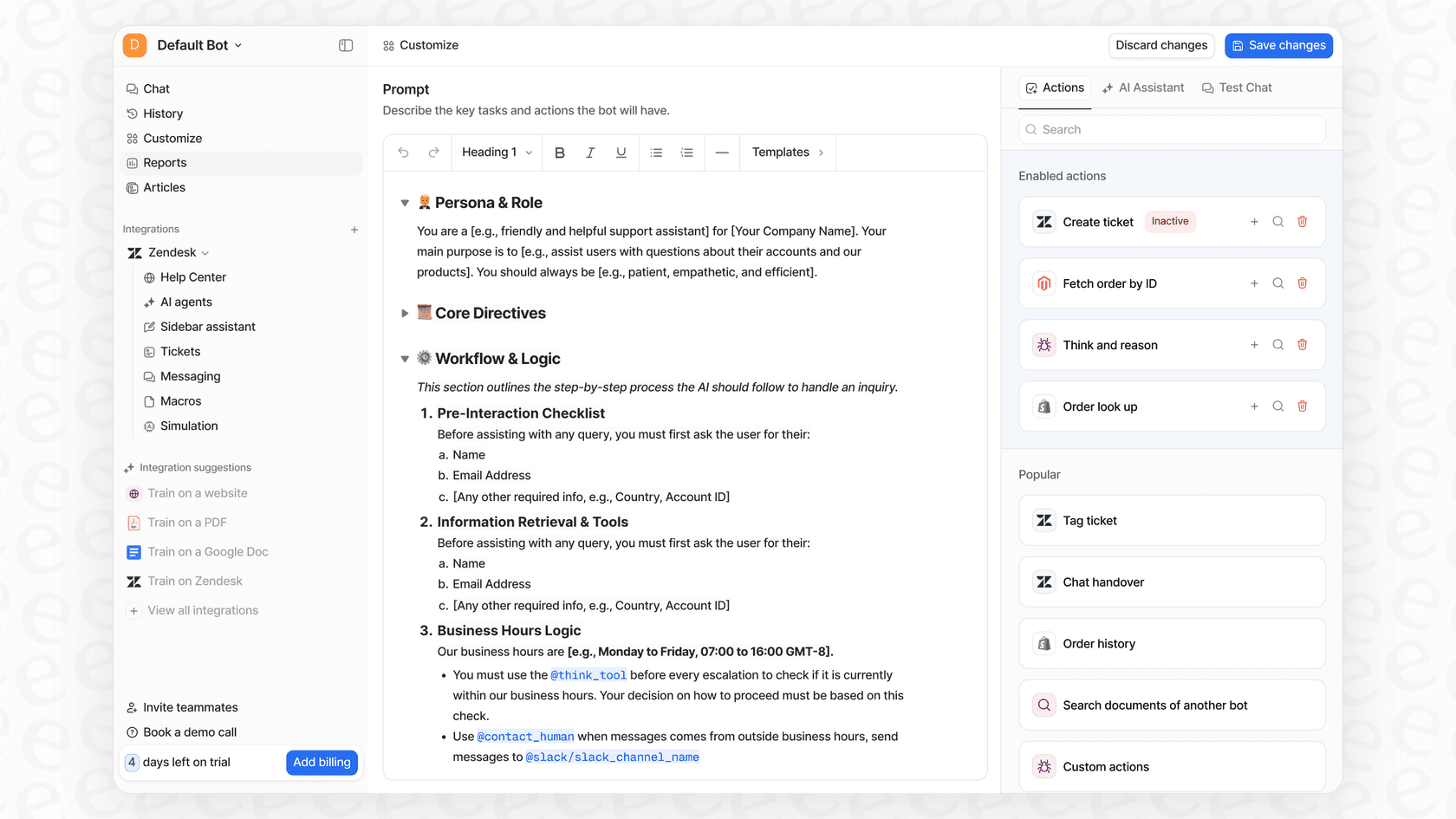
Step 1: Set clear, customizable escalation rules
First, you need to decide exactly which questions your bot should handle and which it should pass along immediately. This helps you avoid two big problems: over-escalating simple questions and flooding your agents, or under-escalating and leaving customers stuck in bot loops.
The trouble is, many native AI platforms built into help desks are all-or-nothing. You flip a switch and the AI is on for everything, which is a risky move. In contrast, a platform like eesel AI gives you selective automation and full control. You can start small, maybe by just automating "where is my order?" tickets, and have everything else go to a human. As you get more comfortable, you can gradually let the AI handle more, without ever feeling like you've lost control.
Step 2: Preserve full conversation context
There’s almost nothing more infuriating than having to repeat your entire problem to a human agent after you just spent five minutes explaining it to a bot. A seamless handoff means passing along the full conversation history, including what the bot already tried.
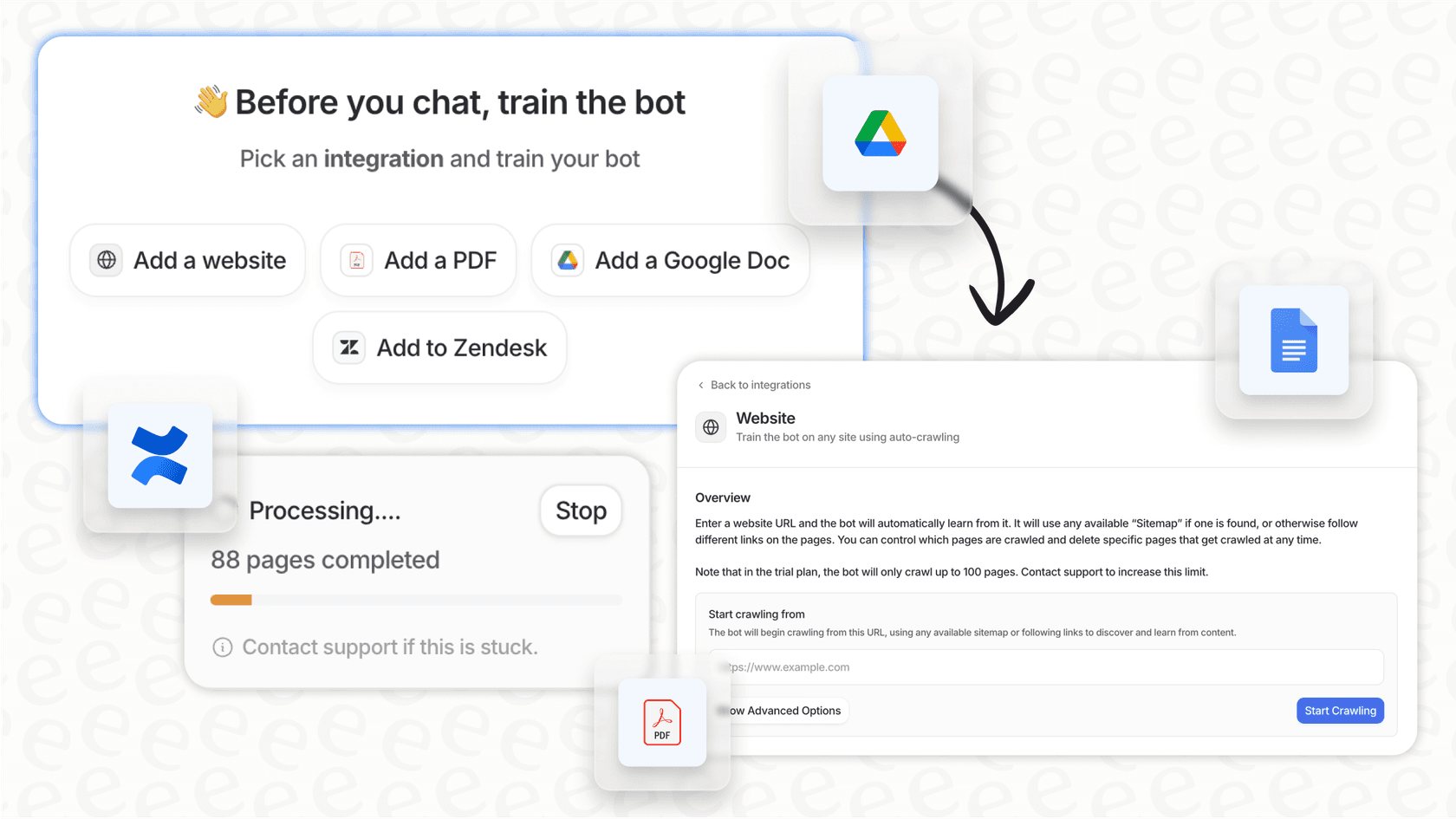
This is where having a single source of truth for your knowledge is so important. If your tool only reads from a static help center, it can't provide that deep context. eesel AI gets around this by training on all your company knowledge. It connects to your past support tickets, help articles, and internal wikis (like Confluence or Google Docs). This means the AI understands not just the current conversation but also the history of similar issues, which can all be summarized for the agent when they take over.
Step 3: Route escalations to the right agent
The last piece of the handoff is getting the customer to the right person. Just dumping all escalated chats into a general queue creates long waits and confused agents. Intelligent routing makes sure the customer is connected with someone who can actually solve their problem.
This means thinking about a couple of things:
-
Skills-based routing: Match the conversation to an agent with the right knowledge. Billing questions go to the finance team, technical problems go to product specialists. Simple.
-
Agent availability: Before transferring, the system should check if a qualified agent is actually online. If not, it's better to create a ticket and set an expectation for a response time instead of leaving someone hanging in an empty chat queue.
How to test and measure your chatbot escalation strategy
Getting your escalation path set up is just the beginning. To really build an efficient support system, you need to know if your strategy is working and find ways to improve it. This is about moving from being reactive to proactive, with data to back you up.
Simulate your escalation workflow before going live
Let's be honest, rolling out a new AI tool can be nerve-wracking. How do you know it will actually work? What if it just makes customers angrier? Most platforms only give you a basic demo that doesn't really tell you how it will perform with your real customers.
This is where eesel AI offers something different with its powerful simulation mode. Instead of just hoping for the best, you can test your AI agent and escalation rules on thousands of your own past tickets in a safe environment. You can see exactly how the AI would have responded to real customer questions, get an accurate forecast of your automation rate, and tweak your rules, all before a single customer ever talks to it. It lets you launch with confidence.

Use escalation analytics to identify knowledge gaps
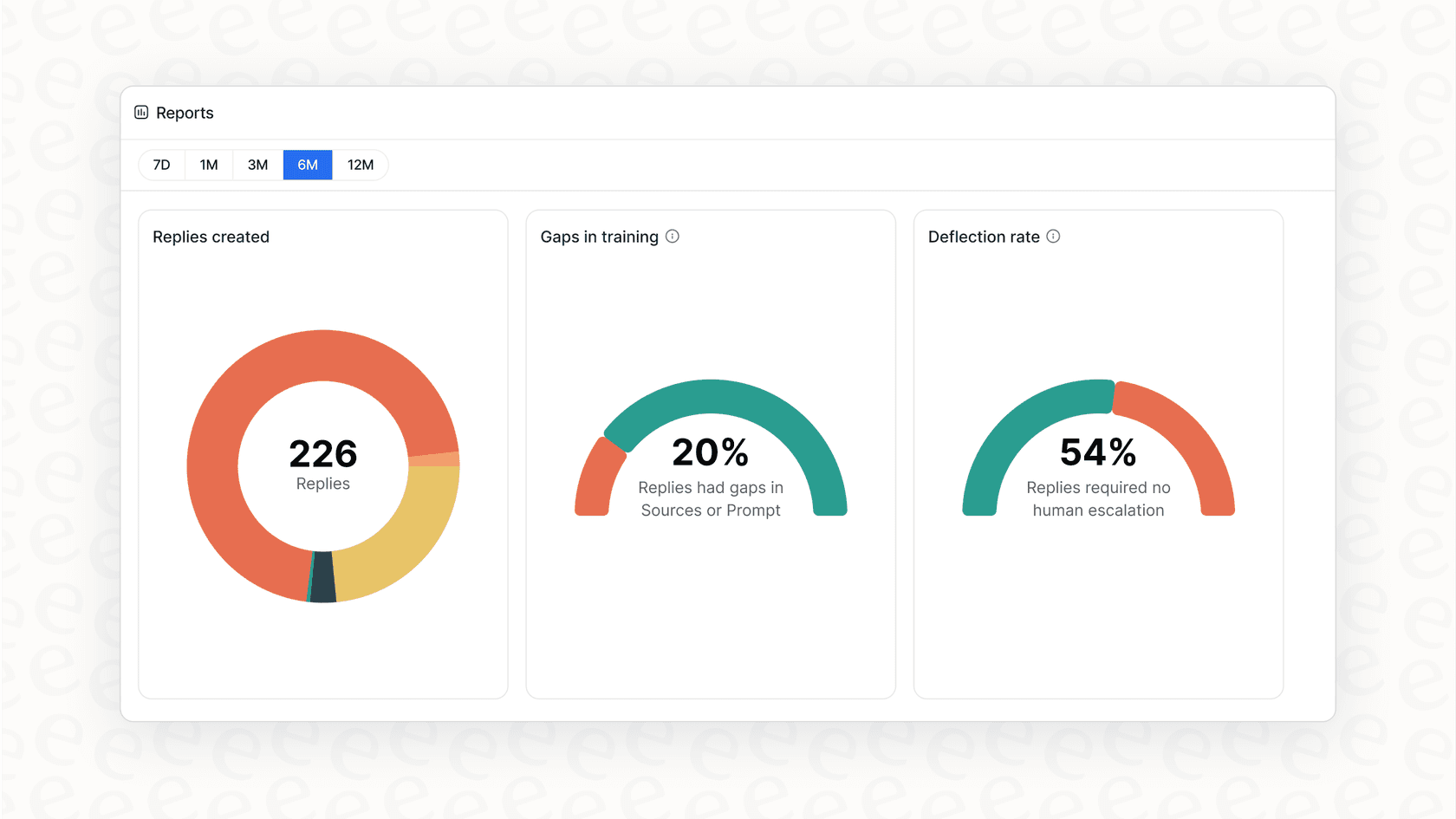
The point of measuring escalations isn't just to track failures; it's to find ways to reduce them by making your bot smarter. Good analytics tell you not just how many chats were escalated, but why.
For instance, eesel AI's reporting shows you the recurring topics that keep causing escalations. This points you directly to gaps in your knowledge base. Are customers constantly asking a question that isn't covered in your help center? The data will make it obvious. Even better, eesel AI can automatically draft new help center articles based on successful resolutions from your human agents. This creates a clear, data-driven cycle for improving your self-service content and, in turn, your automation rate.
Build a smarter support system with intelligent chatbot escalation
Getting chatbot escalation right isn't just a nice-to-have; it's a core part of any modern customer support strategy. It comes down to having clear triggers, a seamless workflow that keeps everyone in the loop, and a commitment to using data to constantly get better. When you blend smart automation with timely human expertise, you create an experience that’s efficient for your business and satisfying for your customers.
The right platform can make this whole process straightforward and low-risk. With a tool that offers deep customization, powerful simulation, and clear insights, you can stop reacting to problems and start building an intelligent, coordinated support system. See how eesel AI makes it possible.
Frequently asked questions

Share this article

Article by
Stevia Putri
Stevia Putri is a marketing generalist at eesel AI, where she helps turn powerful AI tools into stories that resonate. She’s driven by curiosity, clarity, and the human side of technology.