8 best GitHub Copilot alternatives in 2026 (some are cheaper, some are just better)


Last edited June 15, 2026

Table of Contents
- Why developers are looking past GitHub Copilot in 2026
- GitHub Copilot alternatives: comparison table
- 1. Cursor
- 2. Claude Code
- 3. Windsurf (now Devin Desktop)
- 4. Gemini Code Assist
- 5. Amazon Q Developer
- 6. Tabnine
- 7. Continue.dev
- 8. JetBrains AI Assistant
- Pricing snapshot: all 8 alternatives at a glance
- How to pick the right one
- Try eesel for your support team
- Frequently Asked Questions
- What is the best free GitHub Copilot alternative in 2026?
- How does Cursor compare to GitHub Copilot?
- Is Claude Code better than GitHub Copilot?
- Which GitHub Copilot alternative is best for enterprise teams?
- Can I use Continue.dev without paying anything?
- What is the best GitHub Copilot alternative for JetBrains IDEs?
- How much does Windsurf cost compared to GitHub Copilot?
- Is Amazon Q Developer worth it if I don't use AWS?
Why developers are looking past GitHub Copilot in 2026
GitHub Copilot launched in 2021 as the default AI coding tool. For most of 2022 and 2023, that was still accurate. In 2026 it is not - for two reasons.
First, the pricing math has shifted. Copilot now has five tiers ranging from Free to Max ($39/month), and the version most developers actually need (Pro+, which includes agent mode and frontier models) costs $39/month - nearly twice the entry point for Cursor, Claude Code, or Windsurf, all of which include agentic capabilities at $20/month.
Second, agentic coding has become the deciding factor. Inline autocomplete, Copilot's original strength, is now table stakes. Every serious alternative offers comparable completion quality. The differentiation in 2026 is whether a tool can autonomously edit multiple files, write and run tests, commit code, and open pull requests - with minimal instruction. That is where Cursor, Claude Code, and Windsurf have moved decisively ahead.
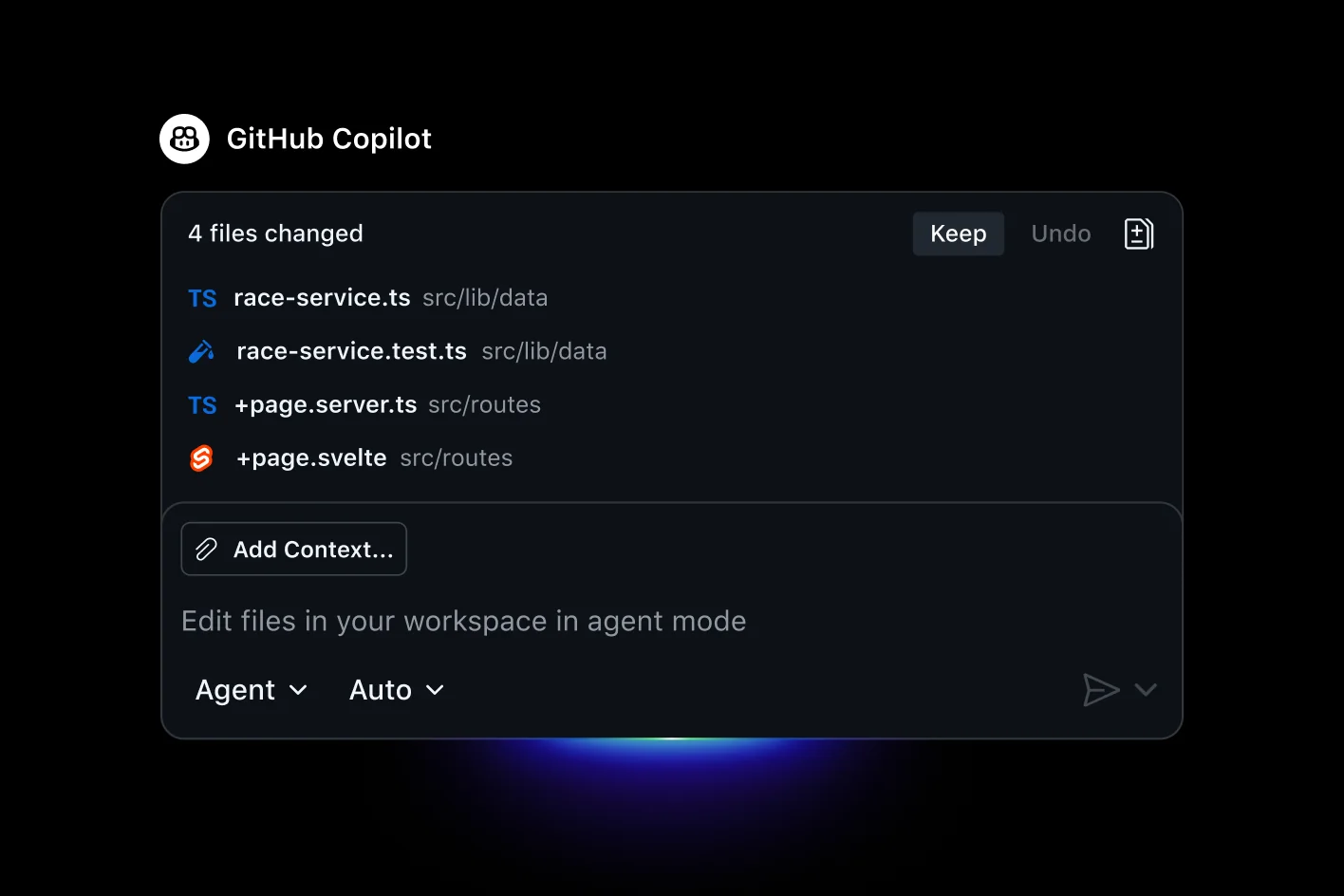
Copilot still wins in specific situations: it is the only tool with native GitHub issue-to-PR agent workflows baked into the GitHub UI itself, it has IP indemnification on Pro+ for teams that need legal cover on AI-generated code, and it is the simplest onboarding for teams that are entirely inside the GitHub ecosystem. But for pure coding quality and agent capabilities, most developers who switch to a Copilot alternative do not go back.
This post covers the eight tools that most often win those comparisons in 2026.
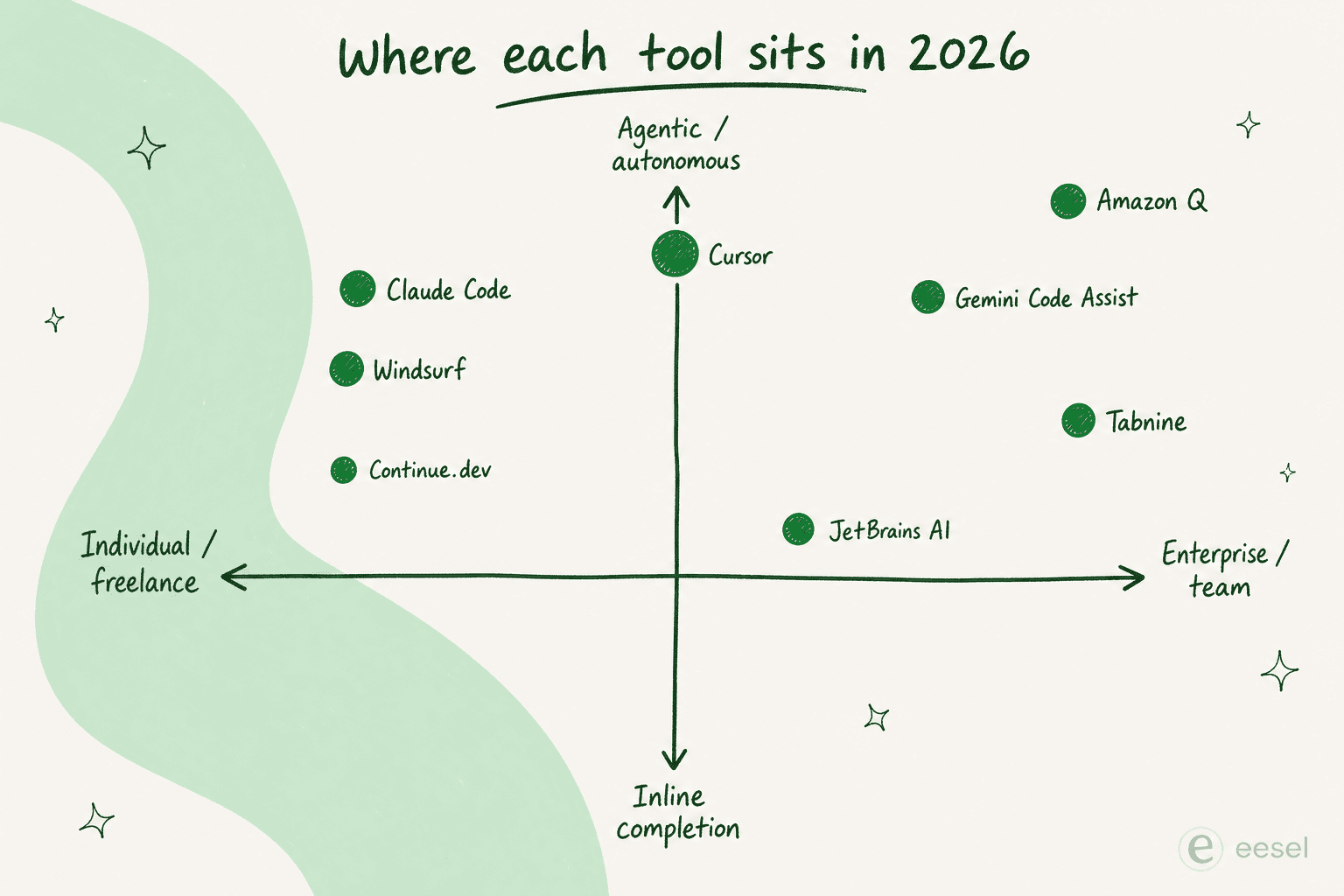
GitHub Copilot alternatives: comparison table
| Tool | Free tier | Paid entry | IDE support | Agent mode | Privacy / air-gap | Best for |
|---|---|---|---|---|---|---|
| Cursor | Yes (2,000 completions) | $20/mo | VS Code fork | ✅ Full | No | Daily dev, agent mode |
| Claude Code | No | $20/mo (Pro) | CLI, VS Code, JetBrains | ✅ Full | No | Terminal, GitHub-native |
| Windsurf | Yes | $20/mo (Pro) | Windsurf IDE | ✅ Full | No | Agentic team coding |
| Gemini Code Assist | Yes (180K completions/mo) | $19/mo | VS Code, JetBrains | ✅ Partial | SOC 1/2/3, ISO 27001 | GCP / Firebase orgs |
| Amazon Q Developer | Yes (50 agentic req/mo) | $19/mo | VS Code, JetBrains, CLI | ✅ Full | SOC 2, HIPAA | AWS-heavy teams |
| Tabnine | No (sunset 2025) | $39/mo | All major IDEs | ✅ Full | Air-gapped, SOC 2, ISO 27001 | Regulated enterprise |
| Continue.dev | Yes (free forever) | $0 (BYOK) | VS Code, JetBrains | ✅ Full | Full local model support | Privacy-first, budget zero |
| JetBrains AI | Yes (3 credits/mo) | ~$8.33/mo | All JetBrains IDEs | ✅ Full | SOC 2 Type 2 | JetBrains ecosystem |
1. Cursor
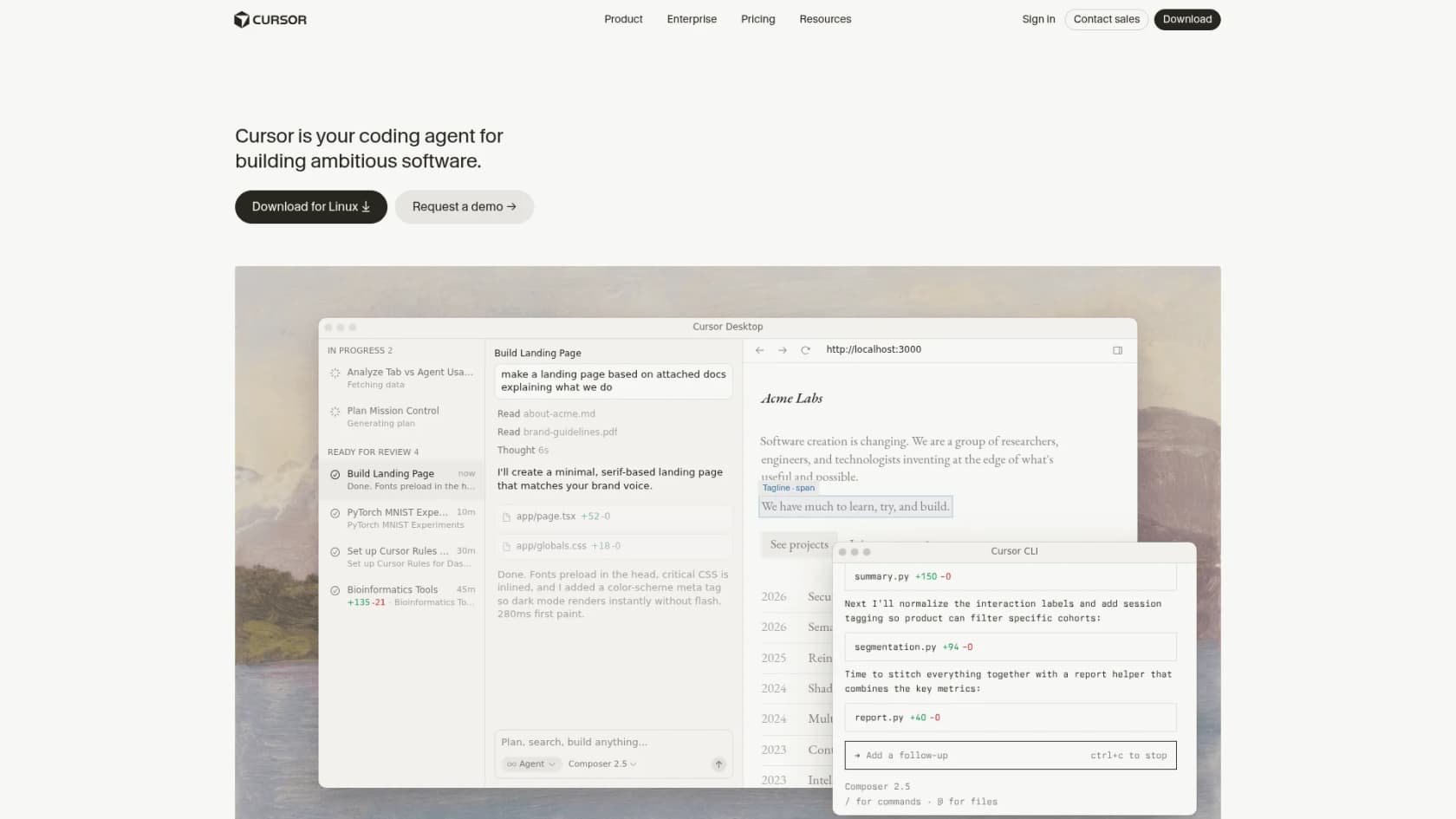
Cursor is the tool most developers land on after leaving GitHub Copilot. It is a VS Code fork by Anysphere - meaning your existing extensions, themes, and keybindings migrate in minutes - with frontier AI built natively into the editing experience rather than bolted on as a plugin. As of June 2026, it is used by 64% of Fortune 500 companies and shipped Composer 2.5, Cursor's own proprietary agentic coding model.
Features
The feature that makes Cursor different from Copilot is Composer / Agent mode - a multi-step autonomous task execution layer. You describe what you want in natural language ("add login with OAuth to the existing auth module, write tests, and open a PR"), and Cursor edits files, runs terminal commands, checks error output, fixes failures, and iterates - without you staying in the loop for each step. This is not Copilot's single-file inline suggestion; it is closer to having a junior engineer who works quickly and can touch the whole codebase.
Cursor also gives access to every major frontier model in a single subscription: Claude Opus 4.8, Claude Sonnet 4.6, GPT-5.5, Gemini 3.1 Pro, Grok Build 0.1, and Cursor's own Composer 2.5. The Auto mode automatically picks the best cost-to-quality model per task, which matters for everyday developers who should not be manually triaging models.
Additional capabilities: semantic codebase indexing (AI understands your repo structure without manual context injection), Cloud Agents (tasks on remote Cursor-managed machines assignable from Slack/Linear/GitHub), Bugbot for automated PR code review, Canvas Design Mode (launched June 2026, v3.7), and MCP/Skills/Hooks extensibility. Students get one year of Pro free with a verified school email - one of the strongest offers in AI tooling.
Pros
- Friction-free migration from VS Code - extensions, settings, and keybindings carry over
- Best-in-class agent mode for multi-file autonomous editing at $20/month
- Multi-model access in one subscription; Auto mode handles model selection
- G2: 4.7/5 (205 reviews), 85% five-star
Cons
- RAM-hungry Electron app; heavy agent sessions can feel sluggish on older machines
- Pro plan usage limits can be exhausted in a single intense session by power users
- Rapid release cadence occasionally breaks keyboard shortcuts and familiar UI patterns
- No native air-gapped or on-premises deployment - not suitable for regulated environments
Pricing
| Plan | Monthly | Annual | Who it is for |
|---|---|---|---|
| Hobby | Free | Free | Evaluation, students (pre-verification) |
| Pro | $20 | $16/mo | Daily coding with AI assistance |
| Pro+ | $60 | - | Heavy agent users with specific model needs |
| Ultra | $200 | - | Multiple parallel agents throughout the day |
| Teams Standard | $40/user | - | Centralized billing, SSO, shared rules |
Verdict
Cursor is the best all-around GitHub Copilot alternative for individual developers in 2026. The $20/month Pro tier - or $16 on annual - gives unlimited tab completion, full agent mode, and multi-model access that Copilot's equivalent pricing cannot match. The full Cursor pricing breakdown and Cursor vs Windsurf comparison cover the edge cases in detail.
2. Claude Code
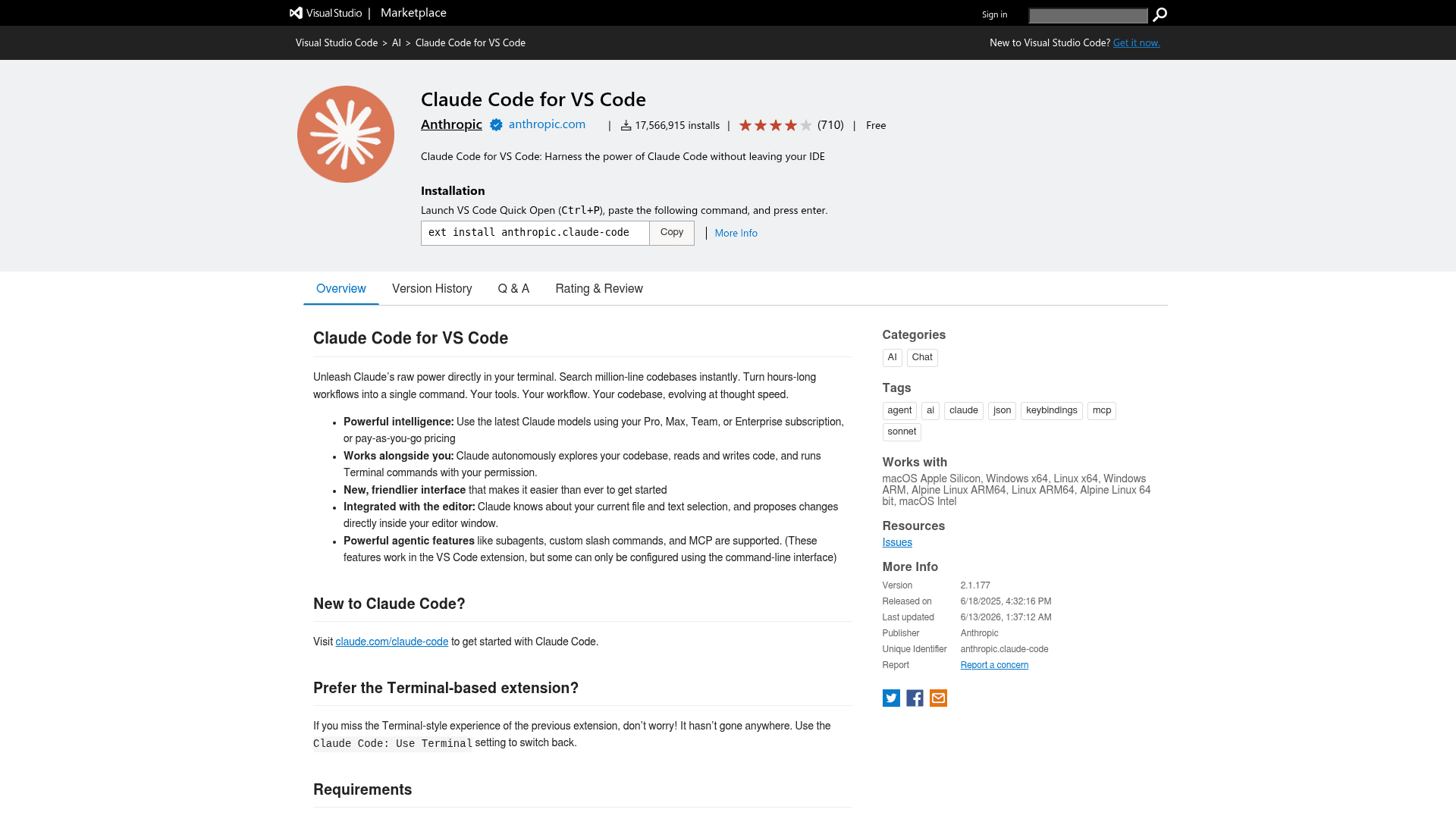
Claude Code is Anthropic's agentic coding tool - not an IDE plugin, but a terminal-first CLI that executes against your actual codebase. You describe what to build; Claude Code writes the code, runs the tests, creates commits, and opens pull requests. It is included in every Claude paid plan (Pro at $20/month, Max at $100/month) rather than sold separately, and reached $2.5B+ ARR by February 2026 - crossing $1B within six months of GA launch.
Features
The core workflow is fundamentally different from Copilot or Cursor. Instead of an IDE with AI assistance, Claude Code is a collaborator you direct from the terminal - and it runs across CLI, VS Code, JetBrains (beta), desktop app, web, and iOS. The same CLAUDE.md instructions, settings.json configuration, and MCP servers work across all surfaces because the underlying engine is shared.
Key differentiators versus Copilot: multi-file autonomous edits that understand codebase-wide dependencies; native GitHub/GitLab integration that reads issues, writes code, runs tests, and submits PRs; a hooks system for enforcing policies at every lifecycle point; MCP server support for connecting any external tool (Notion, Sentry, Jira, Figma) directly into sessions; Routines (scheduled tasks that run on Anthropic infrastructure even when your laptop is off); and multi-agent orchestration for spawning dozens of parallel subagents on complex tasks.
Anthropic uses Claude Code internally to write most of its own software. Engineers average 5 merged PRs per day; PR throughput per engineer rose 67% in the year since adoption. The 130,000+ GitHub stars on the public repository signal a community larger than most developer tools.
Pros
- Included in the same $20/month Pro subscription - no separate tool cost
- Deepest GitHub/GitLab integration of any tool on this list, including autonomous PR creation
- Terminal workflow fits naturally into existing shell/CI/CD pipelines via the CLI reference
- MCP support brings Jira, Notion, Sentry, and external services into every session
Cons
- Terminal-first; requires comfort with CLI tools - less accessible than IDE plugins
- No free tier (requires at least Claude Pro at $20/month)
- JetBrains plugin is still in beta as of June 2026
- Claude Code permissions model requires upfront configuration for safe agentic operation
Pricing
| Plan | Price | Claude Code included |
|---|---|---|
| Pro | $20/month | Yes |
| Max 5x | $100/month | Yes (5× usage) |
| Max 20x | ~$200/month | Yes (20× usage) |
| Team - Standard | $20/seat/month | Yes |
| Enterprise | Custom | Yes |
$1,000 in Claude Code and Cowork credits available for every seat that activates by July 2, 2026. Enterprise Claude Code details, including admin controls, SSO, and SOC 2 compliance, are on the dedicated page.
Verdict
Claude Code is the strongest choice for developers who live in the terminal and want deep GitHub automation. At the same $20/month as Cursor, it gives a different trade-off: less polished IDE experience, better GitHub-native workflows. See the Claude AI developer tools roundup for how it compares to other Anthropic-powered workflows, and Claude AI programming tools for a broader coding-specific comparison. The Claude vs Copilot post covers the head-to-head in full.
3. Windsurf (now Devin Desktop)
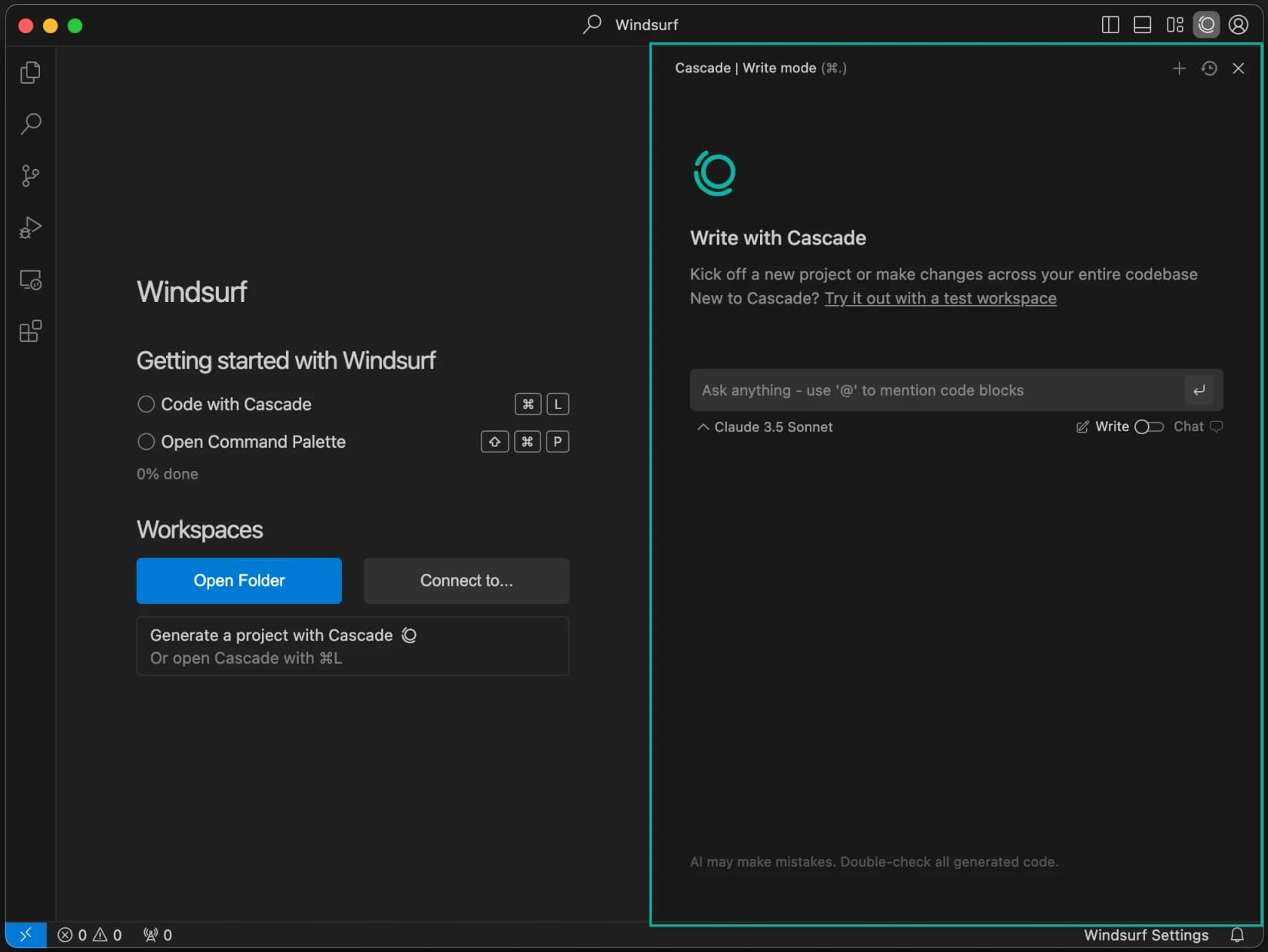
Windsurf started as Codeium's AI-native IDE and was acquired by Cognition - the company behind Devin - in early 2026. The product has since merged with Devin Local, Cognition's on-device agentic coding runtime. The result is a VS Code–style editor with Cascade, Windsurf's agentic flow engine, now powered by the same model family as Devin, and 30% more token efficient than the previous generation.
Features
Cascade is the centerpiece: a context-aware agent that maintains awareness of your entire codebase and can execute multi-step tasks across files without losing thread. Where Copilot generates suggestions and waits, Cascade plans, edits, runs terminal commands, reads error output, and iterates - the same loop as Cursor's agent mode but with Devin's model family underneath.
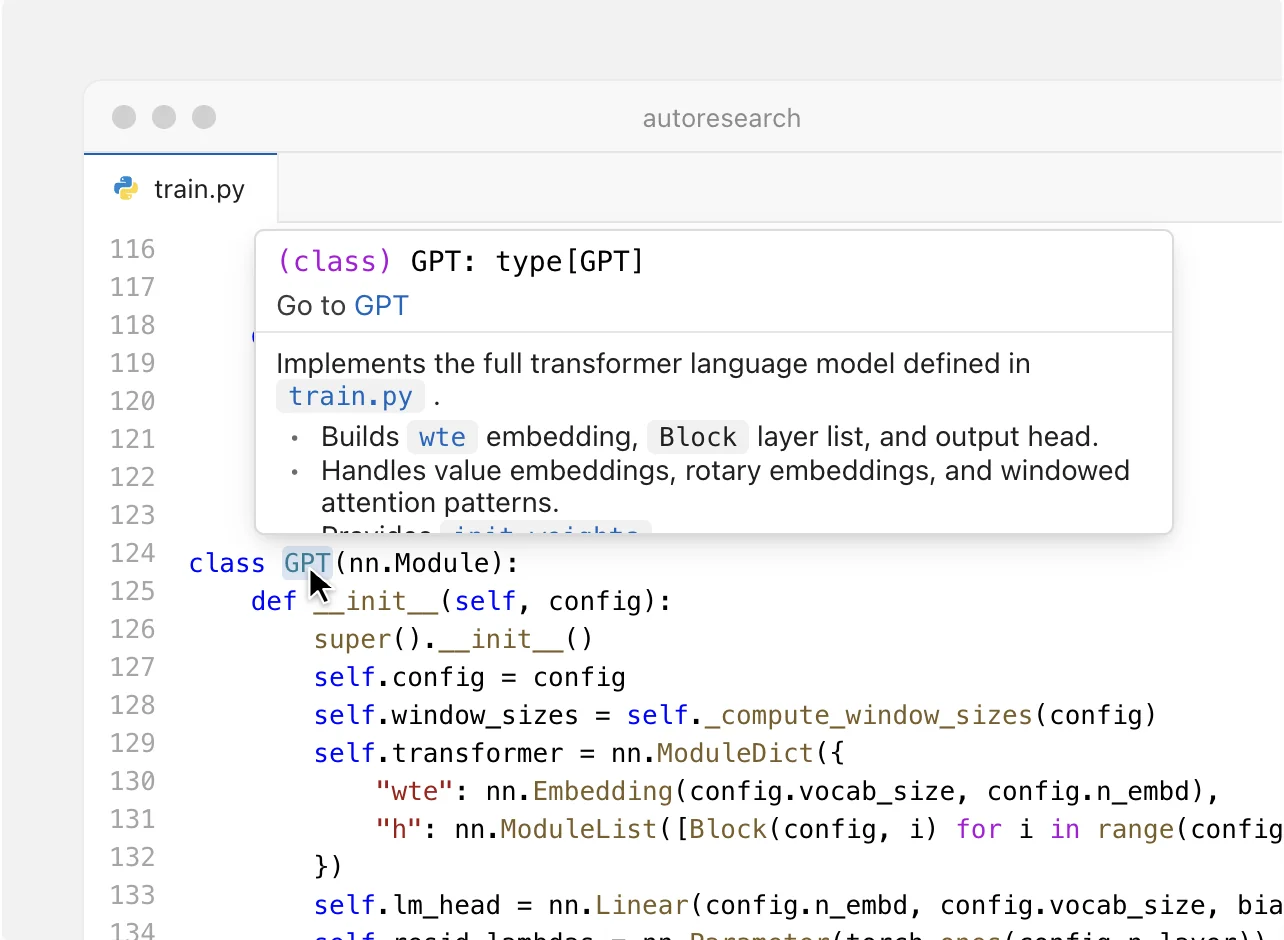
The Devin Desktop integration adds a full-featured file editor with inline type information, Go-to-Definition, and hover documentation (a step up from Cursor's lighter VS Code shell in raw language-server fidelity). Windsurf also migrates settings from existing VS Code or Cursor installations with one click.
1M+ users and 4,000+ enterprise customers are on Windsurf/Devin as of June 2026. The combination of a free entry point and a powerful agentic tier at $20/month puts it directly in Cursor's competitive lane - with Devin's model family as the differentiating bet.
Pros
- Cascade agent gives the same "describe it and it executes" workflow as Cursor, with Devin's models
- One-click VS Code / Cursor settings migration
- Free tier is genuinely functional (unlike Tabnine or Claude Code's no-free-tier)
- Cognition's Devin lineage means serious agentic R&D investment
Cons
- Product is in rapid transition post-acquisition - UI and feature set change frequently
- Windsurf IDE is less mature than the VS Code extension ecosystem for plugins
- Max tier at $200/month is expensive relative to Cursor Ultra at the same price
- Teams tier pricing ($80 + $40/seat) is less predictable than per-seat competitors
Pricing
| Plan | Price | Notes |
|---|---|---|
| Free | $0 | Full IDE, Cascade basic |
| Pro | $20/month | Full Cascade + Devin Local |
| Max | $200/month | Highest limits, all model access |
| Teams | $80/mo + $40/seat | Admin controls, centralized billing |
Full breakdown in the Windsurf pricing guide. For teams deciding between the two top Copilot alternatives, Cursor vs Windsurf covers the head-to-head in detail.
Verdict
Windsurf is the closest competitor to Cursor for developers who want a full IDE replacement with an agentic coding engine. The Devin model integration is the differentiating bet - if Cognition's SWE-1.6 research translates into daily coding quality gains, Windsurf becomes the stronger buy at $20/month. Right now it is slightly behind Cursor in polish and ecosystem depth. The Windsurf alternatives post covers other options if neither fits your stack.
4. Gemini Code Assist
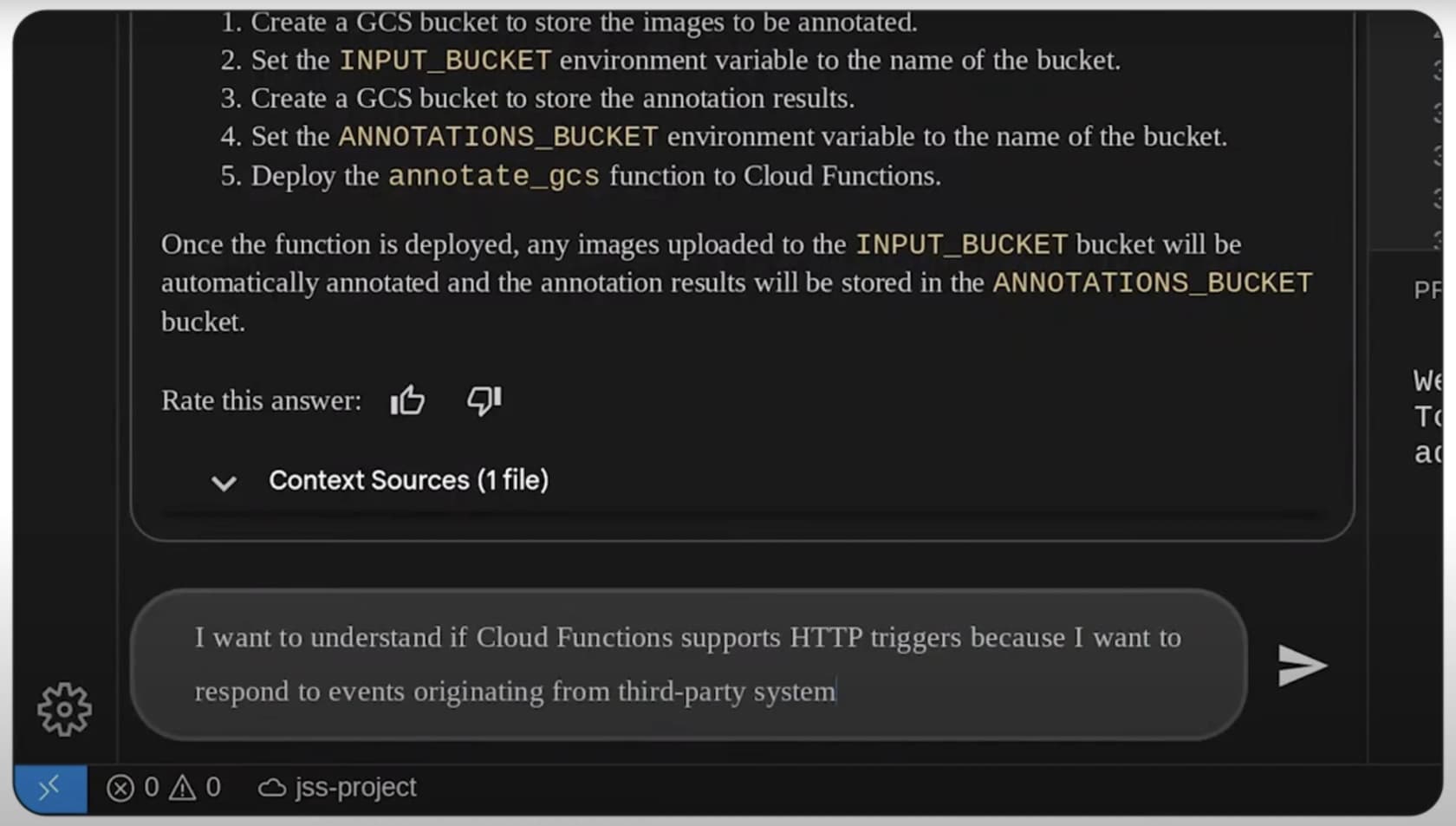
Gemini Code Assist is Google's enterprise AI coding assistant, built on the Gemini model family and deeply integrated with Google Cloud Platform, Firebase, and the Google Workspace ecosystem. It is the tool of choice for teams whose infrastructure lives on GCP and who want an AI assistant that understands GCP SDK calls, Firebase data models, and Cloud Run configurations natively.
Features
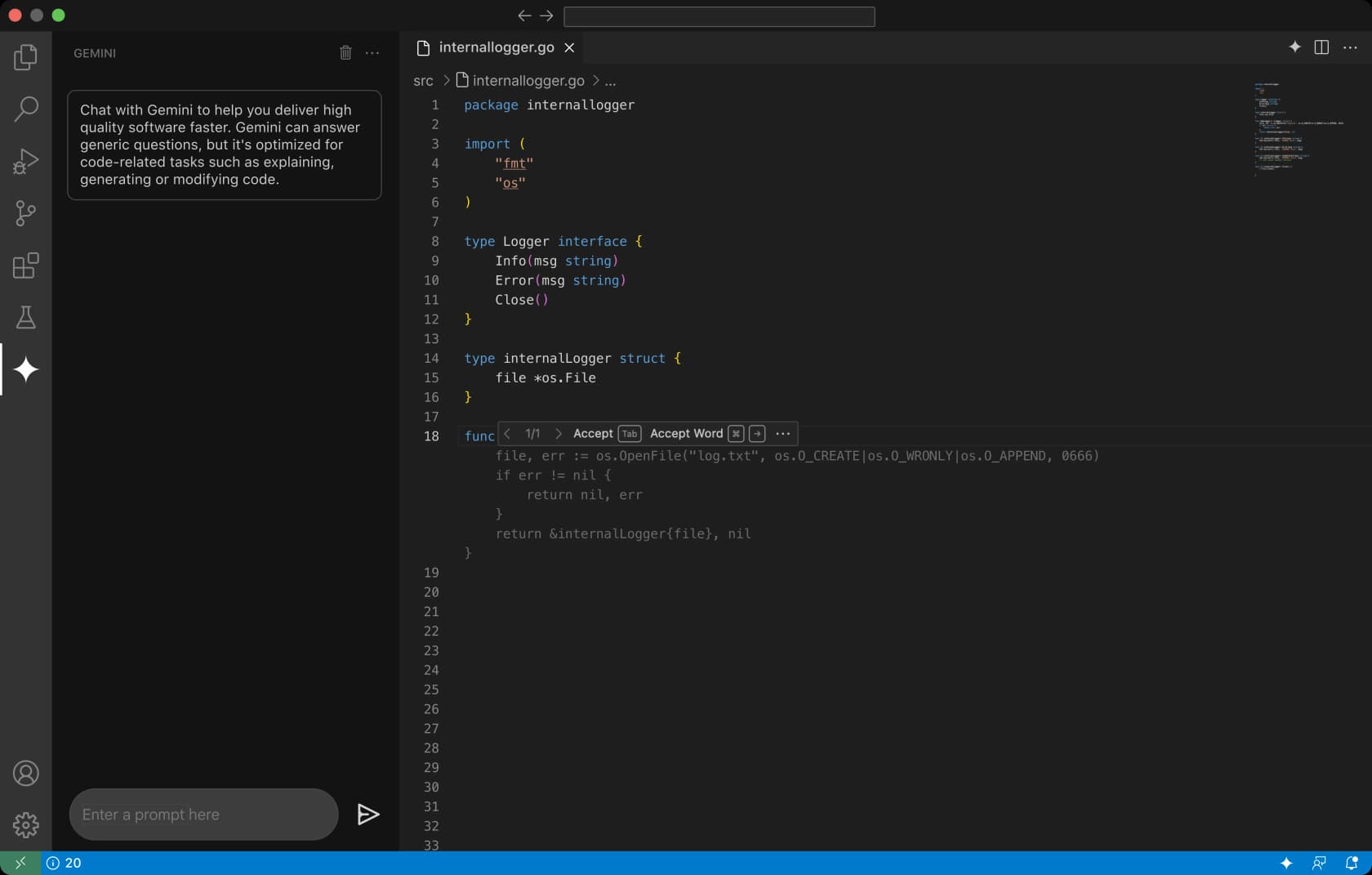
The free Individuals tier is one of the most generous on this list: 180,000 code completions per month and 1,000 chat messages - far more than GitHub Copilot Free's 2,000 completions. It works in VS Code and JetBrains, supports 15+ languages, and includes access to the Gemini CLI for terminal-based interactions.
Beyond completions, Gemini Code Assist on Standard and Enterprise adds: code generation and explanation, inline debugging, unit test generation, multi-file editing with contextual awareness, Firebase and Google Cloud integrations, and team-level code customization on your organization's internal codebase (Enterprise). Security certifications are unusually strong for a free tier: SOC 1/2/3 + ISO 27001/27017/27018/27701, with Google's zero data retention guarantees on the paid tiers.
One timing note: as of June 2026, Google is migrating free-tier users to the "Antigravity CLI" (a successor product, renaming scheduled June 18, 2026). The pricing and features described here are current; the product surface may look slightly different post-migration.
Pros
- Best free tier generosity on this list: 180,000 completions/month
- World-class compliance certifications (SOC 1/2/3, full ISO family) included
- Deepest GCP/Firebase integration of any AI coding tool
- Google's enterprise sales motion - easier procurement for organizations already on Google Workspace
Cons
- Agent mode is less capable than Cursor, Claude Code, or Windsurf for non-Google cloud stacks
- June 2026 Antigravity CLI migration creates short-term UI instability
- Individual free users have no IP indemnification (requires Enterprise)
- Premium model access requires Enterprise ($45–$54/user/month), which is expensive
Pricing
| Plan | Price | Completions / month | Notes |
|---|---|---|---|
| Individuals | Free | 180,000 | VS Code + JetBrains, Gemini CLI |
| Standard | $19–$22.80/user/mo | Unlimited | Team controls, code customization |
| Enterprise | $45–$54/user/mo | Unlimited | On-prem model, highest IP protection |
Verdict
Gemini Code Assist is the default choice for GCP-native teams who want AI coding assistance without leaving the Google ecosystem. For teams outside GCP, its completion quality matches GitHub Copilot but its agent mode trails Cursor and Claude Code. The free tier's 180,000 monthly completions make it an obvious first stop before spending anything.
5. Amazon Q Developer
Amazon Q Developer is AWS's official AI coding assistant, rebuilt from CodeWhisperer in April 2024. It is built for AWS developers specifically - every feature is tuned around AWS SDK calls, IAM policy syntax, CDK constructs, and the full AWS service catalog. If your team lives on AWS, nothing else on this list comes close to its depth of service knowledge.

Features
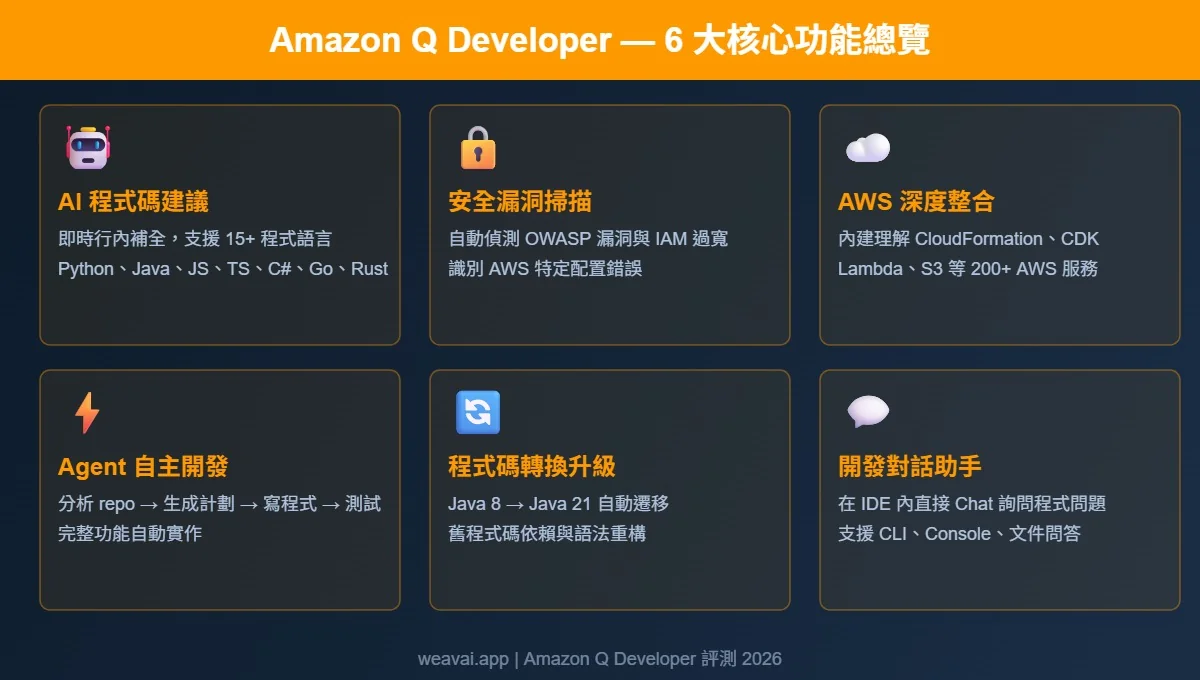
Beyond standard inline completions and conversational chat, Amazon Q Developer has two features that exist on no other tool in this list:
Legacy code transformation: automated Java 8/11 → Java 17/21 upgrades and .NET porting from Windows to Linux, with dependency management handled automatically. For enterprise teams maintaining large Java codebases, this is a category-of-one feature.
AWS-specific security scanning: detects OWASP Top 10 vulnerabilities plus AWS-specific misconfigurations - overly permissive IAM roles, public S3 buckets, insufficient CloudTrail coverage. GitHub Copilot has no equivalent. For DevSecOps teams on AWS, this alone justifies evaluation.
The Pro tier ($19/user/month) also enables Custom code recommendations - connecting to your private repository to generate context-aware suggestions based on your internal codebase structure, similar to Tabnine's Context Engine but AWS-native. Amazon Q also operates inside the AWS Management Console, CLI, Slack, Teams, and GitLab.
Pros
- Best-in-class AWS service depth: CloudFormation, CDK, IAM, Lambda completions that no general tool matches
- AWS-specific OWASP + IAM misconfiguration security scanning
- Java legacy transformation is a unique enterprise capability
- Free tier includes 50 agentic requests/month and Console/CLI/Slack integration
Cons
- Value nearly disappears outside the AWS ecosystem - front-end and non-AWS teams consistently prefer Cursor
- A 430-engineer Faros.ai bakeoff found only 39% Q Developer adoption vs. 78% for Copilot in general environments (11% suggestion acceptance vs. 22%)
- Free tier's 50 agentic requests/month is thin compared to Copilot Free's 2,000 completions
- Pro auto-opts out of data collection; Free tier requires manual opt-out
Pricing
| Plan | Price | Agentic requests | Java transformation |
|---|---|---|---|
| Free | $0/month | 50/month | 1,000 LOC/month |
| Pro | $19/user/month | Increased limits | 4,000 LOC/user/month (pooled) |
Verdict
Amazon Q Developer is essential for AWS-heavy engineering teams and a poor fit for everyone else. If more than half your day involves AWS services, it is the strongest tool on this list for your use case. If your stack is cloud-agnostic or non-AWS, spend the $19/month on Cursor or Claude Code instead. The Faros AI bakeoff data is the most rigorous independent comparison available for enterprise evaluation.
6. Tabnine
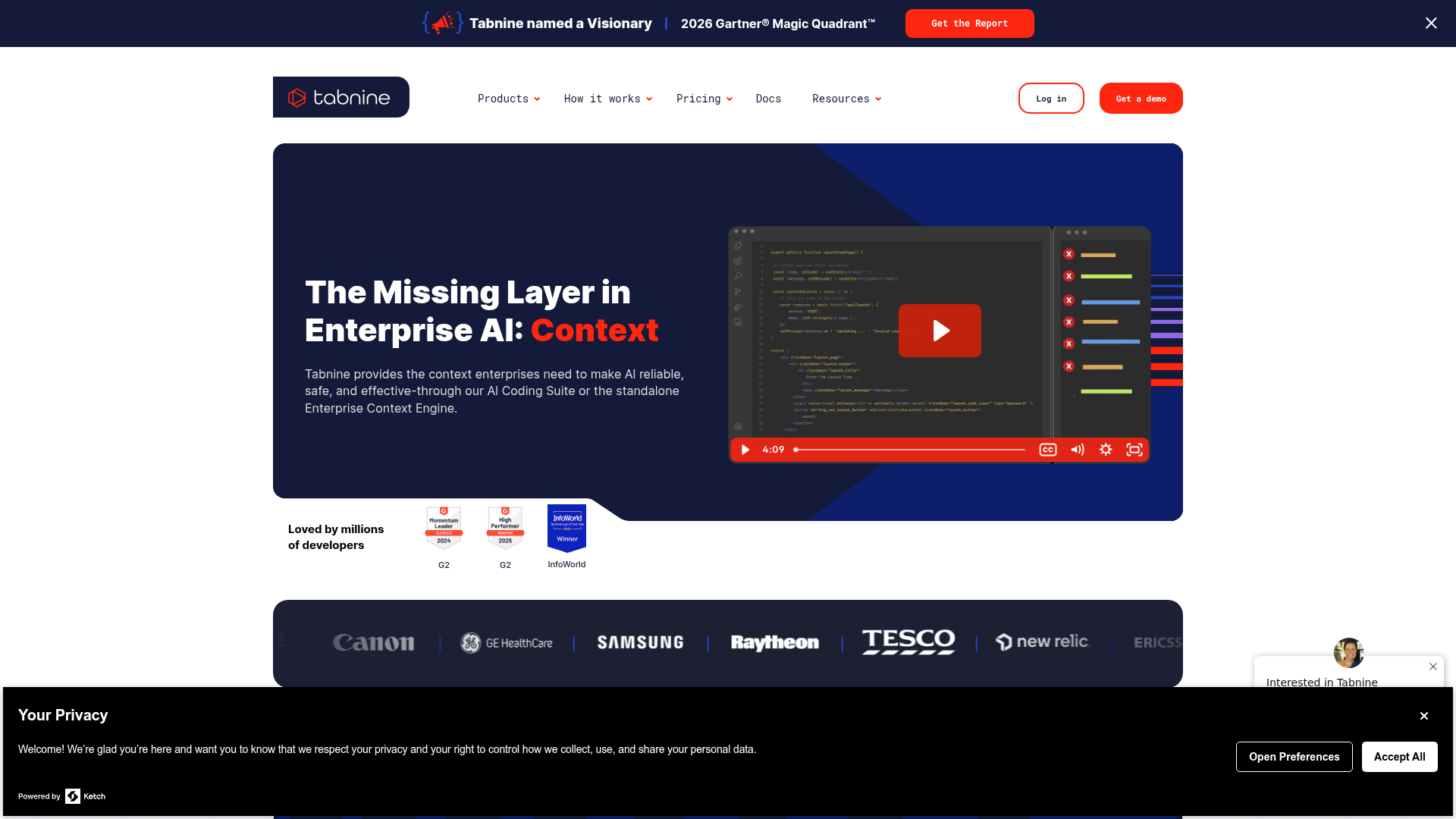
Tabnine predates GitHub Copilot - it is one of the original AI code completion tools - and has since evolved into a pure enterprise play. The consumer tiers were sunsetted in 2025; Tabnine now starts at $39/user/month. The reason developers and enterprises still choose it: air-gapped deployment and zero code retention, a combination no other major tool on this list matches.
Features
The Enterprise Context Engine (available on the $59/user/month Agentic Platform tier) is Tabnine's main differentiator beyond privacy: it ingests your organization's codebase, architecture, dependencies, and coding standards so that AI suggestions are context-aware in ways that codebase-blind cloud tools cannot replicate. It connects to GitHub, GitLab, Bitbucket, Perforce P4, Jira, and Confluence.
Deployment flexibility is unmatched: SaaS, VPC, on-premises, and fully air-gapped. For teams in defense, healthcare, or regulated finance where source code cannot leave the building, that deployment story is the entire decision. Zero code retention, no third-party sharing, and SOC 2 + ISO 27001 certification are on every Tabnine tier.
The 2026 Gartner Magic Quadrant named Tabnine a Visionary in Enterprise AI Coding Agents (May 2026), the same cycle it picked up an Omdia Leader designation.
Pros
- Only major tool offering fully air-gapped, zero-code-retention deployment
- SOC 2 + ISO 27001 + GDPR + IP indemnification on all tiers
- Enterprise Context Engine provides org-specific suggestions from internal codebases
- Gartner MQ Visionary 2026 - strongest analyst recognition of any tool in this list
Cons
- No free tier since 2025 - locked out for solo developers and small teams entirely
- Entry at $39/user/month is more than 2× GitHub Copilot Business ($19)
- G2 reviewers consistently flag code suggestion accuracy below Cursor and Claude Code
- Annual commitment required; no monthly billing option
- Sales-led buying process only - no self-serve checkout
Pricing
| Plan | Price | What is included |
|---|---|---|
| Code Assistant | $39/user/month (annual) | Completions, IDE chat, all deployment options, governance |
| Agentic Platform | $59/user/month (annual) | + Context Engine, CLI agent, MCP integrations, autonomous agents |
Full cost analysis in the Tabnine pricing guide. For teams evaluating whether to stick with Copilot Business at $19 vs. Tabnine at $39, the Tabnine overview covers the compliance case in detail. If Tabnine does not fit your budget, the Tabnine alternatives post covers comparable tools.
Verdict
Tabnine is the correct choice for one specific buyer: organizations in regulated industries that require air-gapped deployment and cannot risk any code leaving the firewall. For everyone else, the 2× price premium over GitHub Copilot is hard to justify when Cursor and Claude Code deliver better agent capabilities at half the cost.
7. Continue.dev
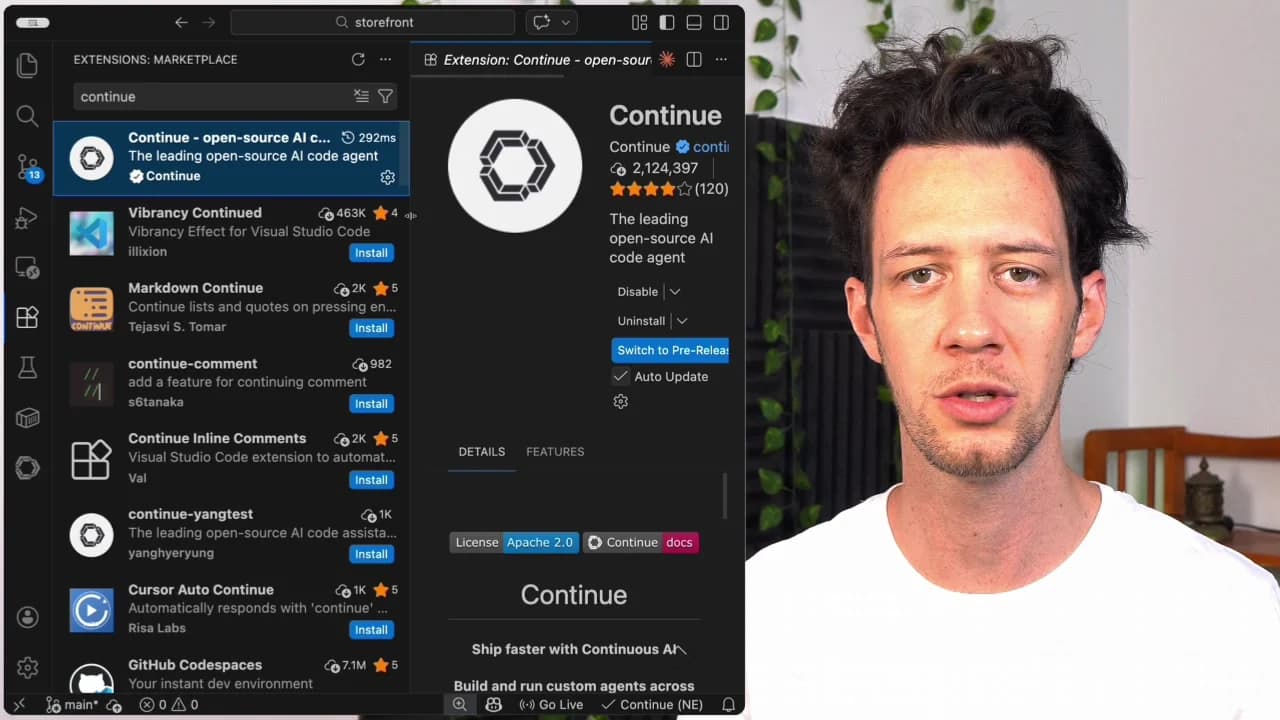
Continue.dev is the open-source answer to GitHub Copilot. It is an Apache 2.0 IDE extension - free forever, no subscription required - that gives you autocomplete, chat, inline edit, and agent mode for VS Code and JetBrains. The only cost is the AI model you choose to use, and you can make that cost zero too by running local models via Ollama.
Features
Continue connects to 100+ model configurations - OpenAI, Anthropic, Google Gemini, Cohere, Mistral, Ollama, LM Studio, OpenRouter, and any OpenAI-compatible endpoint. Pick Claude Sonnet for complex tasks, a local Llama 3 model for fast inline completion, or run a local DeepSeek R2 for zero-cost, fully private coding. No vendor lock-in, no data leaving your machine unless you configure a cloud API.
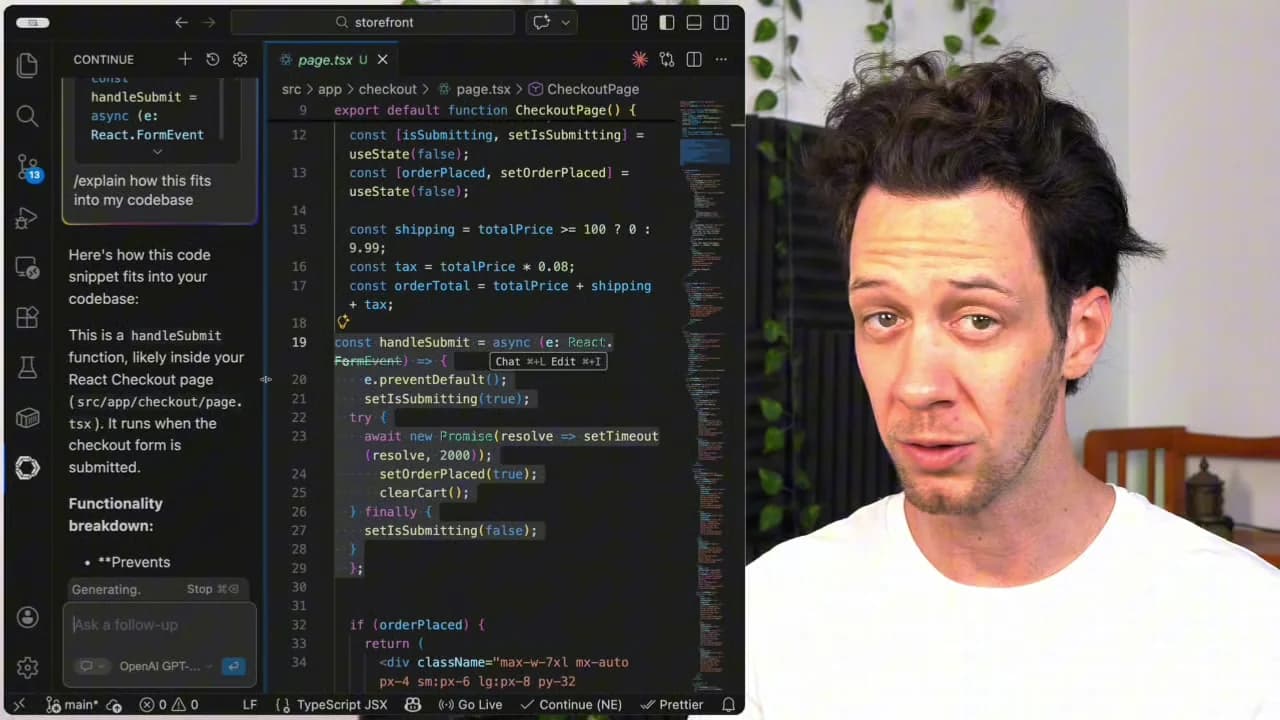
The four IDE modes map to the same workflow as any paid tool: Autocomplete (inline tab completion), Chat (sidebar with codebase context), Edit (natural language → interactive diff), and Agent (multi-file autonomous task execution). Context providers pull in open files, Git diffs, terminal output, GitHub issues, codebase embeddings, web search, and documentation automatically.
33,700+ GitHub stars make Continue the most-starred open-source AI coding tool. For JetBrains users specifically, it is the strongest free option - Cursor is VS Code–only, and Copilot's JetBrains plugin is widely considered weaker than its VS Code counterpart.
Pros
- $0 forever for the IDE extension - no subscription, no credit card
- Full local model support via Ollama for completely private, offline-capable coding
- Only top-tier tool that covers both VS Code and JetBrains equally
- No telemetry since v2.0.0 (early 2026); full config-as-code via
~/.continue/config.json
Cons
- Setup complexity is real - getting optimal performance requires understanding context windows, embedding settings, and model selection
- Autocomplete quality gap vs. Cursor: Cursor's multi-line predictive Tab edits remain ahead
- No bundled model means cold-start friction for new users
- The new "Continuous AI" CI product shares the Continue brand and may confuse research
Pricing
| Plan | Price | What it covers |
|---|---|---|
| IDE Extension | $0 forever | Apache 2.0; BYOK or local models |
| Ollama local models | $0 | Runs on your hardware |
| Cloud API costs (your choice) | ~$5–$25/month | You pay your model provider directly |
Verdict
Continue.dev is the right choice for any developer whose top constraint is cost or privacy. For budget-zero teams, teams in regulated environments that want local model control without paying Tabnine's enterprise premium, and JetBrains users looking for a free Copilot alternative, it is the standout option. The setup investment is real but one-time; after that, the workflow matches any paid tool's capability.
8. JetBrains AI Assistant
JetBrains AI is the AI feature layer built natively into IntelliJ, PyCharm, WebStorm, GoLand, PhpStorm, Rider, RubyMine, and every other IDE in the JetBrains family. The key claim - and it holds up - is that JetBrains AI is the only coding assistant that plugs directly into JetBrains' own type-inference and project analysis engine. Completions that understand your project's actual types and naming conventions are qualitatively different from editor-agnostic tab completion.
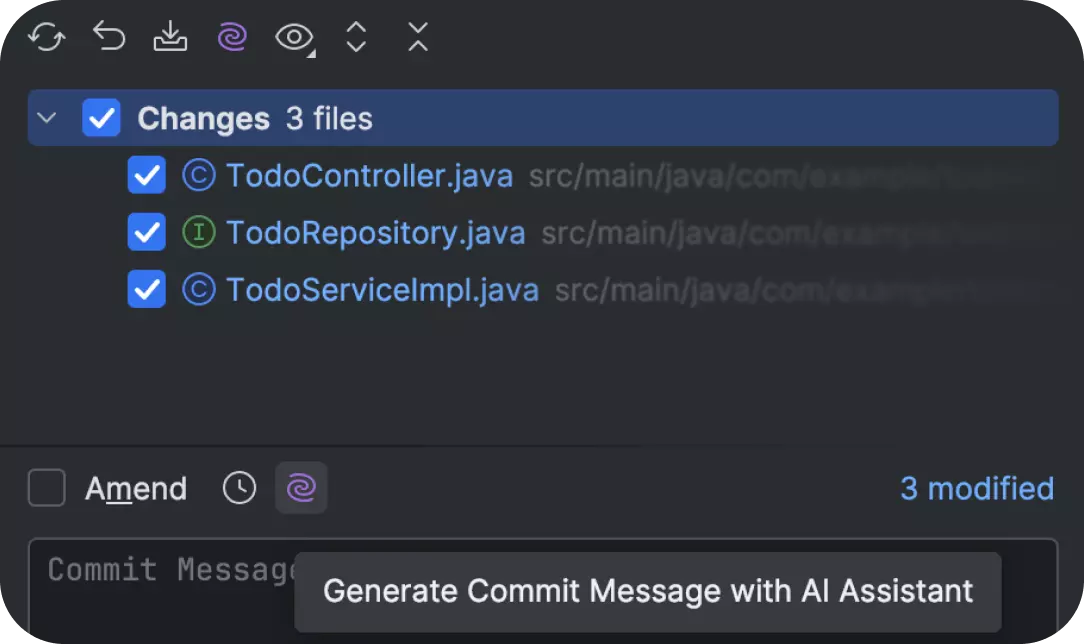
Features
The free AI Free tier gives unlimited inline code completion via Mellum - JetBrains' own fast model, open-sourced in May 2026 - with sub-200ms latency and zero AI Credit consumption. That alone makes it the most generous free option for JetBrains users.
Paid tiers add: AI Chat with Agent Mode, Junie (the coding agent bundled with AI Pro - handles large autonomous refactoring tasks inside the IDE), Claude Agent and OpenAI Codex access, MCP support, multi-model switching (GPT/o-series, Claude, Gemini, Grok, Mellum), BYOK for personal and org-level, and local model support via Ollama.
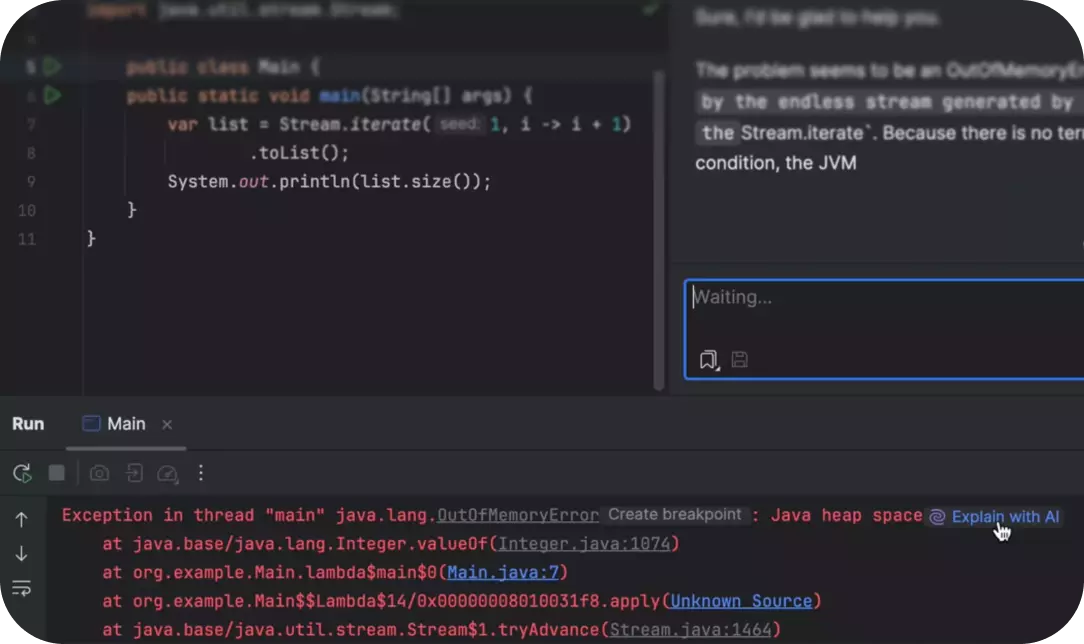
Community reports of Junie saving 1–2 days on large refactoring tasks - agent mode that runs inside the IDE without context-switching is its strongest differentiator vs. Copilot's agentic capabilities. The AI Credits model (where chat and agent actions consume credits) causes frustration among users expecting a flat subscription, but the unlimited free completions soften the impact considerably.
Pros
- Only AI tool with deep JetBrains language-server integration - completions are semantically richer
- Unlimited free code completion on AI Free tier via Mellum (no credit consumption)
- AI Pro at ~$8.33/month personal is cheaper than GitHub Copilot Individual ($10/month)
- Junie coding agent bundled into AI Pro handles complex multi-file refactors
- SOC 2 Type 2; no code used to train models unless user explicitly opts in
Cons
- AI Credits model creates quota surprises - users expecting flat subscription hit unexpected limits
- Deep integration is also the ceiling: minimal competitive advantage outside JetBrains IDEs
- Enterprise tier ($720/year) is expensive compared to per-seat pricing elsewhere
- AI Credits top-up pricing is not transparent enough for usage forecasting
Pricing
| Plan | Personal/year | Org/year | AI Credits/month |
|---|---|---|---|
| AI Free | Free | Free | 3 |
| AI Pro | $100 (~$8.33/mo) | $200 (~$16.67/mo) | 10 + top-ups |
| AI Ultimate | $300 (~$25/mo) | - | 35 + top-ups |
| AI Enterprise | $720 (~$60/mo) | - | Max + custom |
Mellum code completion is unlimited and free on all tiers. Credits only consumed by cloud-model chat, agent mode, and Junie tasks.
Verdict
JetBrains AI is the default choice for any developer who lives in the JetBrains ecosystem. The integration advantage is real, the free tier is the most generous of any paid AI suite, and AI Pro at $8.33/month undercuts GitHub Copilot Individual. For developers outside JetBrains IDEs, the competitive case disappears - Cursor, Claude Code, or Continue.dev are better fits. The Claude Code JetBrains integration page covers how Claude Code works inside JetBrains as a secondary AI layer if you want both.
Pricing snapshot: all 8 alternatives at a glance
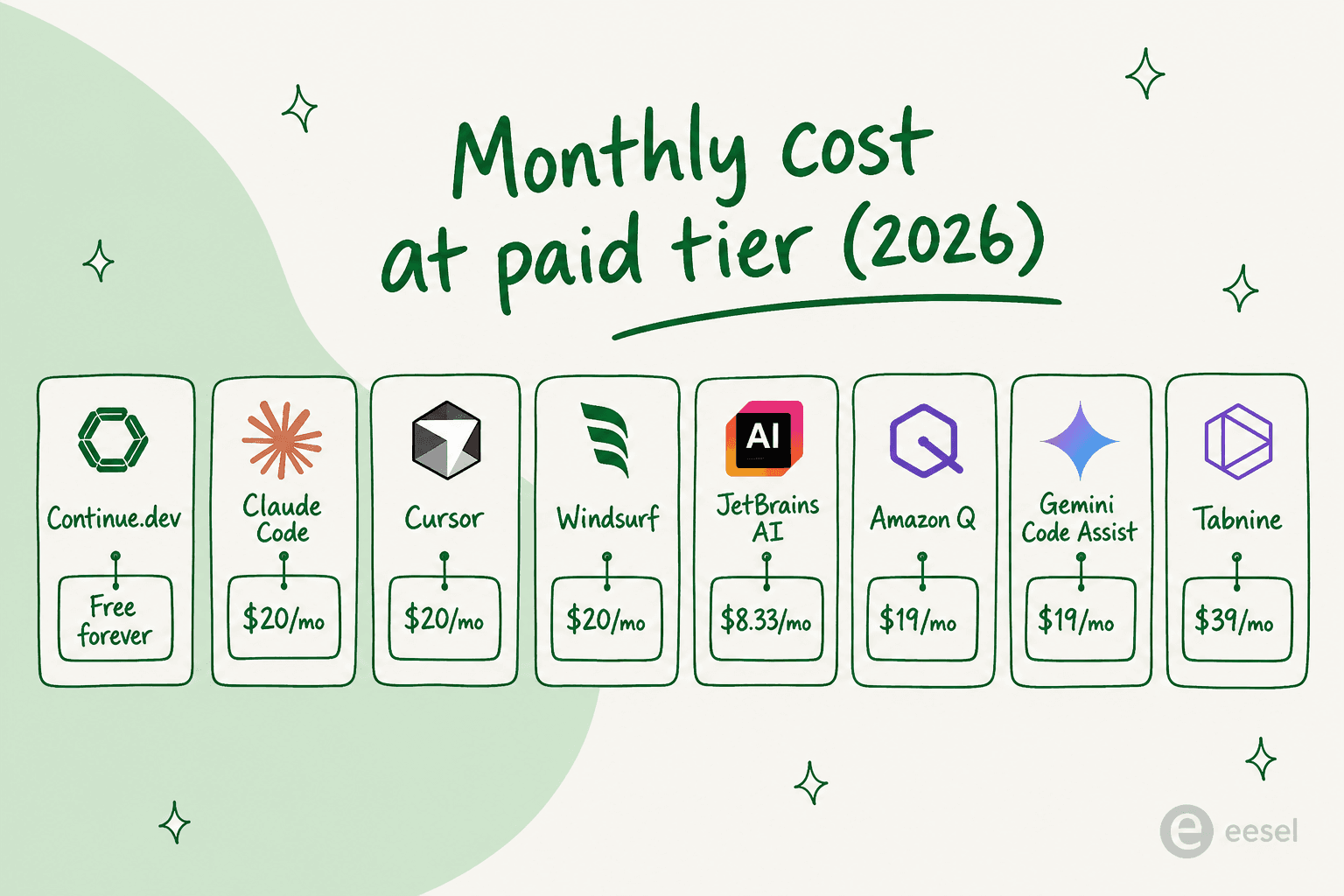
The range is wide. At one extreme: Continue.dev costs $0 forever. At the other: Tabnine Agentic Platform at $59/user/month is 3× the price of GitHub Copilot Business.
For most individual developers, the practical choice sits between three $20/month tools: Cursor, Claude Code, and Windsurf. All three include agent mode, multi-file editing, and frontier model access that Copilot's $10 Individual tier cannot match. The decision between them is workflow, not price.
For enterprise, the variable is compliance: Tabnine's air-gapped story carries a real premium, Amazon Q's AWS depth is a premium only AWS teams should pay, and JetBrains AI's $8.33/month personal tier is an underpriced option that most JetBrains users ignore. See GitHub Copilot pricing for the full Copilot tier breakdown to use as a baseline for comparison. The OpenAI Codex pricing and OpenAI Codex alternatives posts cover the remaining major tools not covered here.
How to pick the right one
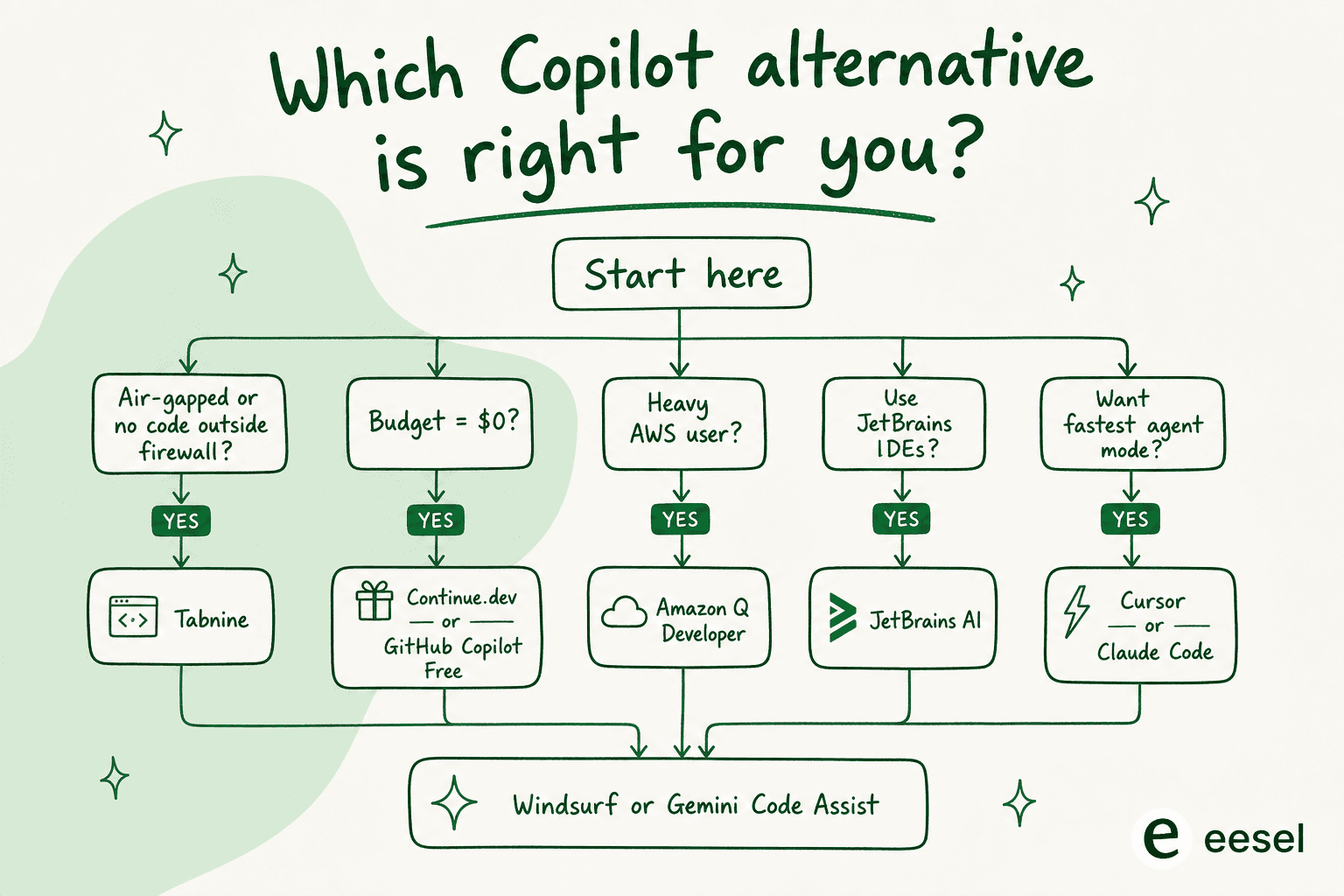
Here is the decision framework, condensed:
If you need air-gapped or zero-code-retention deployment: Tabnine only. No other major tool offers on-premises deployment with that compliance story.
If your stack is AWS-heavy: Amazon Q Developer first. The AWS-specific depth (CDK completions, IAM scanning, Java transformation) makes the $19/month an obvious buy for teams where AWS is the day job.
If you use JetBrains IDEs: JetBrains AI. The semantic integration advantage is real, and the free tier for unlimited completions is the most generous in the market.
If your budget is $0: Continue.dev for VS Code or JetBrains, or GitHub Copilot Free for VS Code users who want zero setup overhead.
If you want the best agent mode at $20/month: Cursor for IDE-first workflows, Claude Code for terminal/GitHub-native workflows. Either one beats GitHub Copilot Pro at the same price.
If your stack is GCP/Firebase: Gemini Code Assist. The 180,000 free completions/month alone justify evaluation, and the Google Cloud integration depth is unmatched.
For anyone still unsure, the best AI coding assistant tools page covers a wider set of tools across more use cases.
Try eesel for your support team
Your engineering team just picked their AI coding assistant. Your support team deserves the same upgrade.
eesel builds AI teammates that live inside your helpdesk - Zendesk, Freshdesk, HubSpot, Gorgias, or Front - and handle tier-1 tickets autonomously. The same principle as Cursor or Claude Code: describe what your AI agent should do, let it learn from your ticket history and help docs, and give it the autonomy to handle the easy stuff on its own.
Smava runs a fully automated eesel agent processing 100,000+ German-language support tickets per month. Gridwise resolved 73% of tier-1 requests in the first month, during a 7-day trial. Global Payments reports up to 80% time savings finding answers across documentation.

Pricing starts at $0.40/ticket with $50 in free usage - no credit card required.
Frequently Asked Questions
What is the best free GitHub Copilot alternative in 2026?
Continue.dev is the only tool on this list that costs $0 forever - it is Apache 2.0 open-source, works in both VS Code and JetBrains, and lets you bring your own model including local Ollama models for fully private coding. For developers willing to spend something, Cursor's Hobby tier ($0, 2,000 Tab completions/month) and GitHub Copilot Free (2,000 completions/month) are the other genuinely useful free options.
How does Cursor compare to GitHub Copilot?
Cursor costs 2× more than GitHub Copilot Individual ($20 vs $10/month) but gives substantially more: unlimited multi-file agentic editing, access to every frontier model in a single subscription, and Composer 2.5 for autonomous task execution. Copilot wins if you only need inline code completion and live inside GitHub's ecosystem. For anyone who has moved beyond basic autocomplete, Cursor's agent mode is the clearer daily-driver choice. See also: Cursor vs Windsurf for a direct comparison.
Is Claude Code better than GitHub Copilot?
It depends what you mean by "better." Claude Code is an agentic CLI tool - you describe tasks and it writes code, runs tests, creates commits, and opens pull requests autonomously. That is a fundamentally different workflow from GitHub Copilot's inline suggestions. For terminal-first developers who want to delegate whole features, Claude Code wins. For IDE-first developers who want fast inline completion with minimal setup, Copilot is simpler. The Claude vs Copilot comparison covers the trade-offs in detail.
Which GitHub Copilot alternative is best for enterprise teams?
It splits by infrastructure: Amazon Q Developer ($19/user/month) for AWS-heavy teams; Tabnine ($39–$59/user/month) for regulated industries needing air-gapped deployment; JetBrains AI ($8.33–$60/user/year) for organizations in the JetBrains ecosystem; and enterprise Claude Code for teams wanting frontier-model agentic coding with GitHub/GitLab integration. See the Tabnine pricing breakdown and GitHub Copilot's five tiers for a direct cost comparison.
Can I use Continue.dev without paying anything?
Yes - the Continue IDE extension is Apache 2.0 open-source and free forever. The catch: it does not bundle any AI model. You bring your own API key or run local models via Ollama at zero additional cost. Using Claude Sonnet via API for heavy autocomplete and chat runs roughly $10–$25/month - still at or below GitHub Copilot Individual pricing. The extension itself always stays free.
What is the best GitHub Copilot alternative for JetBrains IDEs?
JetBrains AI Assistant is the standout choice for IntelliJ, PyCharm, WebStorm, GoLand, and the rest of the JetBrains family - it plugs directly into JetBrains' own type-inference engine for richer completions than any editor-agnostic tool. AI Free gives unlimited code completion for $0; AI Pro (~$8.33/month) adds Junie and frontier model switching. Cursor and Claude Code are VS Code–focused; Claude Code's JetBrains integration exists but is in beta.
How much does Windsurf cost compared to GitHub Copilot?
Windsurf pricing starts at $0 (Free tier) and goes to $20/month (Pro) or $200/month (Max). The Pro tier matches GitHub Copilot Business at $19–$20/user/month but includes Devin Local and Cascade's multi-file agentic editing. Windsurf Teams runs $80/month + $40/seat for teams needing admin controls.
Is Amazon Q Developer worth it if I don't use AWS?
Probably not. A 430-engineer Faros.ai bakeoff study found only 39% Q Developer adoption vs. 78% for Copilot in general-purpose environments. For front-end developers and non-AWS teams, Cursor, Claude Code, or OpenAI Codex alternatives are better fits. Amazon Q Developer is excellent - but strictly for teams where AWS is the day job.
Frequently Asked Questions

Share this article

Article by
Alicia Kirana Utomo
Kira is a writer at eesel AI with a Computer Science background and over a year of hands-on experience evaluating AI-powered customer service tools. She focuses on breaking down how helpdesk platforms and AI agents actually work so that support teams can make better buying decisions.