A practical guide to custom coding agents with the Claude Code SDK


Last edited September 30, 2025

Table of Contents
- Understanding the Claude Code SDK (now the Claude Agent SDK)
- The promise: What you can build with the Claude Agent SDK
- The reality: Challenges of a DIY approach
- The alternative: A turnkey AI platform for business needs
- Comparing pricing: DIY vs. a predictable plan
- Choosing between the Claude Agent SDK and a turnkey platform
You can't scroll through a tech feed these days without bumping into something about autonomous AI agents. They’re pitched as the future of work, tireless digital teammates ready to automate just about anything. For developers, the really interesting part is that toolkits like Anthropic's Claude Agent SDK mean you can finally build your own.
But that brings up a big question: just because you can, does that mean you should?
This guide is a straight-talking look at what the Claude Agent SDK (which used to be called the Claude Code SDK) actually is and what it takes to build custom coding agents. We'll get into the exciting potential of a do-it-yourself (DIY) project and then weigh that against the very real challenges. By the end, you should have a much clearer idea of whether building from the ground up makes sense for you, or if a ready-made AI platform is the better way to go.
Understanding the Claude Code SDK (now the Claude Agent SDK)
First off, let's talk about the name change. The toolkit began its life as the Claude Code SDK, but Anthropic made the smart move to rename it the Claude Agent SDK. It was a good call because it better captures what the tool can do, build all kinds of agents, not just ones that write code. You’ll probably see both names floating around, so we'll mention both here.
Put simply, the SDK is a set of tools that lets the Claude AI model use a computer. Think of it as giving a brilliant but bodiless AI a keyboard and a command line. This lets Claude do things a human developer would, like reading and writing files, running terminal commands, and digging through codebases.
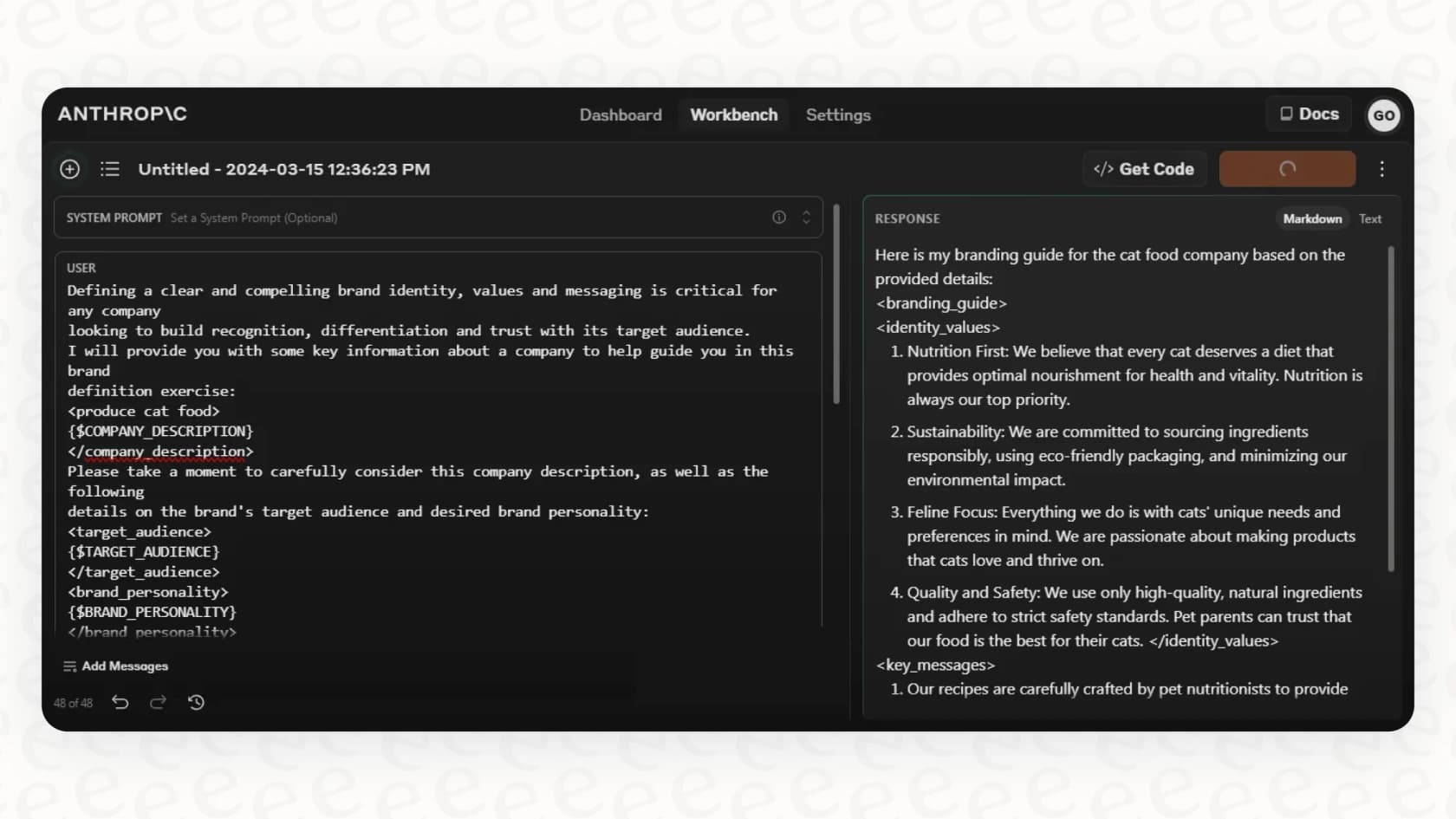
A key idea here is "agentic search." Instead of just pulling from a pre-made index of information (the old way of doing things), the AI agent actively hunts for information when it needs it, using commands like "grep" and "find". It’s a much more dynamic and, frankly, human way to find context. The SDK comes in both TypeScript and Python flavors, so it’s accessible to a wide range of developers. For all the nitty-gritty details, you can check out the official Claude Agent SDK documentation.
The promise: What you can build with the Claude Agent SDK
When you hand an AI like Claude the keys to a development environment, the possibilities get pretty exciting. This is where the DIY path really shines, because you can build some truly unique and deeply customized tools.
Automating development workflows
For any dev team, the SDK is a chance to automate the tedious, repetitive tasks that eat up so much time, letting engineers get back to the more interesting, creative parts of their jobs.
Here are a few things you could build:
-
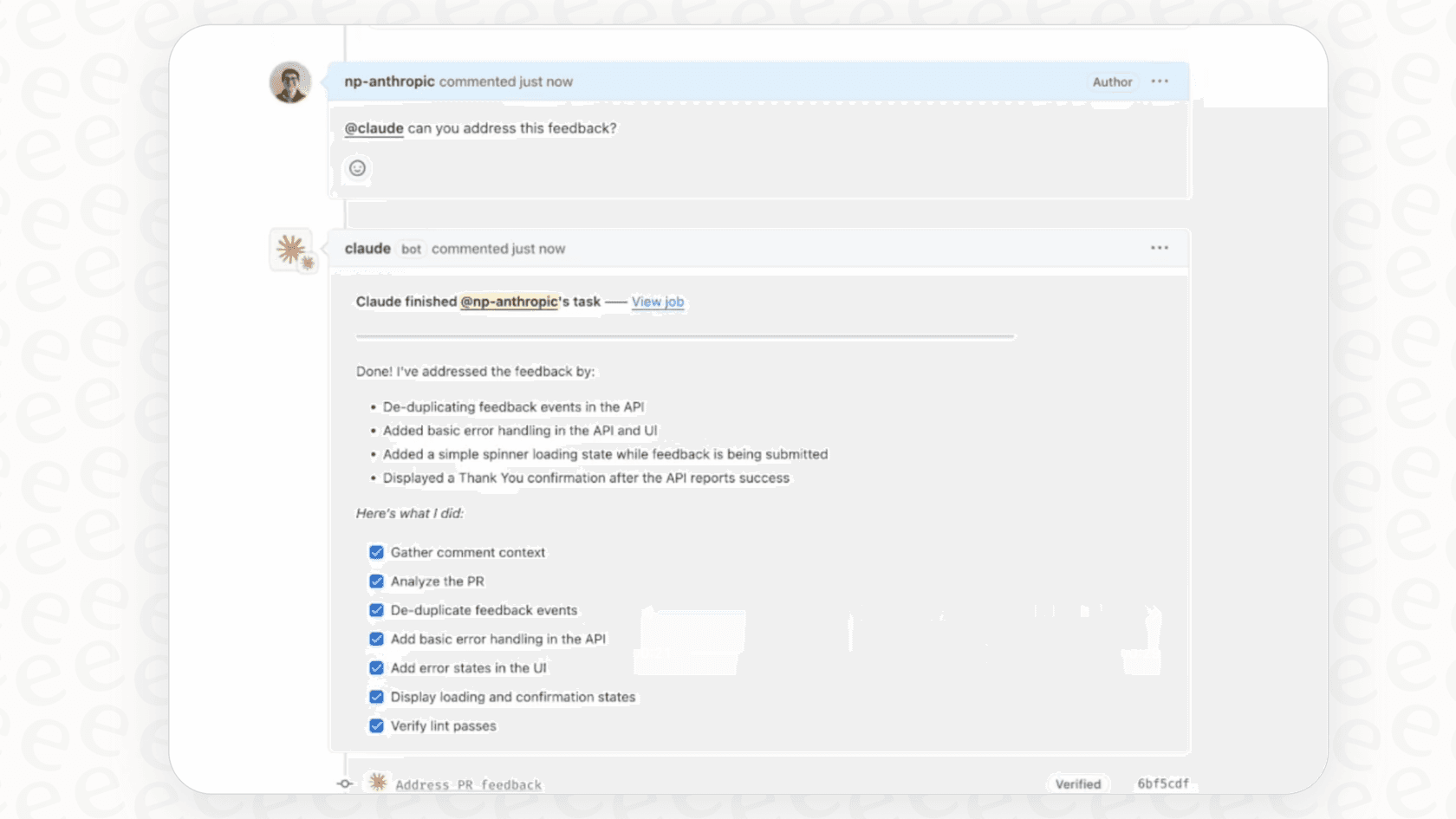
Code Review Agents: Imagine a bot that scans every pull request for common security flaws, checks that it follows your team's style guide, and leaves helpful, constructive comments. No more manual linting checks.
-
Automated Refactoring: Do you have a mountain of legacy code that needs to be migrated to a new library? You could build an agent to chew through the entire codebase, systematically making those large-scale changes for you.
-
CI/CD Integration: You could bake agents right into your CI/CD pipeline. For example, an agent could run tests, automatically update your docs every time an API changes, and even draft release notes from the latest commit messages.
Creating specialized agents for business tasks
The Claude Agent SDK isn't just for coding. Since it can work with files and run commands, you can point it at all sorts of business functions.
This is where you can let your imagination go a bit:
-
Finance Agents: You could whip up an agent that hooks into financial APIs, pulls market data from CSVs, runs complex calculations, and helps you vet investment opportunities.
-
Research Assistants: An agent could be told to dig through a folder with thousands of documents, pull out the key findings, cross-reference the information, and spit out a detailed report with citations.
-
Customer Support Agents: This is a huge one, but it’s also hugely complicated. In theory, you could build a custom agent that connects to your help desk, looks up customer history in your CRM, and drafts replies. As we'll get into, however, building this from scratch is a monster of a project.
All of these agents work on a similar loop: they find context, do something, check their work, and do it all over again until the job is done.
The reality: Challenges of a DIY approach
While the possibilities are cool to think about, building with the Claude Agent SDK isn't exactly a walk in the park. The truth is, creating an agent that is reliable, secure, and actually useful is a major software engineering project all on its own.
The developer time required
First and foremost, you need skilled developers who are comfortable in Python or TypeScript. This is not a low-code tool for someone in marketing to play with; it's a toolkit for engineers.
And it’s not just about the initial build. You have to think about the long-term cost of keeping it alive. This includes:
-
Ongoing Maintenance: APIs are always changing, AI models get updated, and bugs will pop up. Your custom agent will need constant care and feeding to keep it from breaking.
-
Debugging: When an agent starts doing weird things, and it will, figuring out why can be a real headache. It requires a deep understanding of your own code and the unpredictable nature of the AI model.
-
Adaptation: Your business isn't static, and your agent won't be either. Every time your needs change, you'll have to pull developers off of other important projects to update the agent.
Setup and safety hurdles
Getting started is more involved than a simple "npm install". You have to sort out authentication, manage environment variables, and juggle dependencies.
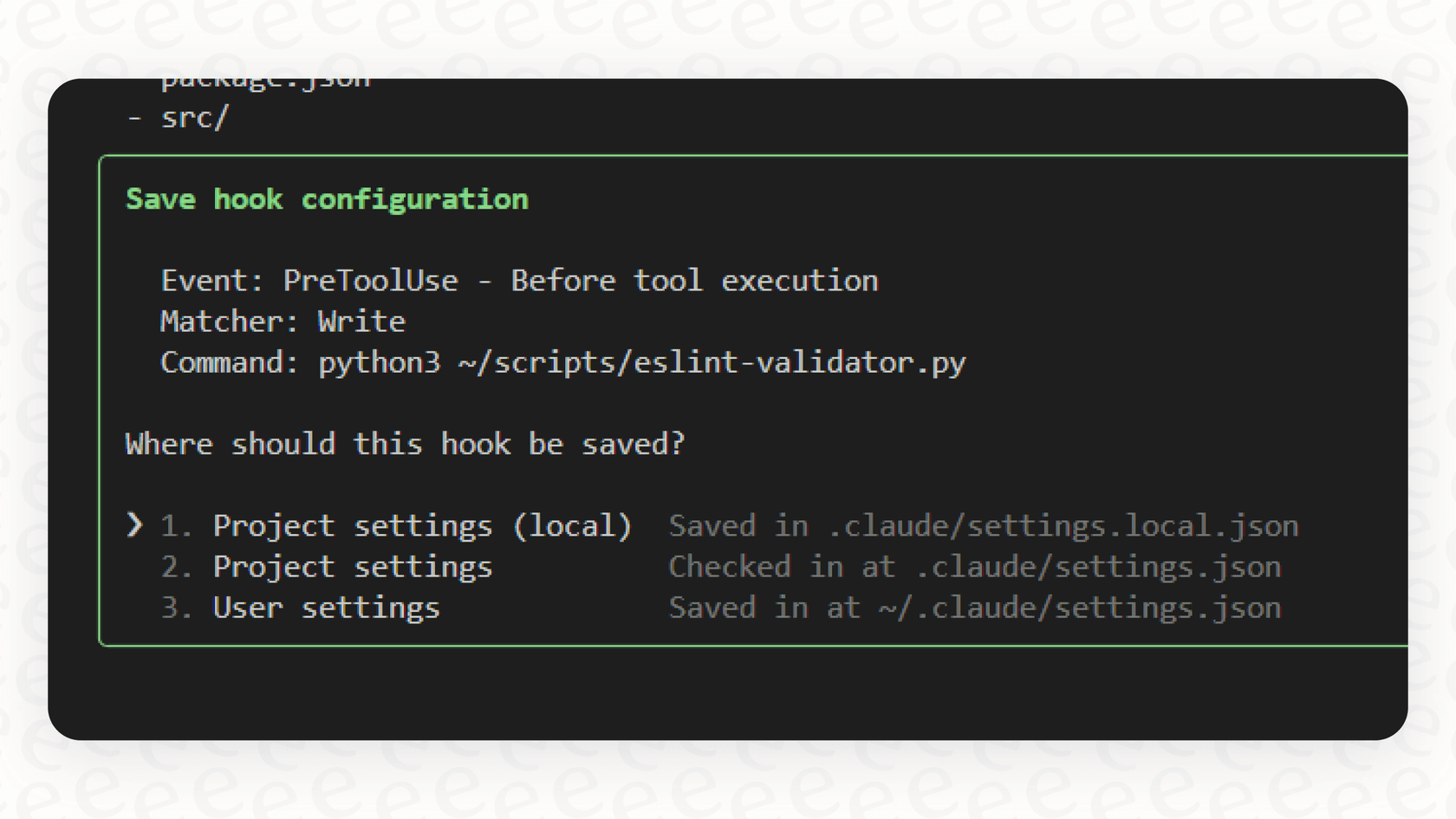
More importantly, you have to be incredibly careful with permissions. Giving an AI agent unrestricted access to a computer's terminal is as scary as it sounds. The SDK gives you controls to manage what the agent can do ("manual" approval vs. the very risky "acceptAll"), but one wrong move could be disastrous. Without rock-solid guardrails, you could accidentally let an agent delete the wrong files or run commands it has no business running.
The missing business-friendly features
This is probably the biggest roadblock for businesses that just want to solve a specific problem, like handling customer support tickets. The SDK gives you an engine, but you have to build the entire car, dashboard, and safety features yourself.
For a business tool you can actually use in production, you’d have to build all of this from scratch:
-
No Helpdesk Integration: The SDK has no idea what Zendesk or Intercom are. You'd have to write all the custom code to connect your agent to the tools your team already uses.
-
No Simulation Environment: How do you know if your support agent will actually help customers or just make them angry? The SDK doesn’t have a built-in way to test your agent on thousands of your past support tickets to see how it behaves before you unleash it on real people.
-
No Analytics Dashboard: Want to know your agent's resolution rate? Or see what kinds of questions it keeps getting wrong? You'll have to build your own logging and reporting systems from the ground up to track its performance.
-
No Simple Knowledge Management: Your company’s knowledge is probably scattered everywhere, in old tickets, a Confluence space, various Google Docs. Getting an agent to use all of that information requires building some pretty complicated data pipelines and retrieval systems.
The alternative: A turnkey AI platform for business needs
This all leads to the classic "build vs. buy" debate. The Claude Agent SDK is a fantastic "build" option if you're an R&D team or a company whose main product is a new kind of AI agent.
But for most businesses, the goal isn't to build AI; it's to use AI to solve a problem like automating customer support. For that, the "buy" approach is almost always faster, safer, and cheaper in the long run. A solution like eesel.ai is designed for exactly this. It takes the raw power of models like Claude and wraps it in a platform that’s ready to go on day one.
Here’s a quick comparison of how a ready-made platform stacks up against the DIY approach:
| DIY with Claude Agent SDK | The eesel AI Solution |
|---|---|
| Needs a ton of developer time and constant maintenance. | Go live in minutes, not months. It’s a completely self-serve platform that requires zero coding to set up. |
| You have to build all the safety features and permissions from scratch. | Test with confidence. A powerful simulation mode lets you see how the AI would have handled thousands of your past tickets, so you know it's safe before launch. |
| Lacks any connection to tools like help desks. | One-click helpdesk integration. It plugs right into Zendesk, Freshdesk, and more, without messing up your existing workflow. |
| You get no analytics unless you build them yourself. | Get actionable reports. The analytics dashboard shows you resolution rates and, just as importantly, points out gaps in your knowledge base. |
| Connecting to your knowledge sources is a whole separate, complex project. | Unify your knowledge instantly. The AI automatically learns from your past tickets and help centers, and connects to Confluence, Google Docs, and more. |
Comparing pricing: DIY vs. a predictable plan
When you build with the SDK, your costs are directly tied to how much you use the Claude API. According to Claude's pricing page, you pay for every million tokens of input you send and output you get back. This cost can swing wildly from month to month, making it tough to budget. A busy support month could leave you with a surprisingly big bill.
That’s a whole different world from the predictable pricing of a platform like eesel AI.
Choosing between the Claude Agent SDK and a turnkey platform
The Claude Agent SDK is, without a doubt, a powerful and exciting toolkit. If you're a developer building highly specific AI agents for internal experiments, R&D, or as a core feature of your own product, it's a great choice. It gives you complete flexibility and control, as long as you have the engineering muscle to back it up.
However, for most businesses, the goal isn't to become an AI infrastructure company; it's to solve a business problem. When it comes to things like customer service, IT support, or internal questions, the "build" approach with the SDK just adds a lot of unnecessary cost, risk, and headaches.
A purpose-built platform like eesel.ai gives you all the benefits of a custom agent but in a secure, easy-to-use package that’s built for business. It lets you focus on what you're good at, running your business and keeping customers happy, not managing a fleet of custom-coded bots.
Ready to see how an AI agent can change your support workflow without the engineering overhead? Start your free eesel AI trial and you can have your first AI agent up and running in minutes.
Frequently asked questions

Share this article

Article by
Kenneth Pangan
Writer and marketer for over ten years, Kenneth Pangan splits his time between history, politics, and art with plenty of interruptions from his dogs demanding attention.