GitLab pricing 2026: Free vs Premium plans compared

Last edited October 6, 2025

GitLab is a beast in the DevOps world, no doubt about it. But figuring out its pricing? That can feel like trying to solve a puzzle in the dark. Between the different tiers, the paid add-ons, and some not-so-popular price hikes, it’s hard to tell if you’re getting a good deal or just paying for a bunch of features you’ll never touch. A lot of users are feeling the pinch, especially when it seems like basic security tools are locked away in the most expensive plan.
So, let's clear things up. This guide will walk you through each GitLab pricing tier, point out the costs that might not be obvious, and help you figure out if it’s actually worth it for your team in 2025.
What is GitLab?
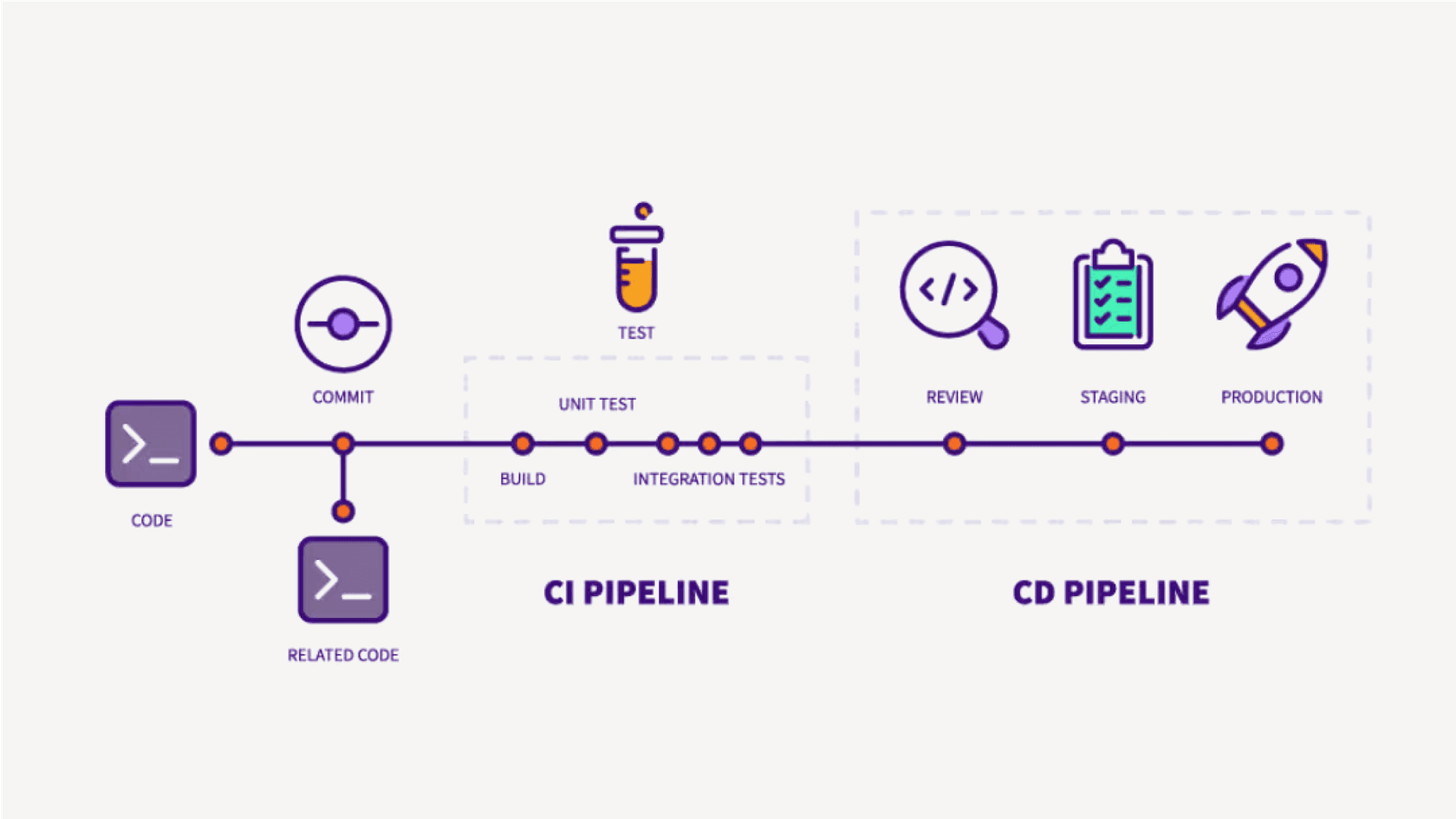
GitLab calls itself an all-in-one DevSecOps platform. The big idea is to give teams a single application to handle the entire software development lifecycle. It’s built on an "open core" model, which just means there's a free, open-source version you can use, plus paid tiers that pack in more features for bigger teams. Think source code management, CI/CD pipelines, security scanning, and agile planning, all trying to live together under one roof instead of being a messy collection of different tools.
A breakdown of the GitLab pricing tiers
GitLab has a specific philosophy for its pricing called "Buyer-Based Open Core". It sounds corporate, but the gist is simple: they group features into tiers based on who they think would care most about them. Individual developers get the Free stuff, managers and directors get Premium features, and executives get the Ultimate package. Knowing this helps make sense of why certain tools are where they are.
GitLab pricing: The free tier for individuals and small projects
The Free tier is actually pretty solid, especially for individual developers or small teams just getting their feet wet. It gives you all the fundamental DevOps tools you need for a personal project or to contribute to open-source work.
-
Core features: You get the essentials like source code management, a built-in CI/CD, and some basic project management boards.
-
Limitations: Here’s where you’ll feel the constraints. You’re capped at 5 users per group, 400 compute minutes a month for your pipelines, and 10 GiB of storage. It’s not a lot, but it’s enough to get started.
-
AI features: In a nice move, GitLab recently started including its basic AI Chat and Code Suggestions in the IDE for free users. It’s a great way to test-drive their AI without pulling out your credit card.
GitLab pricing: The premium tier for growing teams
At $29 per user per month, the Premium tier is aimed at teams that need to get more serious about collaboration and project management. But honestly, this is where some of the frustration with GitLab pricing starts to bubble up.
-
Key additions: You unlock more powerful CI/CD features (like parent-child pipelines), enterprise-level agile planning tools (think roadmaps and epics), release controls, and actual priority support. Your compute minutes also get a big bump to 10,000 per month.
-
What's missing: This is the big one. Key security scanning tools like SAST (Static Application Security Testing) and DAST (Dynamic Application Security Testing) are nowhere to be found. A lot of teams would argue these are essential for any professional project, not some luxury feature for executives. It makes the Premium tier feel a bit incomplete for what it costs.
GitLab pricing: The ultimate tier for enterprise security and compliance
The Ultimate tier is the whole shebang, built for large enterprises with a price tag to match (you have to contact sales to get a quote). This plan is where GitLab puts its full suite of security and compliance features, which is usually the main reason companies make the jump.
-
Who it's for: Big organizations that need top-tier security, strict compliance management, and high-level strategic planning tools.
-
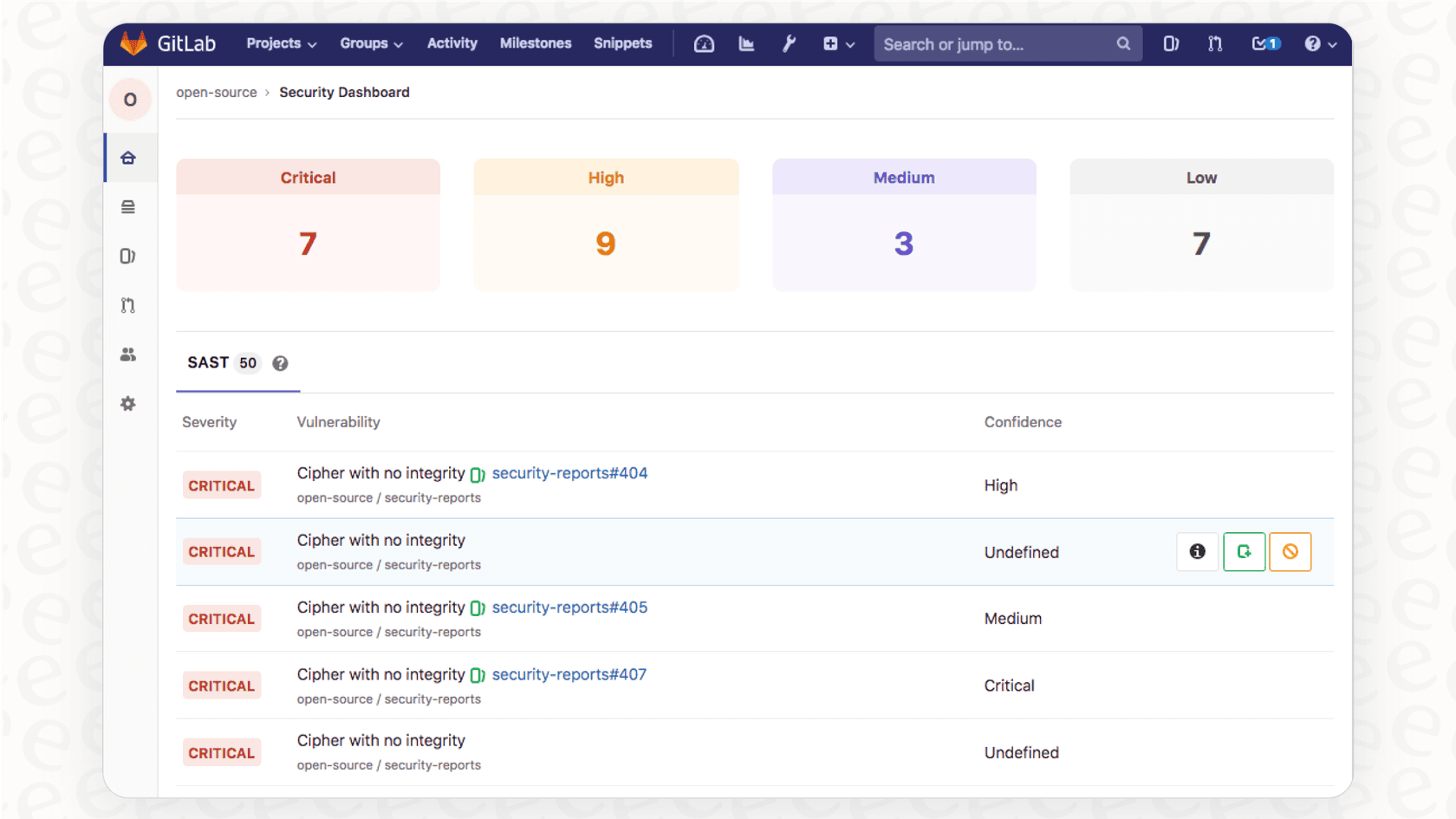
Exclusive features: This is where you find the good stuff: SAST, DAST, vulnerability management, fancy security dashboards, compliance frameworks, and value stream management.
-
The catch: By bundling all these critical security tools into the most expensive tier, GitLab puts smaller and mid-sized companies in a tough spot. If you care about security (and you should), you’re pretty much forced into a pricey plan that’s loaded with other enterprise features you might not need.
The hidden costs: What’s not included
The per-user price on the website isn't the final number. To really unlock the platform's potential, especially its new AI tools, you’ll probably need to open your wallet for some add-ons.
AI add-ons: GitLab Duo
GitLab is pushing its "intelligent DevSecOps platform" identity hard, but most of the cool AI features are sold separately in the GitLab Duo package.
-
GitLab Duo Pro: For an extra $19 per user per month, this can be added to Premium and Ultimate plans. It gives you genuinely useful tools like code generation, test generation, and code refactoring.
-
GitLab Duo Enterprise: This one is only for Ultimate customers. It's required for the most advanced AI features, like helping you find the root cause of an issue, suggesting vulnerability resolutions, and summarizing long issue threads.
Consumption costs: Compute minutes and storage
Every plan gives you a monthly allowance for compute minutes (for running CI/CD jobs) and storage. If you go over, you pay.
-
Compute minutes: Extra minutes will run you $10 per 1,000 minutes. If your team runs a lot of CI/CD jobs, you can blow through your monthly allowance faster than you think.
-
Storage: Need more space? That'll be $5 per month for an extra 10 GiB.
This pay-as-you-go model for extras can make your monthly bill a bit of a moving target if you’re not keeping a close eye on it.
| Add-On | Price | Available On | Key Features |
|---|---|---|---|
| GitLab Duo Pro | $19/user/month | Premium, Ultimate | Code generation, test generation, chat |
| GitLab Duo Enterprise | Contact Sales | Ultimate Only | Vulnerability resolution, root cause analysis |
| Compute Minutes | $10 per 1,000 | All Plans | Additional CI/CD pipeline execution time |
| Storage | $5/mo per 10 GiB | All Plans | Additional repository and LFS storage |
Is GitLab pricing worth it? A value analysis
When you add it all up, a single user on the Premium plan could cost you $48 per month ($29 base + $19 for AI). That's not cheap. For many, the real issue is paying a premium price for a plan that holds back essential security features, basically nudging you toward the much pricier Ultimate plan. When you look at alternatives like GitHub, whose Team plan offers a lot of similar features for a lot less money, GitLab's value starts to look a bit shaky.
Look, this whole "all-or-nothing" bundle isn't just a GitLab thing. It happens everywhere. Think about customer support teams. They often face the same dilemma: either buy a huge, expensive helpdesk suite when they only need a couple of key features or get pushed into a painful migration just to get better AI automation.
A more modern way of thinking is to find tools that plug into what you already use, making your current setup better instead of forcing you to start over. For example, platforms like eesel AI connect directly to your helpdesk (whether it’s Zendesk or Freshdesk) and add powerful AI that can automate ticket responses and triage in minutes. It's this philosophy of adding specific, high-value tools without the "rip and replace" nightmare that a lot of teams are looking for now.
A complete overview of GitLab pricing plans
To help you see it all in one place, here’s a more detailed comparison of what you get in GitLab's Free, Premium, and Ultimate tiers. This table focuses on the features that teams usually care about most when they're deciding.
| Feature Category | Free | Premium ($29/user/mo) | Ultimate (Contact Sales) |
|---|---|---|---|
| Source Code Management | ✔️ | ✔️ | ✔️ |
| CI/CD Pipelines | ✔️ (400 mins/mo) | ✔️ (10,000 mins/mo) | ✔️ (50,000 mins/mo) |
| Advanced CI/CD | ❌ | Merge Trains, Pipeline Dashboards | ✔️ |
| Agile Planning | Basic Issue Boards | Epics, Roadmaps, Issue Weights | Portfolio Management |
| Basic Security | Secret Detection, Container Scanning | ✔️ | ✔️ |
| Advanced Security (SAST/DAST) | ❌ | ❌ | ✔️ |
| Vulnerability Management | ❌ | ❌ | Security Dashboards, Vulnerability Reports |
| Compliance | ❌ | Compliance Frameworks, Audit Events | Compliance Dashboards & Policies |
| Support | Community Support | Priority Support | Priority Support (faster response) |
| AI (GitLab Duo) | Basic (IDE only) | Add-on ($19/user/mo) | Add-on (Enterprise) |
Making the right GitLab pricing choice for your team
At the end of the day, GitLab's pricing strategy is pretty clear: it's built to steer growing companies toward its most profitable tier, Ultimate. The platform itself is incredibly powerful, but the value of the mid-range Premium plan is debatable, especially if security is a top priority for you.
Your decision really boils down to your budget and whether you absolutely need the tightly-knit, all-in-one security and compliance features that only the Ultimate plan offers. If you don't, you might get more bang for your buck by picking and choosing more focused tools that do one thing really, really well.
Beyond GitLab pricing: Get clear value from your tools, starting with support
Picking the right DevOps platform is about finding something that fits your team's workflow and budget without making you feel like you're compromising. That same logic should apply to your customer support tools.
If you’re looking for an AI tool that gives you immediate value without forcing you to switch platforms, eesel AI was made for that. It integrates right into your existing helpdesk, learns from your knowledge base, and starts automating support in minutes, not months. You get full control over what gets automated, transparent pricing, and a completely risk-free way to see the impact for yourself.
Try eesel AI for free and see how simple powerful AI can be.
Frequently asked questions

Share this article

Article by
Kenneth Pangan
Writer and marketer for over ten years, Kenneth Pangan splits his time between history, politics, and art with plenty of interruptions from his dogs demanding attention.