HelpCrunch pricing in 2026: a complete breakdown (and what you'll actually pay)


Last edited June 22, 2026
Table of Contents
- A quick note on why the bill is the part that matters
- What HelpCrunch actually is
- HelpCrunch pricing at a glance
- The two axes that quietly move your bill
- The part the sticker price hides: AI conversations and data sources
- What you'll actually pay: two worked examples
- Where HelpCrunch is genuinely strong
- Where the pricing model bites
- The bigger question: per-seat-plus-add-on, or usage-based?
- Try eesel
A quick note on why the bill is the part that matters
I've spent the last three-plus years putting AI agents on live support queues, and the most repeated moment I see has nothing to do with whether the AI is good. It's the moment the buyer opens the billing page. One team I watched ran a dozen test chats, loved every answer the agent gave, then visited pricing and immediately filed a cancellation request. The product worked. The pricing model surprised them, and surprise is what kills trust.
That's the lens I'm bringing to HelpCrunch. It's a likeable, capable platform with a deserved reputation as an affordable pick. But "affordable" is a claim about the first layer of the bill, and support tools increasingly hide the real cost in the AI layer. So let's price all of it.
What HelpCrunch actually is
HelpCrunch is a customer communication platform: live chat, a chatbot and AI Agents, a self-service knowledge base, email and popup campaigns, and a shared inbox that pulls chat, email, and social channels into one place. It's pitched at small and growing teams that want one tool instead of stitching together a live chat app, a knowledge base tool, and an email platform.
On the review sites it's well-liked: 4.7/5 from 238 reviews on G2 and 4.8/5 from 195 on Capterra. The single most-cited reason people pick it is price-to-value, and the dominant Reddit framing is the same: a cheaper option that doesn't feel cheap. One r/CustomerSuccess thread sums up the appeal:
"HelpCrunch - Starts at $15/month per team member. Bundles live chat, knowledge base, chatbot and auto messages under one roof. Good value if [you need all of it]…"
r/CustomerSuccess, "5 Best live chat tools worth looking at"
Keep that "if you need all of it" in mind. It's the whole pricing story in one clause.
HelpCrunch pricing at a glance
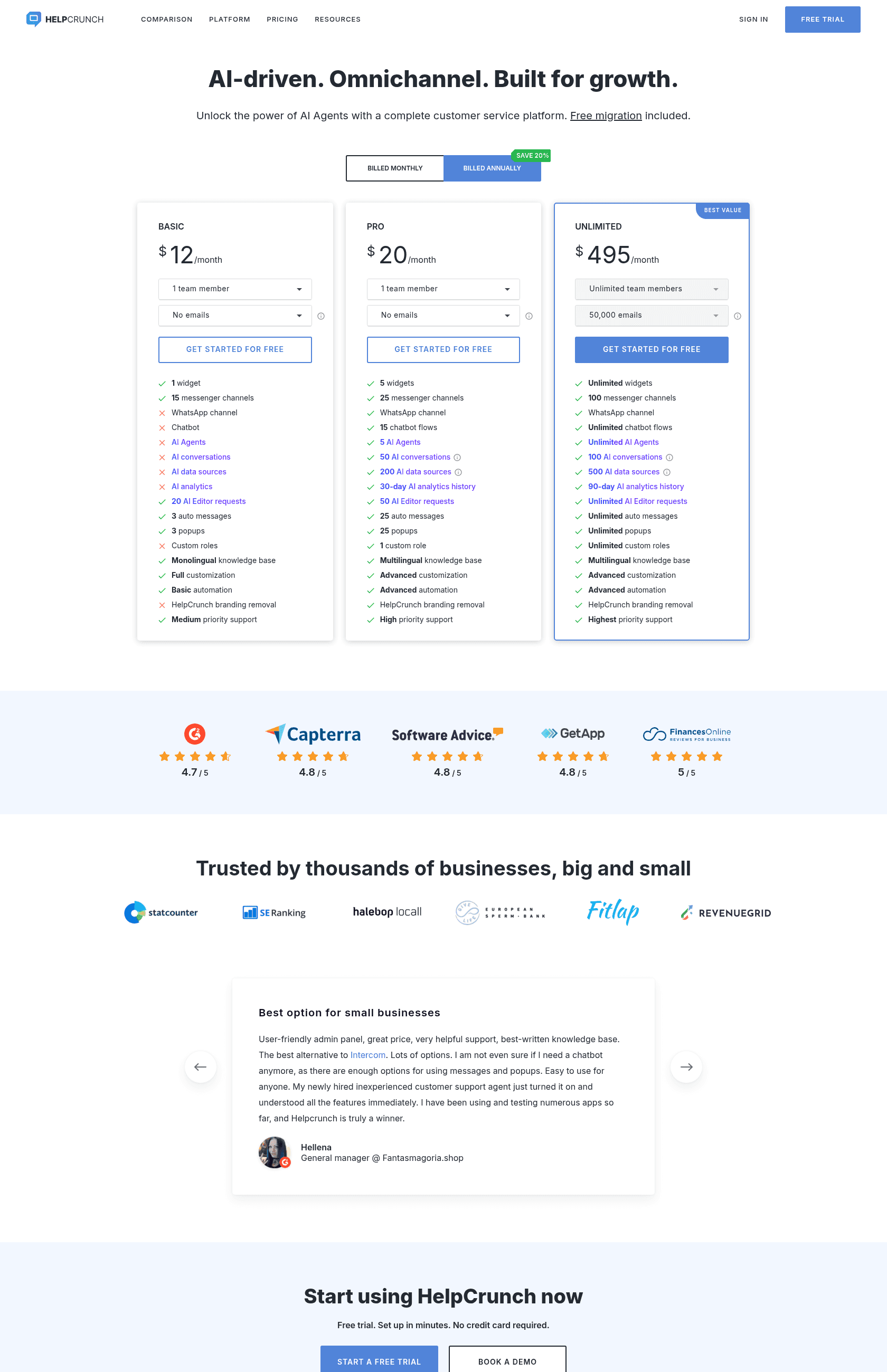
Three plans, all billed per team member and per email-volume tier, with a 20% discount for paying annually. Here are the base prices and the headline limits, taken straight from the HelpCrunch pricing page.
| Basic | Pro | Unlimited | |
|---|---|---|---|
| Price (billed annually) | $12 / seat / mo | $20 / seat / mo | $495 / mo |
| Price (billed monthly) | ~$15 / seat / mo | ~$25 / seat / mo | ~$619 / mo |
| Team members | 1–20 (slider) | 1–20 (slider) | Unlimited |
| Email volume / month | up to 200,000 | up to 1,000,000 | 50,000 (fixed) |
| Chat widgets | 1 | 5 | Unlimited |
| Messenger channels | 15 | 25 | 100 |
| WhatsApp channel | No | Yes | Yes |
| Chatbot flows | No | 15 | Unlimited |
| AI Agents | No | 5 | Unlimited |
| AI conversations (free/mo) | None | 50 | 100 |
| AI data sources (free) | None | 200 | 500 |
| AI Editor requests | 20 | 50 | Unlimited |
| Auto messages (active) | 3 | 25 | Unlimited |
| Knowledge base | Monolingual | Multilingual | Multilingual |
| Remove HelpCrunch branding | No | Yes | Yes |
| Custom roles | No | 1 | Unlimited |
The thing to notice on first read: almost everything interesting starts on Pro. Basic gives you one widget, no chatbot, no AI Agents, no WhatsApp, and it leaves the "Powered by HelpCrunch" badge on your widget. It's a real plan, but it's the live-chat-and-a-help-center plan, not the AI plan.
The two axes that quietly move your bill
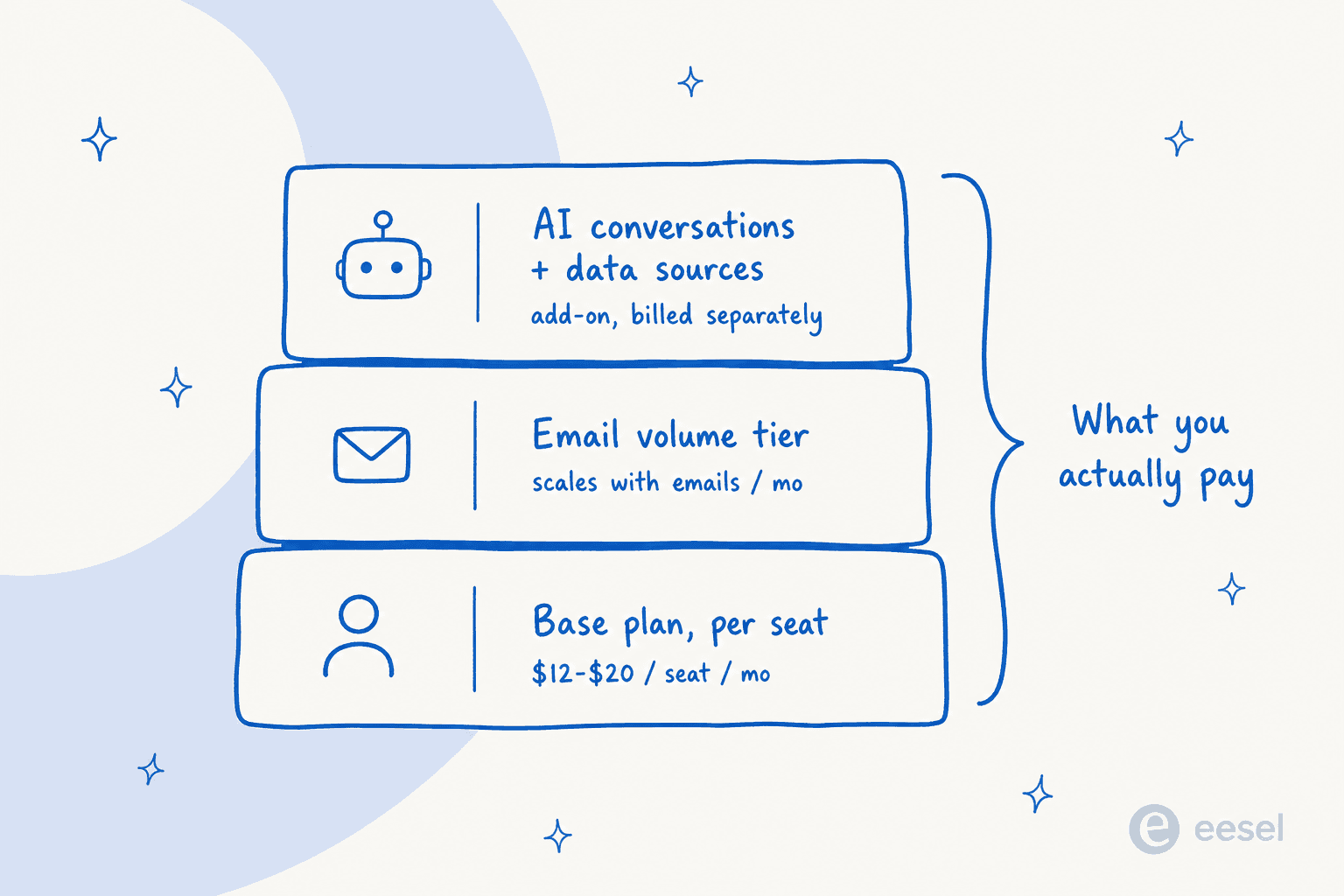
The plan cards show a single price because they default to one seat and no email volume. In reality you're dragging two sliders, and both add money.
Seats. Basic and Pro both price per team member, stepping one seat at a time from 1 to 20. A five-person team on Pro isn't paying $20/month; it's paying roughly five times the per-seat rate. This is the part that feels familiar from every per-agent helpdesk, and it's also the part that makes the model expensive as you hire.
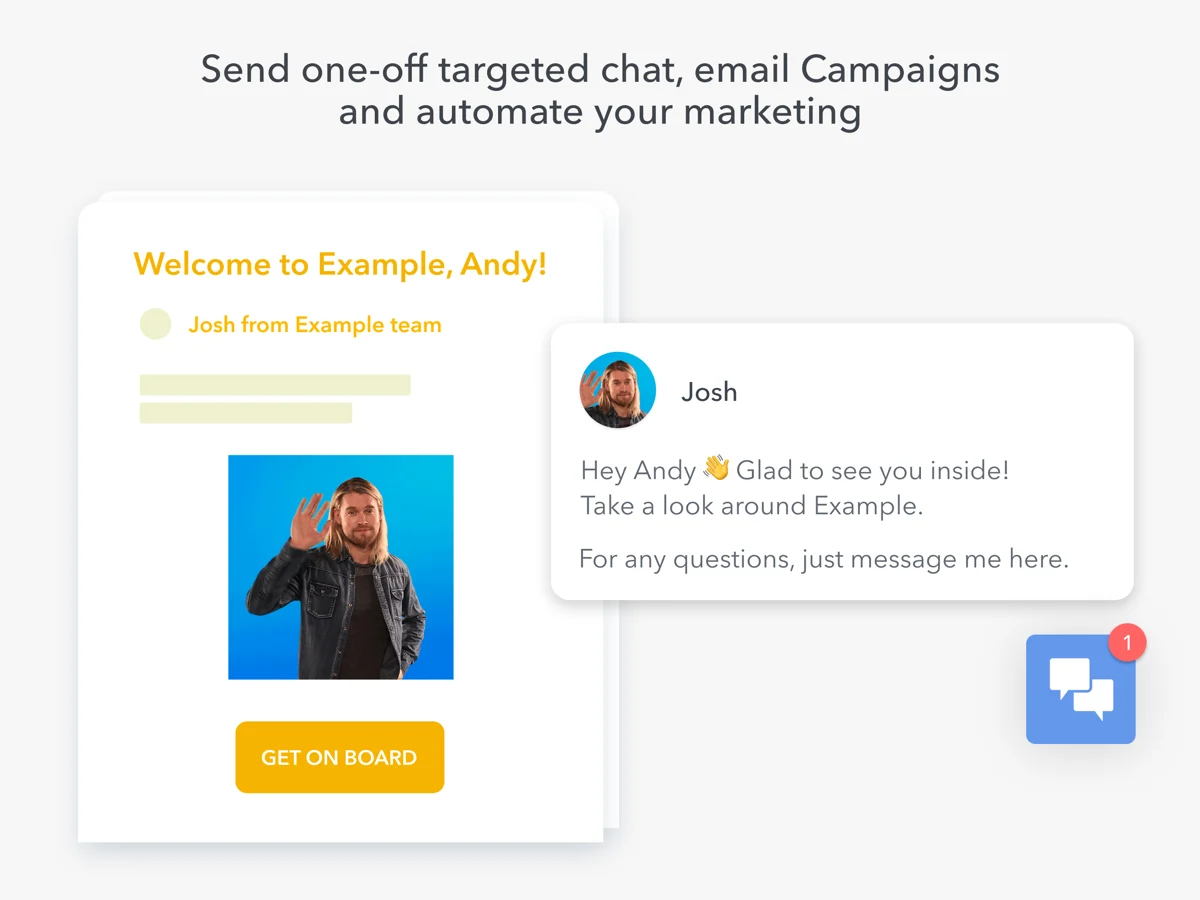
Email volume. HelpCrunch meters the emails you send each month, which includes manual replies from the inbox, one-time blasts, and automated campaign sends. Basic tops out at 200,000 emails/month; Pro goes to a million. If you lean on HelpCrunch's email and popup campaigns for marketing, this slider is a second dial on your bill, separate from headcount.
Live chat itself isn't metered, which is genuinely nice: unlimited chats on every plan. So the per-seat and per-email math is the whole base-layer story. And then there's the AI.
The part the sticker price hides: AI conversations and data sources
This is where a HelpCrunch quote and a HelpCrunch invoice can drift apart. AI Agents are real, and on paper they're well-built: HelpCrunch ships a no-code chatbot builder where you wire up triggers, data requests, and an "AI Conversation" node that resolves, routes, or escalates. The builder is one of the nicer ones I've seen at this price.
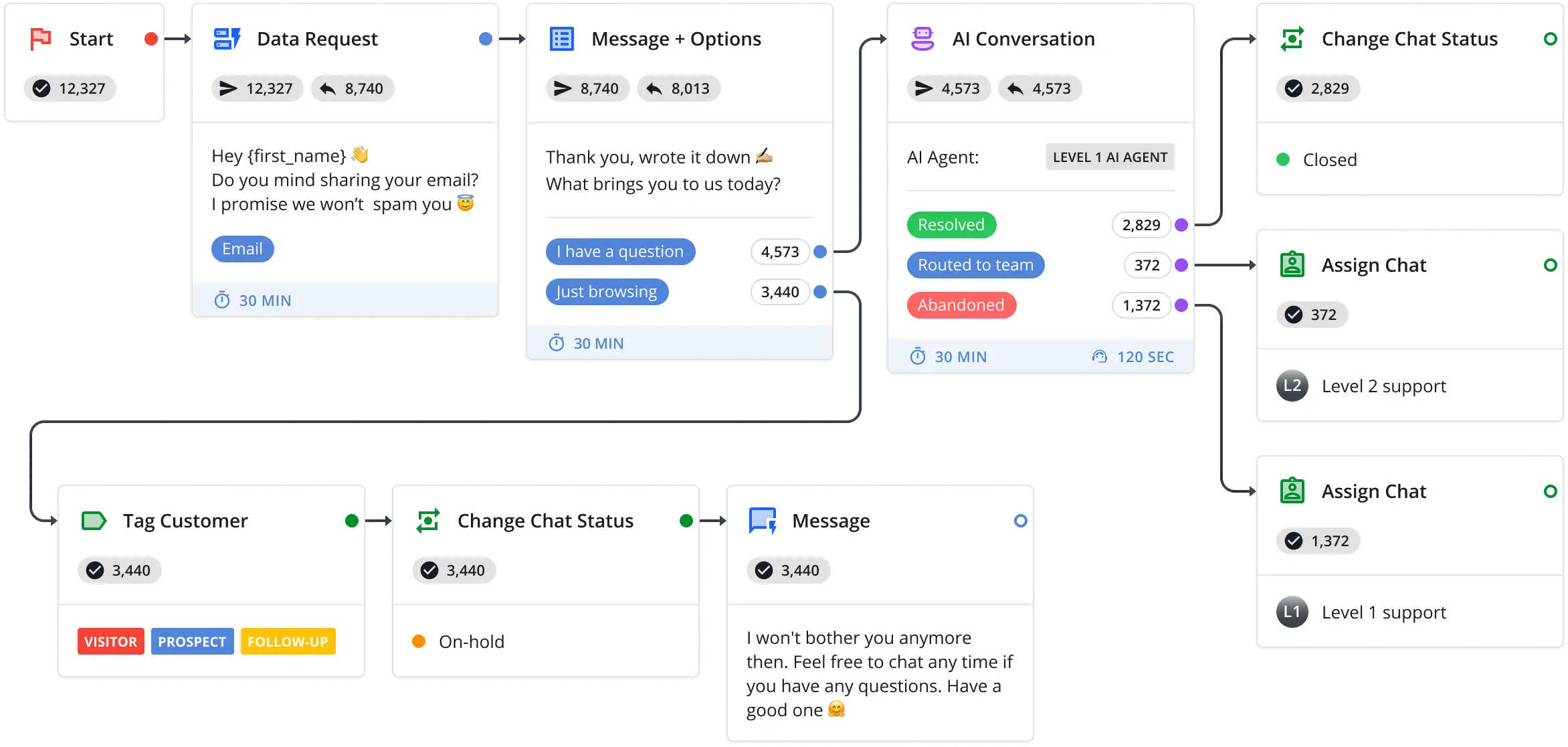
But the AI is metered on two separate dimensions, on top of your plan:
- AI conversations - the number of conversations your AI Agents handle per month. Pro includes 50 free, Unlimited includes 100. After that you buy extension packs.
- AI data sources - how many sources (help articles, custom answers) you can train the AI on. Pro includes 200, Unlimited 500. More costs extra.
Here's the AI conversations ladder, billed annually (per month):
| Extra AI conversations / mo | Billed annually (per month) | Billed monthly |
|---|---|---|
| 100 | $23.20 | $29 |
| 500 | $100 | $125 |
| 1,000 | $160 | $200 |
| 5,000 | $600 | $750 |
| 10,000 | $800 | $1,000 |
| 50,000 | $3,200 | $4,000 |
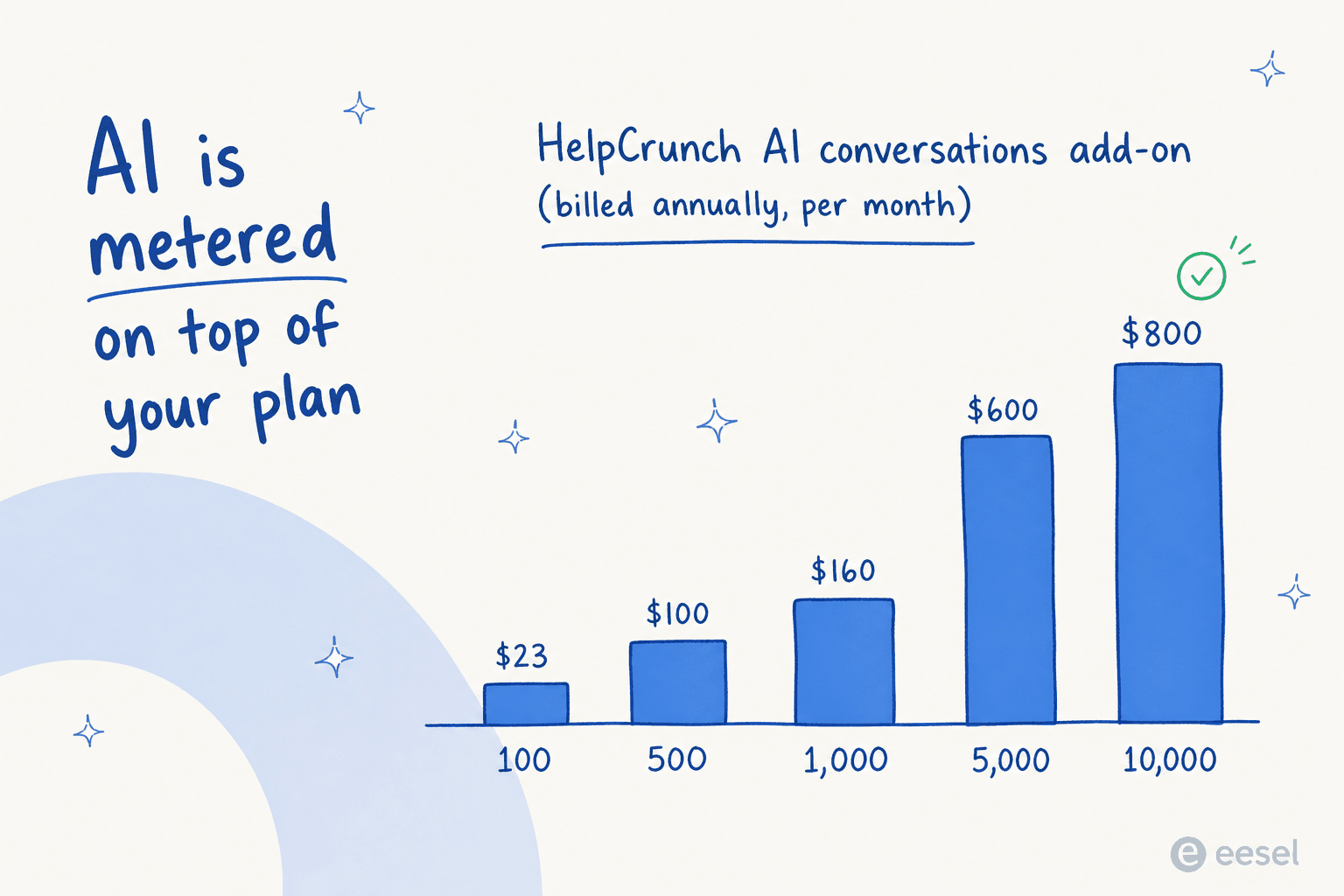
At the small end this is reasonable: 100 extra conversations for around $23 works out to roughly 23 cents each. But notice the shape. By the time the AI is doing real work, the add-on dwarfs the base plan. A team resolving 5,000 conversations a month with AI is paying $600/month for that alone, on top of seats and email volume. The $20 sticker is now a rounding error.
This isn't a HelpCrunch-specific trick; it's how a lot of bundled tools price AI. But it's exactly why the billing-page surprise I mentioned earlier happens. Reviewers feel it too. On Capterra, the cons field on one otherwise-positive HelpCrunch review is a single line:
"That we need to pay extra for AI Editor."
Anastasiia S, Marketing Manager, Capterra
What you'll actually pay: two worked examples
Let me make this concrete with the numbers above.
A 3-person support team on Pro, light AI use. Three Pro seats at $20 (annual) is $60/month. Add a modest email tier and you're maybe $80–100/month. Stay inside the 50 free AI conversations and the AI is free. Total: roughly $100/month, and honestly that's a strong deal for live chat, a multilingual knowledge base, a chatbot, and branding removal.
A growing team leaning on the AI. Say five Pro seats ($100/month), a mid email tier, and the AI now handles 1,000 conversations a month. That AI add-on alone is $160/month (annual), plus extra data sources if you've outgrown 200. Now you're closer to $300/month, and rising with every conversation the AI takes. The base plan is a third of the bill.
Neither number is outrageous. The point is that the second scenario is the one that grows, and it grows on the axis you can least predict: how many conversations your customers start. A busy month, a product launch, a Black Friday spike, and your AI line item moves with it. That's the structural thing to understand before you commit, and it's the same reason a cost-savings analysis should always model your busy month, not your average one.
Where HelpCrunch is genuinely strong
I don't want to leave the impression this is a bad-value tool. It isn't. A few things it does well, and that the price reflects:
- The bundle is real. Live chat, knowledge base, chatbot, shared inbox, and email campaigns under one login is a lot for the money, and consolidating tools is a legitimate way to cut spend. One G2 reviewer put the value plainly: "The platform provides all the core functionality needed for customer support and communication without the high costs often associated with similar tools."
- Support quality. This comes up again and again. As one G2 review noted, "The support team is truly professional and responsive. They don't use canned answers or bots."
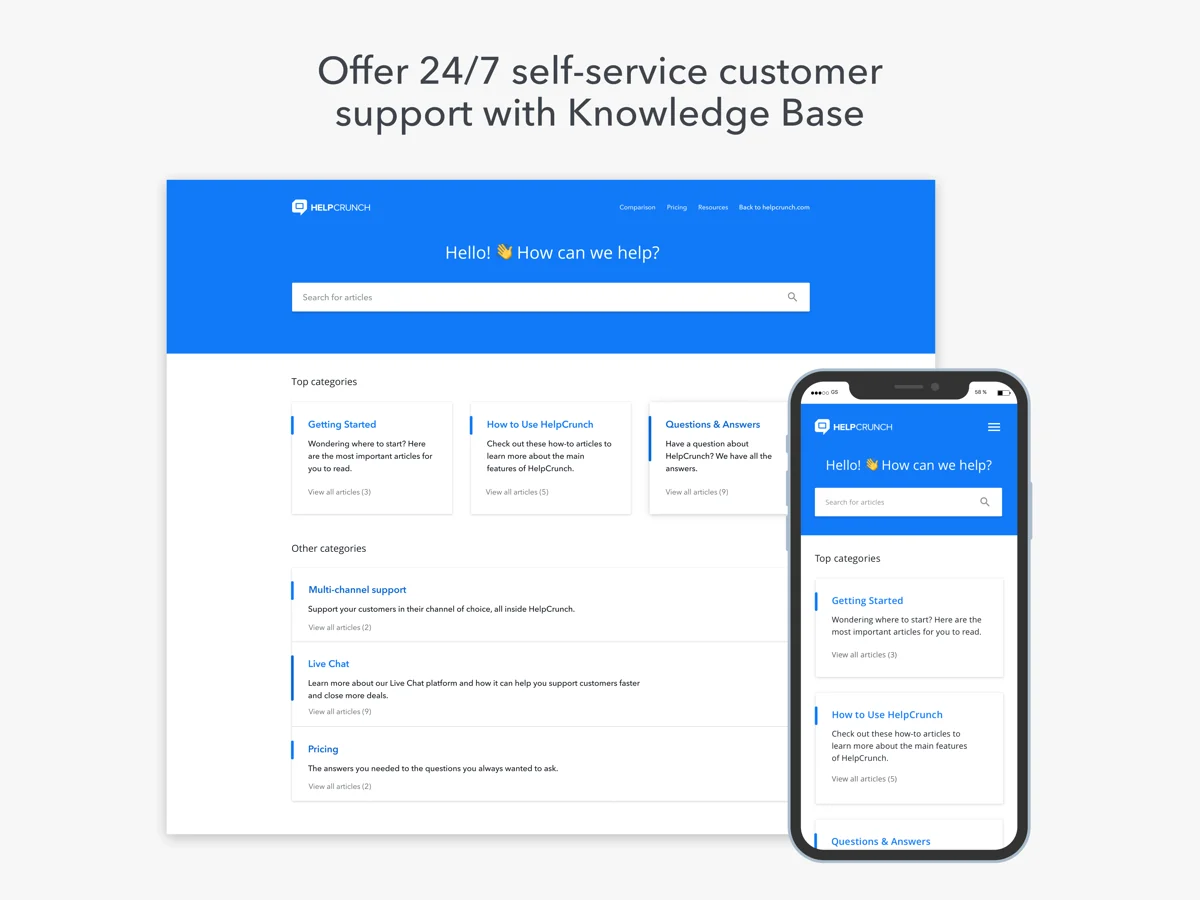
- The knowledge base is good. Multilingual on Pro and up, with a clean self-service help center and an AI editor for writing articles.
Where the pricing model bites
The flip side, and the part most pricing posts skip:
- Core features are gated upward. The most-upvoted organic complaint I found is about basic functionality living on higher tiers. A non-incentivized Capterra review describes it well:
"Lack of some basic functionality at lower pricing levels (e.g. if a customer chats, then goes offline, the software won't email the customer that there's a new message unless you're on a higher plan that costs twice as much)."
Grant G, Senior Technical Lead, Capterra
- The AI is the expensive layer, and it's the layer you came for. If you're shopping HelpCrunch in 2026, you probably want the AI Agents. Those are exactly the metered, separately-billed part.
- The automation depth is still maturing. This is the consistent Reddit read. As one r/SaaS comment put it:
"Helpcrunch is more affordable but limited. If you want alternatives, check out Ada, YourGPT, Tidio, or Yellow AI."
u/One_Beautiful_650, r/SaaS
If you're comparing options on that axis, our roundups of Tidio alternatives, Chatwoot alternatives, and Crisp alternatives cover the neighbours, and Crisp pricing and Help Scout pricing are the closest direct comparisons.
The bigger question: per-seat-plus-add-on, or usage-based?
Step back from HelpCrunch for a second, because the real decision is about pricing shape, not vendor.
HelpCrunch charges you per human seat, then again per AI conversation. That's two meters running at once, and they move in opposite directions from what you want: you pay more as you hire and more as the AI succeeds at taking work off your team. A per-conversation AI fee technically penalizes you for the AI doing its job well, and it spikes in exactly the high-volume months when budgets are tightest.
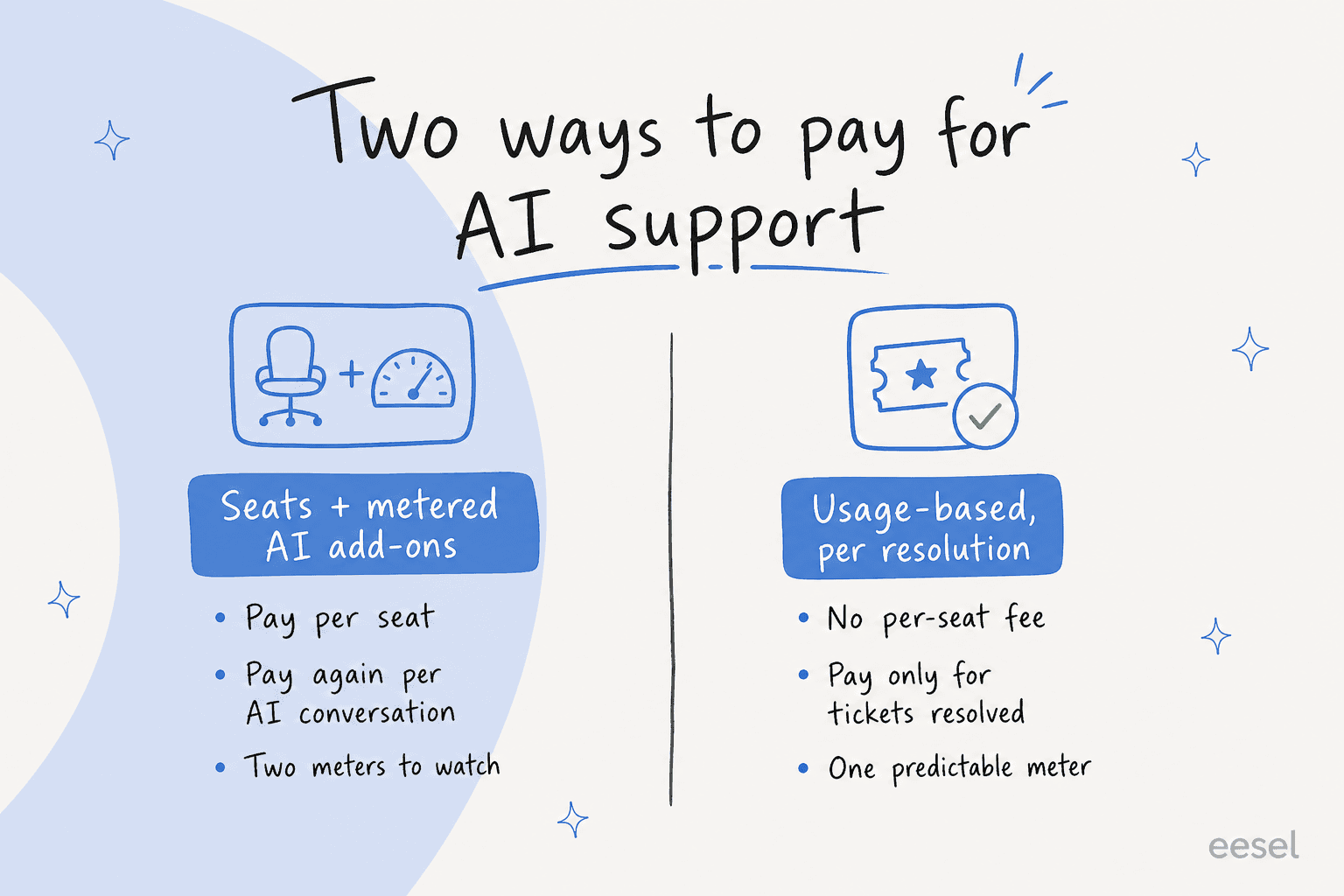
There's a different shape: usage-based pricing that charges per ticket the AI actually handles, with no per-seat fee at all. When I've run the cost comparison for teams weighing the two, per-resolution and per-seat models both lose their shine the moment volume is seasonal. A flat per-ticket rate keeps November's bill proportional to November's work, instead of stacking a seat charge and an AI-conversation charge that both balloon. It's the same reasoning behind the wider build vs buy decision, and it's why I'd push any team past the sticker price and into a worked annual model before signing.

Try eesel
If the HelpCrunch math is making you nervous about the AI layer, that's the gap eesel AI is built for. Instead of paying per seat and then again per AI conversation, eesel is an AI support agent that plugs into the helpdesk you already run (Zendesk, Freshdesk, Gorgias, Front, Help Scout, and more) and is priced purely on usage: from $0.40 per ticket it handles, no per-seat fee, no separate AI meter. You pay for resolved work, not for headcount or for the privilege of turning the AI on.
The differentiator that matters most for the pricing-shock problem: eesel runs a simulation on your historical tickets before you go live, so you see exactly what it would have resolved (and what it would have cost) before a single customer touches it. No billing-page surprises. You can start on a free trial with $50 of usage and no credit card, and there's a spend cap so a busy month can never blindside you.

If you're set on an all-in-one bundle and your volumes are modest, HelpCrunch is a fair, likeable choice and I'd happily recommend it for the right team. But if the AI is the reason you're shopping, run the per-conversation math against a usage-based model first. The sticker price is rarely the bill.
Frequently Asked Questions

Share this article