Notion AI review: Is it worth it for teams? (2026)

Last edited August 7, 2025
Notion has become the digital home for countless teams, acting as a central spot for everything from company wikis to detailed project plans. So when they launched Notion AI, it felt like a pretty logical next step is a smart assistant designed to help you write, summarize, and find information without leaving your workspace.
But here’s the thing. While Notion AI is a big help for tasks inside Notion, many teams find they need more, especially those working in customer support or IT. They need an AI that doesn’t just live in a wiki but also works inside their help desk, chat tools, and other daily apps.
This review will give you an honest look at what Notion AI does well, where its limits start to show, and how other tools can fill the gaps for teams whose work happens well beyond a single app.
What is Notion AI?
At its heart, Notion AI is a helper built directly into the Notion workspace. It uses AI models (like GPT-4) to handle different text-based jobs for you. Think of it as a writing partner that can summarize content, brainstorm ideas, draft documents, fix your spelling, or even translate text.
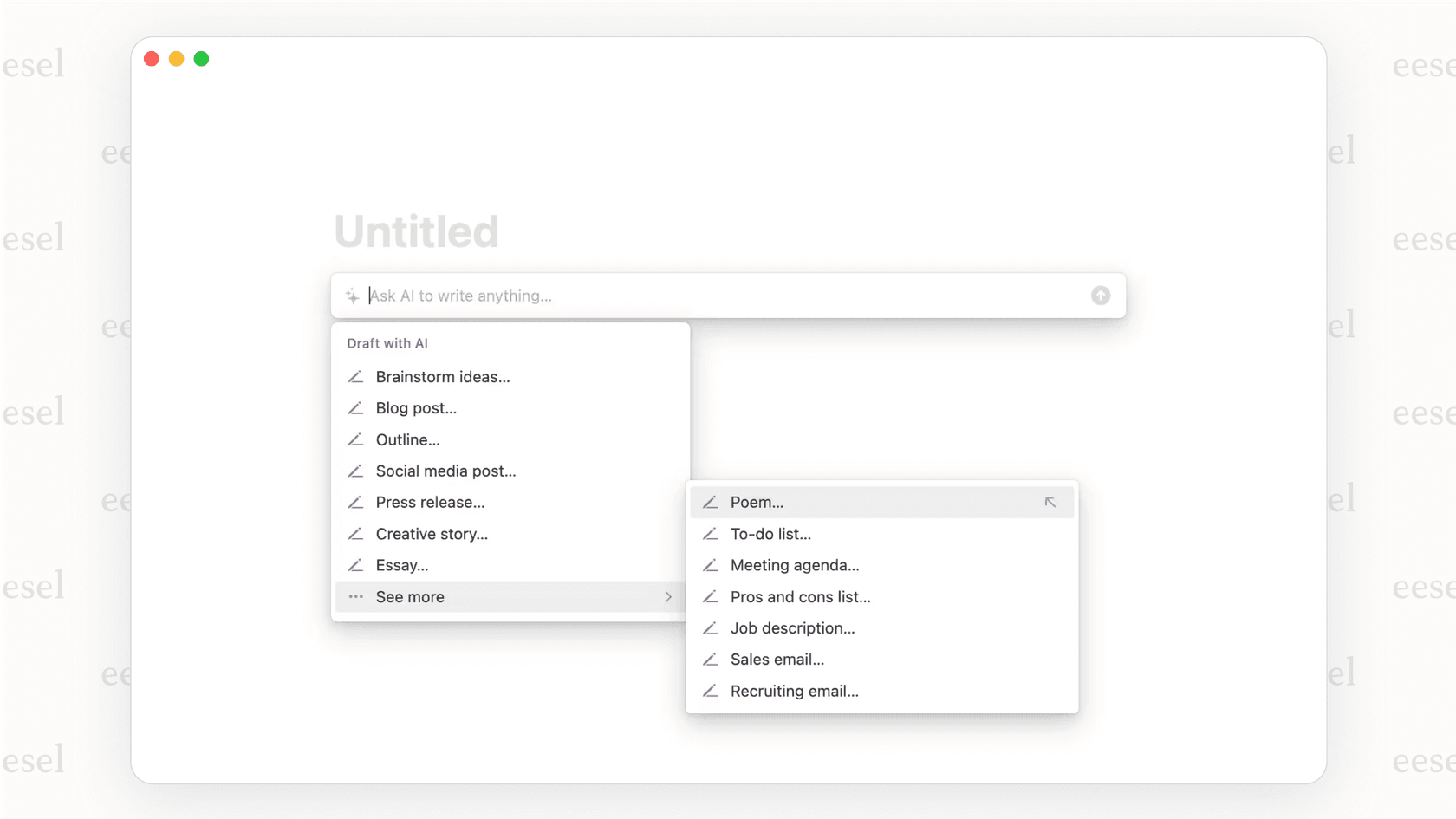
Its main advantage is how smoothly it works with Notion pages and databases. If your team is already all-in on Notion, you'll likely find it incredibly handy for day-to-day content tasks.
What can Notion AI actually do?
Notion AI has a lot of features packed in, but it helps to know what each one is really for and where you might need something more specialized for your business.
Notion AI for AI-powered writing and content help
This is where Notion AI really shines. You can give it a simple prompt and watch it whip up a first draft of a blog post, email, or social media update. It also has a bunch of tools to polish your writing, letting you change the tone, fix grammar, or make complicated text easier to understand. It’s a great way to get past writer's block and speed things up.
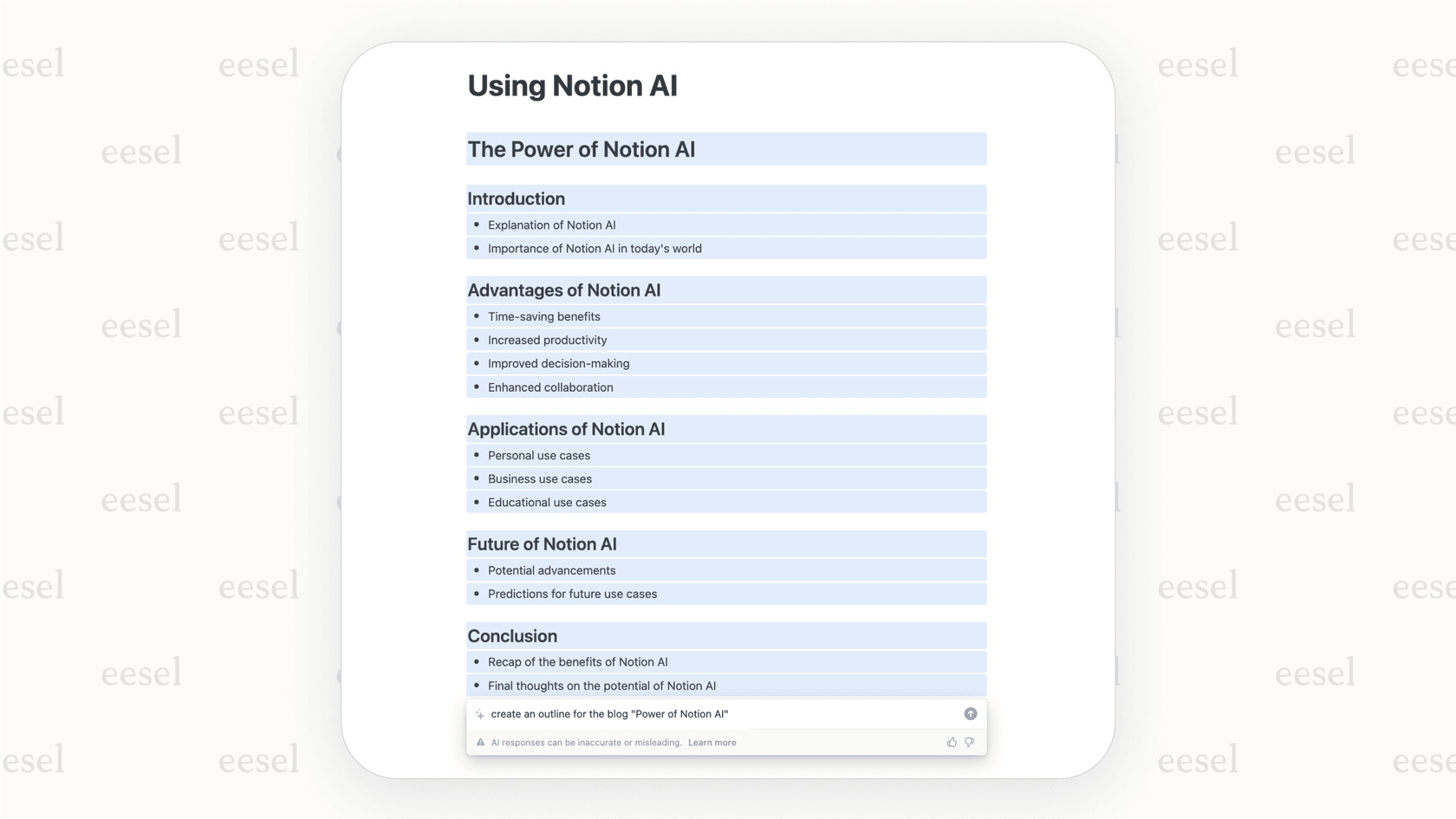
However, it's a tool for creating content, not for handling real-time customer chats. It can't generate a reply based on a customer's specific history or details from their past support tickets. For that, you’d need an AI that learns from actual conversations and works inside your help desk, which is exactly what tools like eesel AI's Copilot are built for.
Answering questions and finding information with Notion AI
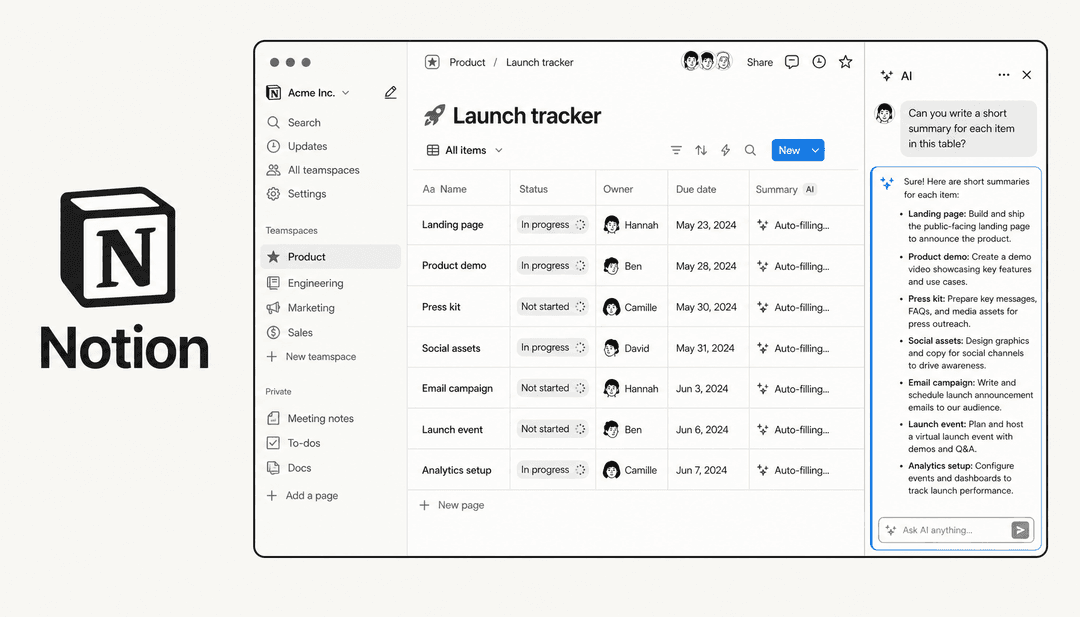
One of Notion AI’s handiest tricks is its ability to answer questions based on the information stored in your workspace. You can ask it to dig up specific details or summarize long documents and meeting notes, getting you the key points in just a few seconds.
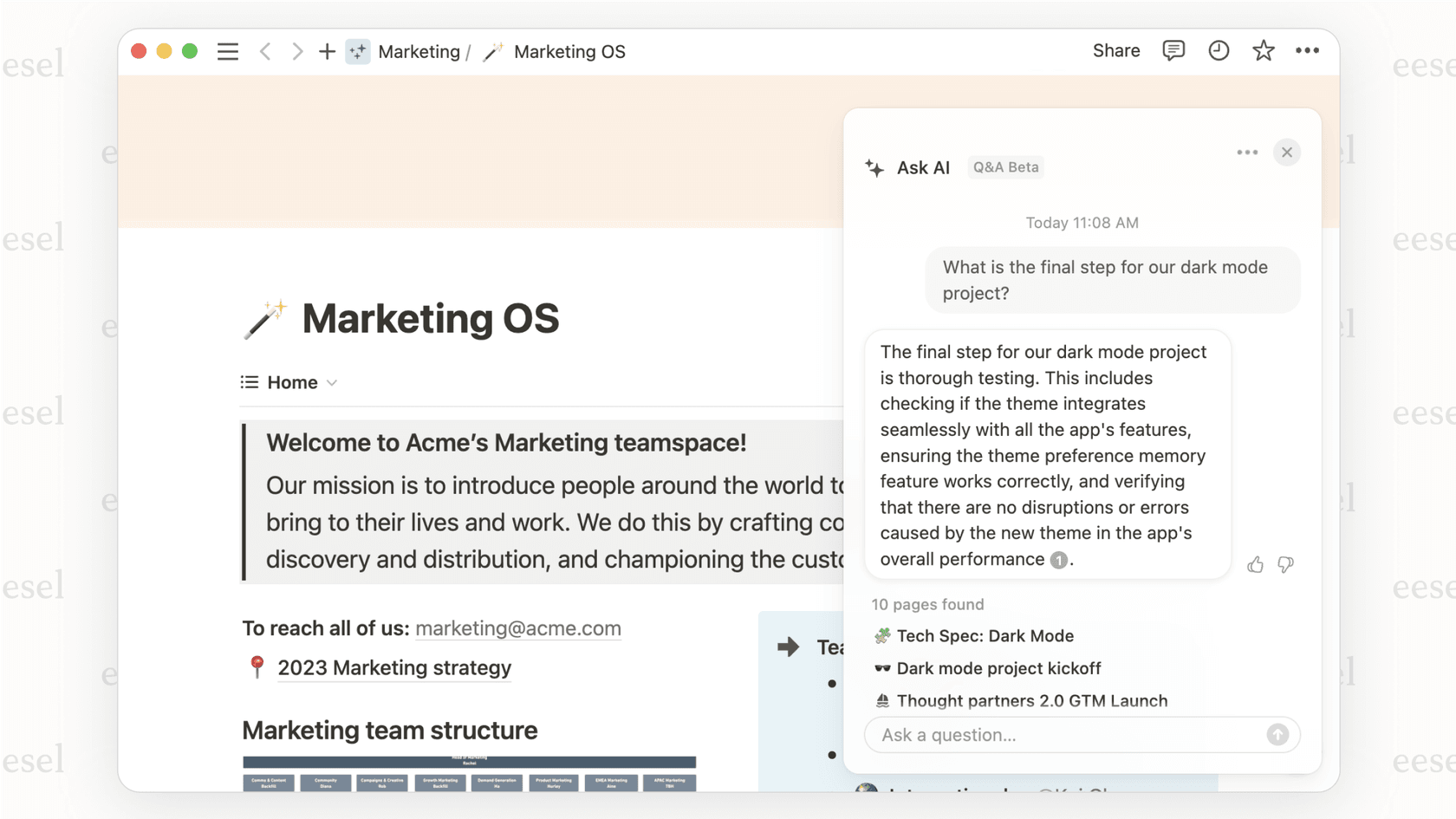
The catch is that it works best with static knowledge the kind of information you keep in wikis and project briefs. When you need to find information that’s constantly changing and scattered across tools like Slack, a help desk like Zendesk, or your product databases, it’s limited to a basic search. In contrast, a platform like eesel AI is designed to connect all those different sources and give instant, accurate answers to both your team and your customers.
Notion AI for AI-assisted databases and workflows
You can tell Notion AI to "create a project tracker for the marketing team," and it will suggest relevant fields and views to get you started. It's a surprisingly fast way to set up things like content calendars, simple CRMs, and task lists without building them from scratch.
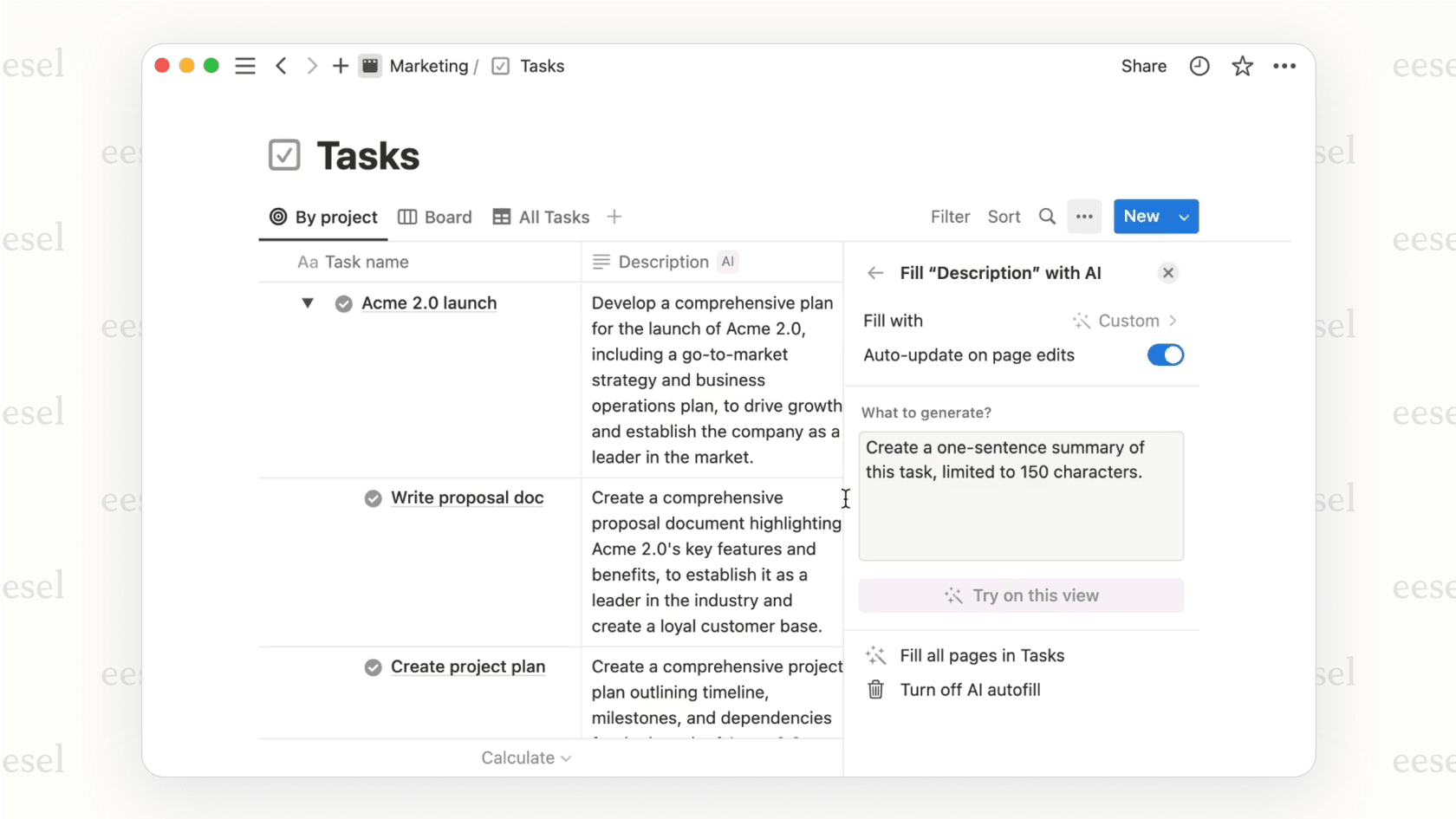
Pro Tip: Notion AI is great at building the frame for a workflow, but it can’t automate the actions that cross over into other apps, which is something modern support and IT teams depend on. For example, it can’t automatically look at a new ticket in Jira Service Management, send it to the right person based on what it's about, and then pop a notification into Slack.
How Notion AI connects to other apps
How well an AI tool plays with others is a huge deal for any business. Notion AI's approach is mostly about pulling information into Notion, not so much about taking action outside of it.
What are Notion AI connectors?
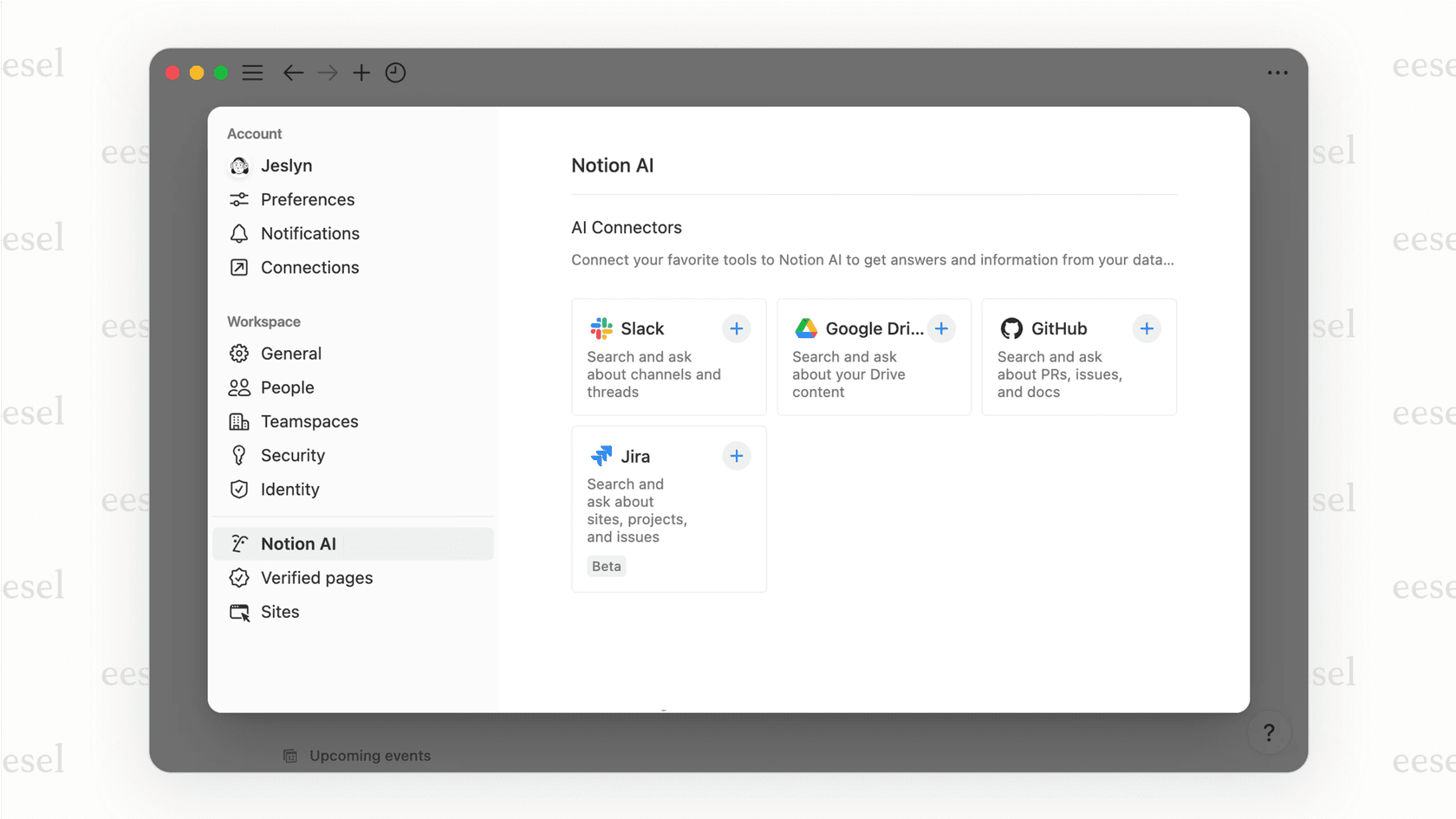
Notion AI Connectors let the AI search for information in a few other popular apps, like Slack, Google Drive, Jira, and GitHub. When you ask a question, Notion AI can pull answers from a Google Doc or a Slack thread and show them to you right in the Notion chat window, telling you where it found the info. It’s a nice way to search multiple places without leaving your workspace.
The limits of Notion AI's search-based connections
Here’s the catch: these connectors are for finding information, not doing things. Notion AI can find a Jira ticket for you, but it can't update its status, assign it to someone, or draft a reply based on its contents. This is a huge difference for any team that needs to automate their processes, not just look up documents.
A purpose-built AI platform like eesel AI doesn't just find information. Its AI Agent and AI Triage products can actually resolve tickets, tag issues, and run entire workflows inside your existing tools like Zendesk, Freshdesk, or Intercom.
| Feature | Notion AI Connectors | eesel AI Integrations |
|---|---|---|
| Main Goal | Finding & Summarizing Information | Automating & Taking Action |
| What It Does | Finds answers in connected apps | Takes action inside connected apps |
| Example | "Summarize the project brief in Google Docs." | "When a billing ticket comes in, tag it and draft a reply using the macro." |
| Where It Focuses | Internal knowledge (Notion, Google Drive) | External & Internal (Zendesk, Freshdesk, Slack, Confluence) |
| Its Approach | Puts all search into Notion | Adds intelligence on top of your existing tools |
Where Notion AI falls short for support and IT
While Notion AI is a flexible tool, its core design creates some real problems for teams with specific, high-volume jobs like customer support and IT help desks.
The Notion AI "walled garden" problem
Notion AI is built to keep you inside the Notion world. Its usefulness drops the second your team’s most important work moves to other platforms. To get the most from it, you’re basically encouraged to move all your knowledge and processes into Notion.
For most established teams, that "rip-and-replace" idea is a non-starter. A better way is to "layer" AI on top of the tools you already use, without a painful migration. eesel AI is designed as that layer, connecting to your help desk, chat tools, and wikis to bring intelligence right where your team is already working.
Why Notion AI is not built for customer support
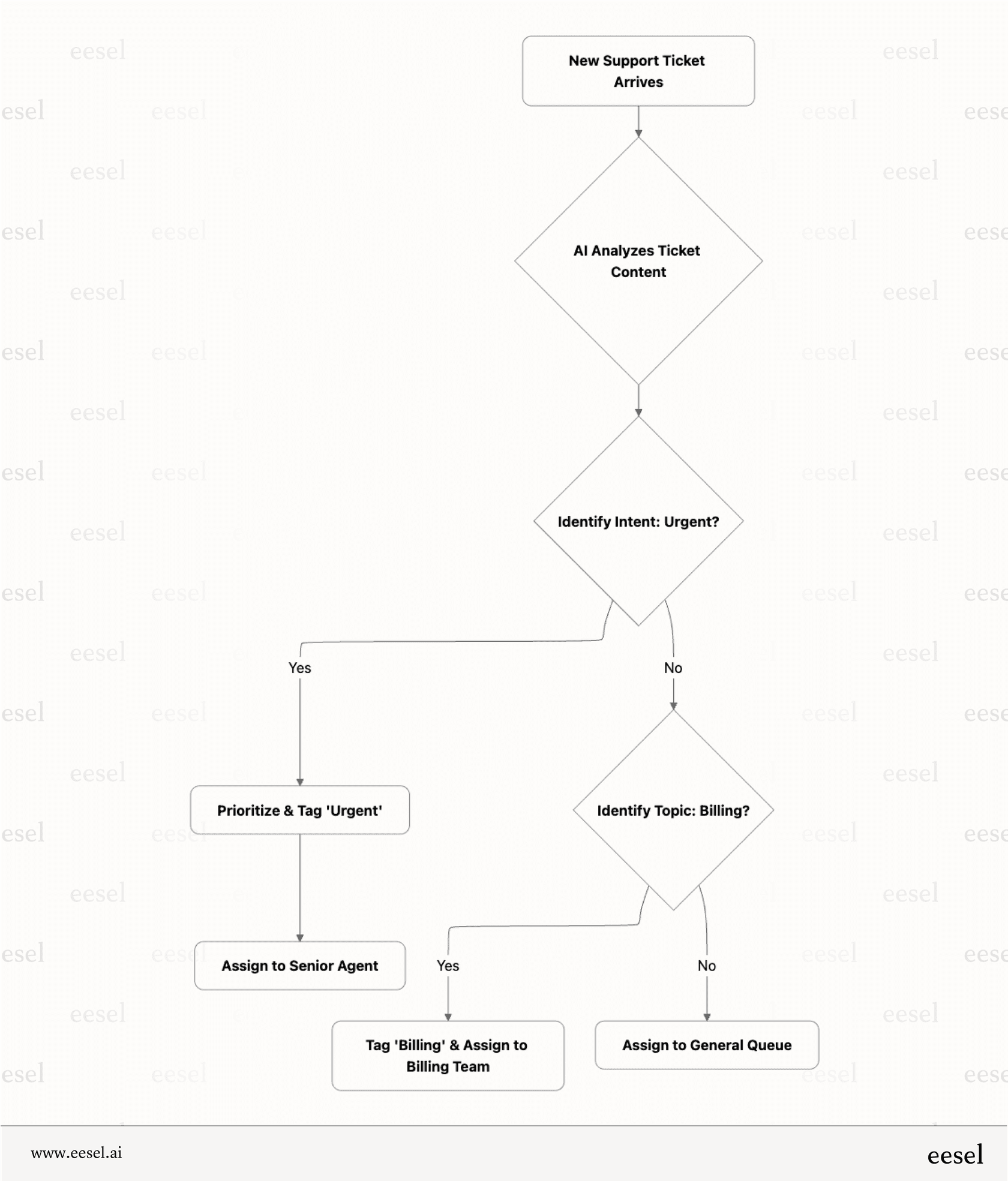
Modern customer service isn't just about giving answers. It's about automation, speed, and giving customers a great experience. Notion AI is missing the features needed for this, such as:
-
Analyzing sentiment to prioritize urgent problems.
-
Running multi-step triage workflows based on a ticket's content.
-
Tracking and reporting on service-level agreements (SLAs).
Notion AI's limited ability to act on real-time data
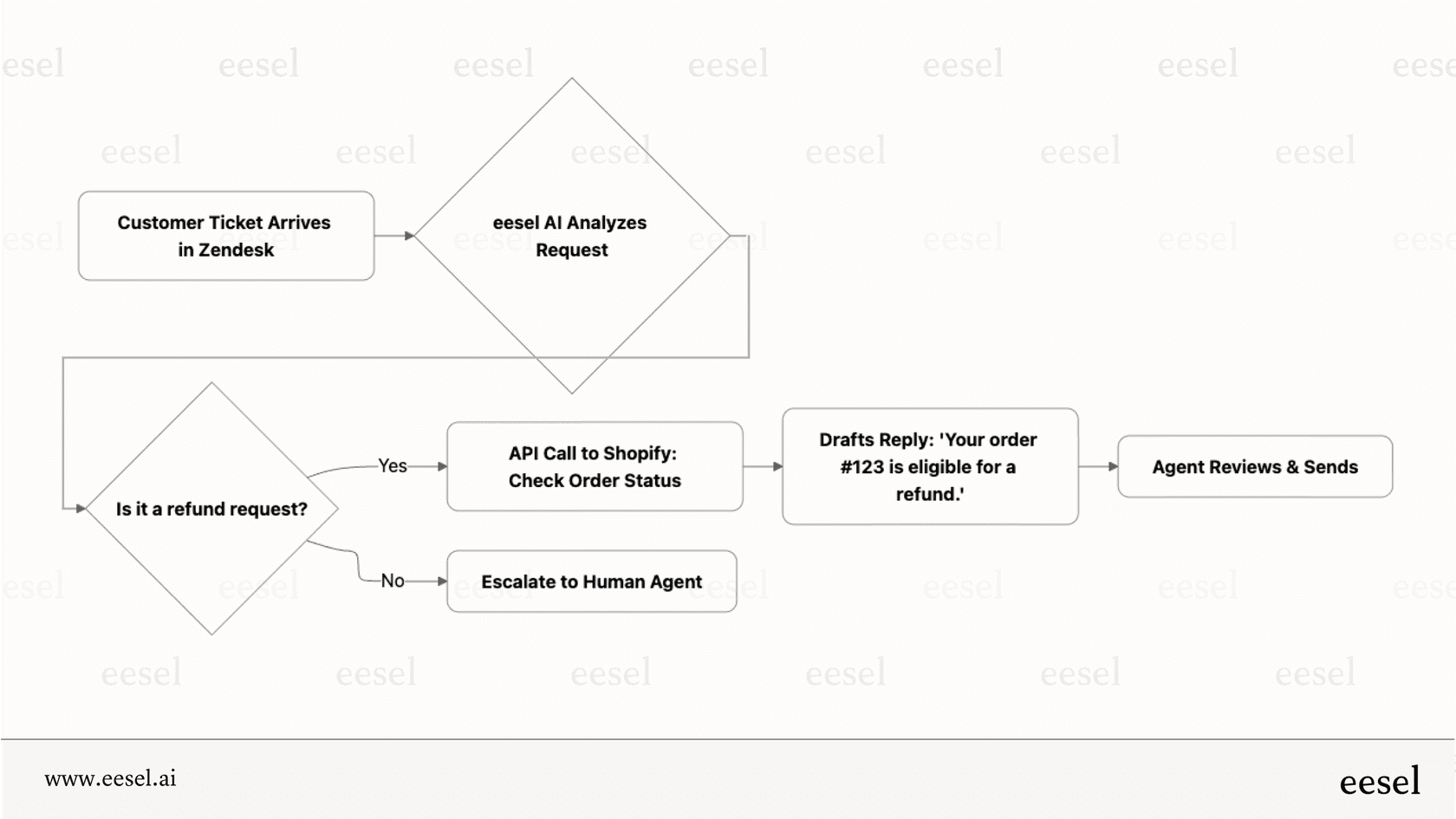
Customer questions often need real-time information from other systems. "Where is my order?" "Is this item in stock?" "What's my account balance?" Notion AI can't answer these because it can't do live lookups in outside systems like Shopify or your company’s internal database.
This is precisely what eesel AI Actions are built for. An AI agent can connect to your e-commerce platform, check an order status, and draft a correct, specific reply in seconds.
How much does Notion AI cost?
It's good to know that Notion AI is an add-on, not something you can buy on its own. It comes with the Business and Enterprise plans, but if you're on a Free or Plus plan, it's an extra monthly fee for each user.
This per-person pricing can get expensive for bigger teams, especially if only some of your team members actually need the AI features.
| Plan | Price (per user/month, billed annually) | Key Feature Access |
|---|---|---|
| Add-on to Free/Plus | $8 | Core AI features (writing, Q&A) |
| Business Plan | $18 (includes Notion AI) | Core AI features, SAML SSO, private teamspaces |
| Enterprise Plan | Custom | All AI features, advanced security, enterprise search |
This is a different approach from eesel AI's interaction-based pricing, which is usually more affordable for support teams. You pay for the work the AI does (like replies and actions), not for every single person who has access to it.
So, should your team use Notion AI?
After taking a close look, the answer is pretty clear. Notion AI is a great tool for individuals and teams who are already deeply invested in the Notion platform for internal docs, personal knowledge, and project planning. The way it's built-in makes it a fantastic productivity boost in that environment.
However, it is not the right tool for dedicated customer support, IT service desk, or sales teams. For these groups, whose work lives in specialized platforms like help desks and CRMs, a general-purpose tool like Notion AI adds more roadblocks than it removes. They need an AI that works where they work and understands their specific workflows.
A better option for support: How eesel AI works differently
For teams that need more than just a smart notebook, eesel AI offers a specialized, action-focused alternative. It’s designed to solve the very problems that Notion AI doesn't.
Here's why it's a better fit for support and IT teams:
-
It works with the tools you already have: eesel AI enhances your existing apps like Zendesk, Slack, and Confluence withoutmaking you move all your data or change how you work.
-
It's built specifically for support and IT workflows: It gives you real automation with an AI Agent, smart drafting with an AI Copilot, and intelligent routing with AI Triage.
-
You get to test it and stay in control: With human-in-the-loop features, you can simulate the AI on past tickets before you go live, which helps ensure it's accurate and builds trust with your team.
-
It connects to all your essential apps: eesel AI integrates with over 100 help desks, chat tools, internal wikis, and business apps like Shopify, giving it all the context it needs to be genuinely helpful.
Will you use Notion AI?
Notion AI is a solid productivity tool for creating content and managing projects inside Notion. It’s a great example of how AI can simplify internal work and make information easier to find.
But for teams that need to automate complex support and IT processes, a specialized, integrated AI platform is the way to go. Don't just centralize your search; automate your support.
See how eesel AI can transform your customer service by layering powerful, actionable AI on top of the tools you already rely on. Book a demo or you can sign up for a free trial today!
Learn more about Notion AI: Notion AI alternatives, Notion alternatives, Notion pricing, Notion review, Notion AI features, and comparisons like Notion vs Confluence, Notion vs Obsidian, and Notion vs ClickUp.
Frequently asked questions

Share this article

Article by
Katelin Teen
Katelin is an operations specialist at eesel where she uses her psychology training and education experience to optimize B2B SaaS processes. Outside of work, she unwinds with story-driven games, writing, and keeping up with latest tech innovations.