OpenAI prompt design 101: A practical guide for better AI results


Last edited October 12, 2025

So, your company has jumped into the world of AI. That's a great move. But if you're like a lot of teams, you might be finding that getting consistently useful responses from your AI feels a bit like a lottery. Sometimes it’s brilliant, and other times… not so much.
Here’s the not-so-secret secret: the quality of what you get out of an AI depends almost entirely on the quality of what you put in.
This is where "prompt design" comes into play. It’s the skill of crafting instructions that guide an AI to give you the exact results you’re looking for, every single time. It sounds technical, but it’s less of a dark art and more of a practical skill that anyone on your team can get the hang of.
This guide will walk you through the basics of OpenAI Prompt Design, starting with the core ideas and moving on to tips you can start using today. We'll focus on how these concepts play out in customer support, where getting clear and consistent answers is non-negotiable.
What is OpenAI Prompt Design 101?
Prompt design, sometimes called prompt engineering, is basically the art and science of writing instructions for a Large Language Model (LLM) like OpenAI's GPT models.
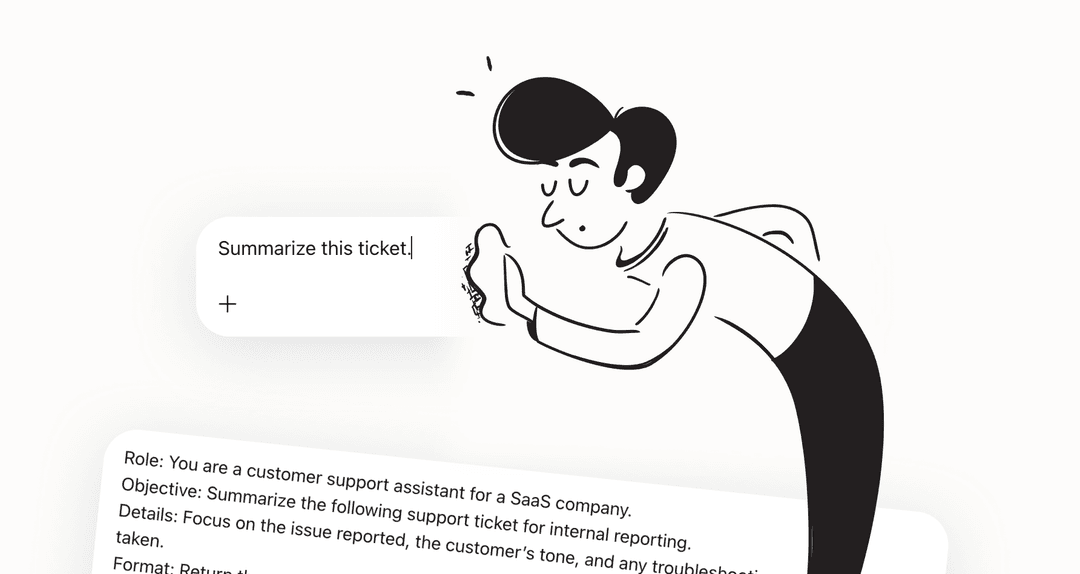
The best way to think about it is not like a search query, but more like you're briefing a new team member. If you give a new hire a vague, one-sentence task, you can’t be too surprised if they come back with something that completely misses the mark. But if you give them a clear role, some background on the task, specific instructions, and a few examples of what a good job looks like, you're setting them up for success.
It’s the difference between asking a chef to "make some food" versus handing them a detailed recipe with a picture of the finished dish. The first is a gamble; the second is a plan. For businesses using AI, getting this right is how you ensure every AI-generated interaction is accurate and sounds like it’s actually coming from your brand.
The core components of effective OpenAI Prompt Design 101
A really solid prompt isn't just one question. It's a structured request that includes a few key ingredients. Let's break down the anatomy of a prompt that actually works, based on what folks at OpenAI and Microsoft recommend.
1. Role and objective: Give your AI a job title
First things first, you need to tell the AI what it is. Giving it a role primes the model with the right context and mindset. Think of it like casting an actor for a specific part. An AI told it's a "technical support specialist" will respond very differently than one told it's a "friendly marketing assistant."
-
A bit vague: "What is our return policy?"
-
Much better: "You are a helpful support assistant for an online clothing store. Your goal is to provide clear and concise information to customers. A customer asks: "What is your return policy?""
That simple bit of framing immediately gets the AI on the right track.
2. Instructions: Set the rules of engagement
Next, you need to give the AI clear, high-level guidance on how it should behave. This is where you set the guardrails. Think about your company's brand voice, your support team's policies, and any specific things you need it to do (or not do).
Here are a few examples of good instructions:
-
"Always use a professional and empathetic tone."
-
"Don't use technical jargon. Explain things in simple terms."
-
"If you don't know the answer, say "I'll need to check with a specialist on that for you" instead of guessing."
These rules help make sure the AI acts like a true extension of your team.
3. Context: Provide the necessary background info
For an AI to give a relevant answer, it needs the right information. This is the stuff it needs to do its job, like a customer's email, a specific knowledge base article, or product documentation. This technique of feeding real-time information to an AI is often called Retrieval-Augmented Generation (RAG).
The big problem here is that manually finding and copy-pasting the right context for every single customer question is incredibly slow and just doesn't work when you've got a lot of queries coming in.
This is where a tool like eesel AI comes in handy. Instead of you doing the manual work, it automatically provides this context by connecting directly to all your knowledge sources. It plugs into your help center and internal wikis, whether they're in Confluence or Google Docs, making sure the AI always has the most relevant info without anyone lifting a finger.
4. Examples: Show, don’t just tell
Language models learn incredibly well from examples. This method, known as "few-shot learning," just means you give the AI one or more examples of a good question and the kind of answer you want. It helps the AI nail the specific format, style, and tone you're going for.
But again, think about the sheer volume of customer support questions. Creating a perfect set of examples for every possible question a customer could dream up is a full-time job in itself, and no support team has time for that.
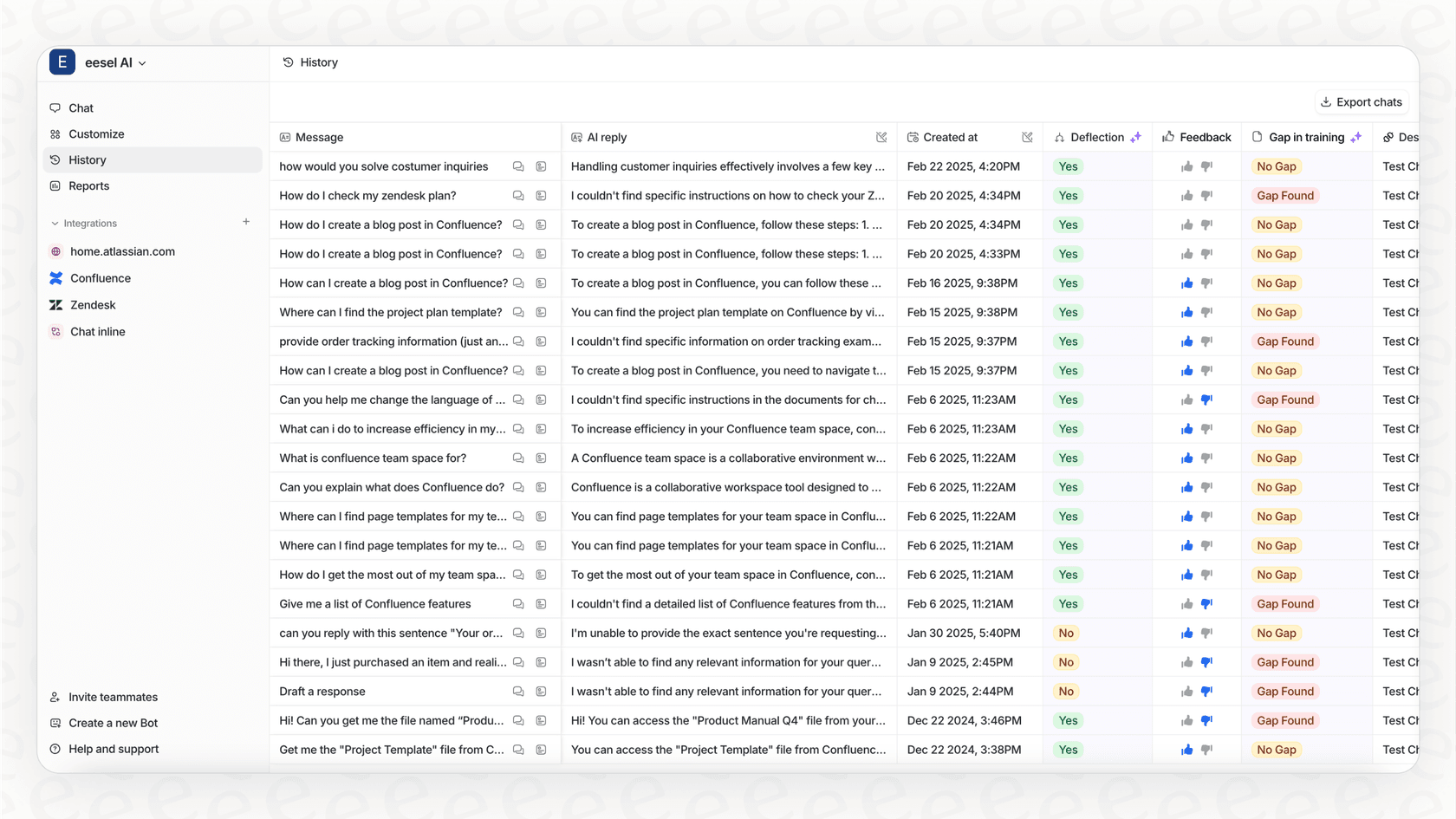
This is another spot where the manual approach just can't keep up. An AI support agent from eesel AI is automatically trained on thousands of your team's past successful support conversations. It learns your brand’s unique voice, common solutions, and when to escalate things, all on its own. Your entire ticket history becomes a massive, automated library of examples that guides the AI on every new ticket.
5. Output format: Specify the final structure
Finally, if you need the AI's response to look a certain way, you have to tell it. Clearly define how you want the response structured, whether that's a JSON object, a bulleted list, or a table. This is super important for things like data extraction, ticket categorization, or just making sure your replies are consistent and easy for customers to read.
For a support ticket, you might ask for something like this:
-
"Respond in this format:"
-
"Summary: [A one-sentence summary of the customer's issue]"
-
"Action Items: [A bulleted list of the next steps for the agent]"
Practical techniques for better OpenAI Prompt Design 101
Knowing the building blocks is one thing; actually using them is another. Here are a few straightforward tips to help you fine-tune your prompts and get better results.
Start simple and build from there
You don't need to write a perfect, multi-page prompt on your first try. In fact, it's better if you don't. Start with a simple instruction, see what the AI comes up with, and then add more details and rules to tweak the output.
The main challenge, especially in a live support setting, is figuring out how to test and improve these prompts without risking a bad customer experience. Sending a half-baked AI response to a real customer is a quick way to cause problems.
Iteration is key, but it has to be safe. That's why eesel AI has a simulation mode. You can test any changes to your AI's behavior and prompts on thousands of your past tickets. This lets you see exactly how it will perform and what its resolution rate will be before it ever interacts with a live customer.

Be specific and clear
Vague language leads to vague results. The more precise you are with your instructions, the better the AI's output will be. Try to find any fluffy or unclear descriptions in your prompts and replace them with concrete details.
-
Instead of: "Write a short reply."
-
Try: "Write a reply that is under 50 words."
-
Instead of: "Explain the feature."
-
Try: "Explain the 'user permissions' feature to a non-technical user in three simple steps."
Tell the AI what to do, not what to avoid
For whatever reason, LLMs tend to listen better to positive instructions ("do this") rather than negative ones ("don't do that"). It’s more effective to frame your guidance around the action you want, instead of the one you want to prevent.
This is especially important in a support context for things like security and privacy.
-
Instead of: "Don't ask the customer for their password."
-
Try: "If a customer has login issues, direct them to the password reset link at "[your-company.com/reset]". Never ask for personally identifiable information."
From theory to practice: Automating OpenAI Prompt Design 101 for support teams
We’ve covered the theory, but let's talk about what this looks like in the real world, where support teams are juggling hundreds or even thousands of tickets a day.
The headache of manual OpenAI Prompt Design 101 in customer support
While the principles of prompt design are great, trying to apply them by hand in a busy support environment just doesn't work.
It’s incredibly time-consuming to craft a perfect, context-rich prompt for every single customer issue. On top of that, you can't expect every support agent to also be an expert in prompt engineering; their job is to help customers. When different agents write prompts differently, you end up with inconsistent AI responses and a choppy customer experience. It just doesn't scale.
The eesel AI approach: An integrated OpenAI Prompt Design 101 engine
The answer isn't to turn your entire support team into prompt engineers. It's to use a platform that automates the hardest parts of prompt design for you. That's exactly what eesel AI is built to do. It acts as an engine that applies all these best practices automatically, behind the scenes.
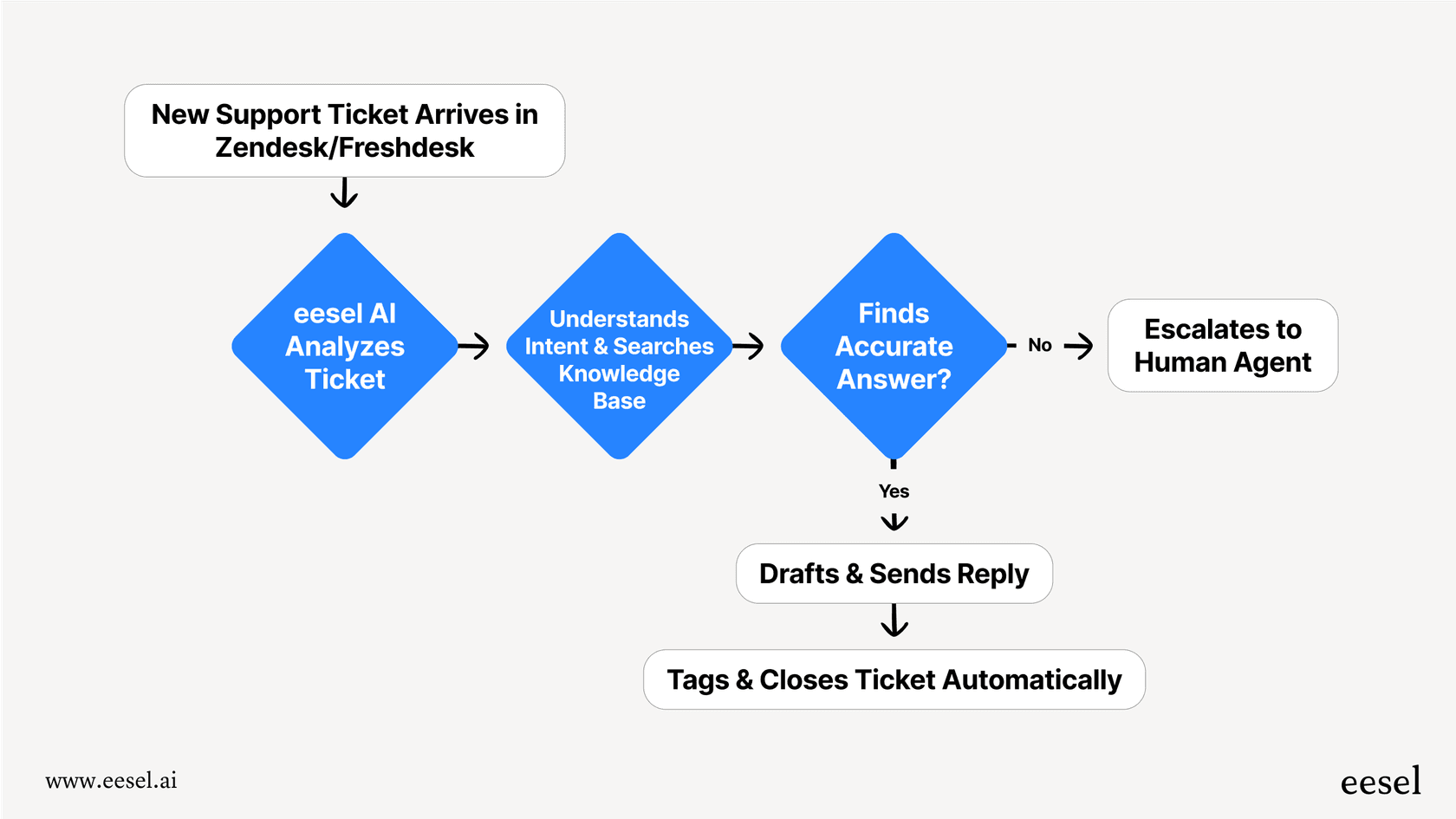
Here’s a quick look at how it works:
-
You set the persona and actions: You define the AI's role, tone, and main instructions just once in a simple prompt editor. This persona is then applied consistently to every ticket. You can even set up custom actions, like telling the AI it can look up an order status in Shopify or escalate a tricky ticket to a specific team in Zendesk.
-
Context and examples happen automatically: The platform unifies all your knowledge for you. When a ticket arrives, eesel AI instantly finds the right info from your help docs and uses your past tickets as the perfect examples. Your team doesn't have a lift a finger.
-
You stay in control: You get a fully customizable workflow without needing to be a prompt wizard. You can decide exactly which types of tickets the AI handles, how it should act, and when it needs to pass something off to a human agent.
Focus on your problems, not just your prompts
Getting the most out of AI isn't just about writing clever prompts. A good understanding of OpenAI Prompt Design is definitely helpful, and it all comes down to giving the AI a clear role, instructions, context, examples, and a format to follow.
But the future of AI in business isn’t about every employee becoming a master prompt engineer. It’s about using platforms that handle that complexity for you, so your team can focus on what they do best.
By automating the tricky parts of prompt design, tools like eesel AI let you focus on solving your support problems and hitting your goals. You decide what needs to be done, and the AI handles the how with the precision that comes from perfectly structured prompts, every single time.
Ready to see how an AI-powered agent can master your support workflows without all the manual effort? You can start a free trial of eesel AI today or book a demo to see it in action.
Frequently asked questions

Share this article

Article by
Stevia Putri
Stevia Putri is a marketing generalist at eesel AI, where she helps turn powerful AI tools into stories that resonate. She’s driven by curiosity, clarity, and the human side of technology.