OpusClip pricing in 2026: what you actually pay


Last edited June 9, 2026

Understand credits before you compare plans
Before you look at plan prices, you need to understand how billing actually works - because "processing minutes" means something specific here that catches people off guard.
One credit equals one minute of source video processed. Upload a 60-minute podcast and OpusClip spends 60 credits regardless of how many clips it produces. Whether it finds 5 clips or 15 clips, the credit spend is the same - it's about what went in, not what came out.
Two rounding rules worth knowing upfront:
- Videos under 1 minute cost 1 credit minimum
- Partial minutes round down - a 4.5-minute clip costs 4 credits, not 5
There's also a less-obvious charge: posting a clip directly to X (Twitter) through OpusClip costs 1 extra credit per post, automatically refunded if the post fails to send.
The practical implication: a weekly creator with a 60-minute show runs through 240 credits a month. Starter's 150 minutes covers two and a half episodes. Pro's 300 minutes covers five. If you're uploading multiple long videos each week, the credit math escalates quickly.
The four OpusClip plans, actually broken down
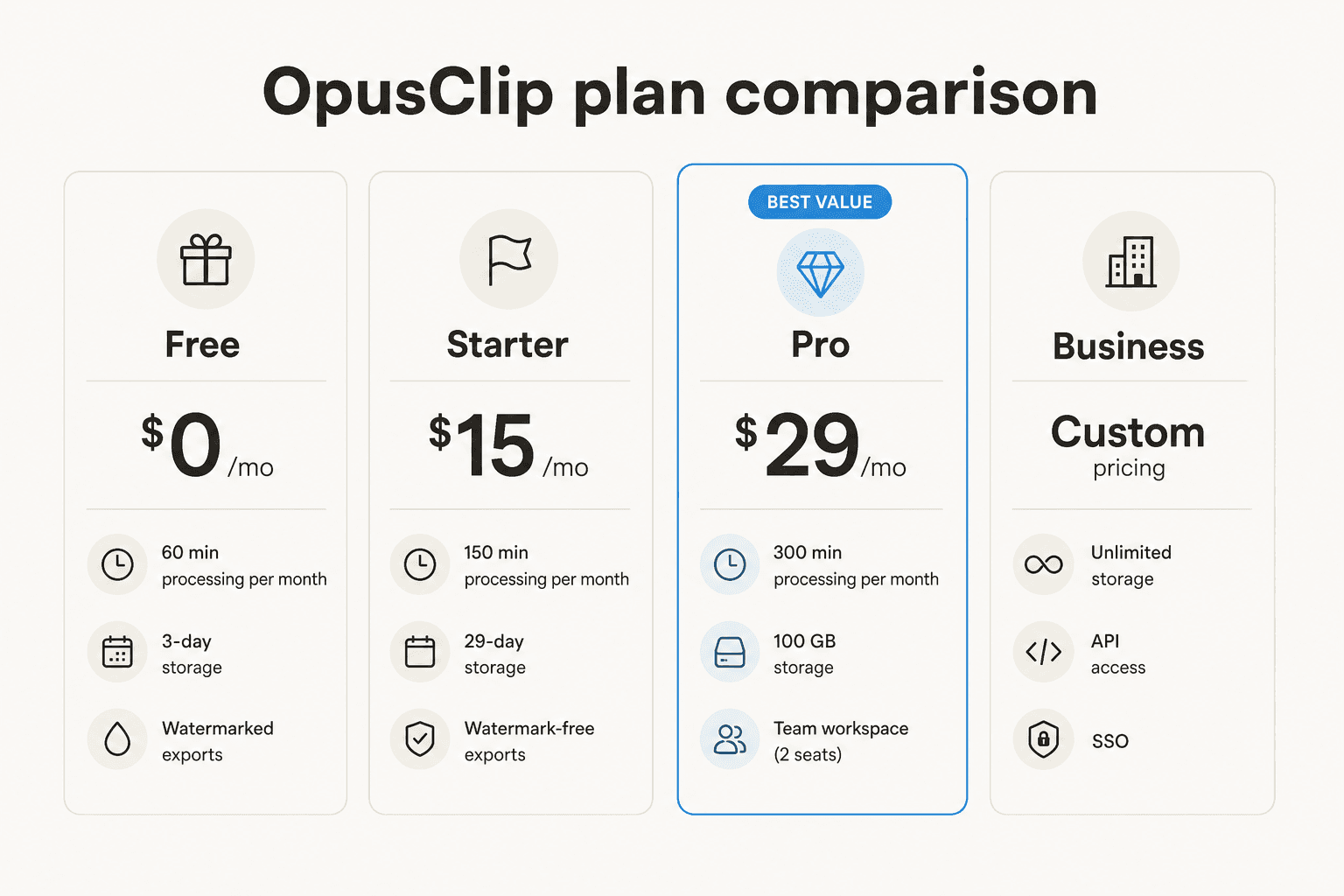
Here's the full plan overview before we get into the nuances:
| Free | Starter | Pro | Business | |
|---|---|---|---|---|
| Monthly price | $0 | $15/mo | $29/mo | Custom |
| Processing minutes/month | 60 | 150 | 300 | Custom |
| Storage | 3-day expiry | 29-day expiry | 100 GB | Unlimited |
| Watermark-free exports | No | Yes | Yes | Yes |
| Aspect ratios | 9:16 only | 9:16 + 1:1 | 9:16, 1:1, 16:9 | 9:16, 1:1, 16:9 |
| Editor | No | Yes | Yes | Yes |
| Virality score | No | Yes | Yes | Yes |
| AI B-Roll | No | 3 clips/month | 50 clips/day | 50 clips/day |
| Social scheduler | No | No | Yes | Yes |
| Team workspace | No | No | Yes (2 seats) | Yes (unlimited) |
| XML export | No | No | Yes | Yes |
| API access | No | No | No | Yes |
| SOC II Type 2 | Yes | Yes | Yes | Yes |
Free
The Free plan is a permanent free tier, not a time-limited trial. No credit card required. You get 60 processing minutes per month - enough for one 60-minute video or four 15-minute ones. Exports are watermarked, clips expire from storage after 3 days, and you're limited to 9:16 aspect ratio only.
What Free doesn't give you: the editor, the virality score, social posting, scheduling, or any AI B-Roll. You can download the clips, but any collaborative or publishing workflow is locked out.
Who this fits: Testing whether the AI clip selection works for your content type before paying anything. It's a genuine no-risk trial.
Who this doesn't fit: Anyone publishing regularly. The 3-day expiry means you'll either download every clip immediately or lose it.
Starter - $15/mo
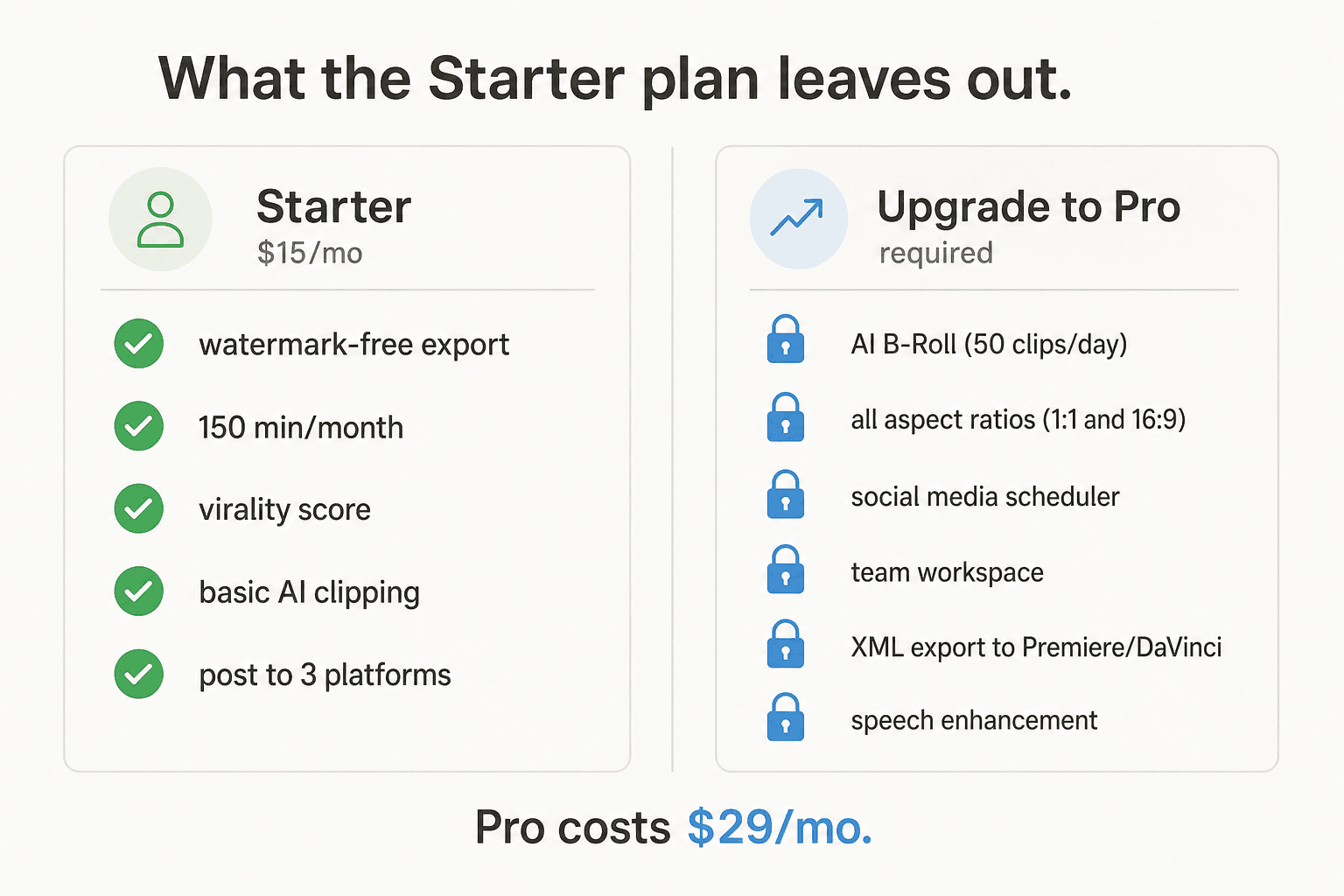
Starter at $15 is where OpusClip gets usable - and where a lot of people also get frustrated. You get 150 processing minutes per month, watermark-free exports, 29-day storage, virality scores, the full AI clipping modes (including visual object tracking, genre detection, and emotion analysis), and basic social posting to YouTube Shorts, TikTok, and Instagram.
The editing layer opens up too: text and timeline editing, filler word and pause removal, and access to the AI Copilot for specifying clip topics via natural language prompt.
What Starter doesn't give you: team workspace, 16:9 aspect ratio (you get 9:16 and 1:1 only), social scheduling, bulk export, XML export to Premiere or DaVinci Resolve, or meaningful AI B-Roll - you get 3 stock clips per month, no AI-generated B-Roll.
"One of the most disappointing products I've used... they hand you 150 credits on the Starter Plan, and say '1 credit = 1 video'. Sounds fair, right? But here's the hidden trap: Want to add more than 2 B-Roll clips in a 1-minute video? Upgrade to Pro. Want to merge two clips together? Upgrade to Pro. Want to add an intro or outro to your video? Upgrade to Pro. Even basic editing features are locked behind paywalls. It's like giving you 150 tokens to walk into a buffet, but every plate costs extra."
That's a hard read, but it's grounded in what's actually gated. Starter is real for clipping; thin for editing.
Who this fits: Solo creators who post consistently to one or two platforms, don't need landscape output, and process under 150 minutes of source video monthly.
Who this doesn't fit: Teams, creators who need a full editing environment, or anyone posting to LinkedIn or scheduling ahead.
Pro - $29/mo
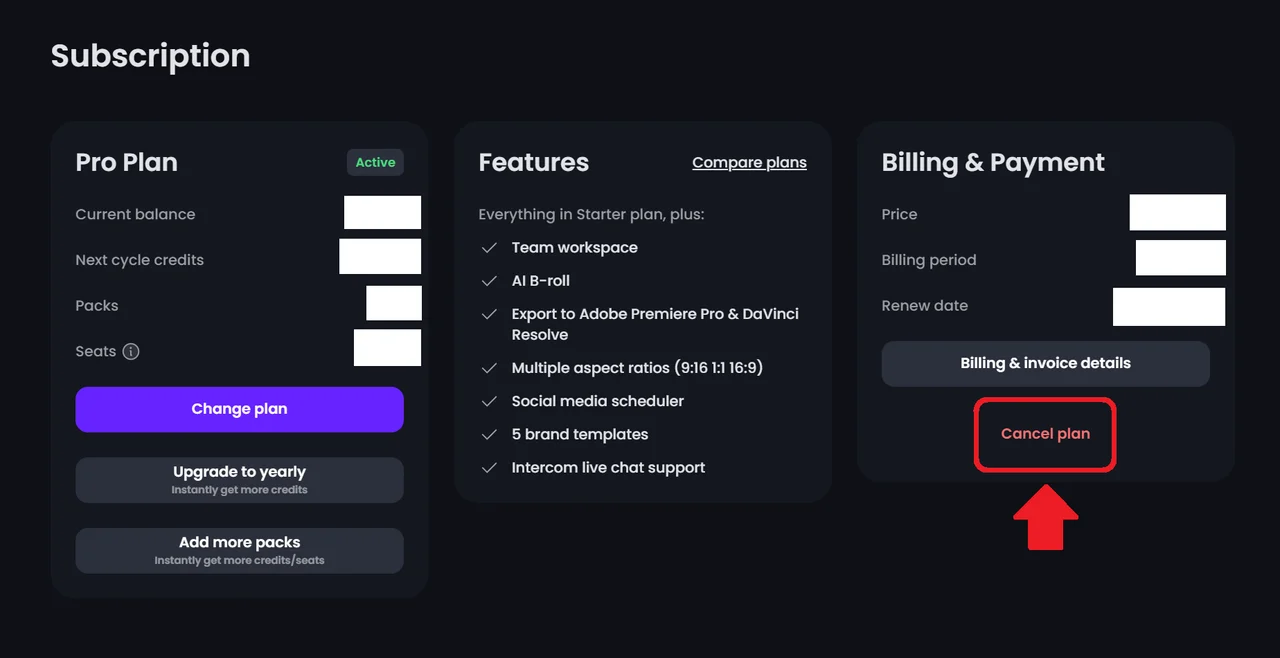
Pro is where OpusClip stops feeling like it's holding features hostage and starts feeling like a complete tool. You get 300 processing minutes per month, 100 GB of persistent storage, all three aspect ratios (9:16, 1:1, and 16:9), AI B-Roll generation at 50 clips per day plus unlimited stock B-Roll, social scheduling across six platforms (YouTube, TikTok, Instagram, LinkedIn, Facebook, and X), bulk export, XML export to Adobe Premiere Pro and DaVinci Resolve, speech enhancement, transition effects, custom font uploads, brand vocabulary, clip analytics, and a team workspace with 2 seats.
This is also the plan that covers OpusClip's 4.6/5 rating on G2 across 118 reviews. Most of the positive reviews come from Pro users.
"OpusClip takes long-form video content and turns it into polished, engaging short clips with incredible accuracy. The AI is excellent at identifying the strongest moments, adding dynamic captions, and producing social-ready edits that look like they were done by a professional editor."

Who this fits: Creators and small teams publishing across platforms, needing scheduled posting, or producing enough volume to justify 300 minutes monthly.
Who this doesn't fit: High-volume media teams processing thousands of minutes a month, or organizations needing API access, SSO, or 4K download - that's Business.
Business - custom pricing
Business pricing is quote-based. You get everything in Pro plus: a dedicated enterprise processing queue, unlimited seats, unlimited storage, 4K scheduling and download, real-time trend analysis, API access, SSO, Software License Management, CMS integration, custom onboarding, an MSA, and a dedicated Slack support channel.
The pack system: how Pro scales
Pro's base plan gives you one account owner plus 2 additional seats (3 people total). If your team needs more capacity, you can buy additional packs.
Each pack adds 300 processing minutes and 2 seats per month. You can add up to 2 additional packs on a Pro plan, giving a maximum of 900 processing minutes per month and 6 team members. The pack price isn't published on the pricing page - you'll see it when you click "Add more packs" in your subscription settings.
One important mechanic: adding a pack starts a new billing cycle immediately. The full pack price is charged upfront. Removing a pack takes effect at the end of the current billing period. And extra credits can't be purchased independently - they're always tied to a plan pack.
If you regularly need more than 900 minutes or more than 6 seats, the practical path is Business rather than stacking packs.
What the annual plan actually costs
Here's the thing: OpusClip doesn't publish its annual pricing on the pricing page. The monthly numbers ($15 for Starter, $29 for Pro) are all that's visible. Annual billing - and the discount that comes with it - only surfaces after you're inside your account looking at the subscription panel, where you'll see an "Upgrade to yearly" option.
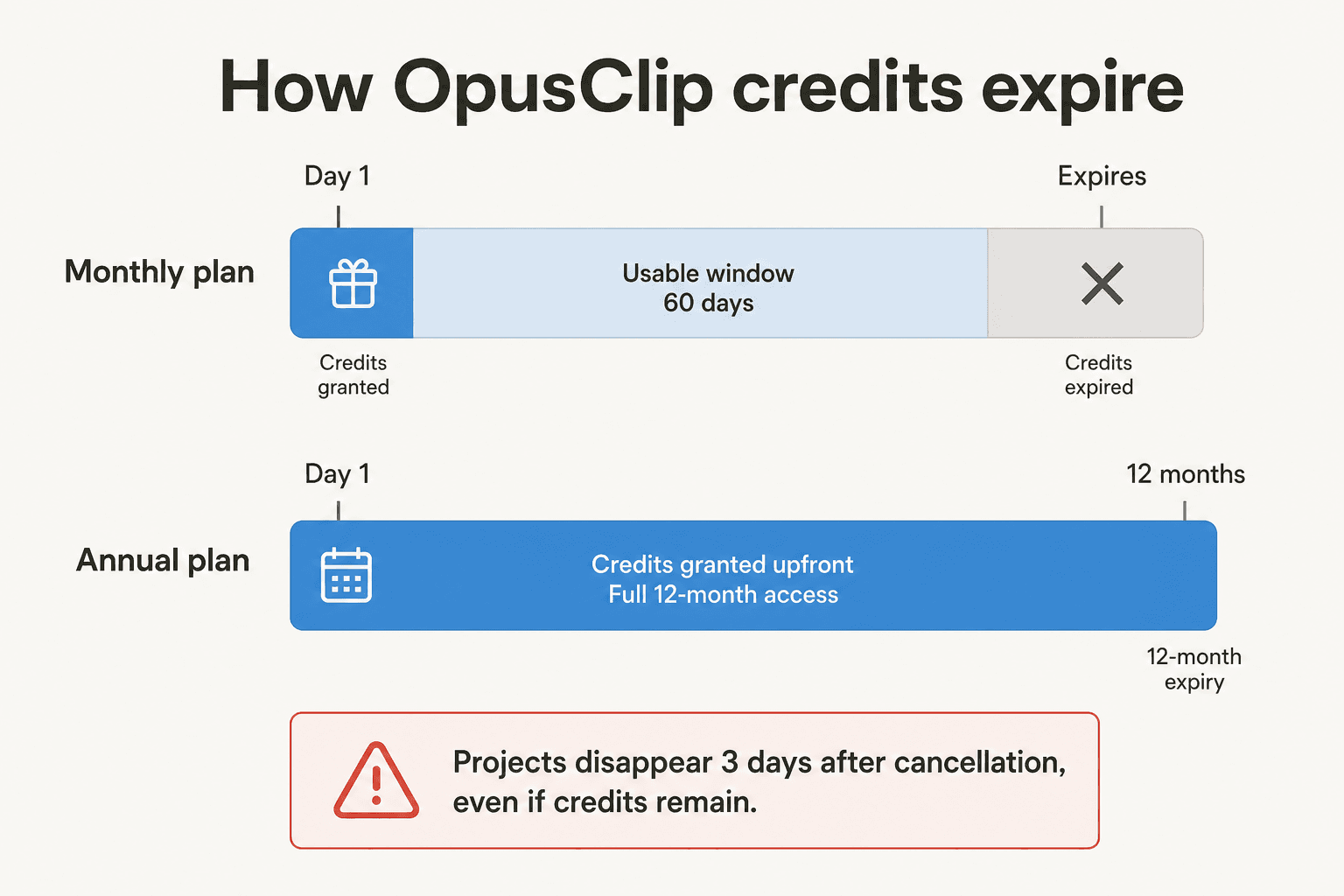
What we know from the help docs: annual billing provides a 50% discount on cost per processing minute compared to monthly billing, and shifts credit expiry from 60 days to 12 months. The annual plan also grants all credits upfront rather than rolling them monthly - useful if your workload is bursty.
That 12-month expiry is the hidden value. On a monthly Pro plan, your 300 credits expire 60 days from purchase. On annual, you have a full year to use 3,600 credits however your schedule demands - a slow January doesn't wipe out your budget.
If you're committed to OpusClip for the year, annual billing is the right call. The per-minute cost drops meaningfully, and the longer credit window removes the "use it or lose it" pressure of the monthly plan.
The gotchas nobody mentions
Projects disappear 3 days after cancellation
This is the single most-cited complaint on Trustpilot and the Canny feedback board. Cancel your subscription and your projects become inaccessible 3 days later - even if you have credits remaining.
"Their subscription is based on time AND credits at the same time, so you are buying AND subscribing to a product simultaneously... Even if you use the credits that you PAID for, once your subscription ends, the projects will vanish."

Credits you haven't used expire on their original schedule, but you won't be able to process anything new. If you're cancelling: download everything first, and do it before the subscription ends.
You can't downgrade to Free if you have credits
If your account has more than 30 unused credits (paid or from a free trial), OpusClip won't let you downgrade to the Free plan immediately - they ask you to use those credits first. It's a reasonable safeguard against wasted paid credits, but it means you can't stop the billing clock the moment you want to.
Credit expiry is shorter than it sounds
Monthly plan credits expire 60 days from purchase, not at the end of the calendar month. If you buy a plan on the 5th and life gets busy, credits can disappear without you noticing. There's no expiry reminder in the product.
Billing renewal with no reminder
Multiple Trustpilot reviews and Canny posts flag this: OpusClip doesn't send a renewal reminder before billing. If you signed up months ago and aren't actively using it, you'll find out when the charge hits.
"I was billed today. I did not receive a reminder that my subscription is renewing. I want to cancel it and get my money back. I didn't use this app anymore."
If you're on a paid plan and your usage is sporadic, put the renewal date in your calendar.
What real teams pay: two worked examples
Scenario 1 - Solo podcast creator, one 60-minute episode per week
Four episodes per month × 60 minutes = 240 credits needed.
- Free: 60 credits - covers 1 episode, watermarked, expires in 3 days. Not workable.
- Starter ($15/mo): 150 credits - covers 2.5 episodes. Manageable if you're selective about which weeks you clip.
- Pro ($29/mo): 300 credits - covers all 4 episodes with 60 minutes to spare. This is the natural home.
At $29/month, Pro works out to roughly $0.097 per processed minute - about 10 cents per source minute. For a solo creator, the question is whether that output rate justifies it compared to spending 2-3 hours editing manually.
Scenario 2 - Small media team, daily 15-minute segments, 3 people
22 workdays × 15 minutes = 330 credits needed per month, plus 2 additional team members.
- Starter: 150 credits, no team workspace. Not viable.
- Pro base ($29/mo): 300 credits, 2 seats. Still 30 credits short.
- Pro + 1 pack: 600 credits, 4 seats (enough for the full 3-person team). This is the right tier.
The pack pricing isn't public, but adding one pack to Pro puts a small team in a comfortable position without touching Business pricing.
What users actually say
The review split on OpusClip is unusually clear. G2 rates it 4.6/5 from 118 reviews. Trustpilot sits at 4.0/5 from 302 reviews - but 22% of those are 1-star. Capterra's small sample gives it 3.6/5, with Value for Money rated 3.4/5.
The positive reviews are consistent: significant time savings, strong AI clip selection for talking-head content, and captions that require minimal correction.
"Nothing, and I mean nothing, comes close to its selection of scenes and moments. The framing of the shots is always on point, and the transcription (with emojis) is excellent."
"I can create multiple clips for social media in 5 minutes. I used to have to create multiple short form videos from scratch."
The negative reviews cluster around three issues: billing friction, a quality regression that hit after a major editor update in June 2024, and the Starter plan feeling like a teaser rather than a standalone product.
"Alright, so I'm an old user of this tool, and since they new editor release on June of 2024, they introduced so many issues. Main issue: their tool used to be very very clever, with framing, split screens, and cuts, you almost didn't need to edit anything in the clips, just minimal adjusts. Now, the framing is normally wrong, the split screen does not detect the second speaker."
"The cancellation process is intentionally overcomplicated. I had to go through multiple steps just to make the 'cancel' button active."
The pattern: users who love it are on Pro, use it for talking-head or interview content, and produce enough volume to justify $29/month. Users who leave are either repeatedly hitting the Starter paywall or had a billing surprise they couldn't resolve quickly.
Is OpusClip worth the price?
For the right use case, yes. If you're consistently producing interview-style, podcast, or talking-head content and need clips across multiple platforms, OpusClip Pro at $29/month competes well against hiring a video editor or using a more manual tool. The AI clip selection and auto-captions genuinely work - 16 million creators is a real signal, and the G2 rating holds across a meaningful review count.
The honest limits: it's not a general-purpose video editor, and it excels at extracting highlights from spoken content. More cinematic, branded, or documentary-style content produces more inconsistent results. The mid-2024 quality regression is real and still surfaces in reviews - worth testing with your actual content type before committing annually.
The value math also shifts with volume. If you're uploading two 60-minute videos per week, 300 credits runs out in two weeks. At that level, annual billing (with its materially lower per-minute cost and 12-month credit window) becomes the obvious move rather than a monthly Pro renewal that you'll burn through in half the month.
Practical advice: test on Free first. If the clip selection works for your content, move to Starter to remove the watermark. Once you hit the B-Roll wall or need a scheduler, that's the signal to go Pro. And if you're committing to the tool for the year, go annual - just make sure you download everything before you cancel, because that 3-day window is not forgiving.
Try eesel
Video clipping is one part of a content workflow. eesel handles the written side - research, long-form drafting, and publishing - at the same "paste input, get polished output" speed that OpusClip applies to video. If your team is building out a full content operation across written and video formats, eesel's AI blog writer covers the upstream work that produces the long-form source material that tools like OpusClip then clip.

Frequently Asked Questions

Share this article

Article by
Rama Adi Nugraha
Rama is a software engineer at eesel AI with two years of experience writing about B2B SaaS, AI tools, and customer support technology. Based in Bali, Indonesia, he brings a developer's perspective to product comparisons — cutting through marketing copy to what the integrations and APIs actually do.