7 best Photoroom alternatives for pro photo editing in 2026


Last edited June 23, 2026

Table of Contents
- What are Photoroom alternatives?
- What to look for in the best Photoroom alternatives
- A quick look at the top 7 Photoroom alternatives in 2026
- A closer look at the 7 best Photoroom alternatives
- Beyond Photoroom alternatives: Automating your e-commerce workflow
- Choosing the right Photoroom alternatives and other AI tools
If you sell anything online, you’ve probably run into Photoroom. It's a go-to tool for turning so-so product shots into professional-looking photos that make people want to buy. That one-click background remover and the AI-generated scenes are a blessing for anyone who doesn't have a pro photography studio in their back pocket.
But maybe you've started looking around lately. The recent price hikes might have you taking a closer look at your budget, or maybe you just feel like you've hit a creative wall with what the app can do. Whatever your reason, you've come to the right place.
I’ve spent a good amount of time digging through a mountain of photo editing apps to find the absolute best Photoroom alternatives out there today. This list breaks down my top 7 picks, covering what they’re good at, where they fall short, and, of course, how much they cost. Let's find the right fit for you.
What are Photoroom alternatives?
At their core, Photoroom alternatives are photo editing apps that use AI to make professional-looking images without all the usual fuss. Just like Photoroom, they do the heavy lifting that used to require complicated software and years of practice. We're talking one-click background removal, zapping unwanted objects out of a shot, and even creating brand-new AI backgrounds from scratch.
While a lot of these tools are built for e-commerce, with templates ready for places like Amazon or Shopify, they're also super handy for marketers, content creators, and any small business owner who needs to whip up great-looking visuals without a headache.
What to look for in the best Photoroom alternatives
To figure out which apps were actually worth your time, I focused on the stuff that really matters when you're trying to create good-looking product photos and social media posts without wasting hours.
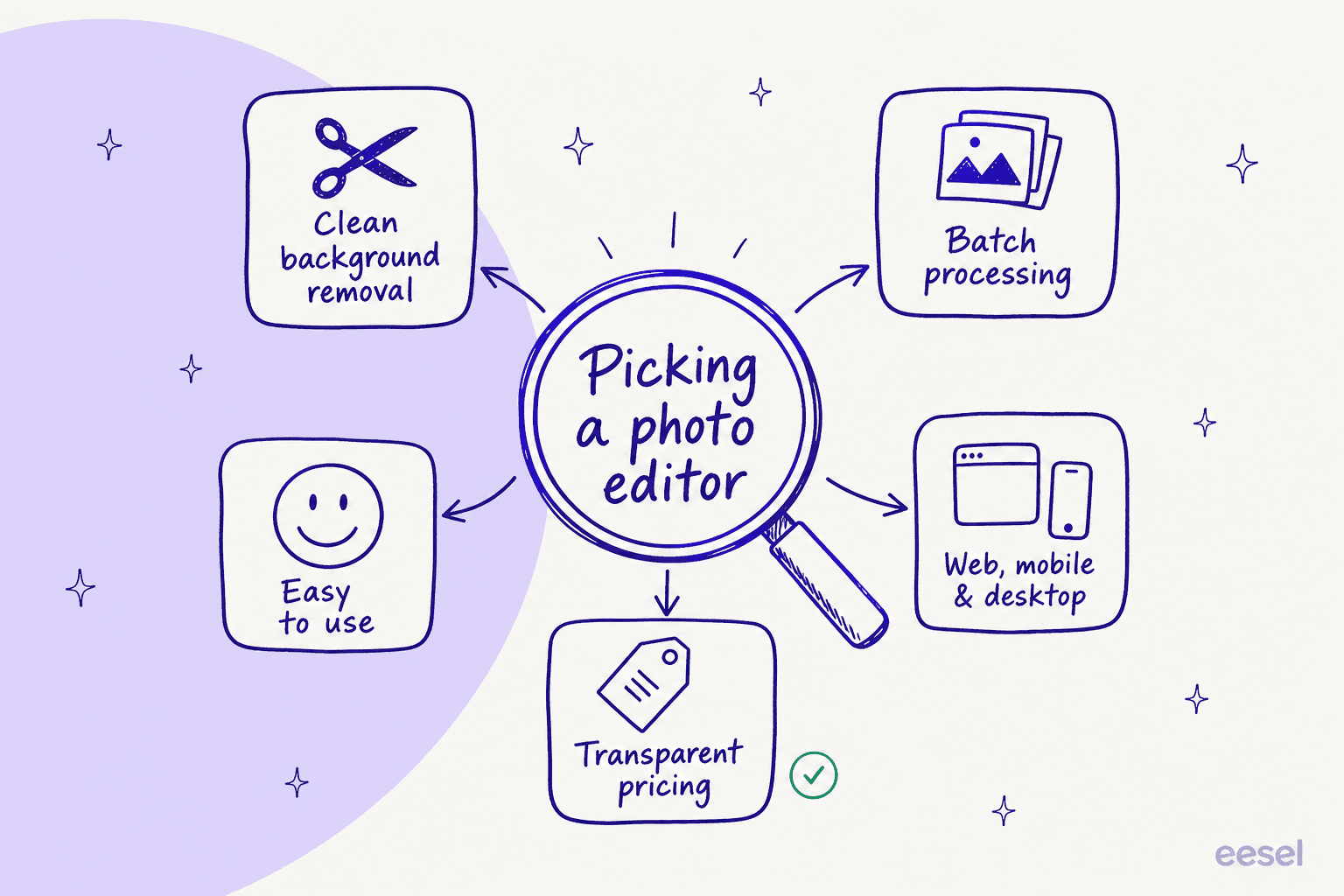
Here’s what I was looking for:
First, the core AI features had to be solid. The background remover needs to be clean, the object eraser (sometimes called a "Magic Eraser") has to work without leaving weird smudges, and the AI scenes should look believable, not like a cheap green screen effect.
Next up was batch processing. If you’re an e-commerce seller with a hundred new product photos, editing them one by one is just not an option. Being able to apply the same edits to a whole bunch of images at once is a massive time-saver.
The tool also had to be easy to use. You shouldn't need a design degree to get good results. I looked for apps with a simple interface that lets you make awesome images without a big learning curve. We're trying to get away from the complexity of old-school Photoshop, right?
I also wanted apps that worked wherever I did. A good tool should be available on the web, desktop, and your phone (both Android and iOS), so your workflow isn't stuck on one device.
Finally, price. With subscriptions for everything these days, budget is a real concern. I leaned towards tools with decent free plans, affordable paid tiers, and pricing that was easy to understand. Nobody likes a surprise on their credit card statement.
A quick look at the top 7 Photoroom alternatives in 2026
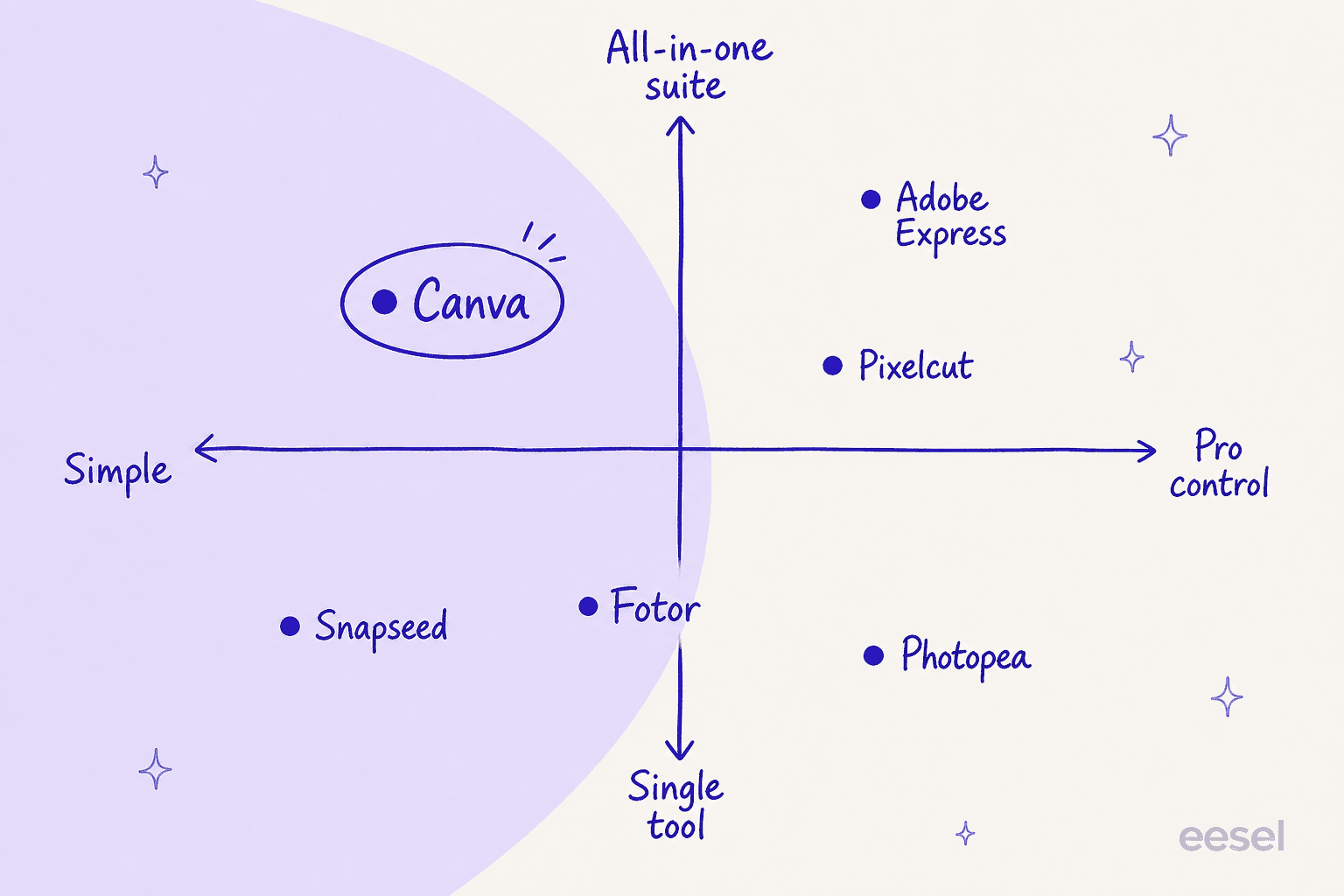
Before we get into the nitty-gritty, here’s a quick rundown. For an all-in-one design powerhouse, Canva is king. If you’re all about creative, social-media-first edits, Picsart is your jam. Adobe Express brings that professional Adobe polish into a super simple package.
For those who want the power of Photoshop without the price tag, Photopea is a mind-blowing free option. Pixelcut is a direct competitor to Photoroom, built specifically for e-commerce. Fotor has an amazing tool for erasing objects, and Snapseed is a completely free, pro-level editor for your phone.
| Tool | Best For | Key Feature | Free Plan | Starting Price |
|---|---|---|---|---|
| Canva | All-in-One Design | Magic Studio & Brand Kits | Yes, generous | $15/month ($144/yr) |
| Picsart | Creative Social Media | Artsy Filters & Effects | Yes, with ads | $10.50/month (yearly) |
| Adobe Express | Quick Pro Edits | Adobe Firefly AI | Yes, 25 credits/mo | $9.99/month |
| Photopea | Free Photoshop Alternative | Advanced Layer-Based Editing | Yes, with ads | $8/month (ad-free) |
| Pixelcut | E-commerce Photos | AI Photoshoot & Batch Editor | Yes, limited | $10/month |
| Fotor | Object & Text Removal | Magic Eraser | Yes, with watermarks | $8.99/month |
| Snapseed | Powerful Mobile Editing | Pro-Level Selective Tools | 100% Free | Free |
Now, let's take a closer look at each one.
A closer look at the 7 best Photoroom alternatives
Here’s my breakdown of what makes each of these tools a great pick.
1. Canva
Canva has become so much more than a photo editor; it's a full-blown design playground. It’s the perfect pick if you're not just touching up product photos but also creating a whole universe of branded stuff to go with them, like social posts, ads, and flyers.
What I liked:
-
The template library is gigantic. You can find a template for pretty much anything you can think of.
-
The Brand Kit feature is brilliant for keeping your look consistent. It saves your logos, fonts, and brand colors so you can grab them easily.
-
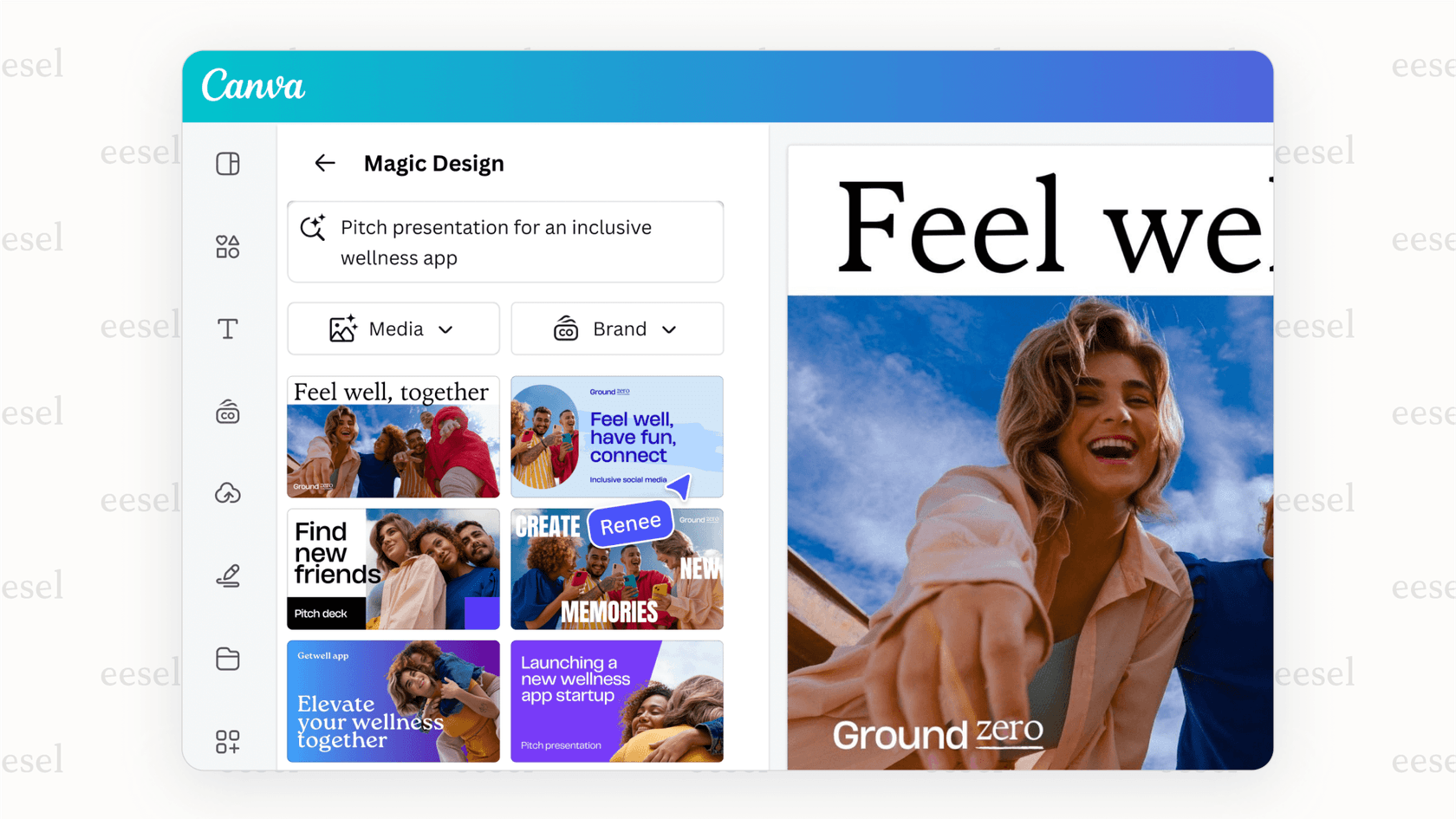
Its Magic Studio is a collection of really useful AI tools, including a Magic Eraser, Magic Edit, and a Text to Image generator.
What could be better:
-
Its photo editing tools are good for the basics, but they aren't as powerful as what you'd find in a dedicated editor. If you need fine-tuned control, you might feel a bit constrained.
-
The best AI features are only available on the Canva Pro plan.
Pricing:
-
Canva Free: A really generous free plan with tons of templates and photos, but you only get a taste of the AI features.
-
Canva Pro: $15/month for one person, or $144/year. This unlocks everything, including premium templates, a huge stock asset library, Brand Kits, and way more AI power.
-
Canva Business: $250/year per person (this replaced the old Canva Teams plan in 2026). You get all the Pro features plus collaboration, brand controls, and admin tools for a team.
2. Picsart
Picsart is for people who want their images to be bold and get noticed. It's less about squeaky-clean product shots and more about trendy, artistic effects that stop the scroll on Instagram and TikTok. It also has a really active community for sharing your work and getting inspired.
What I liked:
-
It has a massive collection of filters, stickers, and artsy AI tools to make your photos pop.
-
It comes with some pretty decent video editing tools, which is great for handling all your content in one app.
-
The community is a constant source of new ideas and inspiration.
What could be better:
-
With so many options, the interface can feel a bit chaotic and overwhelming at times.
-
The free version has a lot of ads, which can get annoying.
Pricing:
-
Picsart Free: Gives you the standard editing tools and a few AI credits to use each week.
-
Picsart Pro: from $10.50/month billed yearly ($15/month monthly). This is the everyday plan, 500 credits a month, batch editing up to 50 images, brand kits, no watermarks, and access to all the editing features. (Picsart retired the old $5 Plus and $7 Pro tiers, the lineup is now Pro and Ultra.)
-
Picsart Ultra: for heavy AI users and teams, with roughly 5x the monthly credits of Pro, team seats, and early access to new AI models.
3. Adobe Express
Think of Adobe Express as Photoshop's easy-going cousin. It has some of the same powerful AI magic from the biggest name in creative software, but it gets rid of all the intimidating menus and panels. It's perfect for when you need professional-looking results, fast.
What I liked:
-
It’s powered by Adobe Firefly, the same top-notch AI that's in Photoshop, so features like Generative Fill work incredibly well.
-
If you already use other Adobe apps, it fits right into your workflow.
-
It comes with a fantastic library of professional templates and design assets.
What could be better:
-
The free plan is a bit stingy with the generative AI credits and keeps some of the best features locked away.
-
You don't get the same pixel-perfect control that you would in the full version of Photoshop.
Pricing:
-
Adobe Express Free: Gives you basic editing, a good number of templates, and 25 monthly generative AI credits.
-
Adobe Express Premium: $9.99/month. Increases your credits to 250 and unlocks all premium templates and over 200 million Adobe Stock assets.
-
Adobe Firefly Pro: $19.99/month. You get everything in Premium plus 4,000 monthly credits and access to Photoshop on the web.
4. Photopea
Photopea is something special. It's a powerful, full-featured photo editor that looks and feels almost exactly like Photoshop, but it runs entirely in your web browser, for free. If you want advanced control without the monthly subscription, this is it.
What I liked:
-
It's completely free. All the important tools, like layers, masks, and advanced adjustments, are available to everyone.
-
It supports a ton of file formats, including Photoshop's PSD files. You can even import custom Photoshop brushes.
-
There's nothing to install. Just open a browser tab, and you're ready to go.
What could be better:
-
The Photoshop-style interface can be a lot for beginners who are used to simpler, one-click apps.
-
Because it runs in your browser, its performance can sometimes lag depending on your computer and internet connection.
Pricing:
-
Free: Fully functional with ads on the side of the screen.
-
Premium: $8/month. This just gets rid of the ads and gives you a longer edit history. The features are identical.
5. Pixelcut
Pixelcut is a direct and powerful competitor to Photoroom, with a clear focus on making e-commerce photos look amazing with as little effort as possible. Its whole feature set feels like it was designed by someone who actually sells things online.
What I liked:
-
The "AI Photoshoot" feature is fantastic. It lets you place your product in realistic scenes without ever needing a camera crew.
-
Its batch editor is quick and effective, perfect for processing a whole new collection of products in one go.
-
The templates are made specifically for big e-commerce platforms and marketplaces.
What could be better:
-
The free version is pretty limited, which really nudges you to upgrade to a paid plan to do anything useful.
-
It’s not as flexible as a tool like Canva if you need to do more than just edit product photos.
Pricing:
-
Free: Limited use of AI tools but does offer free exports without a watermark.
-
Pro: $10/month. This unlocks unlimited background removal and upscaling, gives you 600 monthly credits for premium AI tools, 1,000 batch exports, and includes 3 team seats.
-
Business: $30/month. Bumps you to 3,600 credits a month, 2,000 batch exports, and a 10-person team, for stores processing a lot of product images. (Pixelcut simplified its lineup to Free, Pro, and Business, the old Max tier is gone.)
6. Fotor
Fotor's secret weapon is its "Magic Eraser." It makes getting rid of unwanted objects, people, or even text from your photos ridiculously easy and clean. It’s a great all-around editor, but it really stands out here.
What I liked:
-
The object and text removal tool is one of the best I've tried, often producing results as good as much more expensive software.
-
It finds a nice middle ground between photo editing, making collages, and basic design tasks.
-
It also has a set of generative AI tools for creating new images from text prompts.
What could be better:
-
Some basic features, like adjusting color saturation, are stuck behind the paywall, which feels a little cheap.
-
The free plan puts a watermark on many of the images you export.
Pricing:
-
Fotor Basic: A free plan with basic editing features, but you'll have to deal with ads and watermarks.
-
Fotor Pro: $8.99/month. This removes ads and watermarks, unlocks advanced features, and gives you 100 monthly AI credits.
-
Fotor Pro+: $19.99/month. Bumps your AI credits to 300 per month and adds Brand Kits.
7. Snapseed
Snapseed is Google's gift to anyone who edits photos on their phone. It's a totally free, incredibly powerful photo editor for your phone or tablet. It’s the perfect choice if you do most of your work on the go and want pro-level tools without paying a cent.
What I liked:
-
It's 100% free. No ads, no subscriptions, no tricks. Every feature is available to everyone.
-
It can edit RAW files right from your phone and saves your changes non-destructively, so you can always go back.
-
The "Selective" tool is brilliant. It lets you make precise adjustments to brightness, contrast, and saturation in specific parts of an image just by tapping.
What could be better:
-
It's mobile-only. There's no desktop or web version.
-
It's a pure photo editor, so it doesn't have the AI background generators, templates, or design elements you'll find in the other apps on this list.
Pricing:
Beyond Photoroom alternatives: Automating your e-commerce workflow
Okay, so you've got your product photos looking fantastic. They're stopping scrollers in their tracks and getting people to click "add to cart." But what happens next? What about when a customer has a question after seeing that perfect photo? Or when they buy something and want to know where their order is?
Real growth comes from automating not just your creative work, but the customer conversations that come after. I help build AI for customer service at eesel, and across thousands of live e-commerce rollouts the pattern is always the same: better product photos drive more sales, and more sales drive a wave of repetitive "where's my order?" tickets that quietly eats your week.
Why AI-powered customer support is your next move
When your great photos lead to more sales, you're going to get more customer questions. It's a good problem to have, but answering the same things over and over, order status, shipping costs, return policies, is a huge drain on your time. That’s time you could be spending on growing your business.
This is where AI for customer support makes a huge difference. An AI agent can answer those common questions instantly, 24/7, and a good one is closer to a shopping assistant than a clunky rule-based chatbot. Your customers get the fast answers they want, and you and your team are free to focus on the trickier problems that actually need a human brain.
How eesel AI automates support without messing up your workflow
This is exactly what eesel AI is built for. It's not another photo editor; it's an AI helpdesk that plugs into the tools you already use to automate customer support.

Instead of asking you to switch to a whole new system, eesel AI works with what you've got. Here’s how it works for a growing e-commerce brand:
-
Get started in minutes. eesel AI is designed so you can set it up yourself. You can connect it to your helpdesk (like Gorgias or Zendesk) and other tools with just a click. No mandatory demos or long sales calls needed.
-
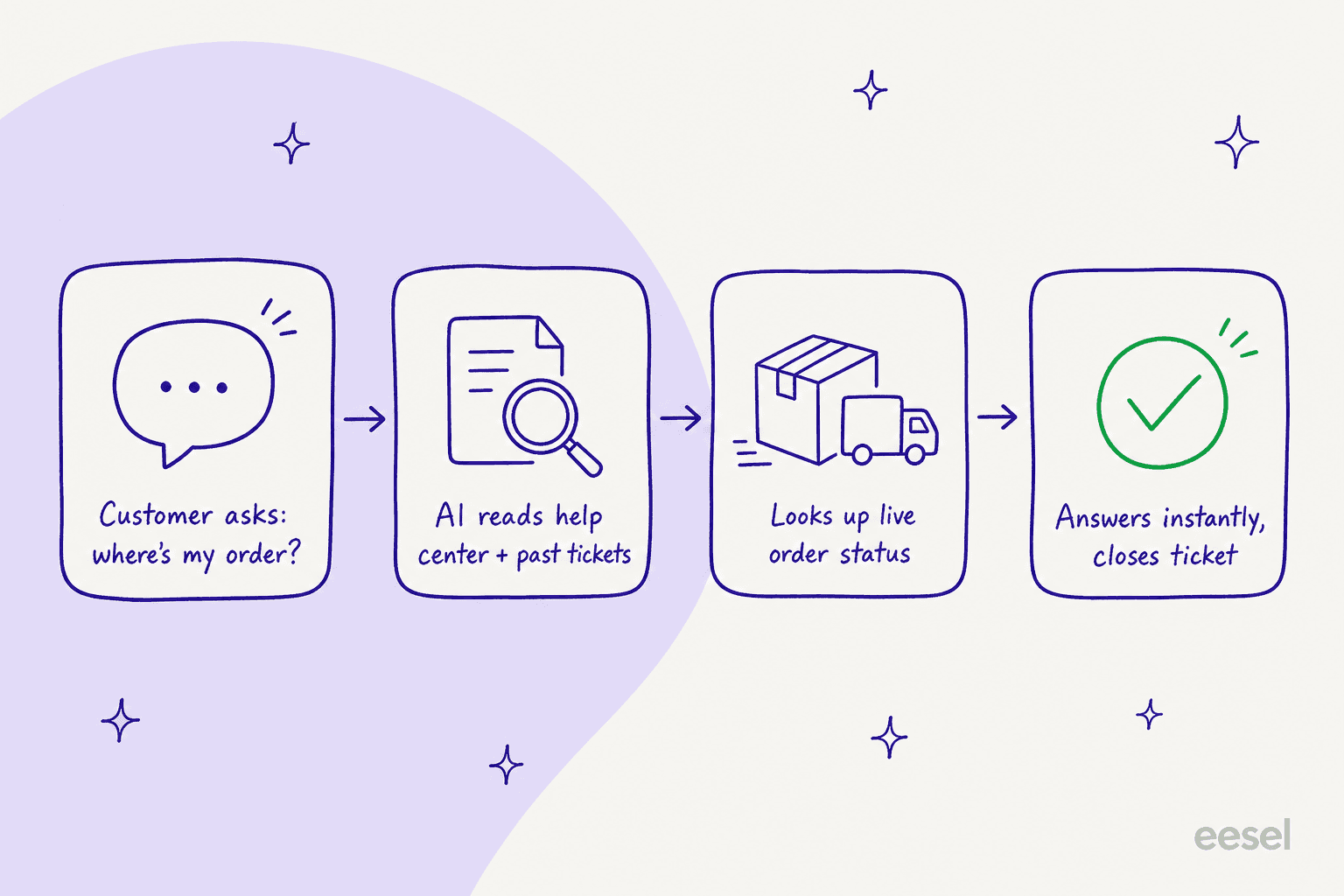
It learns from everything you have. eesel AI can read your help center articles, look at past support tickets, and even connect directly to your Shopify store. This lets it answer super specific questions about your products, inventory, and policies correctly every time.
-
You're in complete control. You can teach your eesel AI agent to perform specific tasks. For example, when a customer asks, "Where's my order?" the AI can handle order tracking support by looking up the tracking info in real-time, sharing it with the customer, and closing the ticket automatically. It's a level of customized automation that simple chatbots can't touch.
Choosing the right Photoroom alternatives and other AI tools
The smartest way to run a business today isn't about finding one magical AI that does everything. It's about building a team of smart, specialized tools that are each amazing at their specific job.
When it comes to your visuals, the right Photoroom alternative is all about what you need. For an all-in-one design tool, Canva is fantastic. For a free and powerful Photoshop experience, Photopea is a no-brainer.
But once your visuals start bringing in sales, the next step is automating the customer conversations that come with them. By pairing a great photo editor with an intelligent AI customer service chatbot, you build a smooth, customer-friendly engine for growth.
Want an AI for your online store's support? While these Photoroom alternatives get your product shots dialed in, eesel AI handles the questions those shots create. It connects to Shopify, Gorgias, or Zendesk in a few minutes, learns from your help center and past tickets, and answers "where's my order?" on autopilot, no demo or sales call required. Try eesel free.
Frequently asked questions

Share this article