A complete guide to the Salesforce AI Agent Builder in 2025


Last edited November 24, 2025

It feels like AI agents are popping up everywhere these days, promising to change how businesses handle customer and employee support. They’re not just some far-off idea anymore; they're real tools that automate repetitive tasks and give human teams some breathing room. Salesforce has definitely entered the chat with its Salesforce AI Agent Builder, a platform for creating AI agents that operate entirely within the Salesforce world.
But is it the right tool for your team? This guide will give you an honest look at the platform. We’ll talk about what it’s good at, its main features, what it actually takes to get it running, its pricing, and some big limitations you’ll want to consider before jumping in.
What is the Salesforce AI Agent Builder?
In a nutshell, the Salesforce AI Agent Builder is a toolkit inside the Salesforce platform that lets you build, tweak, and deploy your own AI agents. Think of it as a workshop for creating your own digital employees.
Its main purpose is to tap into your company's existing Salesforce data, all your customer info, support tickets, knowledge base articles, and workflows, to power agents that can handle things on their own. These agents can be put to work across different departments, whether it's helping your sales team find good leads, answering common customer questions, or guiding employees through HR policies.
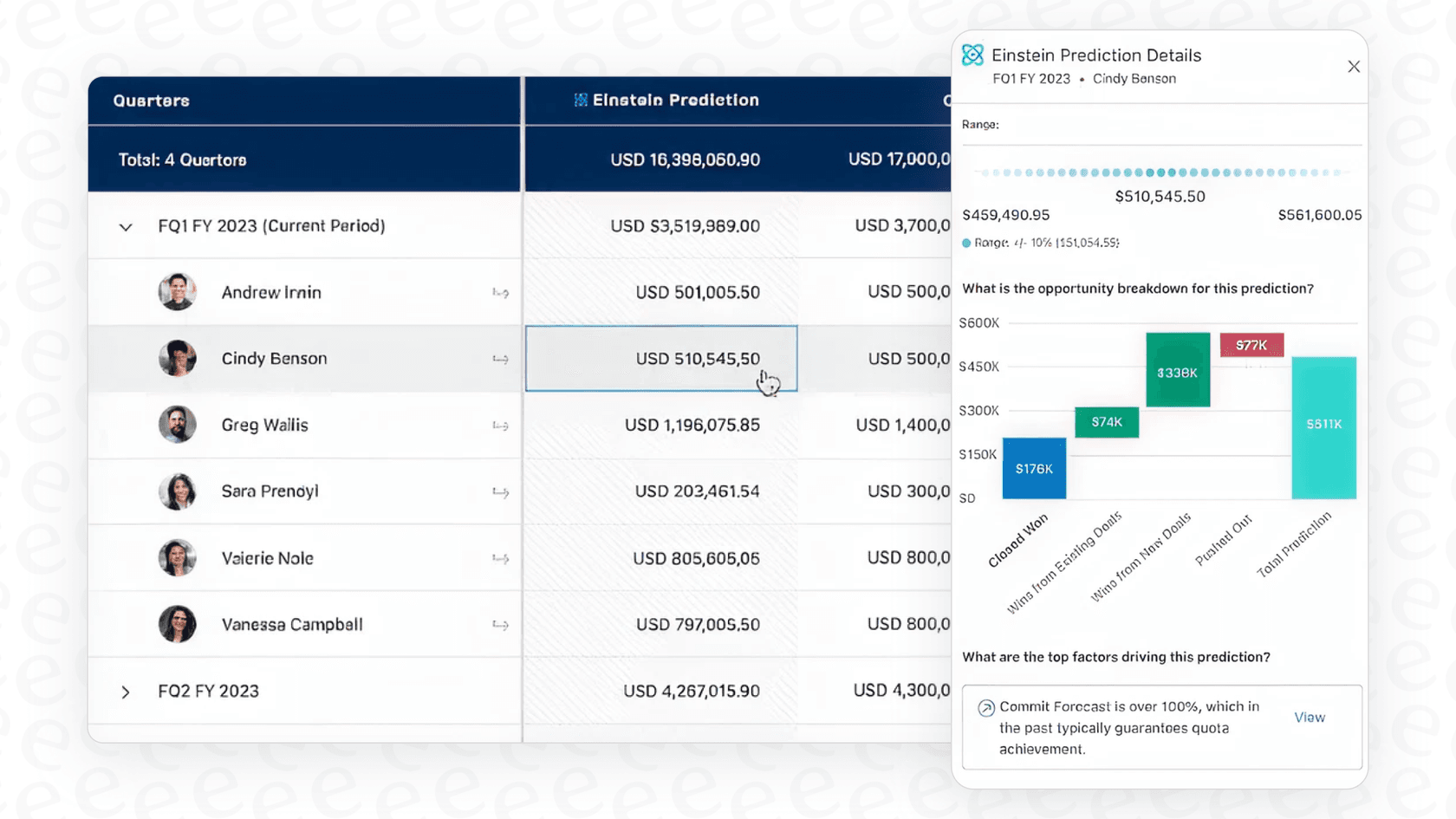
Since it’s built natively for Salesforce, its biggest advantage is how tightly it connects to products you probably already use, like Sales Cloud, Service Cloud, and Data Cloud. It’s the next step in the evolution of what used to be called Einstein Copilot and is part of the company's bigger "Agentforce" platform.
Key features of the Salesforce AI Agent Builder
To really get a feel for what the platform can do, you have to look at its core parts.
Deep integration with the Salesforce ecosystem
The Agent Builder lets you create agents that plug right into your Salesforce data, Flows, Apex code, and MuleSoft APIs. For any company that’s already running its entire operation on Salesforce, this is a huge benefit. Your AI agent can update a customer record or kick off a complex workflow without ever needing to step outside its home environment.
But that strength can also be a weakness. If your company’s knowledge is scattered across different apps, which is the case for most of us, you’ll quickly bump into a "walled garden" issue. Trying to get your agent to read a doc from outside of Salesforce isn't straightforward and usually requires a more complicated and expensive setup.
Conversational building with different coding options
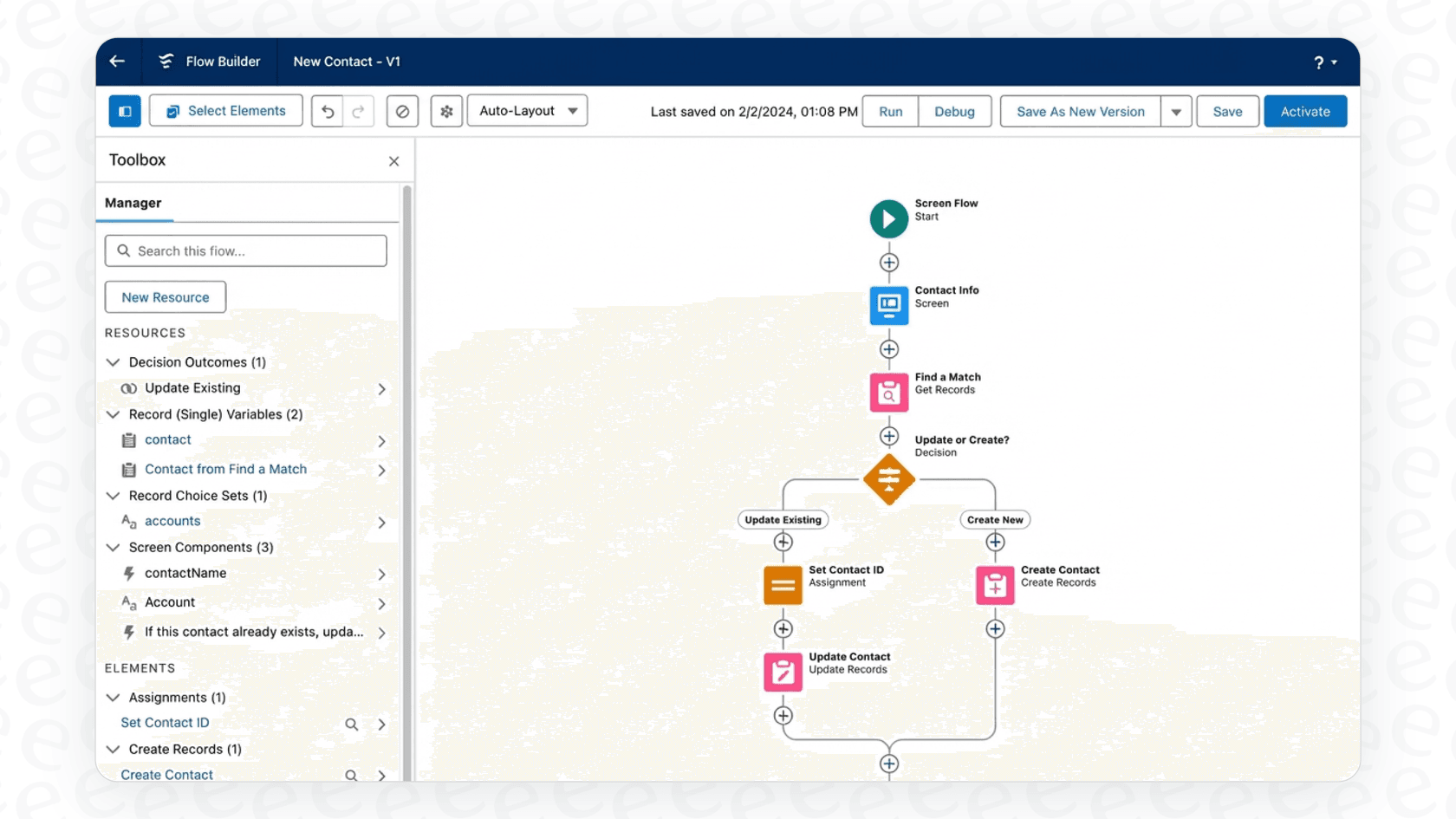
The Agent Builder has an interface that lets you tell an agent what to do in plain English, which is nice for getting started. For trickier tasks, you have "Agent Script," a specialized language that gives developers fine-grained control over how an agent thinks and acts.
While having both low-code and pro-code options seems flexible, it also means there's a bit of a climb to get the hang of it. To really get the most out of it, your team will need to develop what Salesforce calls "Agentblazer" skills, a learning path the company even promotes through its Trailhead training modules. It's a powerful system, but it's not exactly a walk in the park.
Pre-built agent templates and multi-channel deployment
To help you start a bit faster, Salesforce provides a library of pre-built agent templates for common jobs like a Service Agent or a Sales Development Rep. They're decent starting points that you can then customize for your own needs.
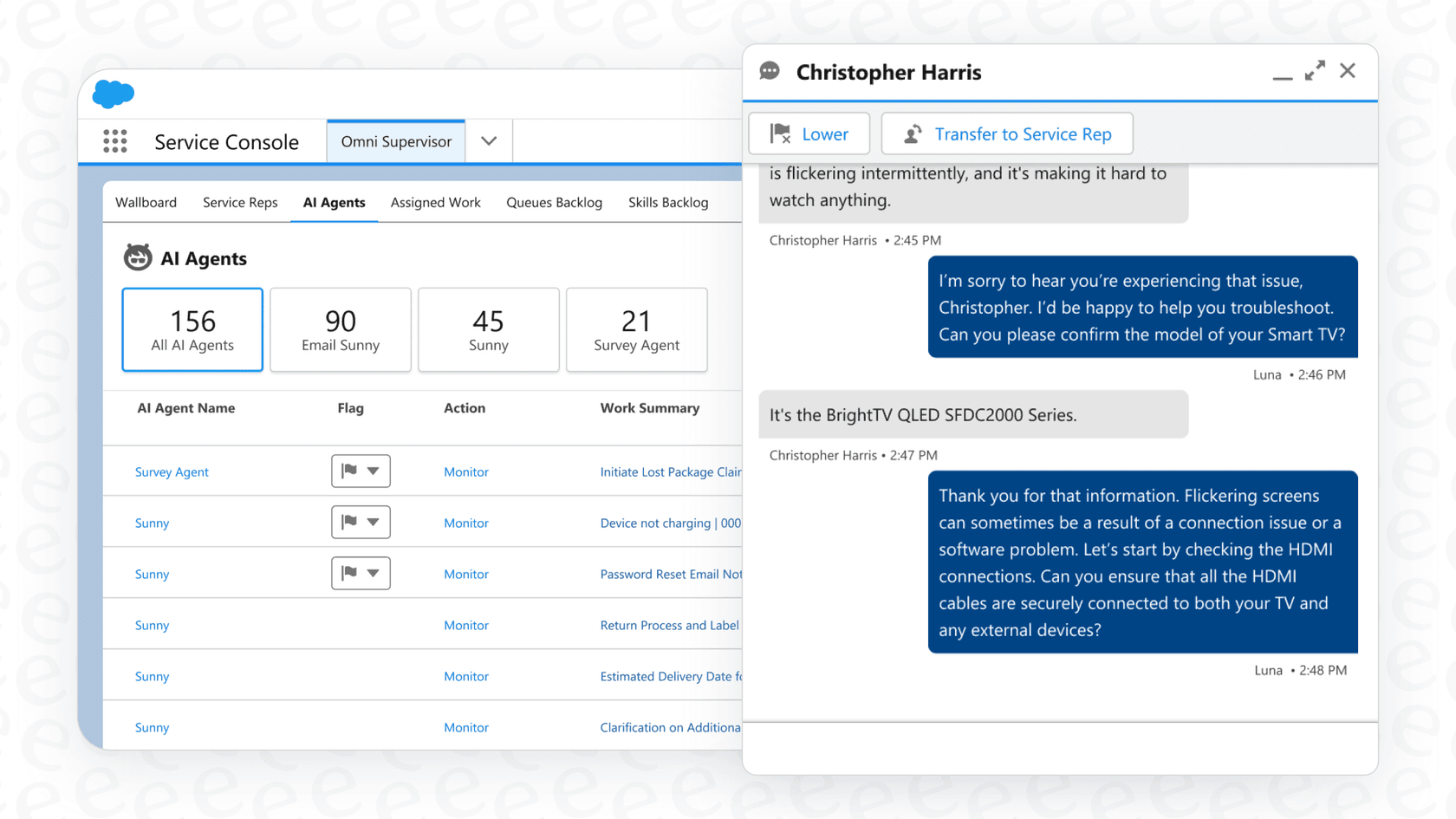
Once an agent is built, you can put it to work across different channels. It can power a chatbot on your website, handle phone calls through Agentforce Voice, or even pop up to help employees in Slack.
Getting your Salesforce AI Agent Builder up and running
Setting up a Salesforce AI agent isn’t as simple as flipping a switch. Here’s a realistic look at what the process involves.
Environment setup and configuration
First things first, you need the right Salesforce edition (Enterprise, Performance, or Unlimited) and an admin to turn on Einstein Generative AI and configure all the permissions. This isn't a quick sign-up process; it’s a series of technical steps that requires someone with Salesforce know-how right from the start.
Designing, building, and testing your Salesforce AI Agent Builder
Salesforce suggests a pretty formal method for building agents. It usually starts with mapping out the agent's logic in detail, defining all the topics it needs to understand and the actions it can perform, and then finally building it out in the Agent Builder.
This is a thorough process, but it’s a far cry from the "go live in minutes" promise you see with newer, more nimble tools. Take a platform like eesel AI, for instance. It lets you connect your helpdesk and knowledge sources with a single click. You can start simulating how the AI would handle your past support tickets almost immediately, without having to spend weeks in a planning and design phase.
The reality of going live with the Salesforce AI Agent Builder
Because Salesforce agents are so deeply woven into your core business data, you have to be extra cautious when you make changes. A small tweak could cause unexpected problems somewhere else in your system, which means you have to manage everything very carefully. This is a big difference compared to standalone AI tools that can work with your existing systems without the risk of messing anything up.
The catch: Some big limitations
While the platform is powerful, it has some major limitations you need to think about, especially if you're not a 100% Salesforce-exclusive company.
The vendor lock-in problem
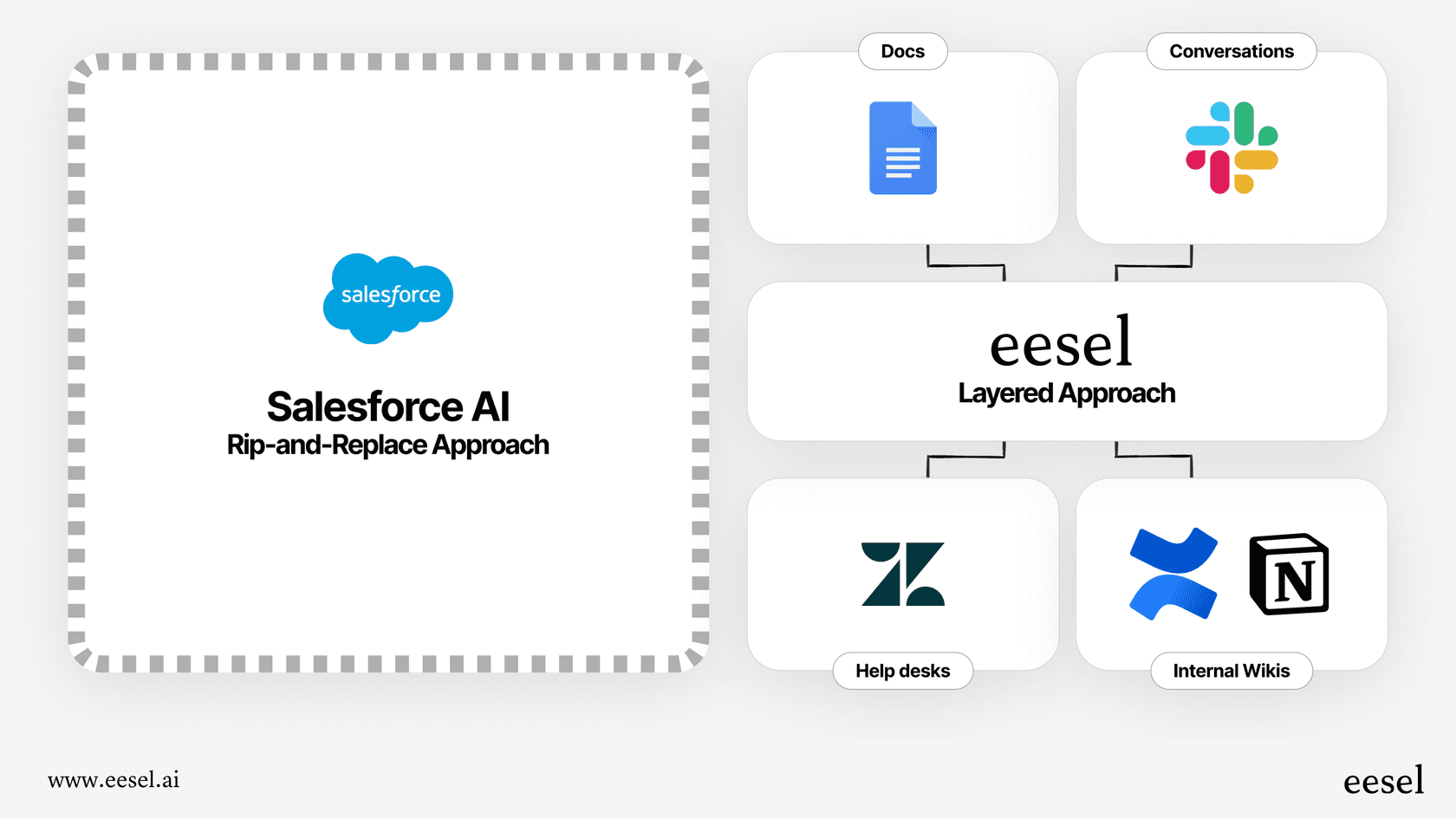
Let's be blunt: the Salesforce AI Agent Builder is designed to keep you inside the Salesforce universe. If your company's knowledge base is in Confluence, your team docs are in Google Docs, and your helpdesk is Zendesk, getting everything to play nicely together is a huge headache. It often means paying for expensive add-ons like MuleSoft or setting up a complicated Data Cloud project just to connect the dots.
This is where a tool that doesn’t care where your data lives, like eesel AI, has a real advantage. It’s built from the ground up to connect to all your tools, wherever they are. With over 100 one-click integrations, you can pull knowledge from all your different sources, from your helpdesk tickets to your internal wikis, without being pressured to move everything into one system.
The hidden complexity and need for experts
Even though it’s marketed as a "low-code" tool, truly mastering the Agent Builder, Agent Script, and the whole underlying data structure is a big commitment. It often leads to a situation where you either have to hire specialized people or bring in pricey consultants. This doesn't just slow you down; it also drives up the total cost of ownership over the long run.
The unpredictable pricing model
And then there's the price tag, which can be a real head-scratcher. Paying per interaction means your costs are directly tied to how much your customers or employees use the agent. If your AI agent is a wild success and handles thousands of conversations, your bill is going to shoot up. This model basically penalizes you for being successful and makes it almost impossible to budget with any real certainty.
This is a sharp contrast to the straightforward, predictable pricing of a tool like eesel AI. With eesel AI, you pay a flat fee, either monthly or annually. There are no surprise charges per ticket resolved, so you can handle more support volume without worrying about a shocking bill at the end of the month.
Understanding Salesforce AI Agent Builder pricing
So, how much will this actually set you back? The Agent Builder tool itself is included when you buy Agentforce, and Salesforce does give you a free tier to get your feet wet.
But the real cost is in the usage. The model is "pay as you go per conversation or lead," and it starts at $2 per interaction. That can add up fast.
| Aspect | Salesforce AI Agent Builder Pricing Model |
|---|---|
| Model Type | Consumption-Based (Pay-per-interaction) |
| Starting Cost | $2 per conversation or lead |
| Key Implication | Costs are variable and rise with usage. |
| Predictability | Low. Hard to forecast monthly expenses. |
Is the Salesforce AI Agent Builder right for you?
There’s no doubt the Salesforce AI Agent Builder is a heavy-hitter, but it’s really built for a specific kind of company. If your business is already deeply rooted in the Salesforce ecosystem, meaning all your data, workflows, and teams are there, it offers a level of integration that’s tough to match.
However, for businesses that need to be flexible, move quickly, and have a predictable budget, it presents some serious challenges. The vendor lock-in, the setup complexity, and the unpredictable pricing can be major roadblocks for teams that can't afford to be bogged down. For most companies, a more agile and platform-agnostic solution is a much better fit for today’s fast-moving world.
If you're looking for an AI agent platform that you can set up in minutes, connects with all the tools you already use, and comes with predictable pricing, check out how eesel AI can automate your support without trapping you in a single ecosystem.
Frequently asked questions

Share this article

Article by
Stevia Putri
Stevia Putri is a marketing generalist at eesel AI, where she helps turn powerful AI tools into stories that resonate. She’s driven by curiosity, clarity, and the human side of technology.