A practical guide to Shopify automation for growing stores


Last edited October 2, 2025

If you’re running a Shopify store, you know the feeling. A new sale notification pops up, awesome! But that excitement is quickly followed by the thought of the manual tasks ahead: updating inventory, processing the order, and bracing for the inevitable wave of customer questions. It can feel like you're spending more time on tedious chores than on actually growing your business.
This is where Shopify automation can honestly change your life. It’s the secret to getting your time back, reducing costly mistakes, and scaling your store without burning out. Think of it as hiring a team of digital assistants who happily handle the boring stuff, freeing you up to focus on what really matters.
In this guide, we'll walk you through everything you need to know. We’ll start with what Shopify automation actually is, then get into the nitty-gritty of automating marketing, operations, and customer support. We'll look at the tools you can use, from Shopify's own features to the AI that's shaking things up.
What is Shopify automation?
At its core, Shopify automation is just using software to handle repetitive tasks in your store so you don't have to. Instead of manually sending a follow-up email or tagging a risky-looking order, you set up a rule once, and the software takes it from there.
Most automation tools, including the ones Shopify provides, work on a simple "trigger, condition, and action" model. It sounds a bit technical, but it's a straightforward, no-code way to build out these little automated helpers.
Here’s a classic example we’ve all experienced from the customer side:
-
Trigger: A customer adds a bunch of stuff to their cart but then gets distracted and leaves.
-
Condition: The value of their cart is over $100.
-
Action: The system automatically sends them a friendly email with a 10% discount code to nudge them over the finish line.
This whole sequence runs in the background, 24/7, whether you’re at your desk or not. You can create these kinds of workflows using Shopify's built-in tools or by plugging in more advanced apps for specific jobs.
Shopify automation for marketing and sales
Let’s be honest, the first place most of us look to automate is anything that brings in more money. It just makes sense. These are the workflows that directly boost revenue and keep customers coming back, so getting them right can have a pretty immediate impact on your bottom line.
Here are some of the most effective marketing automations you can set up:
-
A warm welcome series. When someone subscribes to your newsletter, you want to do more than just add their name to a list. An automated welcome series can send a few emails introducing your brand, sharing your story, and maybe offering a small discount on their first purchase. It’s your best first chance to turn a casual subscriber into a loyal customer.
-
Abandoned cart recovery. This is a non-negotiable for any e-commerce store. We’ve all done it, filled a cart and then wandered off. Statistics show that nearly 70% of online shopping carts are abandoned. An automated email that reminds customers about the items they left behind is a proven way to win back a good chunk of that lost revenue.
-
Smarter customer segmentation. Not all customers are created equal. Automation can help you tag them based on their behavior, like how much they've spent, how many orders they've placed, or what products they’ve bought. You could create a "VIP" group for your top spenders and automatically send them exclusive deals, or tag customers who bought a specific product to follow up with helpful content.
-
Helpful post-purchase upsells. The customer relationship doesn't end at checkout. You can set up automations to follow up after a purchase with recommendations for products that go well together. Did someone just buy a coffee machine? A week later, you can automatically email them about your best-selling coffee beans.
Shopify offers its own tools like Shopify Email and Marketing Automations that are perfect for setting up these kinds of workflows. They’re a great place to start. But it’s good to know their limits. These automations are strictly rule-based; they follow a script you write and can't really adapt to the nuances of customer behavior or understand the context of a conversation. They're efficient, for sure, but can sometimes come across as a bit robotic.
Shopify automation for operations and fulfillment
While marketing automation is what your customers see, operational automation is the unsung hero working behind the scenes to keep your business running smoothly. These are the workflows that prevent stockouts, flag potentially fraudulent orders, and keep your team on the same page, saving you from headaches and expensive mistakes.
Here are a few key operational tasks that are perfect for automation:
-
Inventory management. Manually keeping track of stock is a recipe for overselling. You can create a workflow to automatically hide a product on your store the moment it goes out of stock. You can also set up internal alerts that ping your team when a popular item is running low, so you know it's time to reorder.
-
Fraud prevention. As you grow, manually reviewing every single order for fraud becomes impossible. Instead, you can have a workflow automatically flag high-risk orders for a human to look at. You get to define what "high-risk" means, like orders over a certain value, or when the billing and shipping addresses don't match.
-
Order management. When orders are flying in, keeping them organized is key to getting them out the door quickly. You can automatically tag orders based on shipping method, customer location, or specific products. This helps your fulfillment team see what to prioritize and process orders with fewer mix-ups.
-
Team communication. Keep everyone in the loop without drowning them in emails. You can send automatic notifications to a Slack or Microsoft Teams channel for important events, like when a new wholesale order comes in or a VIP customer makes another purchase.
The main tool for this is Shopify Flow, Shopify's own automation app. Its visual, no-code builder is pretty user-friendly, even if you’re not a tech whiz. You can drag and drop triggers, conditions, and actions to build custom workflows that fit exactly what your business needs.
But Shopify Flow has its boundaries. It’s great for automating internal processes based on clear triggers inside Shopify, but it wasn't built for talking to customers. It can complete a task, but it can't understand a customer's question or carry on a conversation. And while it's powerful, trying to manage dozens of complex, multi-step workflows can sometimes become a tangled web that’s a pain to sort out.
Shopify automation's next frontier: AI-powered customer support
Marketing and operational automations are pretty standard for a modern Shopify store. But if there's one area where old-school automation struggles and AI can make a huge difference, it's customer support.
Support teams are always buried under the same questions: "Where is my order?", "What's your return policy?", "Do you ship to Canada?". The usual tools, like text expanders or simple chatbots, just can't keep up. They get tripped up by the different ways people ask things and don't have the real-time info needed to give a personal, accurate answer.
AI-powered automation is a different beast entirely. It uses natural language processing to understand what a customer is actually asking, no matter how they phrase it. It can learn from your past support chats, check live store data, and give answers that are not only right but also feel personal.
This is where tools like eesel AI change the picture. While traditional automation follows a script, eesel AI thinks and adapts.
-
Instant, unified knowledge. Most AI tools make you build a knowledge base from scratch, which is a massive job. Instead, eesel AI connects directly to the places your knowledge already lives, like your help desk (Zendesk, Gorgias), your help center, and even your past support tickets. It learns your brand's voice and common issues from day one. It can even integrate with your Shopify store to look up order info in real-time.
-
Live in minutes, not months. Forget about long setup processes and mandatory sales calls. With eesel AI, the whole thing is self-serve. You can connect your help desk and have a working AI agent in just a few minutes, which is a world away from competitors that require complicated projects and developer help.
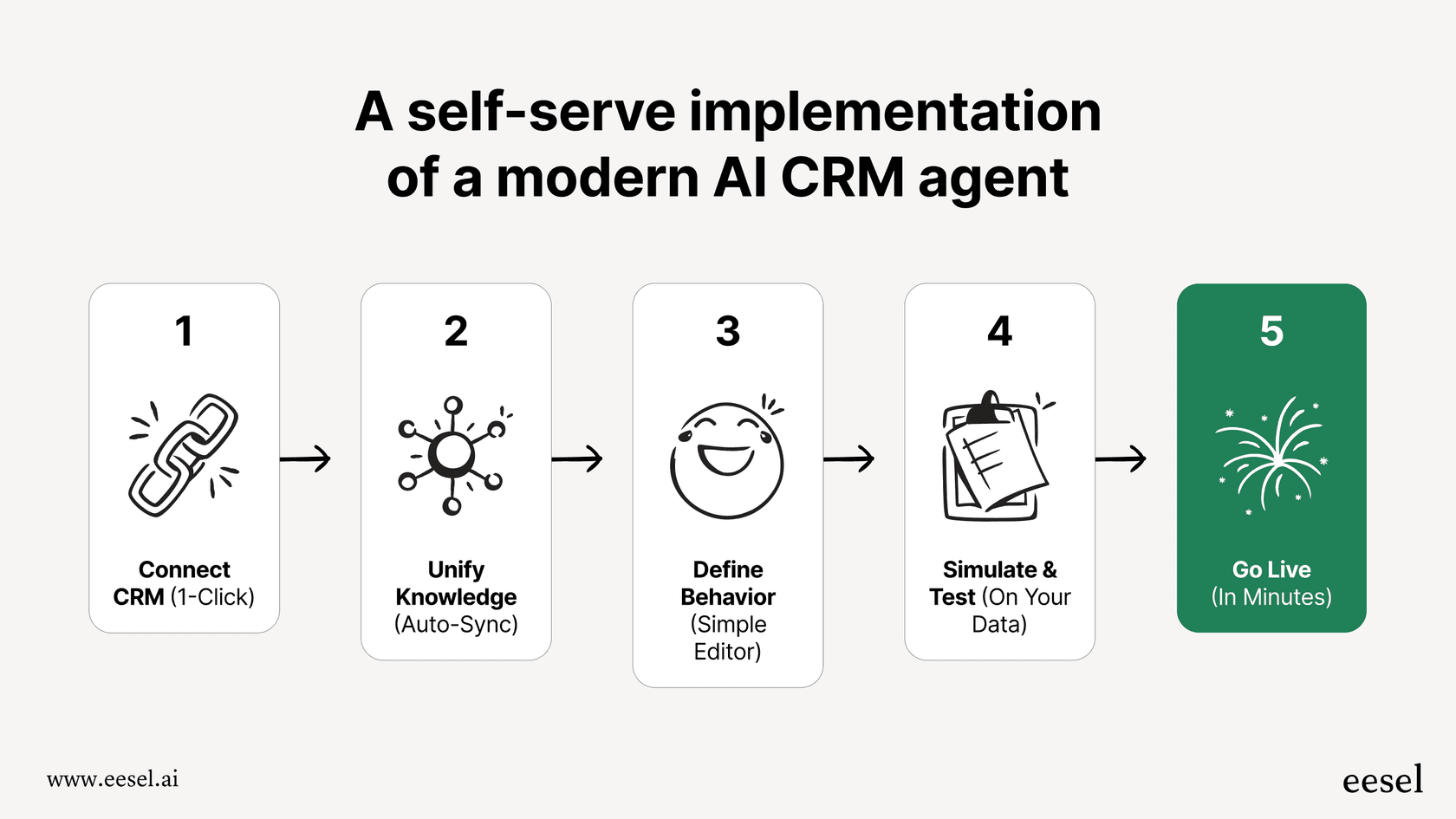
- Test with real data. Feeling nervous about letting an AI talk to your customers? I get it. eesel AI’s simulation mode lets you test your setup on thousands of your actual past tickets. You can see exactly how it would have answered real customer questions, giving you an accurate picture of its performance and resolution rate before you flip the switch.

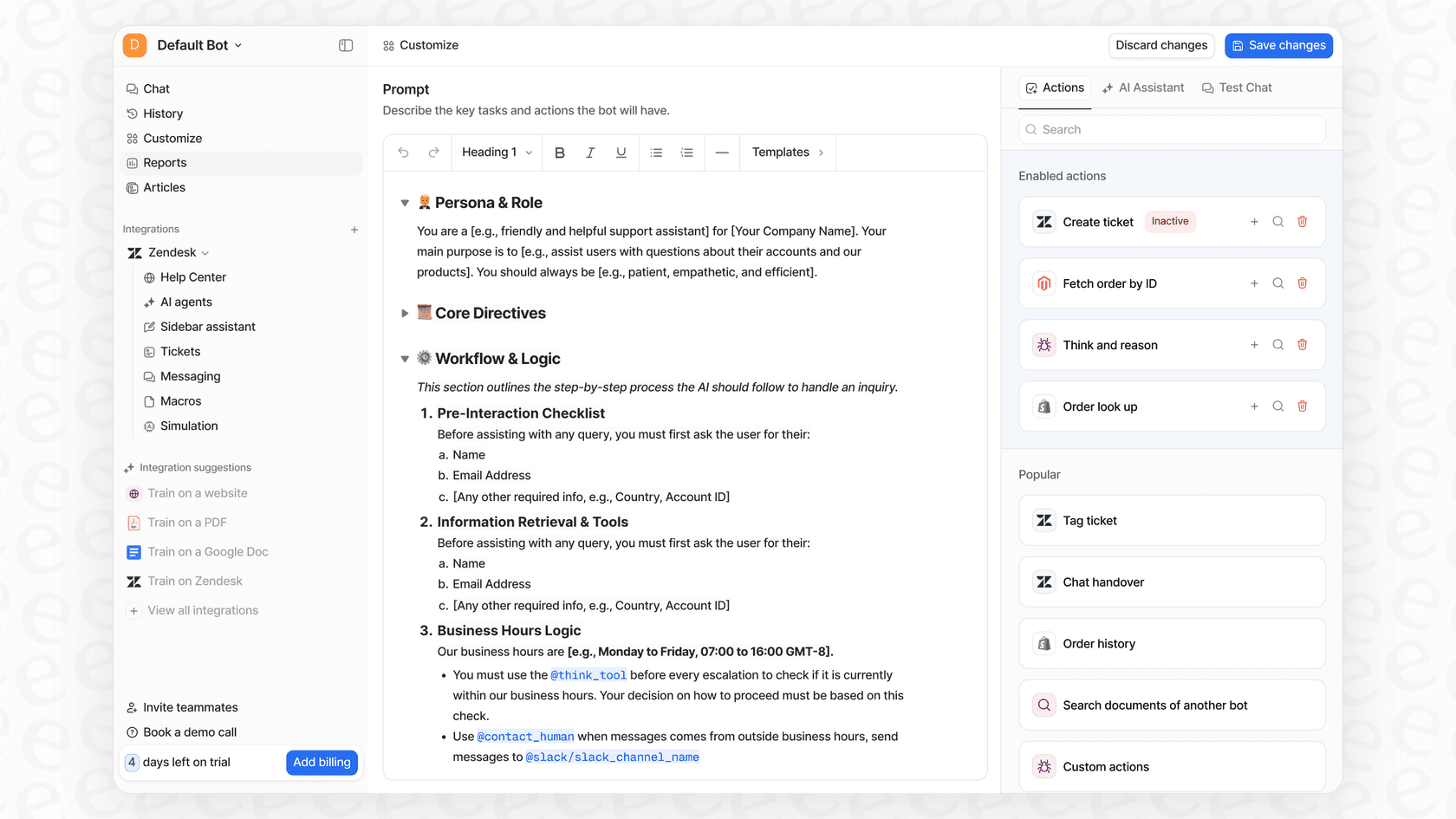
- You're in the driver's seat. You decide exactly which questions the AI handles. You can start small, maybe just automating "Where is my order?" questions, and have it pass everything else to a human. As you get more comfortable, its customizable workflow engine can take actions like tagging, routing, or even closing tickets, completely handling your most common issues from start to finish.
Understanding the cost of Shopify automation
The cost of setting up Shopify automation can really vary. Access to Shopify's own tools depends on which subscription plan you have.
According to Shopify's pricing page, Shopify Flow, their main automation tool, is available on the Basic, Shopify, and Advanced plans. That makes it accessible for most stores. The Shopify Plus plans offer more capacity for bigger businesses.
Of course, many stores also use third-party apps from the Shopify App Store for more specific marketing or operational tasks. These usually have their own monthly fees, which can add up and make your budget a bit messy.
This is another spot where modern AI platforms can offer a bit more clarity. For example, eesel AI’s pricing is transparent and predictable. Plans are based on the number of AI interactions, not how many tickets it resolves. This means your bill won't suddenly triple during a busy month like Black Friday, a common headache with other AI support tools.
Start your Shopify automation today to scale smarter
For any growing Shopify store, automation isn't just a nice-to-have; it's a must. By putting your repetitive tasks on autopilot, you free up your team to focus on the things that humans do best: strategy, creativity, and building real relationships with your customers.
We've covered the three main areas where Shopify automation can really move the needle for your business:
-
Marketing & Sales: Use automated workflows to bring in revenue, recover abandoned carts, and build customer loyalty.
-
Operations: Use Shopify Flow to streamline your backend processes, from managing inventory to fulfilling orders.
-
Customer Support: Go beyond basic rules with AI-powered tools that give instant, personalized answers to your customers' most frequent questions.
While Shopify's built-in tools give you a great starting point, the key to truly scaling your business and providing a top-notch customer experience is embracing specialized AI for your customer support.
Ready to see what AI-powered automation can do for your Shopify support? Try eesel AI for free and get it up and running in minutes.
Frequently asked questions


Share this article

Article by
Stevia Putri
Stevia Putri is a marketing generalist at eesel AI, where she helps turn powerful AI tools into stories that resonate. She’s driven by curiosity, clarity, and the human side of technology.