Synthesia pricing 2026: Plans, costs, and is it worth it?

Last edited October 15, 2025
AI video tools are popping up everywhere, promising to let you create slick, professional videos without ever touching a camera. Synthesia is one of the biggest names in the game, letting you turn a simple script into a video with a talking AI avatar. It sounds great, right?
But let's be honest, whenever a cool new tool appears, the first question on everyone's mind is: "Okay, but what's this actually going to cost me?"
Figuring out the pricing isn't just about looking at the monthly fee. It's about understanding what you get, what you don't get, and what features are dangling just out of reach behind a "contact us for pricing" button. This guide will give you a straight-up look at Synthesia's pricing plans for 2025, including the hidden costs and limitations, so you can figure out if it's the right fit for your team.
What is Synthesia?
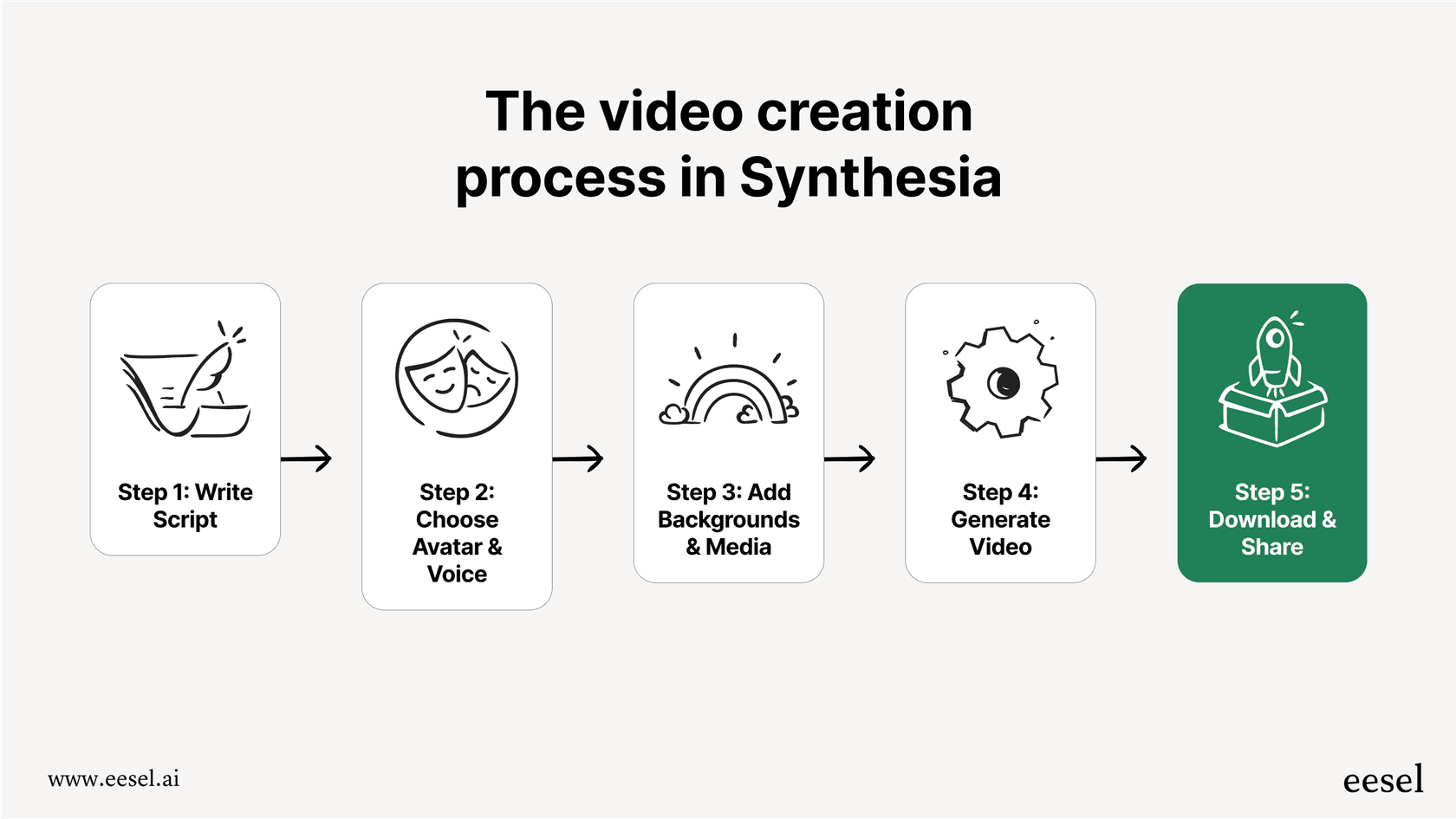
Before we dive into the numbers, let's quickly cover what Synthesia does. At its core, it's a platform that generates videos from text. You type up a script, pick an AI avatar from their library, and the software creates a video of that avatar speaking your words. No cameras, no microphones, no actors having an off day.
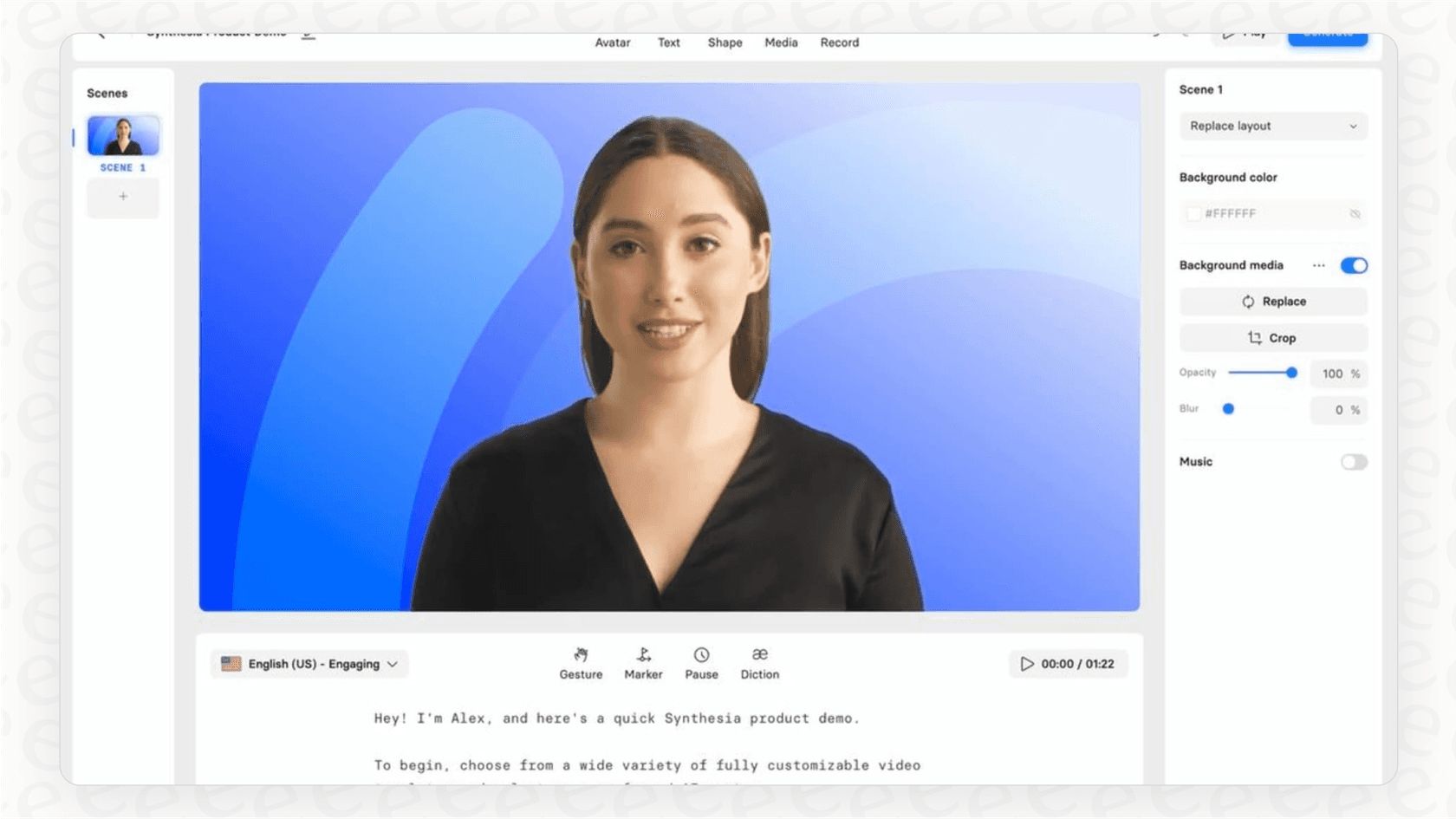
So, what are people actually doing with it? Most teams use it for a few common things:
-
Corporate Training: Instead of flying everyone out for a workshop or making someone sit through a boring slideshow, companies create onboarding videos, compliance training, and software tutorials.
-
Sales and Marketing: Think product demos, quick explainer videos, or even personalized sales pitches that can be sent out to hundreds of leads.
-
Internal News: It's a way for leaders to share company announcements or updates that feels a little more personal than a company-wide email.
The platform gives you a library of stock avatars, a ton of voices in over 140 languages, and some basic video templates. The biggest selling point is how fast you can create and update videos, especially if you need to translate them into different languages.
A full breakdown of Synthesia pricing plans
Synthesia runs on a subscription model with four different tiers: Free, Starter, Creator, and Enterprise. The main difference between them comes down to how many minutes of video you can generate each month, how many avatars you get to choose from, and whether you get access to the more advanced, business-focused features.
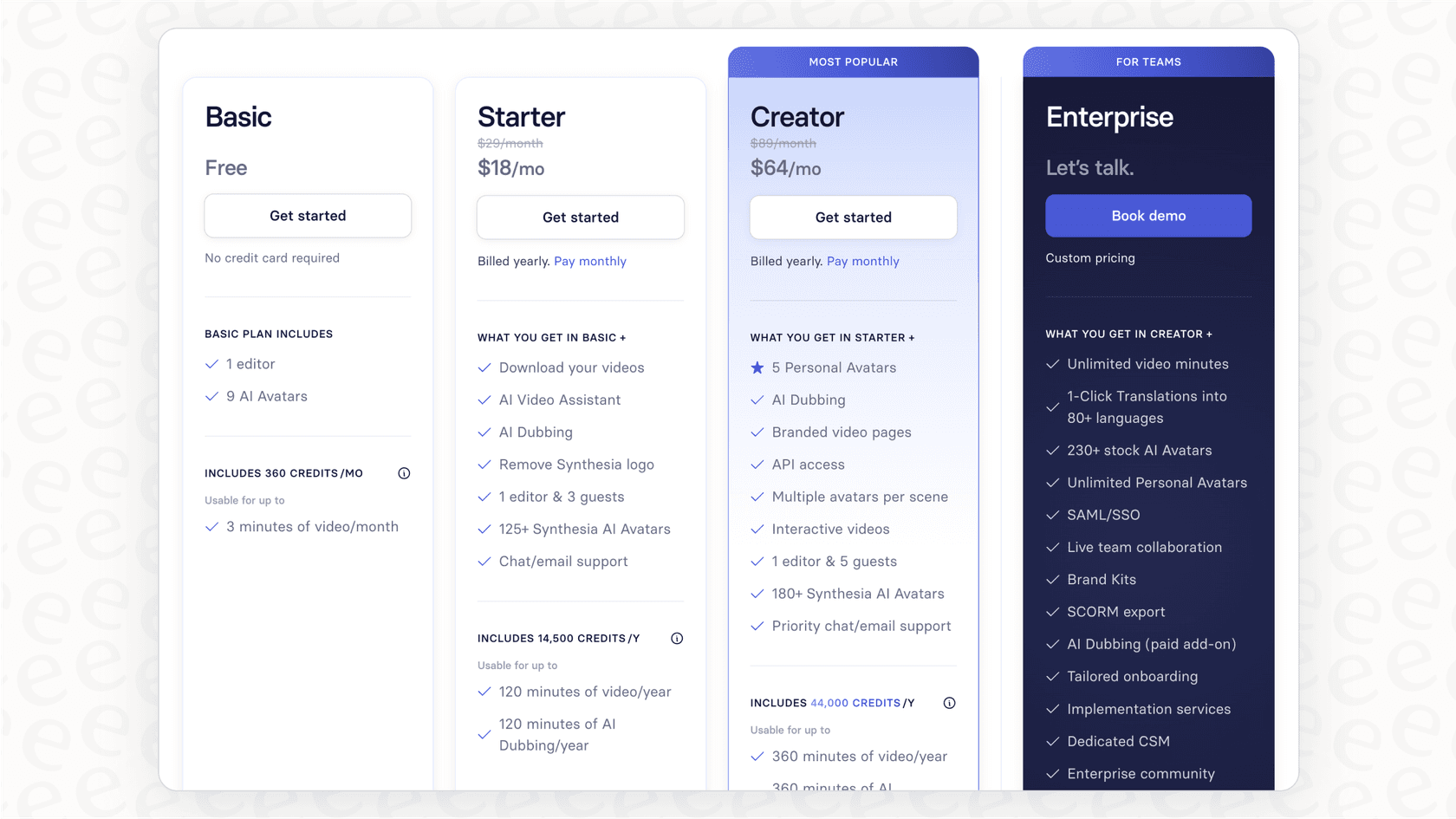
One thing to keep in mind is that Synthesia uses a credit system, where one minute of generated video uses up one credit.
Here’s how the plans stack up against each other:
| Feature | Free | Starter | Creator | Enterprise |
|---|---|---|---|---|
| Price (Monthly) | $0 | $29/month | $89/month | Custom |
| Price (Annual) | N/A | $216/year ($18/mo) | $768/year ($64/mo) | Custom |
| Video Minutes | 3 minutes/month | 10 minutes/month | 30 minutes/month | Unlimited |
| Stock AI Avatars | 9 | 125+ | 180+ | 230+ |
| Personal Avatars | No | 3 | 5 | Unlimited |
| 1-Click Translation | No | No | No | Yes (80+ languages) |
| SCORM Export | No | No | No | Yes |
| API Access | No | No | Yes | Yes |
| SAML/SSO | No | No | No | Yes |
| Best For | Kicking the tires | Individuals & small projects | Content creators & small teams | Large organizations needing scale & security |
The free plan
The Free plan is basically your test drive. You get 3 minutes of video a month and can play around with 9 of their stock avatars. It’s a good way to see if you like the interface and get a feel for the video quality, but it's far too limited to be used for any real business purpose.
The Starter plan
At $29 a month (or $18 if you pay for the year), the Starter plan is geared toward individuals or small teams with pretty light video needs. You get bumped up to 10 minutes of video per month and the avatar library opens up to over 125 options. Crucially, this plan lets you download your videos and remove the Synthesia branding, which is a must if you want them to look professional.
The Creator plan
For $89 a month ($64 if billed annually), the Creator plan is designed for people who are, well, creating more content. You get 30 video minutes a month, over 180 avatars, and you can create up to 5 "Personal Avatars" (which are digital versions of yourself or a team member). This plan also gives you API access and lets you create branded video pages with a call-to-action button.
The Enterprise plan
This is the "if you have to ask, you can't afford it" tier. The Enterprise plan comes with custom pricing and is built for large companies. This is the only plan that offers truly scalable features like unlimited video minutes, single sign-on (SSO) for security, and a dedicated person to help you get set up. More importantly, some features that many would consider essential for corporate use, like SCORM export for learning management systems (LMS) and 1-click video translation, are locked away in this tier.
What Synthesia pricing doesn't include
The price you see on the website doesn't always paint the full picture. After digging through user feedback and looking closely at how the features are split up, we found a few extra costs and limitations you should probably know about.
Custom avatars: A hidden cost
While the Creator plan gives you a few slots for "Personal Avatars," if you want a really high-quality "Studio Avatar" that looks polished and professional, that's a separate add-on. And it's not cheap, it costs $1,000 per year. This is a big deal for brands that want a consistent digital face for their company and find the stock options a little too generic.
The enterprise paywall
For a lot of businesses, especially in the learning and development space, things like SCORM exports and easy translation aren't "premium" features; they're absolute necessities. By hiding these behind the custom-priced Enterprise plan, Synthesia makes it tough for mid-sized companies to get the functionality they really need. It often means the actual price to get the tool to do what you want is much higher than the plans on the pricing page suggest.
The uncanny valley: A hidden cost
This one isn't a line item on your invoice, but it can have a real business cost. As some users on Reddit have pointed out, the AI avatars can sometimes feel a bit... off. They're close to human, but not quite there, which can be distracting. This is known as the "uncanny valley." If your audience is spending more time thinking about how the avatar blinks weirdly than listening to your message, the video isn't doing its job, and your return on investment takes a hit.
I used it for workplace training. The result was so 'uncanny-valleyish' that the learners focused their entire attention on the weird AI talking heads and completely ignored the content. I thought the content was really good and was pretty upset by the whole experience.

Scriptwriting: A hidden cost
Synthesia handles the video production, but it doesn't help you with the content creation. Your team is still on the hook for writing, editing, and polishing every single script. This is a huge time sink, especially for support teams trying to create helpful videos for all their frequently asked questions. While you're busy writing a script for one problem, ten more tickets with the same question have already rolled in.
This is where you have to ask if you're solving the right problem. Instead of just making content about common questions, what if you could just... answer them automatically? Tools like eesel AI connect directly to your helpdesk and use your team's past ticket resolutions to give customers instant, correct answers, tackling the issue at the source.
Is Synthesia pricing right for you?
Synthesia is a really cool piece of tech, but whether it’s worth the money completely depends on what you’re trying to achieve. You have to weigh its video production power against its limits as an all-in-one solution for support or training.
When Synthesia is a great choice
Synthesia really shines when your main goal is to churn out polished videos without a lot of fuss. It's probably the right move if you:
-
Need to create good-looking videos for marketing campaigns or presentations for leadership.
-
Are focused on making straightforward software demos, tutorials, or company announcements.
-
Already have someone on your team who can handle all the scriptwriting.
-
Have the budget to spring for the Enterprise plan to get access to things like translation and LMS integrations.
When to look for alternatives
On the other hand, if your biggest headache is a heavy operational workload, like a flooded support inbox, Synthesia might only be a temporary fix. You should probably consider an alternative if you:
-
Want to actually resolve customer issues automatically, not just make videos about them.
-
Need a tool that can learn from your existing documents without needing you to write scripts for everything.
-
Prefer clear, predictable pricing that doesn't hide key features behind an enterprise paywall.
-
Are worried that the AI avatars might distract your audience from the actual information.
A proactive alternative
Think about it this way: creating a library of training videos is a reactive approach. You wait for a problem to come up enough times, then you make a video about it. A more proactive way to handle things is to use AI to answer questions directly for customers and employees.
This is where a platform like eesel AI comes at the problem from a totally different angle.
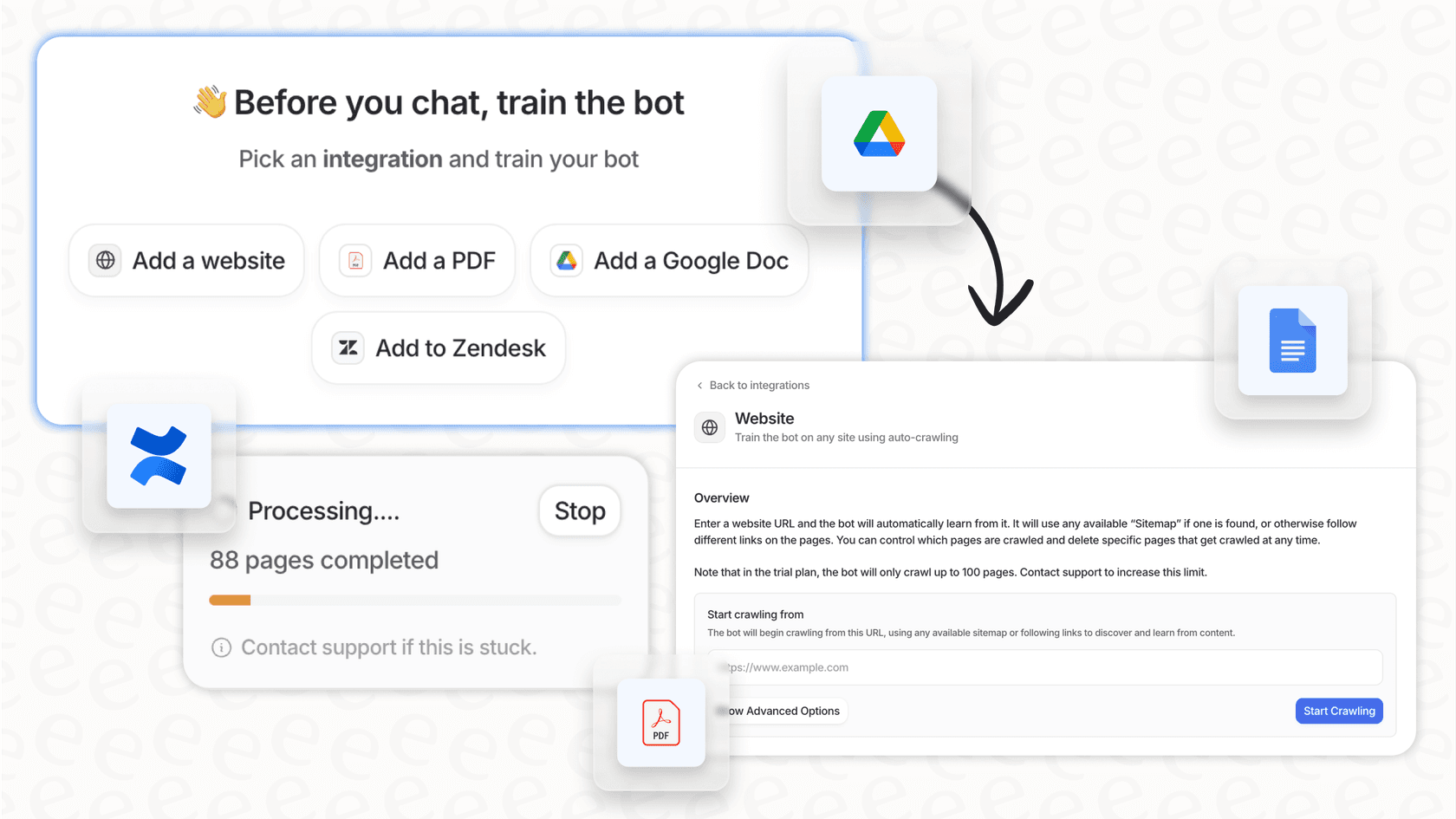
Instead of asking you to write a script, eesel AI plugs into the tools you already use, like your helpdesk, Confluence, or Google Docs, and learns from all your past conversations and documents. From there, it builds an AI agent that can:
-
Handle your frontline support by giving instant, accurate answers to common questions.
-
Go live in minutes with simple, one-click integrations for platforms like Zendesk, Freshdesk, and Intercom.
-
Offer predictable pricing with no sneaky per-resolution fees, so your bill won't suddenly skyrocket.
-
Show you how well it works by simulating its performance on thousands of your past tickets before you even turn it on.
This approach focuses on solving the root cause of the problem (all those repetitive questions) instead of just creating another piece of content to throw at it.
Final thoughts on Synthesia pricing
Synthesia is an impressive platform for teams looking to make video production faster and easier. The entry-level plans are affordable, but to unlock its full power for a business, you'll likely need to talk to their sales team about a custom Enterprise plan. If your job is to make video content, it's definitely a tool worth looking at.
But it’s important to make sure the tool you choose aligns with the problem you’re trying to solve. If your goal is just to create video assets, Synthesia is a fantastic choice. But if your real goal is to cut down on manual support work and automate resolutions, your money might be better spent on an AI platform that's built for automation, not just content creation.
By understanding the complete picture of Synthesia pricing and looking at alternatives that focus on direct automation, you can be sure that your investment in AI is one that will actually make a difference for your business.
Ready to see how direct AI automation can change your support workflows? Start your free eesel AI trial today and you can build and test an AI agent in just a few minutes.
Frequently asked questions

Share this article

Article by
Stevia Putri
Stevia Putri is a marketing generalist at eesel AI, where she helps turn powerful AI tools into stories that resonate. She’s driven by curiosity, clarity, and the human side of technology.