Vibe coding for non-developers: what it actually is and how to use it safely


Last edited June 17, 2026
Table of Contents
- So what is vibe coding, really?
- Why non-developers can suddenly build software
- The tools a non-developer would actually reach for
- What the workflow actually looks like
- Where it breaks for non-developers (the honest part)
- What's safe to vibe code, and what isn't
- A different kind of "describe what you want": support automation without the footguns
- Try eesel AI
So what is vibe coding, really?
The term comes from Andrej Karpathy, an OpenAI co-founder, who described it in a post on X in February 2025: "There's a new kind of coding I call 'vibe coding', where you fully give in to the vibes, embrace exponentials, and forget that the code even exists." His punchline was the part that made people nervous: "I 'Accept All' always, I don't read the diffs anymore."
That last bit is the whole definition. Vibe coding isn't just "using AI to help you code", it's building software without reviewing the code the AI writes. The programmer and writer Simon Willison drew the line as sharply as anyone: "When I talk about vibe coding I mean building software with an LLM without reviewing the code it writes." If you do review and understand every line, he argues, "that's not vibe coding, it's software development. The usage of an LLM to support that activity is immaterial."
It caught on fast. Karpathy had been building toward the idea since 2023, when he claimed "the hottest new programming language is English". By March 2025, Merriam-Webster listed "vibe coding" as a slang and trending term, and by November, Collins English Dictionary had named it Word of the Year for 2025. Even Linus Torvalds vibe coded a small Python tool in January 2026. So this isn't a fringe idea anymore, it's how a real slice of software now gets made, including a quarter of Y Combinator's Winter 2025 startups whose codebases were roughly 95% AI-generated.
Why non-developers can suddenly build software
For most of computing history, the gap between "I have an idea for an app" and "I have an app" was a programming language you had to learn first. That gap is what's collapsing.
Willison, who is firmly in the optimist camp here, puts the case better than most: "I believe everyone deserves the ability to automate tedious tasks in their lives with computers. You shouldn't need a computer science degree or programming bootcamp in order to get computers to do extremely specific tasks for you." Vibe coding, he writes, "shaves that initial barrier down to almost flat."
That's the real story for non-developers. You're no longer blocked by syntax; you're describing intent and steering. The closest analogy is the difference between knowing how to drive and knowing how to build an engine. Vibe coding lets you drive. Whether you can fix the engine when it breaks is a separate question, and we'll get to it.
The tools a non-developer would actually reach for
Not every AI coding tool is built for people without a technical background. Cursor, for example, was originally aimed at professional developers and assumes you know your way around a codebase. The tools below are the ones that hide the scary parts (databases, hosting, version control) and let you work entirely through chat.
The UX consultant Paul Boag, writing about his own non-developer experience with vibe coding, captured why tool choice matters so much. Developer-focused tools intimidated him ("a Git repository is a collection of particularly annoying British people," he joked), whereas the beginner-friendly ones "didn't require me to have an understanding of databases, hosting environments or anything else."
Here's how the main options compare for someone starting out:
| Tool | Best for | What it builds | Free tier | Paid starts at |
|---|---|---|---|---|
| Lovable | Non-technical founders shipping a first real app | Full web apps, built by chatting | Yes | Free to start |
| Replit | Going idea-to-deployed with infrastructure handled | Full-stack apps with auth, database, hosting baked in | Yes (Starter) | Core, $20/mo |
| Bolt | Designers and PMs prototyping in the browser | Full-stack web apps from a prompt | Yes | Pro, $25/mo |
| v0 | People already in the React / Next.js world | UI components and apps in React/Next.js | Yes | Team, $30/user/mo |
Lovable is the clearest example of how far this has gone. The pitch is literally "create apps and websites by chatting with AI," and the company says its platform has powered more than 36 million projects, with over 200,000 built every day. Here's what landing on it looks like:
Replit leans hardest into the "no setup" promise: its Agent builds, runs, and deploys a full-stack app from a plain-English prompt, with the database, login, and hosting handled for you. If you want to understand the broader category before picking one, our guide to the best no-code AI tools is a good companion read.
What the workflow actually looks like
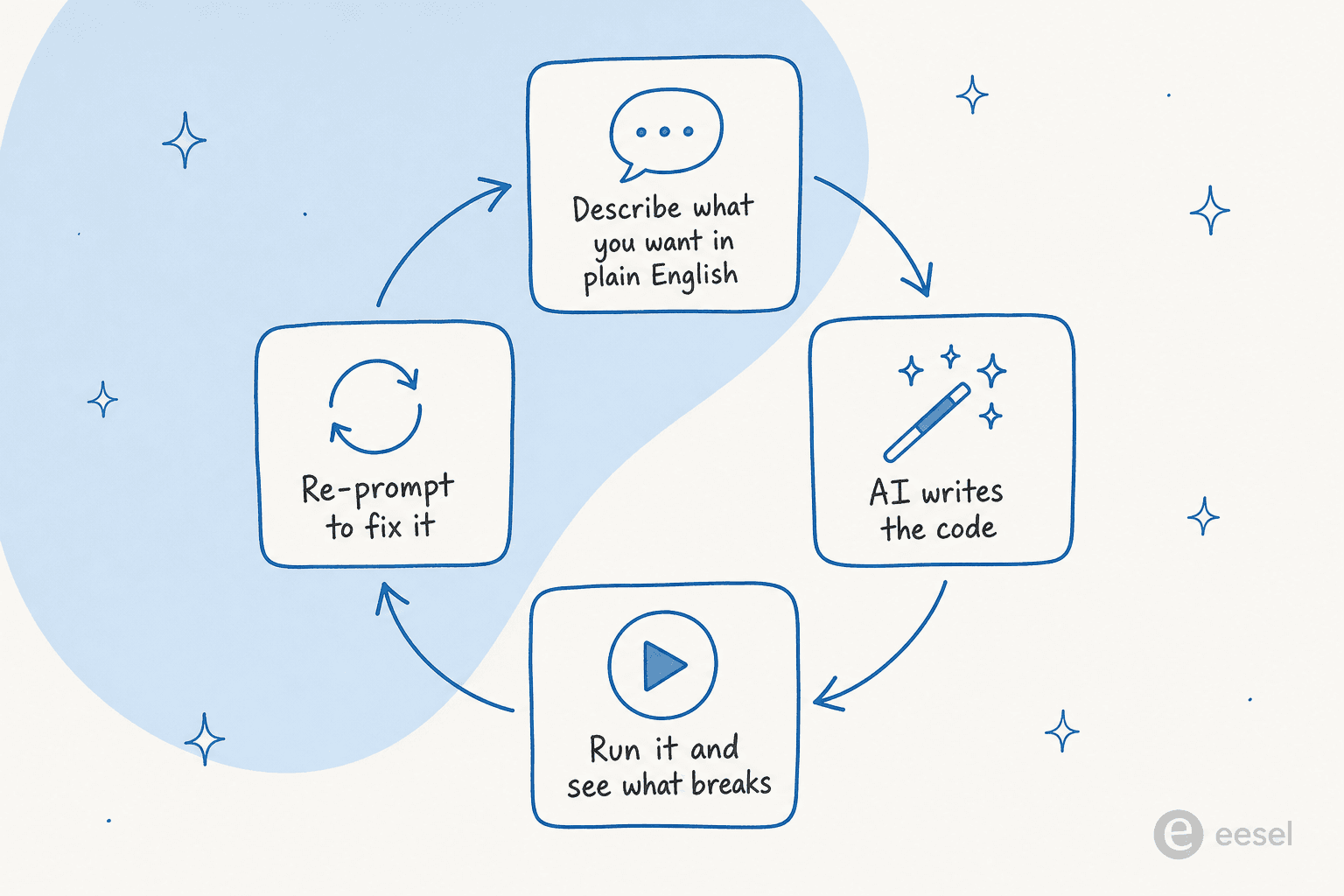
Vibe coding feels less like programming and more like a conversation that loops. You describe what you want, the AI writes it, you run it to see what happens, and when something's off you describe the fix in plain language and go around again.
A non-developer who wrote about her experience on the Stack Overflow blog described that first loop perfectly: "It felt like hitting one of those 'That was easy!' buttons from Staples." The early momentum is real, and it's intoxicating.
The loop is also where the trouble hides. When the AI's fix doesn't work, it often tries the same wrong fix again. Boag, who had a little coding literacy to fall back on, described exactly this:
"It had a habit of trying the same fix again and again rather than adopting new approaches. I often had to suggest alternative ways of working to fix the issues. This is where my limited coding experience did prove handy. If you had no coding experience whatsoever you may well have not known how to move forward."
That's the quiet danger of the loop for a true beginner: it works beautifully right up until it doesn't, and then you can be stuck with no idea why.
Where it breaks for non-developers (the honest part)
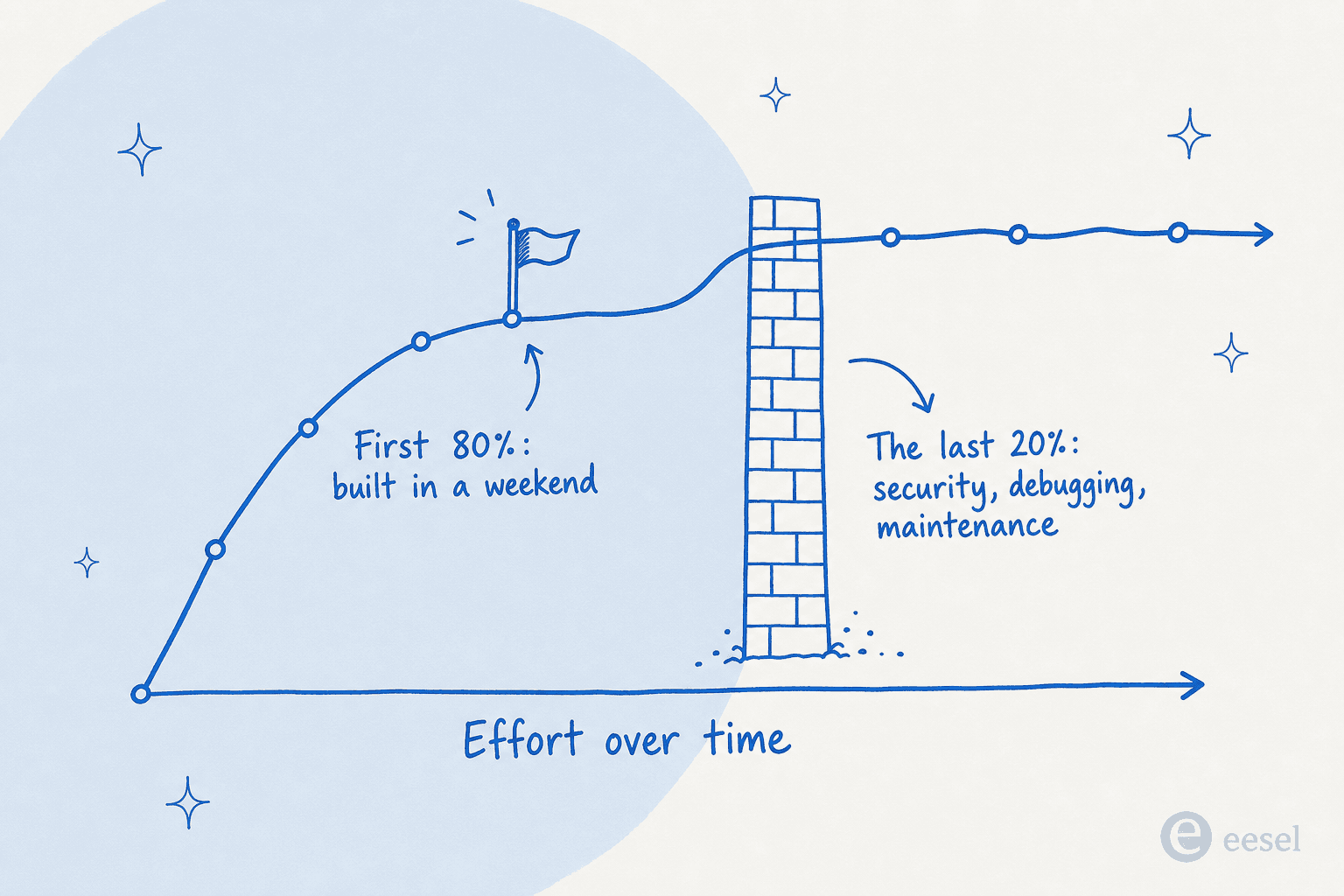
If vibe coding only delivered upside, this would be a much shorter post. The pattern that shows up again and again is a fast, smooth start followed by a steep wall.
Security is the headline failure. Veracode's GenAI Code Security Report from October 2025 found that while LLMs got dramatically better at writing functional code, the security of that code did not improve, and bigger models weren't any safer. This isn't theoretical. In 2025, Lovable shipped database schemas with a key security setting turned off by default, exposing 170 of 1,645 apps (tracked as CVE-2025-48757). In February 2026, an AI social app called Moltbook leaked around 1.5 million API keys and 35,000 email addresses. Its creator told reporters, "I didn't write a single line of code for Moltbook. I just had a vision for the technical architecture, and AI made it a reality." The problem in both cases was a database permission setting that a non-developer would have no reason to know exists.
The "almost right" tax adds up. The Stack Overflow 2025 Developer Survey found that 66% of developers cite AI code that's "almost but not quite right" as their single biggest frustration. When the Stack Overflow writer's vibe-coded project was reviewed by an actual engineer, the feedback was blunt: the code was "messy and nearly impossible to understand," and there were "no unit tests." Over time this becomes technical debt. A study of 211 million lines of code from GitClear found code duplication quadrupling as AI assistance spread, and a CodeRabbit analysis found AI-co-authored code carried roughly 1.7 times more major issues than human-written code.
It can move slower than you think, too. A randomized trial from METR in July 2025 found experienced developers were actually 19% slower using early-2025 AI tools, even though they felt 20% faster. The "vibe" of speed and the reality of speed aren't always the same thing.
None of this means vibe coding is a scam. It means the failure modes cluster precisely where a non-developer is least equipped to notice them. Which brings us to the only question that really matters.
What's safe to vibe code, and what isn't
The cleanest mental model is to sort projects by how much harm they could do if they break. Willison frames it as a question to ask before you start: "Think about how much harm the code you are writing could cause if it has bugs or security vulnerabilities. Could somebody be harmed, damaged reputation, lost money or something worse?"
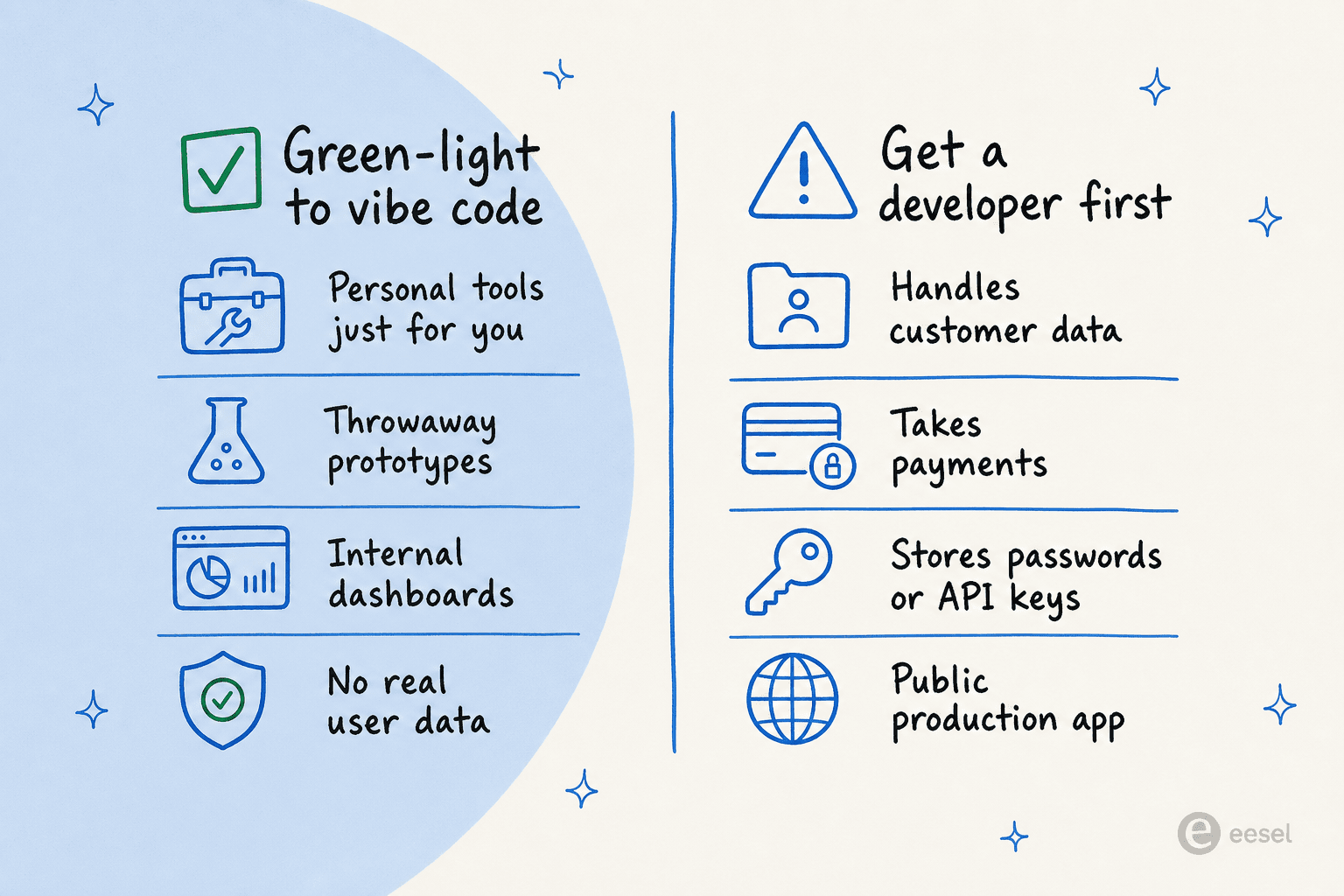
If you're going to vibe code, here are the guardrails worth internalizing, mostly drawn from Willison's advice for beginners:
- Keep it low stakes. Personal tools, prototypes, and internal experiments are the sweet spot. This is what Karpathy originally had in mind: weekend projects.
- Watch out for secrets. Anything shaped like a password or an API key needs to be handled carefully, which, frustratingly, means understanding how the code uses it.
- Be careful with private data. If your tool can see sensitive information, you need to be sure there's no way that data quietly leaves where it should be.
- Watch your billing. Willison notes "horror stories about people who vibe coded a feature against some API without a billing limit and racked up thousands of dollars in charges."
- Get a vibe check before you ship. His best safety net for beginners: "If you're going to vibe code anything that might be used by other people, I recommend checking in with someone more experienced before you share it with the world."
The honest summary: vibe coding is fantastic for building things for yourself, and genuinely risky for building things other people depend on.
A different kind of "describe what you want": support automation without the footguns
Here's where this gets practical for a lot of the people reading. A very common non-developer impulse in 2026 is "could I just vibe code an AI bot to handle our customer support?" You technically can build a prototype. But a support bot is the textbook high-risk case: it touches customer data, plugs into your helpdesk, and is used by real people. That's the exact category where vibe coding stops being a good idea.
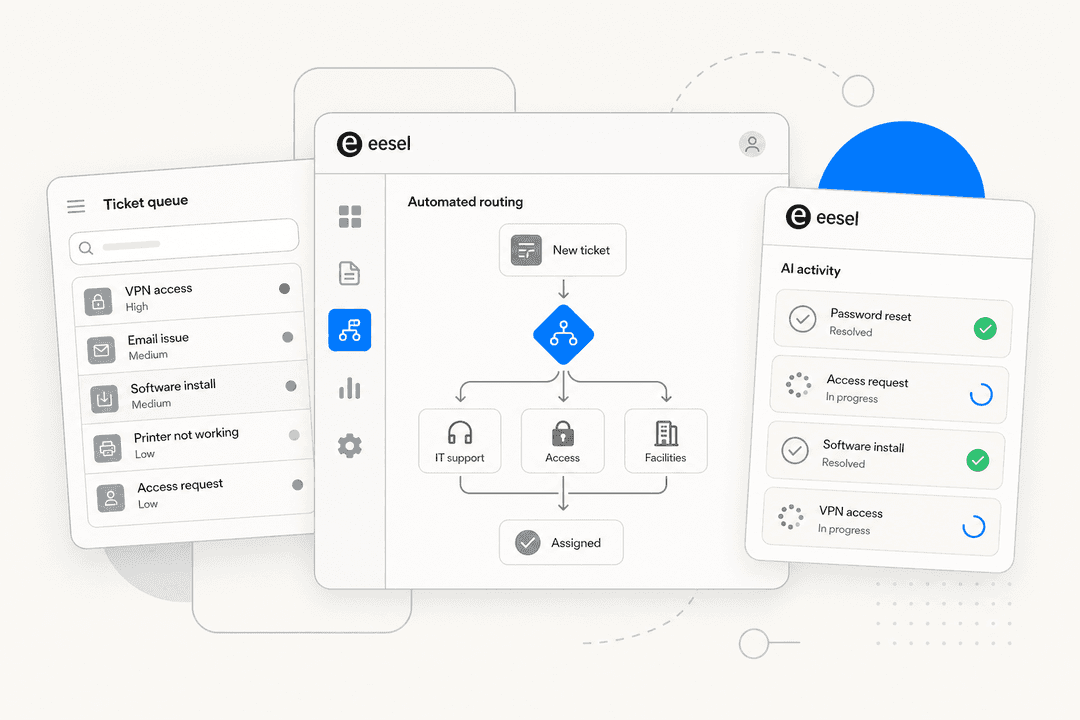
The good news is that the thing you actually wanted, configuring software by describing what you want, already exists for support, without you owning the security and maintenance wall. That's the whole idea behind eesel AI. You set up an AI support agent by telling it, in plain English, when to step in, what tone to use, and when to escalate, rather than writing or maintaining any code.

The difference from vibe coding your own bot is what's handled for you. eesel connects to 100+ integrations like Zendesk, Freshdesk, Slack, and Shopify out of the box, so there's no database or hosting for you to misconfigure. It learns from your past tickets and help docs, and there's a simulation mode that runs the agent against your real ticket history so you can see how it would have answered before it ever talks to a customer. That's the safety net Willison recommends, built into the product. It's also why teams like Gridwise resolved 73% of their tier-1 requests in the first month without anyone touching a line of code. If you're weighing it up, our guide on building versus buying AI for support walks through the trade-off honestly.
Try eesel AI
If the appeal of vibe coding for you was "I want to describe what I need and have working software appear," eesel AI is that experience pointed at a job that actually matters to your business: customer and internal support. You configure an AI agent entirely in plain language, test it safely against your own past tickets first, and let it draft or autonomously resolve tickets across your existing tools, with none of the security or maintenance burden you'd take on building it yourself. Pricing is usage-based and starts at $0.40 per ticket with no per-seat fees, and you can start free. It's the friendliest part of vibe coding, with the risky part removed.
Frequently Asked Questions

Share this article

Article by
Alicia Kirana Utomo
Kira is a writer at eesel AI with a Computer Science background and over a year of hands-on experience evaluating AI-powered customer service tools. She focuses on breaking down how helpdesk platforms and AI agents actually work so that support teams can make better buying decisions.