The 9 best Zendesk alternatives in 2026 (tested and compared)


Last edited June 13, 2026
Why look for a Zendesk alternative?
Let's be fair to Zendesk first, because a fair take is more useful than a hatchet job. It's a 2025 Gartner Magic Quadrant Leader, it has 1,800+ marketplace apps, native fluency in 80+ languages, and an agent workspace that big CX teams genuinely like working in. If you're a mid-market or enterprise team that needs deep omnichannel routing and you're not price-sensitive, Zendesk is a defensible choice.
So why do people leave? After reading through G2, Reddit, and a stack of our own sales calls, the reasons cluster into three things.
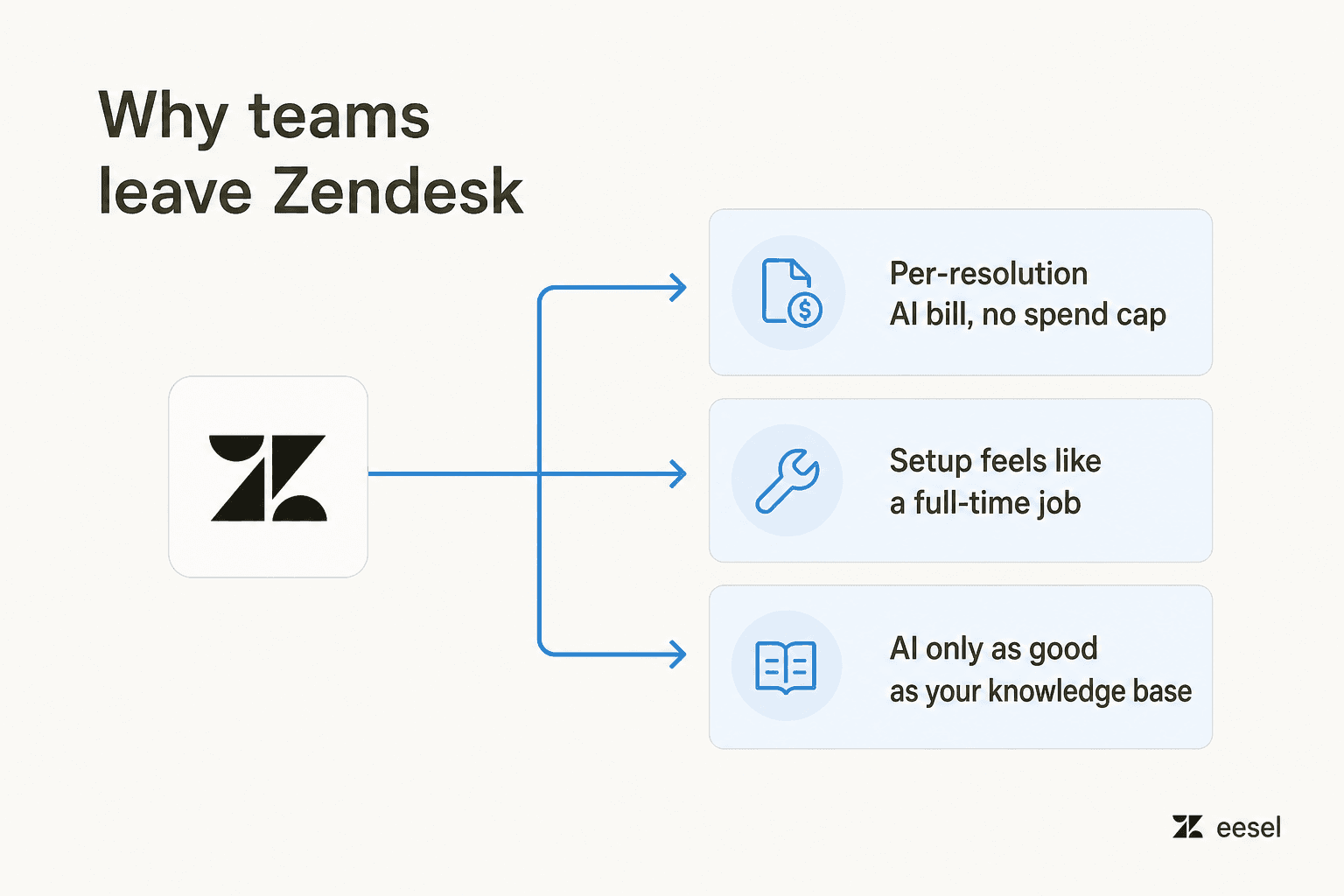
The AI pricing is the loudest complaint. Zendesk's AI Agents and Copilot bill per "automated resolution," and third-party teardowns put that at roughly $1.20 to $1.50 each above your committed usage, with no soft cap or monthly ceiling. The only overage control is to pause AI entirely. One of the bluntest takes on r/Zendesk:
"ARs are a rip off, and it's a rushed product to get into the AI hype."

We hear the same thing on sales calls. One US healthcare support team running about 500 Zendesk tickets a month told us they'd "kicked the tires on Zendesk AI solutions and found it largely inadequate and overpriced," which is why they were shopping at all. A very-high-volume e-commerce operator put it more simply: Zendesk's native AI was expensive and inadequate, and he wanted to move yesterday.
Setup is the second. Admins on G2 describe configuring AI Agents, Copilot, and Intelligent Triage as "burdensome," with one noting the backend "could feel like a full time job." And the AI is only as good as your knowledge base; teams without a clean, comprehensive help center see around 20% automation in month one, climbing only after sustained cleanup.
The good news is that the alternatives below attack these problems from different angles, and one of them attacks the migration itself. Here's the full field.
The best Zendesk alternatives at a glance
| # | Tool | Best for | Starting price (per agent/mo) | AI resolution cost | Billing unit | Free tier | G2 rating |
|---|---|---|---|---|---|---|---|
| 1 | eesel AI | Adding AI without leaving your helpdesk | Usage-based, no seat fee | $0.40 / resolved ticket | Per task, with spend cap | $50 free credit | — |
| 2 | Freshdesk | Cheap, scalable all-rounder | $19 (Growth) | $0.49 / session | Per agent + AI sessions | 2 agents, 6 mo | 4.4 |
| 3 | Zoho Desk | Budget teams + Zoho users | $7 (Express) | Zia bundled | Per agent | 3 agents free | 4.4 |
| 4 | Help Scout | Small relationship-driven teams | $25 (Standard) | $0.75 / resolution | Per user + AI usage | 5 users free | 4.4 |
| 5 | Gorgias | Shopify / e-commerce | $10 (Starter) | $0.90–$1.00 / resolution | Per ticket volume | 7-day trial | 4.6 |
| 6 | Front | Collaborative shared inbox | $25 (Starter) | $0.89 / resolution | Per seat + AI add-ons | 14-day trial | 4.7 |
| 7 | Gladly | Premium DTC / retail | Quote-only (~$180+) | $1.50 / resolution | Per seat + AI usage | Shopify trial | 4.7 |
| 8 | Kustomer | High-volume B2C CRM | Quote-only (~$89–$139) | ~$0.60 / conversation | Per seat (8 min) + AI | Demo only | 4.4 |
| 9 | HubSpot Service Hub | Teams already on HubSpot | $7 (Starter) | $0.45 / resolution | Per seat + AI credits | 2 users free | 4.4 |
A note on how we picked: we weighted four things buyers actually feel, AI resolution cost and whether there's a spend cap, total cost at your team size, how heavy the setup is, and who the tool is genuinely built for. We left out tools we can't recommend in good faith and didn't pad the list to hit a round number. Prices are annual-billing rates pulled from each vendor's live pricing page in June 2026.
1. eesel AI
Best for: teams who want Zendesk-grade AI without ripping out Zendesk (or whatever helpdesk they're on).
We'll start here, and we'll be upfront that this is our product, so take the verdict with that in mind, the facts are all checkable against the pricing page. The reason eesel AI belongs at the top of a Zendesk-alternatives list is that it answers a question the other eight don't: what if the problem isn't Zendesk, but the cost and effort of doing AI on top of it, and the even bigger cost of migrating away?
Instead of being a helpdesk you switch to, eesel is an AI layer you add. It connects to Zendesk, Freshdesk, Gorgias, Help Scout, Slack, email, Shopify, and 100+ other tools, trains on your existing tickets and help center, and starts drafting or auto-resolving tickets, no new interface for your agents to learn.
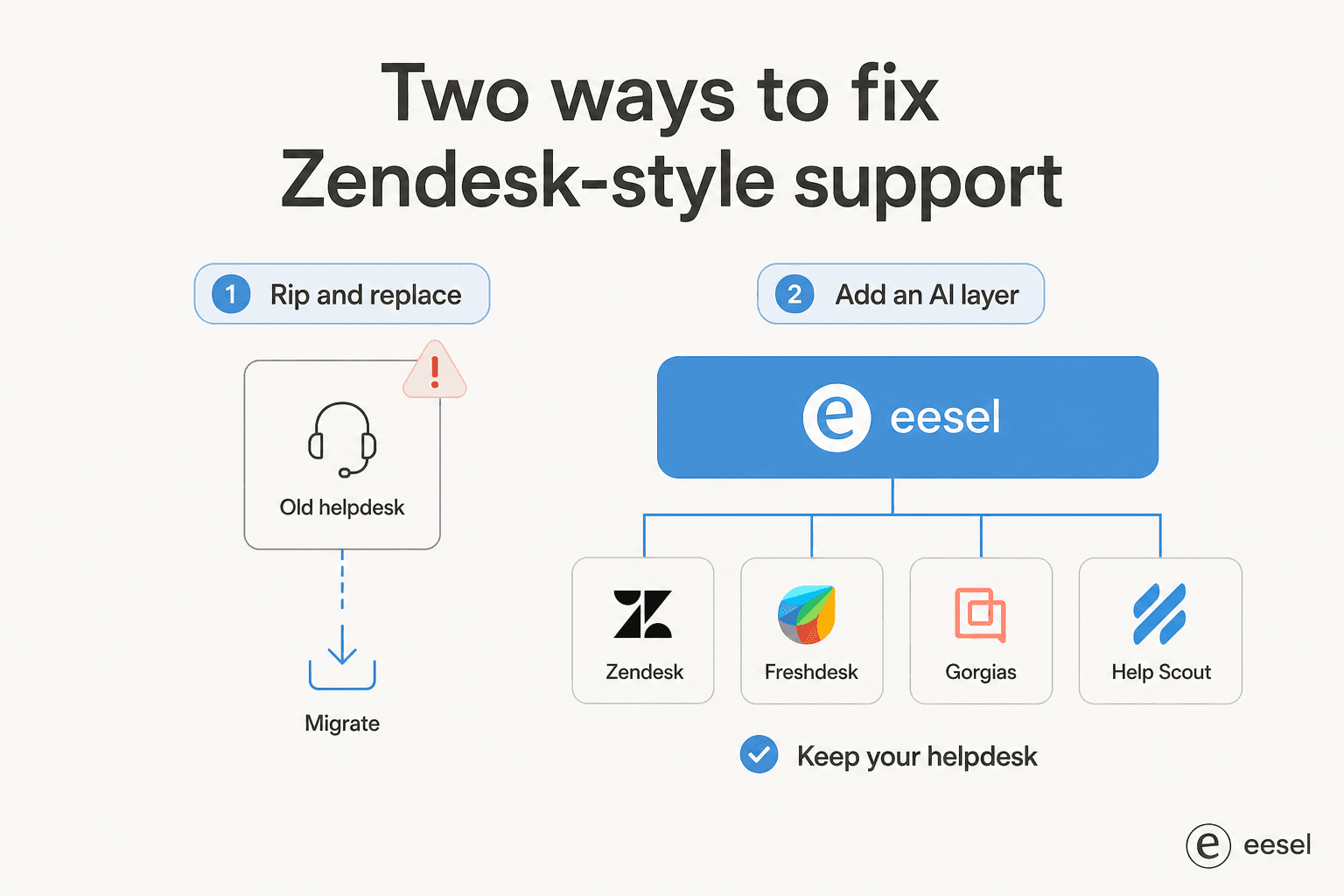
That "keep your stack" model is the whole pitch, and it's why a cloud-infrastructure company that evaluated the field head-to-head landed here:
"I've tested many AI agent solutions, but so far Eesel is one of the best. It has many features we need, such as broad sources availability, variety of options, integrations, and so on. Highly recommended."
Mikita Tsybulka, Gcore (Zendesk Marketplace review)
Features. A customer-facing AI agent that resolves tickets and chats end to end; an agent copilot that drafts replies inside your existing helpdesk; training on your own past tickets so the tone matches yours from day one; and a simulation mode that replays the AI over thousands of your historical tickets before it goes live, so you see the projected resolution rate first.

You can also coach it in plain language, no prompt engineering, just tell it the rule the way you'd tell a new hire.

Pros. No migration, so the switching cost that drives most of this list to zero. Usage-based pricing at $0.40 per resolved ticket with a hard spend cap, so no surprise bill. Genuinely fast to onboard, teams routinely get a useful agent running in well under a day.
Cons. It's an AI layer, not a full helpdesk; if you don't already have a ticketing system and want one tool that does everything, you'll still need an underlying helpdesk. And the usage model rewards volume, very small ticket counts won't see the same proportional savings.
Pricing. No per-seat fees and no platform fee on self-serve. Light tasks (dashboard lookups) are free, a resolved ticket or chat is $0.40, and you start with $50 in free credit, no card required. Commit to $300/month or more annually for a 25% discount; Enterprise adds a $1,000/month platform fee for SSO, HIPAA, and a dedicated engineer.
Our take: if your honest reason for leaving Zendesk is the AI bill, the setup pain, or both, switching helpdesks is the long way around the problem. eesel solves those two things without the migration. If you genuinely dislike Zendesk-the-product (the UI, the support, the contracts), one of the eight below is your move instead. Either way, you can try eesel free before committing.
2. Freshdesk
Best for: teams who want a cheaper, lighter all-rounder that still scales.
Freshdesk, from Freshworks, is the classic Zendesk substitute, and the most common like-for-like switch. It does ticketing, omnichannel (email, chat, phone, social), self-service, and automation, and it's trusted by 74,000+ businesses including Bridgestone, Klarna, and PepsiCo. Its AI layer, Freddy, splits into an autonomous Agent, a Copilot for humans, and Insights for leaders.
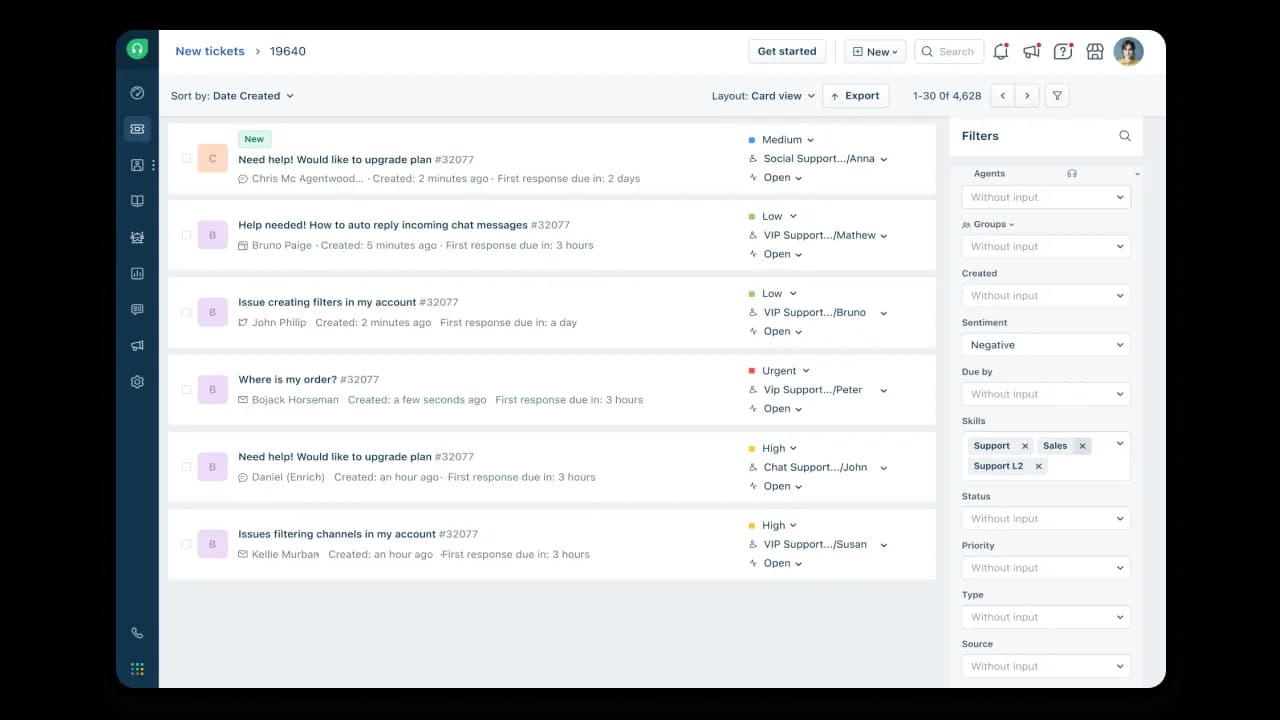
Features. Shared inbox, advanced routing, SLA automation, a no-code AI Agent Studio with 50+ prebuilt workflows, and a solid Shopify integration that lets agents refund and cancel orders without leaving the ticket.
Pros. Easy setup and fast time-to-value; cheaper entry point than Zendesk; Freddy boosts confidence for less technical agents.
Cons. Freddy AI Agent runs on consumption pricing that can climb at scale, and reviewers note the Shopify app sits at just 3.0/5. If you want the deepest Freddy capabilities, you're pushed toward Pro and Enterprise.
Pricing. Growth $19, Pro $55, Enterprise $89 per agent/month (annual). Free for 1–2 agents for 6 months. Freddy AI Agent includes 500 sessions on Pro/Enterprise, then $49 per 100 sessions (about $0.49 each). See the full Freshdesk pricing breakdown for the omnichannel add-ons.
Our take: the safest, most boring switch on this list, in a good way. If you want Zendesk-shaped functionality for less money and a gentler setup, Freshdesk is the default. If you find Freddy's per-session pricing creeping up, that's exactly the spot where layering a flat-rate AI agent for Freshdesk makes sense.
3. Zoho Desk
Best for: budget-conscious teams, especially anyone already living in the Zoho ecosystem.
Zoho Desk is the value pick. Reddit's recurring line is that it does "almost everything that Zendesk does at like half the cost," and the numbers back that up. It's an omnichannel ticketing platform with a branded help center, deep automation (Blueprint, SLAs, round-robin routing), and a native AI assistant called Zia.
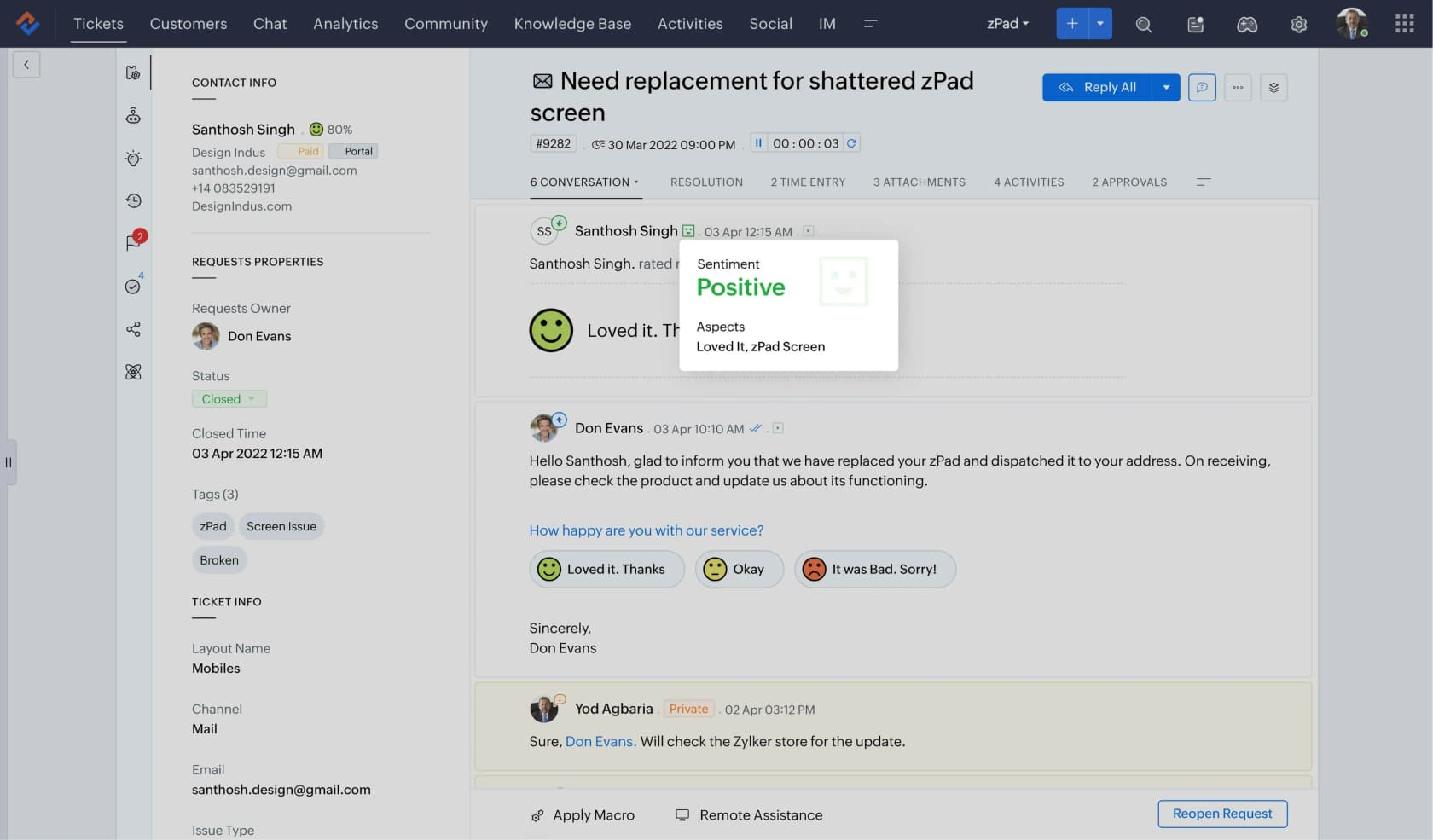
Features. Strong workflow automation, a 24/7 self-service center, omnichannel inbox, and Zia for sentiment analysis, auto-tagging, an Answer Bot, and ticket summaries, with up to 30M tokens/month of Zoho's in-house model included across all tiers.
Pros. Excellent value for money; genuinely powerful automation; Blueprint is repeatedly called "a game changer" for structured workflows.
Cons. Zia is the weak spot, Reddit users call it "a trainwreck of unhelpful responses." Most advanced Zia features are gated to the Enterprise tier, and the UI has a steep learning curve (112 "learning curve" mentions on G2).
Pricing. Free Forever for 3 agents; Express $7, Standard $14, Professional $23, Enterprise $40 per agent/month (annual). One of the cheapest serious helpdesks going.
Our take: if budget is the deciding factor and you can live with a fiddly UI, Zoho Desk is unbeatable on price. Just go in clear-eyed that the native AI underwhelms, which is why so many Zoho teams bolt a stronger AI integration for Zoho Desk on top rather than rely on Zia.
4. Help Scout
Best for: small, relationship-driven teams who want support to feel human, not like a ticket queue.
Help Scout is the anti-Zendesk in spirit. It's built around a clean, email-like shared inbox rather than a heavyweight ticketing system, and its whole pitch is that you can "learn the platform in less than an hour." 12,000+ companies use it, and 80% of customers are still around after four years.
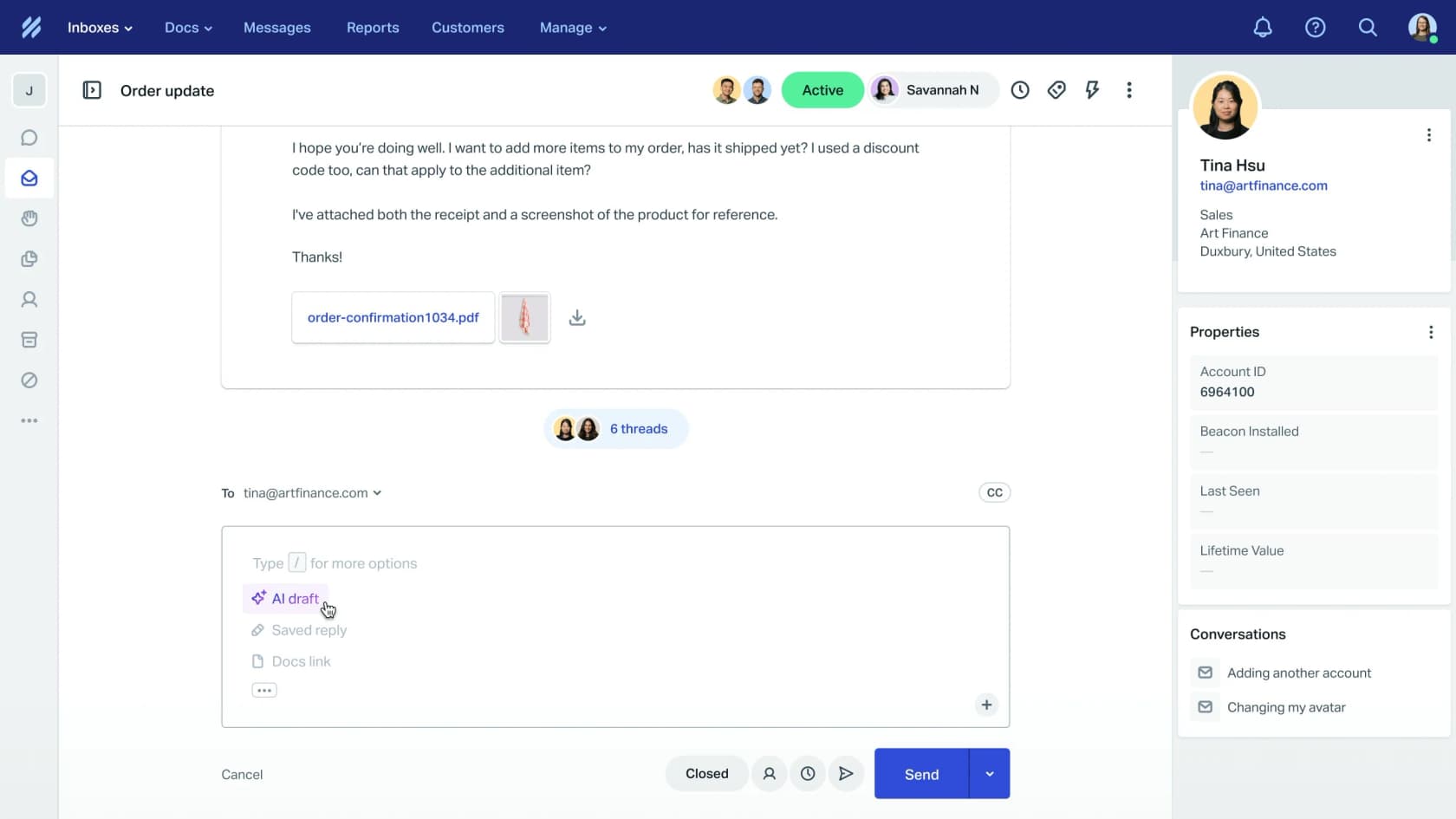
Features. Shared inbox with collision detection and saved replies, a Docs knowledge base, the Beacon embeddable widget, live chat, and AI features: AI Answers (a customer-facing agent resolving ~73% of interactions) plus an Inbox Assistant that drafts and summarizes.
Pros. The cleanest, most approachable UI on this list; fast onboarding; strong fit for teams that value a personal touch.
Cons. Thinner reporting and fewer advanced features than Zendesk. The bigger issue is trust: Help Scout flip-flopped on its pricing model (per-seat to per-interaction and back), and Reddit hasn't forgotten, "lost all trust with this flip-flopping on pricing." Scaling teams sometimes outgrow it.
Pricing. Free for up to 5 users; Standard $25, Plus $45, Pro $75 per user/month (annual). AI Answers is a separate $0.75 per resolution.
Our take: for a sub-25-person team that wants support to feel like a conversation, Help Scout is lovely and we'd happily recommend it. Just price the AI Answers add-on into your math, $0.75/resolution stacks fast, and weigh the Help Scout alternatives if you expect to scale past a few hundred AI resolutions a month.
5. Gorgias
Best for: Shopify and e-commerce brands that live and die by order data.
If you sell on Shopify, Gorgias is the most obvious Zendesk alternative on this list. It's Shopify's only Premier Partner for CX, powers 40% of the top Shopify brands, and pulls order history, refunds, and customer context straight into every ticket. The community consensus is blunt: no other helpdesk pulls Shopify data as cleanly.
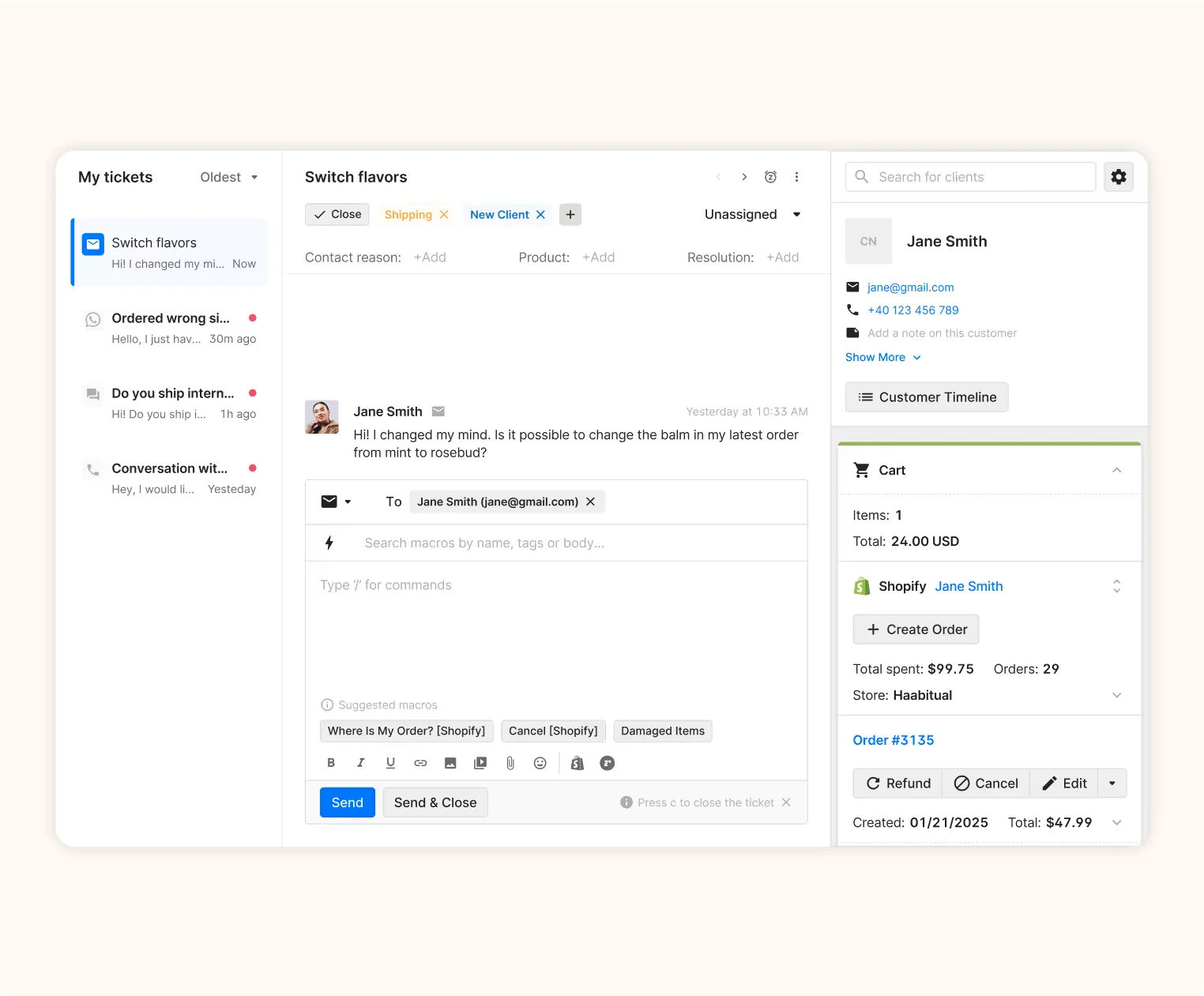
Features. A Shopify-native helpdesk, an AI Agent that handles order tracking, returns, and refunds autonomously, live chat with revenue-driving Chat Campaigns, and deep order management (cancel, refund, edit) inside the ticket.
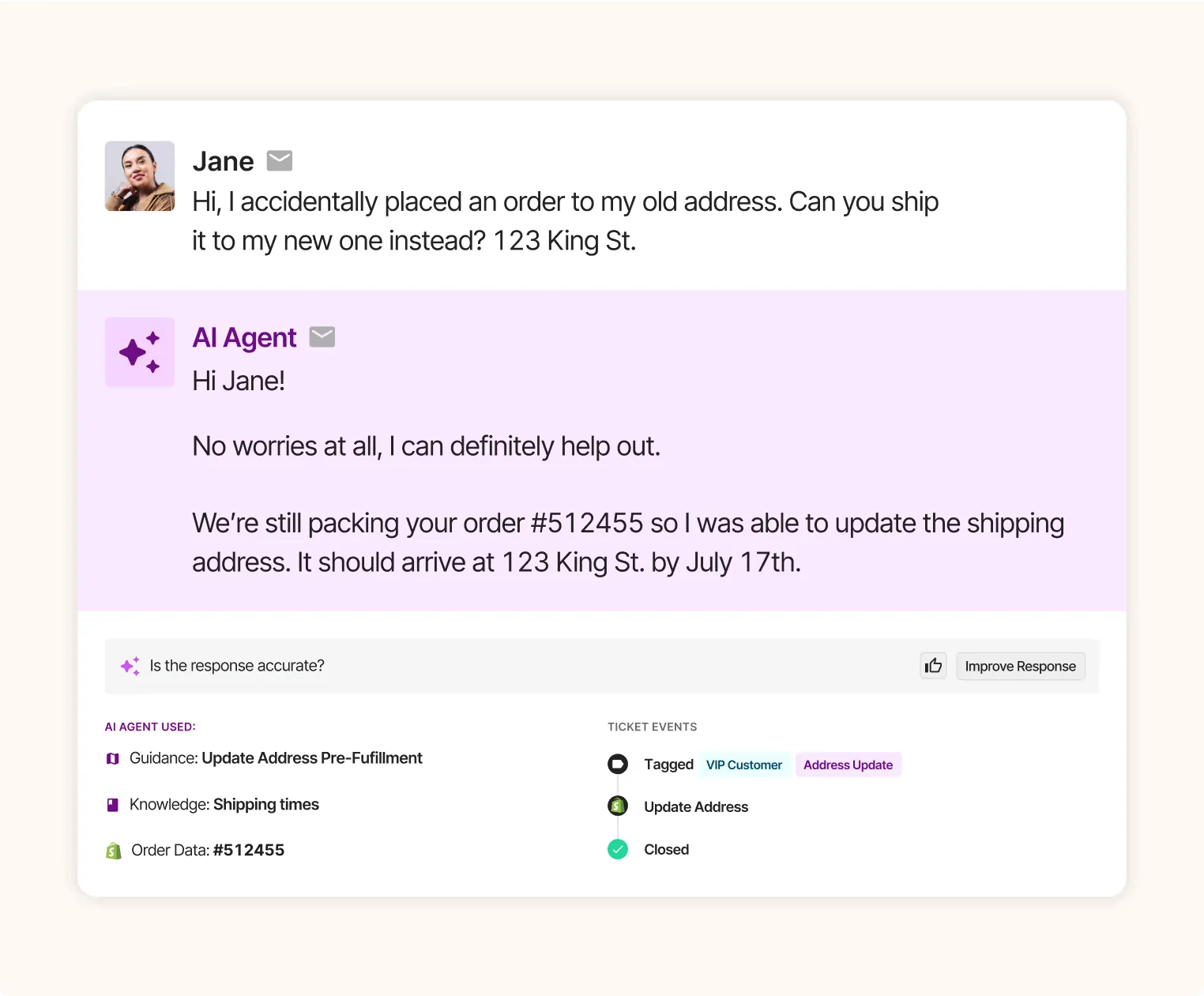
Pros. Best-in-class Shopify integration; ticket-volume pricing means unlimited agents; strong AI automation and proven sales ROI (Gorgias cites a 4.2x average).
Cons. Price is the number-one objection, it can run roughly 3x Zendesk for similar ticket volumes, and the community rule of thumb is that it's only worth it if 40%+ of your tickets need real Shopify actions. Billing by ticket volume can also sting in a high-volume month.
Pricing. Starter $10, Basic $50, Pro $300, Advanced $750 per month, priced by ticket volume with unlimited users. The AI Agent is $0.90–$1.00 per fully resolved conversation on top.
Our take: for a Shopify store doing real order operations, Gorgias is the best tool here and worth the premium. For a store that mostly answers "where's my order," the price is harder to justify, look at Gorgias alternatives or add an AI layer to a cheaper helpdesk. (One DTC brand we know opened two cancellation requests within hours of testing, right after seeing the billing page.)
6. Front
Best for: operations-heavy teams that need to collaborate on messages, not just close tickets.
Front is the shared-inbox-meets-helpdesk option. Rather than turning every email into a ticket, it brings email, chat, SMS, and WhatsApp into one workspace where teammates comment and reply together. It positions itself for "complex customer operations" that span departments, and one customer reported a 40% productivity gain in their member-support team after switching off Zendesk.
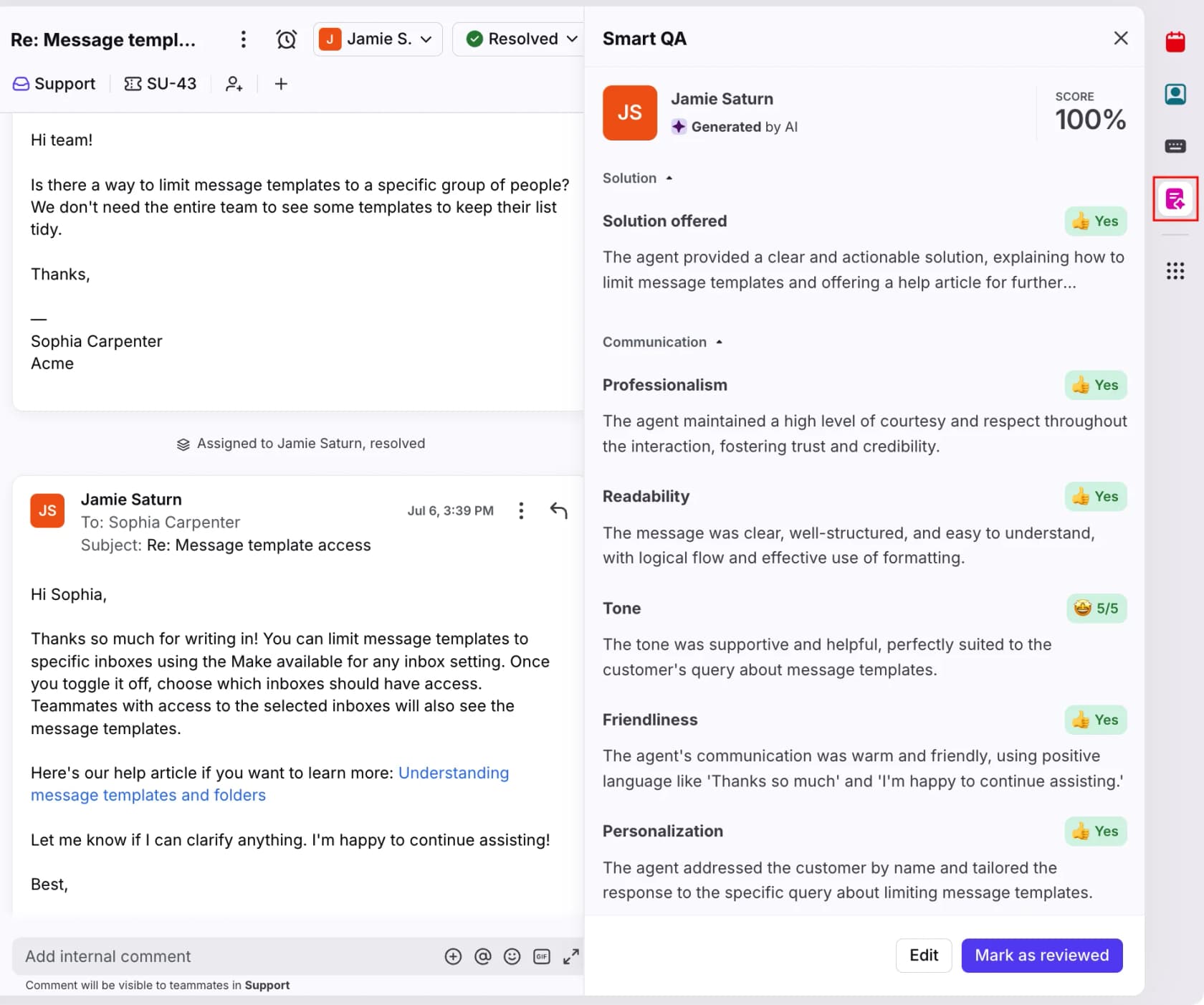
Features. A genuinely collaborative shared inbox, ticketing and routing, and Front AI: Autopilot (an autonomous agent claiming up to 70% resolution), Copilot for drafting, and Analyze for Smart QA and inferred CSAT.
Pros. Excellent collaboration and ease of use (4.7 on G2); replaces the CC-and-forward mess; strong for cross-team customer ops.
Cons. Pricing is the dominant complaint, reviewers call it "extremely overpriced" with most AI sold as separate add-ons. Some users dislike the recent UI redesign and call the AI additions "junk features nobody asked for." It's more shared inbox than structured ticketing engine.
Pricing. Starter $25, Professional $65, Enterprise $105 per seat/month (annual). AI is mostly add-ons: Autopilot from $0.05/conversation (Resolution tier $0.89), Copilot $20/seat, Smart QA $20/seat.
Our take: if your team's real job is coordinating on conversations across departments, Front is special, and the Help Scout vs Front decision usually comes down to collaboration depth. If you mostly need straightforward ticket deflection, you're paying for collaboration you won't use.
7. Gladly
Best for: premium DTC and retail brands where every customer is a lifelong relationship.
Gladly flips the model: instead of tickets, it's one continuous, lifelong conversation per customer. It's explicitly "built for LTV" rather than deflection, and its roster reads like a DTC hall of fame, TUMI, Ulta, UGG, Crate & Barrel, HOKA, Nordstrom. Its AI agent, Sidekick, resolves issues and takes real actions across chat, voice, email, SMS, and social.
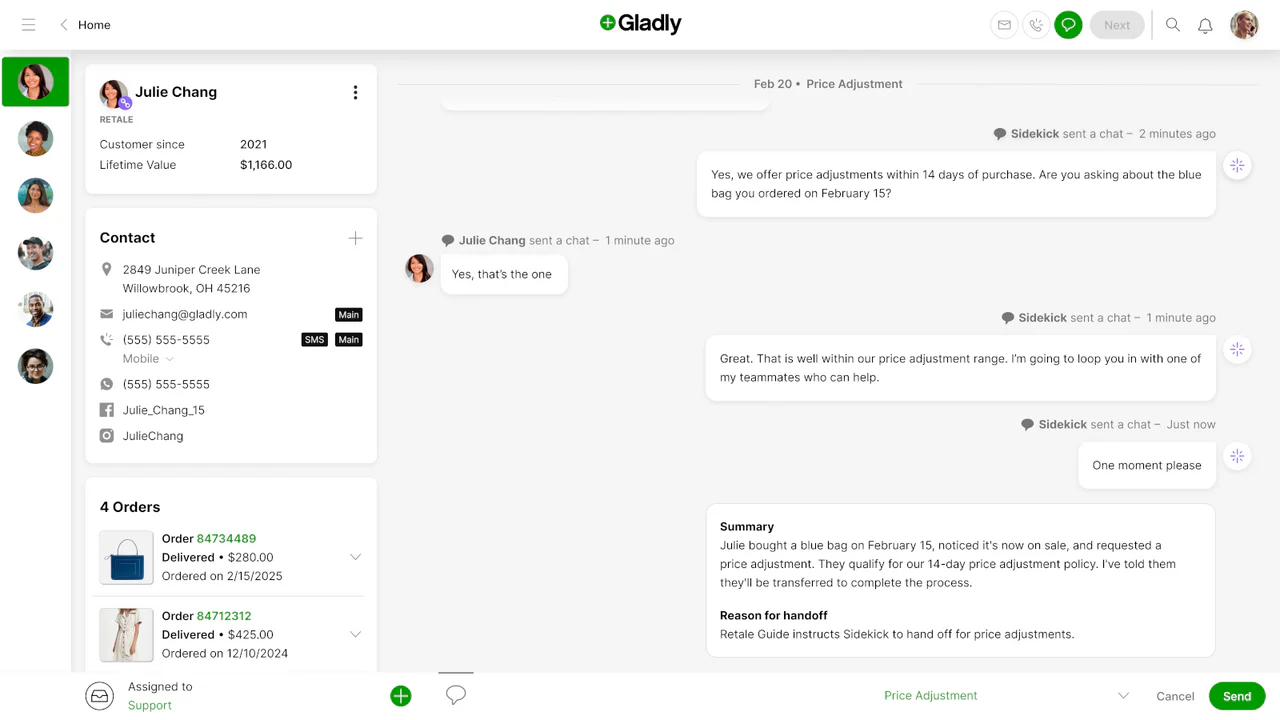
Features. A unified 360° customer profile so customers never repeat themselves, Sidekick on voice, omnichannel-as-one-conversation, and a no-code Guides layer for workflows.
Pros. The unified customer view is genuinely loved (4.7 on G2); channel breadth is excellent; deep personalization for high-value customers.
Cons. Expensive and per-seat (the single most consistent gripe), fragmented reporting that forces manual Excel pulls, and a steep learning curve. Full platform pricing is quote-only.
Pricing. No public platform pricing, contact sales (third-party sources cite ~$180+ per seat/month). The Shopify app lists $1.50 per AI Resolution and $120/month per seat.
Our take: for a premium consumer brand that treats support as a revenue and loyalty channel, Gladly is a compelling, differentiated choice. For everyone else, the price and the reporting friction are real, the Gladly alternatives worth a look if you want the LTV philosophy without the seat cost.
8. Kustomer
Best for: high-volume B2C operations that want a CRM-first platform, not a ticket queue.
Kustomer is an AI-native CX platform built on a customer-centric data model, every interaction ties to a complete customer record (orders, loyalty tier, churn risk) so AI and agents always know who they're talking to. It skews to retail, DTC, and marketplaces (Turo, Skims, Rappi, Vuori), where Kustomer's AI fully automated 70% of chat conversations.
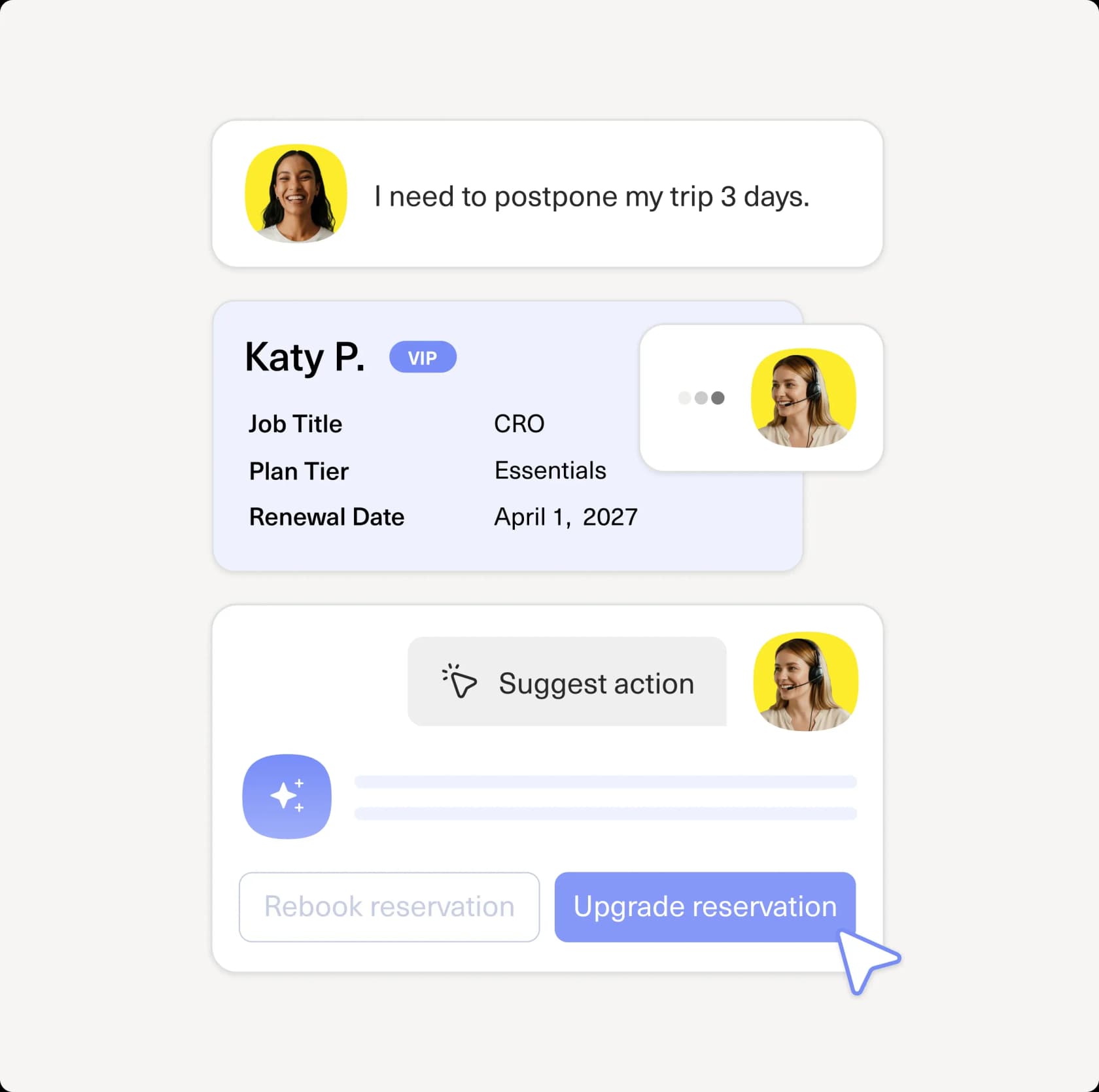
Features. A unified customer timeline, plus a four-part AI suite: Concierge (customer-facing agent), Envoy (agent copilot), Architect (no-code AI builder with native MCP support), and Data Explorer (conversational analytics).
Pros. The unified timeline and workflow flexibility get real praise; strong for omnichannel B2C at scale; modern, agentic AI architecture.
Cons. Expensive with an 8-seat minimum and annual-only billing, the homepage's "5.0 from 500+ reviews" claim is cherry-picked (the real G2 aggregate is 4.4). Reviewers flag a "buggy" voice channel and a complex UI, and AI is metered separately on top of seats.
Pricing. Quote-only. Competitor teardowns cite ~$89/seat (Enterprise) to ~$139/seat (Ultimate), 8-seat minimum, with AI around $0.60 per engaged conversation plus an agent-assist fee. See our Kustomer pricing breakdown.
Our take: if you're a high-volume consumer brand that wants a CRM and a helpdesk fused into one, Kustomer is a strong, modern fit. The seat minimum and opaque pricing make it a poor fit for small teams, the Kustomer alternatives are worth comparing if you're under ~10 agents.
9. HubSpot Service Hub
Best for: teams already on (or adopting) the HubSpot CRM.
HubSpot Service Hub makes the most sense if you're already in HubSpot's world. It's an AI-powered help desk that shares one customer view with Marketing, Sales, and Content Hub, so support sees the full lifecycle. Its Breeze Customer Agent already resolves 65% of conversations across 8,000+ customers, per HubSpot.
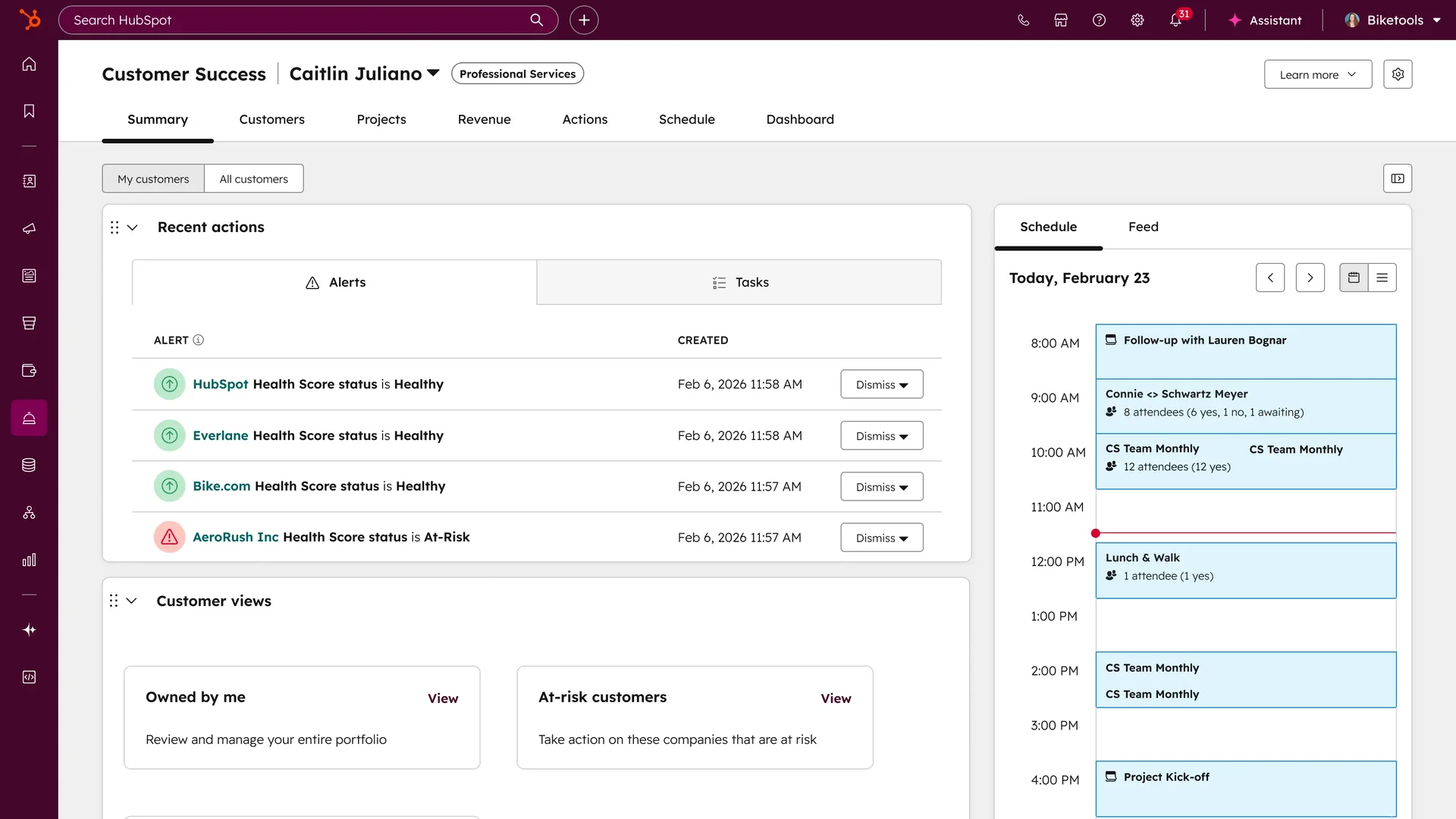
Features. Omnichannel help desk, knowledge base, customer portal, health scores, and the Breeze AI suite: Customer Agent (autonomous resolution), Assistant/Copilot (drafting and summaries), and Data Agent.
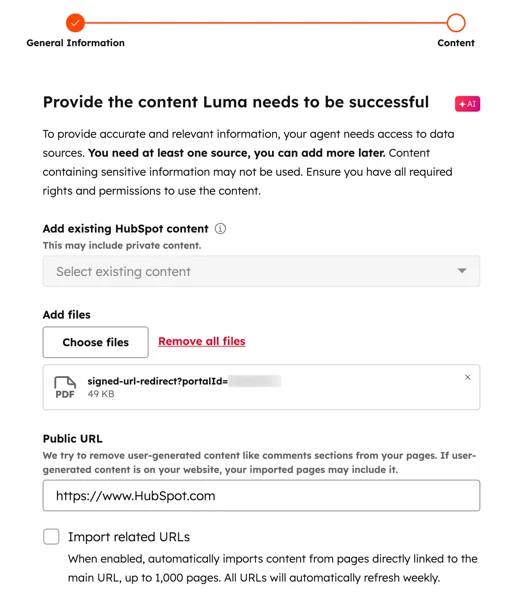
Pros. Tight CRM unification; Breeze Assistant in the inbox gets genuine praise; outcome-based AI billing at $0.45/resolution is among the cheapest packaged options.
Cons. Pricing is the loudest complaint by far, long-tenured customers report costs roughly doubling, and the AI-credit model causes "bill shock" with no spend cap below recent usage. The Starter-to-Pro jump is steep (quoted as high as $17,500/year).
Pricing. Free for 2 users; Starter $7, Professional $90, Enterprise $150 per seat/month (annual). Breeze Customer Agent is 50 credits per resolved conversation (~$0.45). See our HubSpot AI agent pricing guide.
Our take: if HubSpot is already your CRM, Service Hub is the natural choice and the data unification is real. If it isn't, the platform cost rarely justifies adopting the whole ecosystem just for support, the HubSpot Service Hub AI alternatives make more sense then.
How much do Zendesk alternatives actually cost?
Sticker price isn't where the money goes anymore, the AI usage is. Two helpdesks at the same per-seat price can differ 3x once you turn the AI on, because the billable unit (a "resolution," a "conversation," a "session") and the per-unit price vary wildly.
Here's where the AI cost lands across the field:
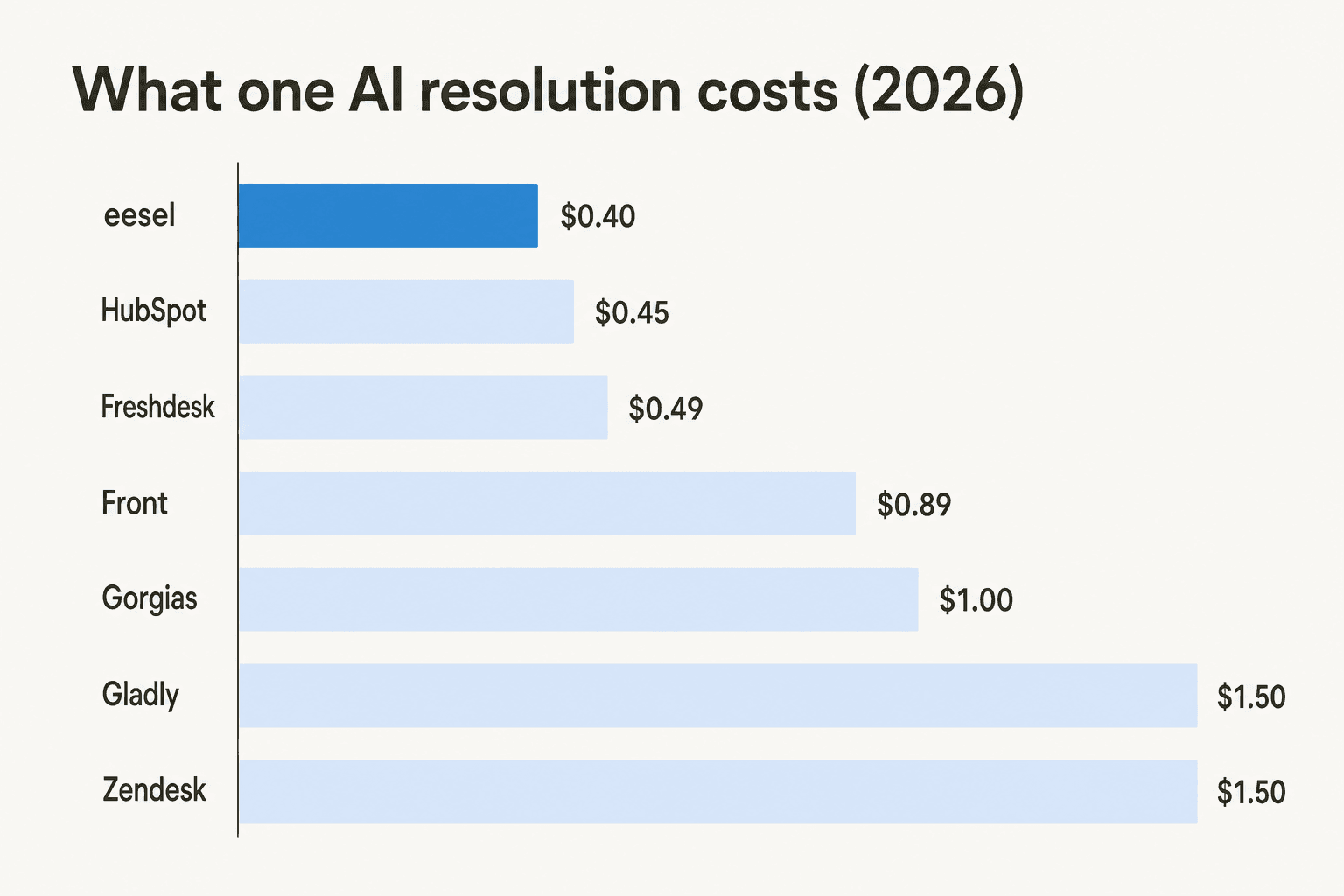
A worked example makes it concrete. Say you're a 10-agent team automating 2,000 AI resolutions a month:
- On Zendesk at ~$1.50/resolution, that's ~$3,000/month in AI alone, on top of seats, with no cap.
- On Gorgias at ~$1.00, ~$2,000/month.
- On HubSpot at ~$0.45, ~$900/month, but watch the credit "bill shock."
- On eesel at $0.40, ~$800/month, and the spend cap means it physically can't run past your ceiling.
The number that should jump out: the AI bill often dwarfs the subscription. That's exactly why a usage-based model with a hard cap matters more than a low headline seat price, and why the "no spend cap" footnote on Zendesk and HubSpot is the line a finance team should read twice. For more, our guides on the cheapest AI helpdesk apps and AI customer support cost savings go deeper.
Try eesel for AI support without the migration
If you've read this far, you've probably noticed the pattern: most reasons to leave Zendesk are about the AI bill and the setup, not the helpdesk itself. eesel AI is built for exactly that case. It connects to Zendesk, Freshdesk, Gorgias, Help Scout, and 100+ tools, trains on your past tickets and help center, and runs your AI agent on a $0.40-per-resolution model with a real spend cap, no new helpdesk, no rip-and-replace.
The simulation mode is the part teams tell us they wish every vendor had: before you flip anything live, it replays the AI over thousands of your real historical tickets and shows the projected resolution rate, so you're making the decision on your own data, not a vendor's claim. As Karel at GENERAL BYTES put it when weighing build-vs-buy: "We wanted something that we would not have to maintain."
You can try eesel with $50 in free credit, no card required, and see your projected numbers in an afternoon.
Frequently Asked Questions

Share this article

Article by
Riellvriany Indriawan
Riell is a designer and writer at eesel AI with about two years of experience researching CX platforms, AI chatbots, and helpdesk software. She combines her design background with a sharp eye for how these tools actually look and feel in practice — making her comparisons unusually visual and user-focused.