|
VOOZH | about |
|
VOOZH | about |
To understand how to write a C program for reading and printing zip files, it's important to know what exactly a zip file is.
With the above information in mind we only need two things to programmatically read and print the contents of a zip file:
We will be using two libraries that also provide decompression functions to write this program.
Both of these libraries are prerequisites for running the code. Libzip is a higher-level library that already utilizes parts of zlib. Zlib is lower level and therefore more technical to use. There will be code examples, one that uses libzip, and one that uses libzip for zip file interaction while utilizing zlib for the decompression.
If these libraries are installed, you can successfully compile them with gcc, just pass compiler flags -lz for method 1 and -lz -lzip for method 2.
Example output where my zip file contained this C file
Zlib cannot directly access zip files, which is why we will use libzip to open the zip file. Zlib directly is used for decompression of the file contents in this method.
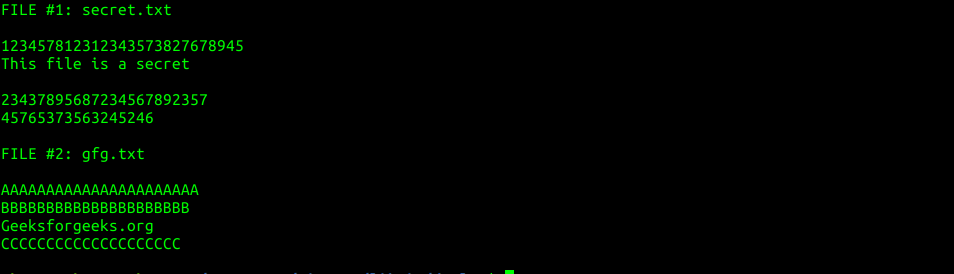
Here is the output of the above code using a zip file with 2 files contained