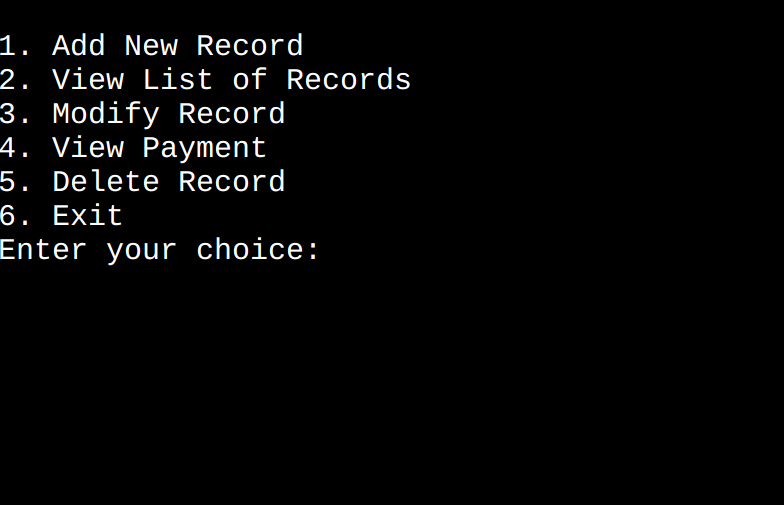
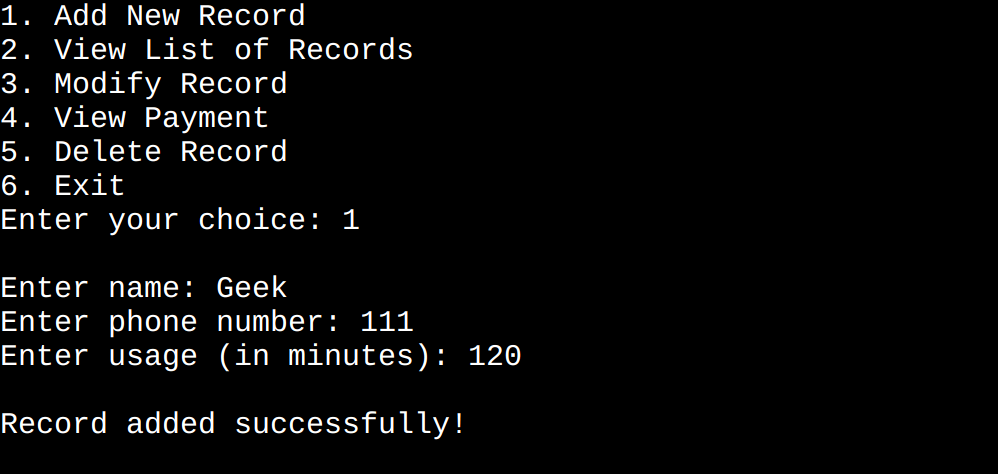
In this article, we are going to create a basic Telecom Billing System using the C programming language. This system allows users to perform operations such as adding new customer records, viewing the list of records, modifying existing records, viewing payment details, searching for specific records, and deleting records.
What is a Telecom Billing System?
Telecom service is one of the biggest services having millions of users and the data managed by these companies are quite large so, we need some software system to efficiently manage this data.
A telecom billing system is a digital system to keeps track of user, their service usage and their pending bill. It is able to store and manage data of multiple users and helps the telecom provider automate the billing of the services from the customer.
Operations Offered by Telecom Billing System
The following are the operations and functionalities offered by the telecom billing system.
View List of Records: View all the records at a glance.
Modify Record: Modification of an already existing record.
View Payment: View the bill for a given customer.
Delete Record: The deletion of a record from the memory.
Prerequisites: This project requires you to have a basic understanding of the C programming language concepts such as arrays, strings, structs, etc.
Components of the Telecom Billing System Program
The telecom billing system is divided into multiple components each performing a specific task.
Necessary Libraries
We will use the following libraries:
<stdio.h>: For Input and Output
<string.h>: For String Manipulation
Both of these are standard libraries that come bundled with the C compiler.
Data Structure to Hold Customer Information
A structured Customer is defined as holding information about a customer.
Array customers[100] of type Customer is created to store customer records. It can hold up to 100 records.
customerCount is an integer variable used to keep track of the number of customers.
addRecord(): Function to Add New Customer Record
The addRecord() is created in order to add a customer record in the memory.
It checks if the current number of customers customerCount is less than 100 ensuring there's space for a new record.
The function prompts the user to enter the customer's name, phone number, usage in minutes.
It calculates the total bill for the customer by multiplying their usage in minutes by 0.1.
After adding the record, customerCount is incremented by 1.
viewRecords(): Function to Display Customer Records
The function named viewRecords() is responsible for displaying the list of customer records.
It uses a loop to iterate through each customer record.
Within the loop, it prints the name, phone number, usage in minutes, and total bill for each customer.
modifyRecord(): Modifying Customer Records by Phone Number
The function modifyRecord() is responsible for modifying a customer record using their phone number.
It takes a character array phoneNumber as a parameter which is used to identify the customer record to be modified.
Using a loop, it checks if the phone number of the current customer matches the provided phoneNumber.
If a matching phone number is found it prompts the user to enter the new usage in minutes for the customer and the new bill is calculated based on the updated usage.
It displays output to the user either confirming a successful record modification or informing them if the record was not found.
viewPayments(): Viewing Payment for a Customer by Phone Number
The function viewPayment() is responsible for displaying the total bill for a customer based on their phone number.
It takes a char array phoneNumber as a parameter which is used to identify the customer.
If a matching phone number is found it prints the total bill for the customer along with their name.
It displays output to the user, either displaying the total bill or informing them if the record was not found.
searchRecord(): Searching for a Customer Record by Phone Number
This function searchRecord responsible for searching for a customer record based on their phone number.
It takes a char array phoneNumber as a parameter which is used to identify the customer.
It uses a loop to iterate through each customer record.
Within the loop it checks if the phone number of the current customer matches the provided phoneNumber.
If a matching phone number is found it prints the information of the customer including name, phone number, usage in minutes, total bill.
It displays output to the user either displaying the customer record or informing them if the record was not found.
deleteRecord(): Deleting a Customer Record by Phone Number
This function deleteRecord() is responsible for deleting a customer record based on their phone number.
It takes a char array phoneNumber as a parameter which is used to identify the customer record to be deleted.
If a matching phone number is found, it shifts all records after the matched record by one position to effectively delete the record.
After deleting the record it decrements the customerCount by 1.
It provides feedback to the user confirming a successful record deletion or informing them the record was not found.
Main Function
The main function handles the primary control of the program.
An infinite while loop is used to provide the user with a dashboard that resets after each.
A switch case is used to process the user's choices.
Finally, we implement all these components and create a complete program.