|
VOOZH | about |
|
VOOZH | about |
Prerequisite: Structure in C
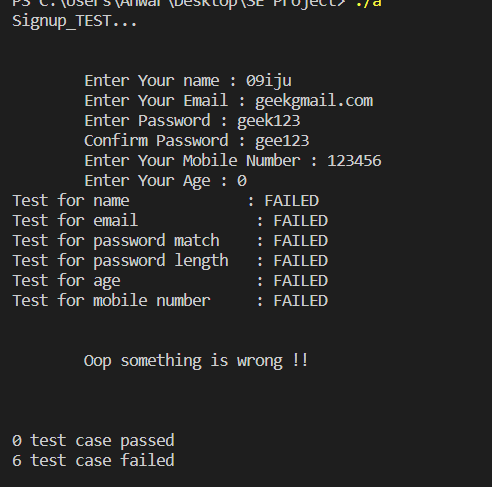
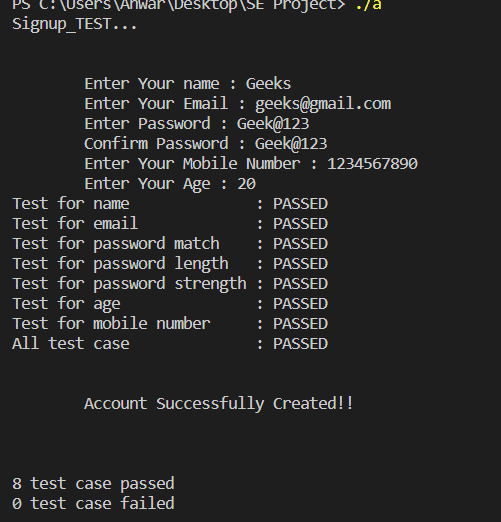
In this article, we are going to check on how to check test cases for the signup page using C language. The signup page is where we enter data to create our account on any of the websites or applications.
A test case is a document that contains various sets of data, conditions to be performed, and the expected result for the particular condition, developed by the software testers to perform the execution of the particular part of the software to verify the working of the software against requirements. In order to verify a program, start by adding valid data to the input. Test data can include information like names, emails, passwords, mobile numbers, and ages. For multiple test cases, identifying data may become the longest step of the verification process. Identifying data can help understand what the program documents as a pass or a failure.
The data we need to enter on the signup page is:
There are certain conditions for the data we are entering for example
- The username must contain the alphabet.
- Age must be greater than and not equal to 0.
- Email must contain @, a comma, and the length should be greater than 5.
- Passwords must contain a length between 8 to 12 with at least one uppercase, lowercase, number, and special character.
- Both password and confirm password should be the same.
- Mobile number should contain numbers and exactly 10 digits.
In this article, we will learn how to check test cases for the signup page.
"Test.h" Code:
Main Program: This is the main program that checks the data if we can create a signup page, also we are using a program written in another file "test.h".
Signup Code: