|
VOOZH | about |
|
VOOZH | about |
YouTube is one of the largest video-sharing platforms, hosting millions of videos across diverse categories and audiences. Analyzing YouTube data helps uncover valuable insights about content performance, viewer engagement and emerging trends. In this article, we will use real YouTube channel data to extract meaningful patterns and visualise key metrics effectively using Python.
Web scraping is the process of automatically extracting data from websites. Here we focus on scraping YouTube video data using Python tools like requests and BeautifulSoup, which allows us to collect information such as video titles, views and upload dates for analysis or research purposes.
Here we install requests, beautifulsoup4 and xlsxwriter
Libraries for sending HTTP requests, parsing HTML content, handling JSON data and writing Excel files are imported to support the scraping pipeline.
An HTTP request is sent to the YouTube channel’s videos page. A User-Agent header is included to mimic a real browser and avoid request blocking.
Here we will be using: https://www.youtube.com/c/GeeksforGeeksVideos/videos
The HTML response obtained from the request is parsed using BeautifulSoup. This allows structured navigation through the page and easy extraction of required elements.
YouTube loads video data dynamically using JavaScript. The embedded ytInitialData JSON is extracted from the page source to access structured video information.
The nested JSON structure is traversed to locate the section containing individual video metadata. This includes information such as video title, view count and duration.
Each video entry is processed in a loop to extract relevant fields safely. The extraction is limited to the most recent 30 videos to keep the dataset manageable.
An Excel workbook and worksheet are created using XLSXWriter. Column headers are added to clearly represent each extracted data attribute.
The extracted video data is written row-by-row into the Excel sheet. This ensures that each video details are stored in a structured tabular format.
The workbook is closed to save the Excel file properly. This completes the web scraping process and stores the data for further analysis.
Output:
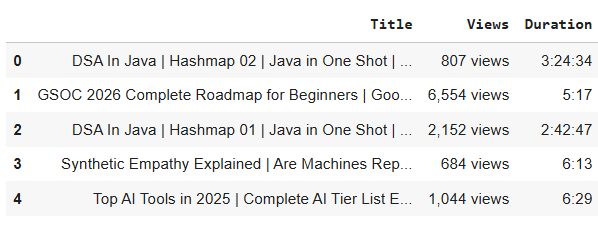
Scraped latest 30 videos successfully! Saved as youtube_videos.xlsx
Scraped data often contains text-based values and inconsistencies. Data preprocessing cleans and standardizes the data to make it suitable for analysis and visualization.
The scraped Excel file is loaded into a pandas DataFrame. This allows efficient data manipulation and preprocessing operations.
Output:
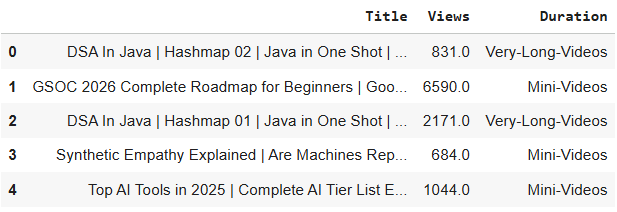
The Views column contains textual information. First the views suffix is removed. Then views are converted to numeric values:
Here we:
Videos are grouped into categories based on their duration. This simplifies analysis and helps compare different types of content.
Output:
This is an important step in preparing textual data such as video titles, for tasks like text analysis, sentiment analysis or machine learning models. Preprocessing ensures that the text is normalized, clean and meaningful reducing noise and irrelevant information.
Libraries like regular expressions and nltk are imported. These tools help clean and process textual data efficiently.
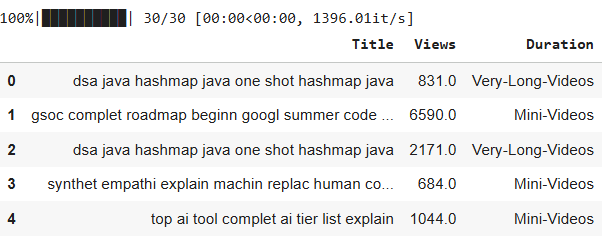
Stopwords are removed to eliminate commonly used but insignificant words. Stemming is applied to reduce words to their base form.
The preprocess_text() function performs the following steps for each title:
The preprocessing function is applied to all video titles. The cleaned text is stored back in the DataFrame for further analysis.
Output:
Data visualization helps convert processed data into graphical form. It makes patterns, trends and insights easier to understand.
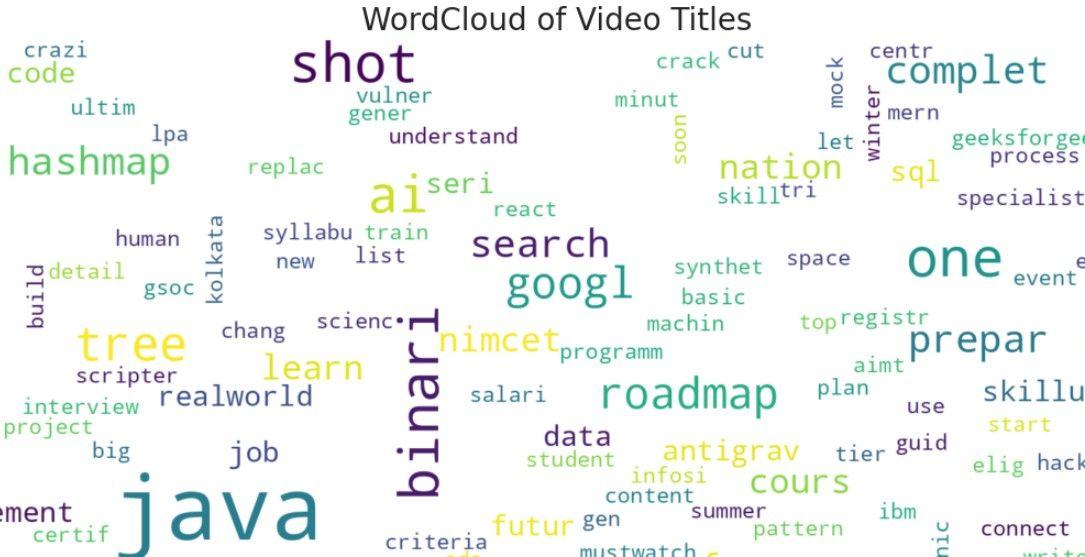
A Word Cloud provides a visual representation of the most frequent words in video titles. Larger words indicate higher frequency, helping identify trending topics or common keywords in the channel’s content.
Output:
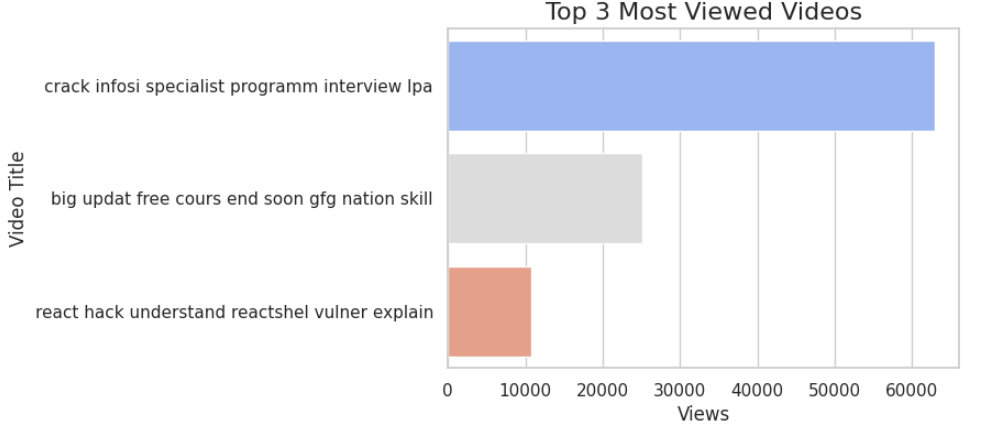
A bar plot is used to display the top-performing videos based on view count. This visualization clearly shows which videos attract the most audience engagement.
Output:
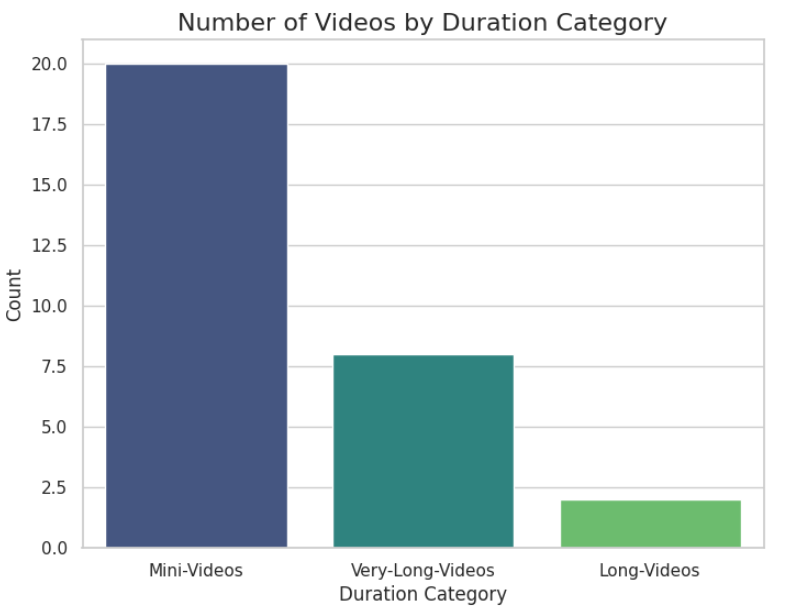
A count plot visualizes the distribution of videos across different duration categories such as Mini-Videos, Long-Videos and Very-Long-Videos. This helps understand the type of content the channel focuses on.
Output:
You can download full code from here