|
VOOZH | about |
|
VOOZH | about |
PIP stands for "Preferred Installer Program" or "Pip Installs Packages" and is a standard package manager for Python that enables users to install and manage additional libraries and dependencies not included in the standard Python library. To use PIP, you must install Python on your Windows machine.
This article provides a step-by-step guide on how to install and configure PIP on Windows, along with tips for managing Python packages effectively.
Prerequisities:
- Windows (11, 10, 8 , 7)
- Python (version 3.13.1)
- Admin Rights
Before installing PIP, you need to ensure that Python is already installed on your system. You can check this by running the following command in the command prompt
python --version
If it is installed, You will see something like this:
Python 3.13.1
If it is not installed, you can install it with the help of this article: How to install Python on Windows.
Installing pip in Windows is very easy. You just need to follow the given steps to install pip and some additional steps to finally use it. By these steps, we can see how to pip install on Windows. To ensure proper installation and use of pip we need to tick this checklist to install pip Python:
To install PIP, you'll need the get-pip.py script. Let's understand this in the below-mentioned detailed steps:
Curl is a UNIX command that is used to send the PUT, GET, and POST requests to a URL. This tool is utilized for downloading files, testing REST APIs, etc.
Note: It will download the get-pip.py file.
Follow these instructions to pip windows install:
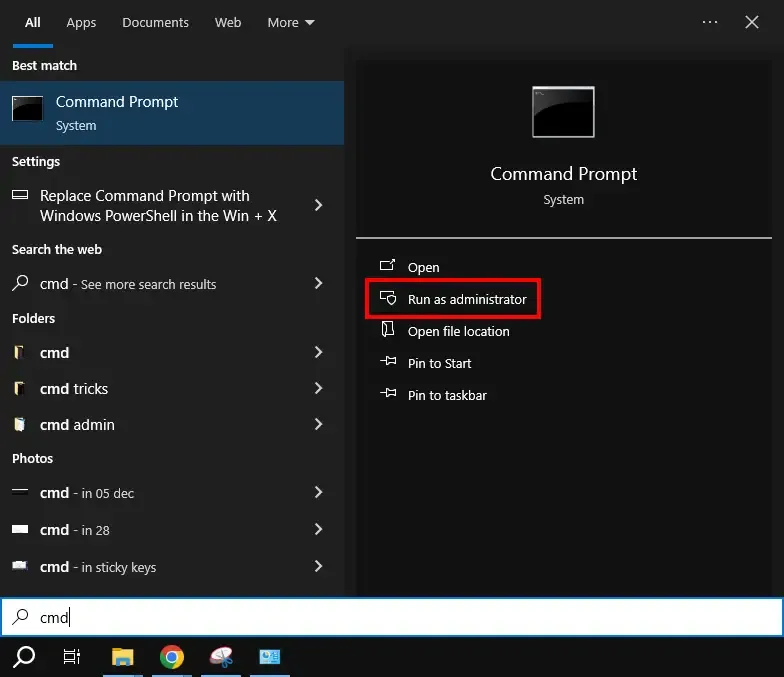
Press Win + R and type CMD and hit the enter button to open the cmd terminal using the Windows keyboard shortcut or alternatively, click on Start Menu and type "Command Prompt" and hit the enter button.
Here, we have now used cURL to transfer the data requests, let's check out the executed command in here:
In python, a curl is a tool for transferring data requests to and from a server. Use the following command to request:
https://bootstrap.pypa.io/get-pip.pypython get-pip.pyPython pip must be manually installed on Windows. We can pip install in Python by manually installing it. You might need to use the correct version of the file from pypa.io if you're using an earlier version of Python or pip. Get the file and save it to a folder on your PC.
This is another method for downloading PIP manually. Let's check down the steps below:
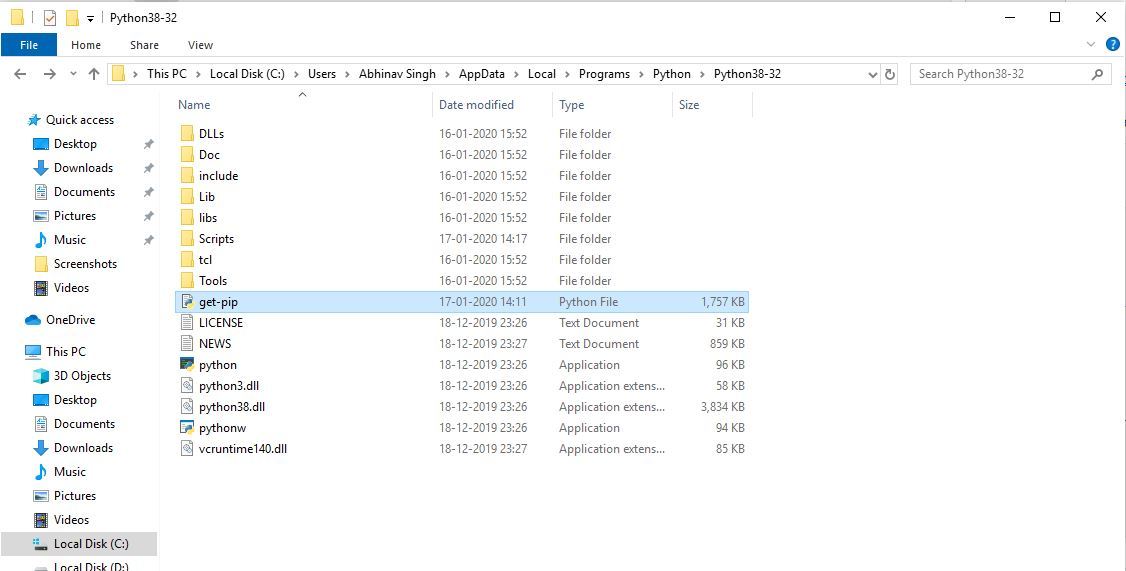
Download the get-pip.py (https://bootstrap.pypa.io/get-pip.py) file and store it in the same directory as Python is installed.
👁 ImageChange the current path of the directory in the command line to the path of the directory where the above file exists.
👁 ImageNow, in the next two steps, we will understand how you can install PIP in Python environment. Let's check them out:
get-pip.py is a bootstrapping script that enables users to install pip in Python environments. Here, we are installing pip python3. Run the command given below:
python get-pip.pyNow wait through the installation process. Voila! pip is now installed on your system.
👁 ImageOne can easily verify if the pip has been installed correctly by performing a version check on the same. Just go to the command line and execute the following command:
pip -Vorpip --version👁 Image
If you are facing any path error then you can follow the following steps to add the pip to your PATH. You can follow the following steps to adding pip to path Windows 10 and set the Path:
pip --versionpip can be upgraded using the following command:
python -m pip install -U pip
It may happen sometimes that your current pip version is not supporting your current version of python or machine.
To fix that, you can downgrade your pip version with the help of Python pip install command and the following command.
Note: You can mention the version you want to install
python -m pip install pip==17.0
If you followed these steps, you will not face any issues while installing pip on windows. We have also discussed methods to upgrade or downgrade pip version in case you face any issues.
Once PIP is installed, you can use it to manage Python packages. Here are some common commands:
pip install package_namepip uninstall package_namepip listpip show package_namepip search package_nameAlways ensure that Python is added to the PATH during the installation. In case, if it's not, you can modify the PATH manually.
Try running the Command Prompt as an administrator access.
Ensure that te date and time is correct of your system (as SSL certificates usually relies on actual system clocks.)
Also Read
By following this guide, you can successfully download, install, upgrade, downgrade, and manage PIP on Windows seamlessly. With PIP installed in your system, you can easily manage to Python packages and enhance your Python development environment. Whether you're a beginner or an experienced developer, understanding how to work with PIP is essential for efficient Python programming.