|
VOOZH | about |
|
VOOZH | about |
PIP is a standard package manager for Python Programming Language that enables users to install and manage additional libraries and dependencies not included in the standard Python library. These files are stored in a large "on-line repository" termed as Python Package Index (PyPI). pip uses PyPI as the default source for pip package manager and their dependencies. In this article, we will see How to Install PIP on a Mac and by using pip you can install any package.
Prerequisites:
- macOS - Ventura or above
- Python - v 3.1 or above
- Admin Rights
The first step is to verify the Python in your macOS, below are the steps to perform this action:
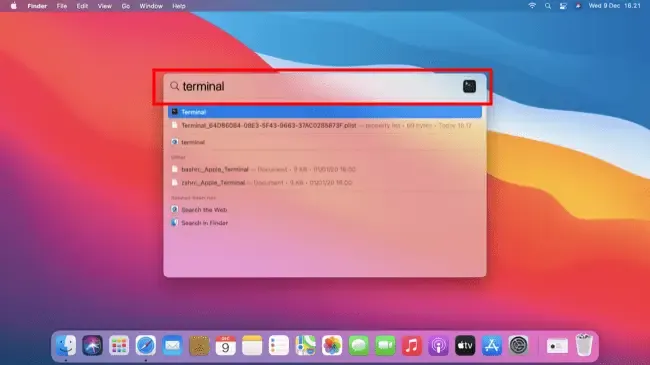
Access to the Terminal via Applications > Utilities > Terminal
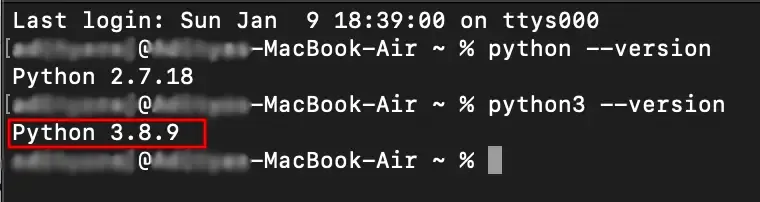
Type the following command and hit the Enter button:
python3 --versionpip can be downloaded and installed using the command line (ensurepip module) by going through the following steps:
Note: Python 3.4 or later versions include the ensurepip module, this can help during PIP installation.
Open the terminal and type the following command:
python3 -m ensurepip --upgradeNote: Running this command will install or upgrade PIP in your macOS.
Alternatively, you can download and install pip using the get-pip.py script. Here's what you need to do:
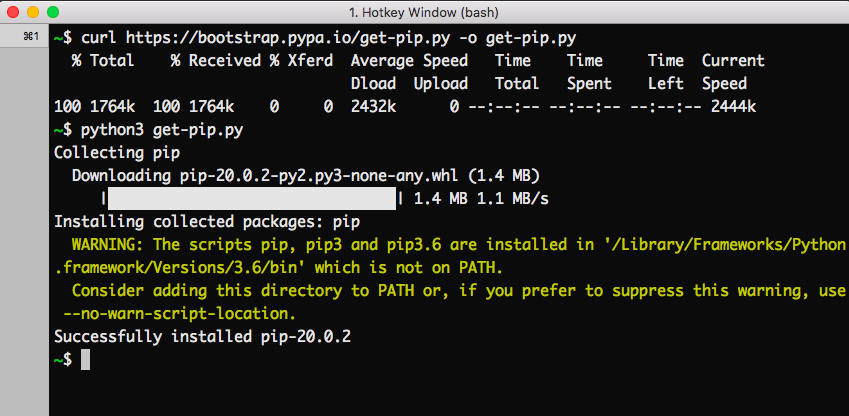
Download the get-pip.py (https://bootstrap.pypa.io/get-pip.py) file and store it in the same directory as python is installed or use the following command to download pip directly:
curl https://bootstrap.pypa.io/get-pip.py -o get-pip.pyNow execute the downloaded file using the below command
python3 get-pip.pyWait until the installation process gets completed:
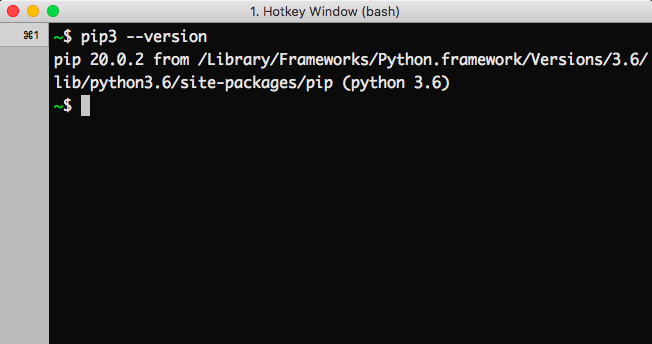
One can easily verify if the pip has been installed correctly by performing a version check on the same. Just go to the command line and execute the following command:
pip3 --version
pip --versionYou can use the following command in your terminal to upgrade your pip:
python3 -m pip install –upgrade pipTo install a specific version you can enter the following version number to install the specific version.
pip install --upgrade pip==1.2.1You can use one of the commands to uninstall the pip command based on your system:
pip uninstall pip
sudo apt-get remove python-pipBy following the above guide, you can easily download, install, verify, update (even for any specific version) of PIP in MacOS. Whether you're a beginner, or an expert developer, PIP is an essential tool for every Python project. Using PIP, you can easily manage libraries and integrating in your workflow will ensure that you are handling your Python Projects seamlessly with the help of some of the most popular tools like Pandas and NumPy for data analysis and TensorFlow and Scikit-Learn for Machine Learning.