|
VOOZH | about |
|
VOOZH | about |
Django REST Framework (DRF) is an extension of Django that makes building APIs easier. It helps convert Django models into RESTful APIs that can be used by web apps, mobile apps, or other services.
Before creating an API, it's important to understand three main components:
Consider a Django project with an app that includes a Book model containing three fields: title, author and publish_date.
In settings.py, add "rest_framework" and the app name to "INSTALLED_APPS" to enable Django REST Framework in the project:
Make sure the Django REST Framework module is installed:
pip install djangorestframework
In app/models.py, define the Book model with three fields:
Serializers convert model instances into JSON and validate incoming JSON data.
Create app/serializers.py:
ViewSets provide CRUD operations in one place.
In app/views.py:
Note: You do not need to manually convert data to JSON. The BookSerializer handles serialization and deserialization automatically when using ModelViewSet.
DRF routers automatically generate URL patterns for your ViewSets.
Create app/urls.py:
Using DefaultRouter, don’t need to manually define each URL for CRUD operations. It automatically creates standard RESTful endpoints like:
Including these URLs in the project’s main urls.py file exposes the API endpoints.
Run the following commands to create your database tables and start the server:
python manage.py makemigrations
python manage.py migrate
python manage.py runserver
In project/urls.py:
Once the server is running:
Including the app URLs under path('api/', include('app.urls')) in the main urls.py adds the /api/ prefix to every route defined inside the app. As a result, all API endpoints automatically start with /api/.
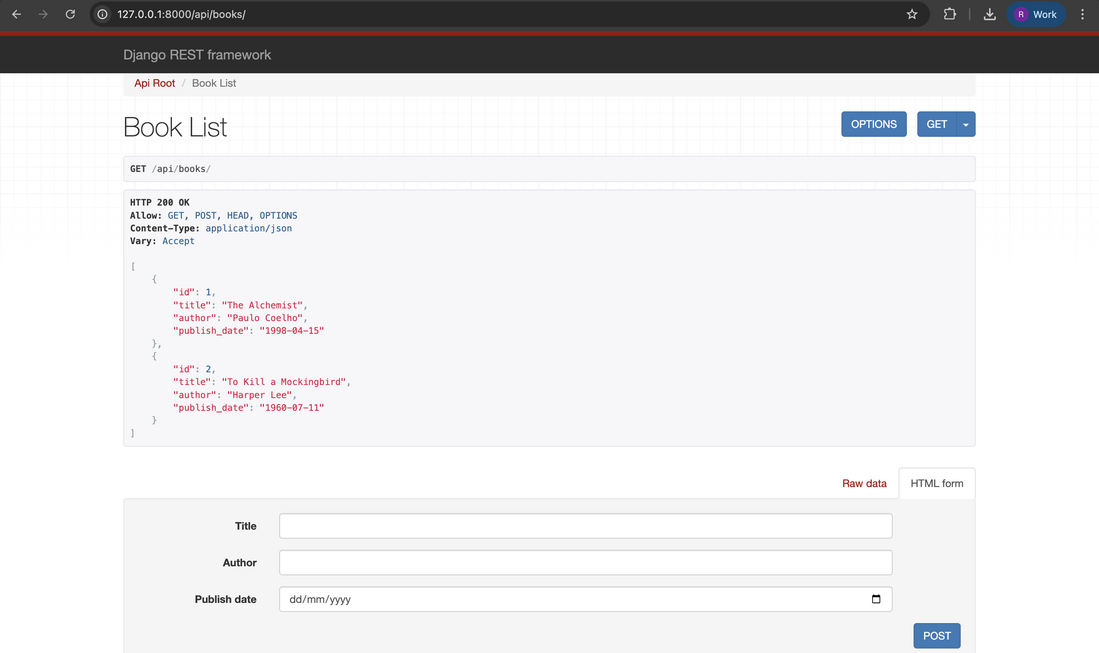
Output:/books/ endpoint after adding some entries.
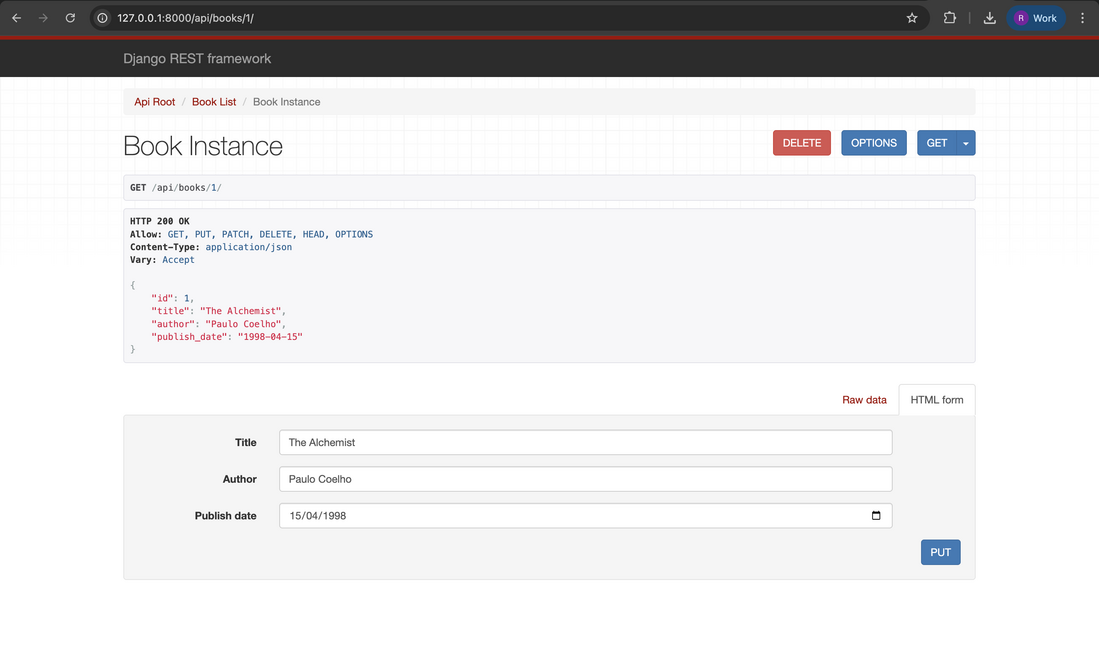
Output:/books/{id}/ with id of some book.
You can perform all CRUD operations using the following endpoints:
| HTTP Method | Endpoint URL | Description |
|---|---|---|
| GET | http://127.0.0.1:8000/api/books/ | List all books |
| POST | http://127.0.0.1:8000/api/books/ | Create a new book |
| GET | http://127.0.0.1:8000/api/books/{id}/ | Retrieve a book by its ID |
| PUT | http://127.0.0.1:8000/api/books/{id}/ | Update a book by its ID |
| DELETE | http://127.0.0.1:8000/api/books/{id}/ | Delete a book by its ID |
These endpoints show that all CRUD operations are available and functioning correctly in the application.