|
VOOZH | about |
|
VOOZH | about |
Django apps are separate modules that handle specific features in a web project, helping keep code clean and organized.
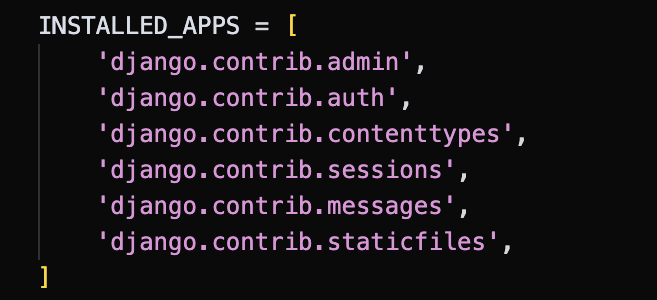
Django includes several pre-installed apps for convenience. To view them, check the INSTALLED_APPS section in settings.py. The apps listed there are provided by Django to simplify development.
Before creating apps in a Django project, ensure the project folder exists. If it doesn’t, create it using the following command:
django-admin startproject project_name
Open the terminal and navigate to the root directory of the Django project, where the manage.py file is located:
cd project_name
Create a Django app with the following command:
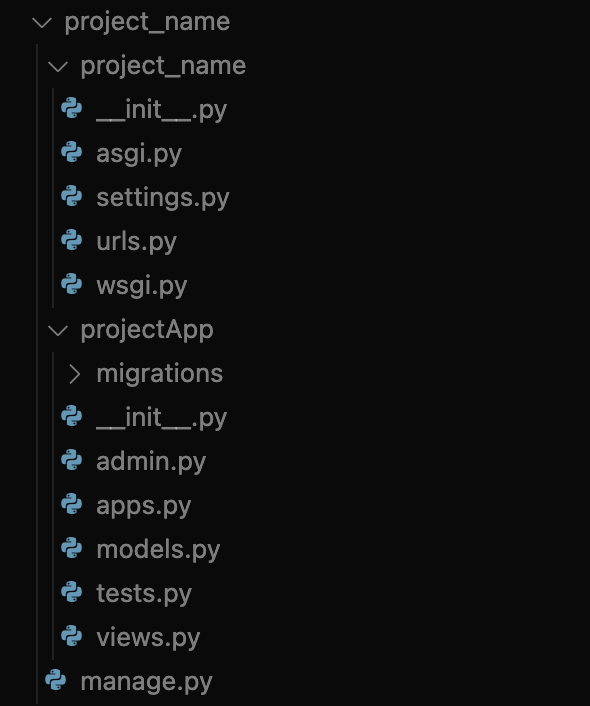
python manage.py startapp projectApp
This will generate a directory structure like:
Open project_name/settings.py and add app to the INSTALLED_APPS list:
After creating the app, connect its URLs to the main project so Django can route requests to the app’s views. In the main project’s urls.py file located at project_name/project_name/urls.py, import:
from django.urls import include
In the urlpatterns list, add the following line to include the app’s URLs:
Note: Django uses the project-level urls.py file for routing and app URLs are included using include().
The app requires its own urls.py to define view routes. If it doesn’t exist, create it inside the projectApp directory:
In projectApp/views.py, define a view that will return a simple response:
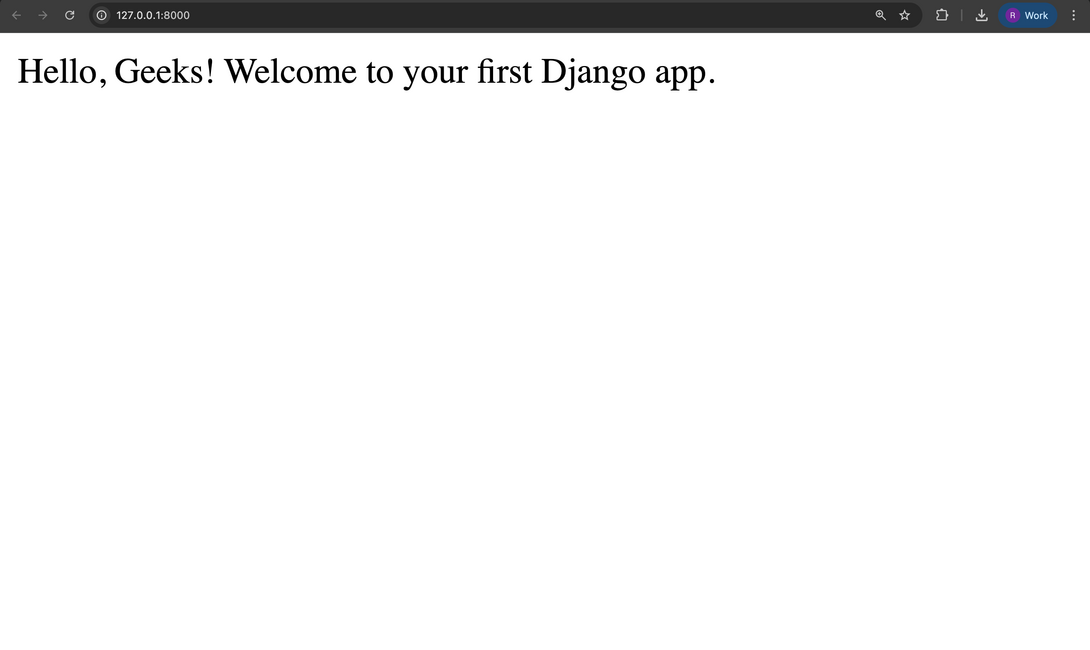
python manage.py runserver
Visit the application in your browser at: http://127.0.0.1:8000/