|
VOOZH | about |
|
VOOZH | about |
Python is a high-level programming language that is widely used because it is easy to learn, flexible, and powerful. It is used in many fields such as web development, data science, automation, and software development. Installing Python on a Windows computer is a simple process and only takes a few basic steps.
To download Python on your system, you can use the following steps:
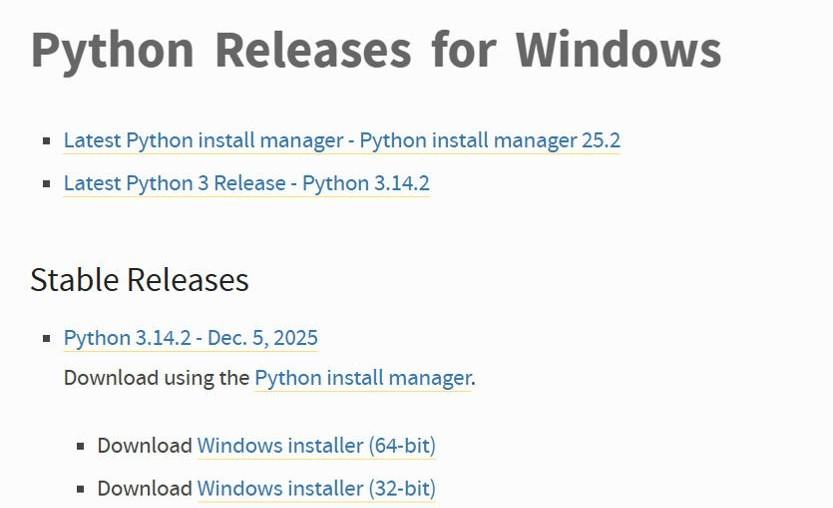
Open your web browser and visit the official Python website: https://www.python.org/downloads/%3C/span>
On the downloads page, look for the latest stable version of Python 3 (Python 3.10 or newer is recommended). Choose the correct installer based on your system type:
Click the installer link to download the .exe file.
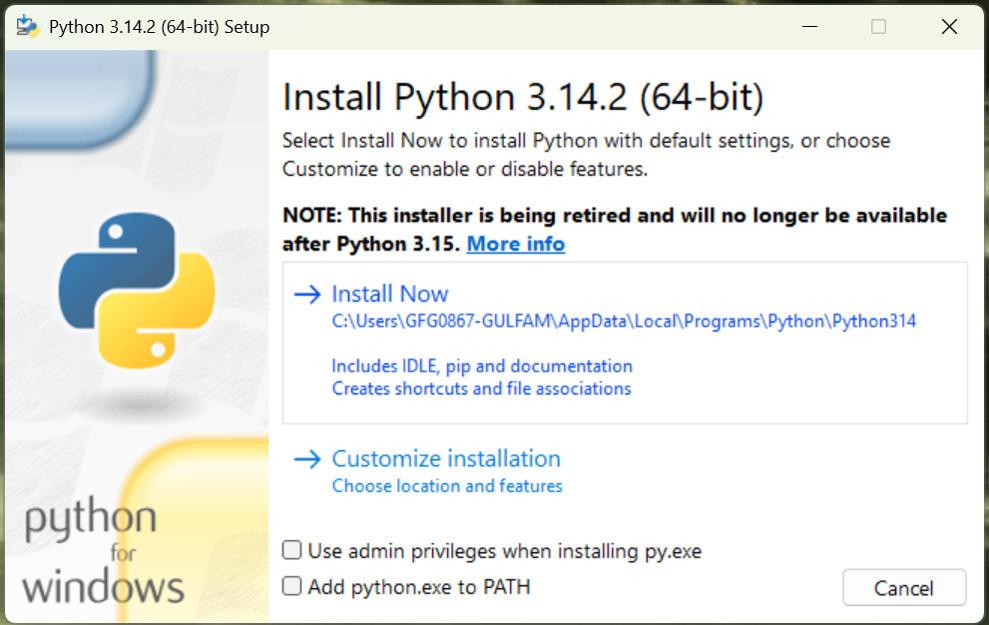
After the download is complete, locate the installer file (for example: python-3.x.x-amd64.exe) and double-click it to start the installation.
On the installer screen:
Now, click Install Now to begin the installation process.
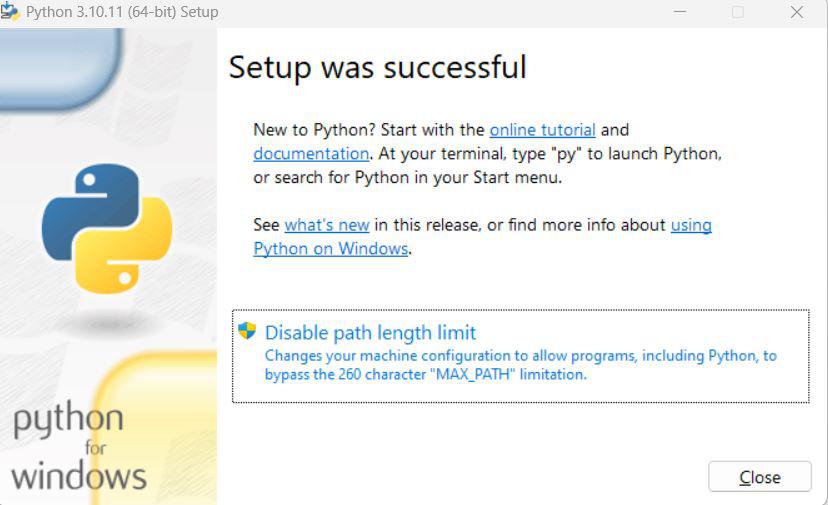
Once you click Install Now, Python will start installing on your Windows system. This may take a few minutes. When the installation is complete, you will see a message confirming that Python has been installed successfully.
Click Close to finish.
After installation, you should confirm that Python is installed correctly.
python --version
If Python is installed correctly, you will see the installed Python version displayed on the screen.
You can also check the installation using IDLE, which comes with Python.
If the Python IDLE window opens, it means Python has been installed successfully on your system.
Python is easy to learn and write. You can create Python programs using simple text editors like Notepad or Notepad++, but using an IDE makes coding easier and more efficient. IDEs offer helpful features such as syntax highlighting, debugging tools, and code suggestions.
Once Python is installed on your system, you can:
You can refer to this article to learn more about Python - Python Tutorial
If you want to install Python on other operating systems, you can refer to the links below: