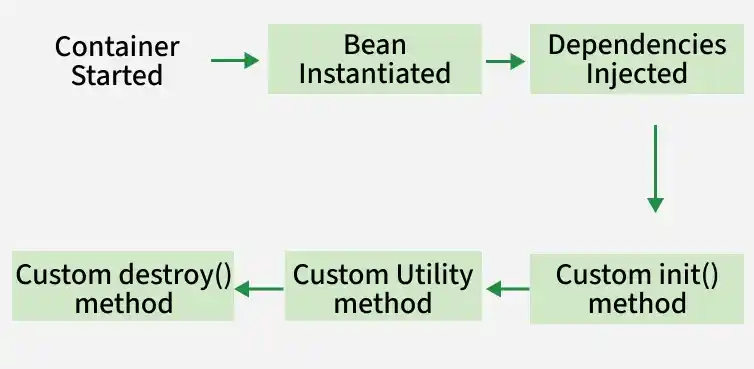
The Spring Bean Life Cycle describes the internal workflow followed by the Spring IoC container to manage a bean, start from object instantiation through dependency injection and initialization and ending with destruction.
Spring Bean Life Cycle
A Spring bean goes through the following phases inside the IoC container
The Spring IoC container starts and loads configuration metadata (XML, annotations, or Java config).
Bean definitions are registered, and infrastructure components (like processors) are prepared.
Bean Instantiation
The container creates the bean object using a constructor or factory method.
At this stage, the bean exists in memory but dependencies are not yet injected.
Dependency Injection
The container resolves required dependencies from the IoC container.
Dependencies are injected via constructor, setter, or field injection.
Custom Init Method
The custom init() method is called once all dependencies are injected.
It is used to perform additional setup like initializing resources, validating properties, or starting connections.
Custom Utility Method
A Custom Utility Method is a normal business or helper method defined inside a Spring bean.
The developer must manually call it through the bean reference.
Destruction
Cleanup logic is executed using @PreDestroy, destroy(), or custom destroy methods.
Resources such as database connections or threads are released before bean removal.
Note: Custom method names can be used instead of default lifecycle method names.
Ways to Implement Bean Life Cycle in Spring
Spring provides three standard ways to manage the bean life cycle:
XML Configuration
Programmatic Approach (Interfaces)
Annotations
1. Using XML Configuration
In this approach, in order to avail custom init() and destroy() methods for a bean we have to register these two methods inside the Spring XML configuration file while defining a bean. Therefore, the following steps are followed:
Step 1: Create the Project
Open IntelliJ IDEA.
Click New Project -> Maven.
Select JDK (Java 8 / 11 / 17).
Enter:
GroupId: beans
ArtifactId: SpringXMLDemo
Click Finish.
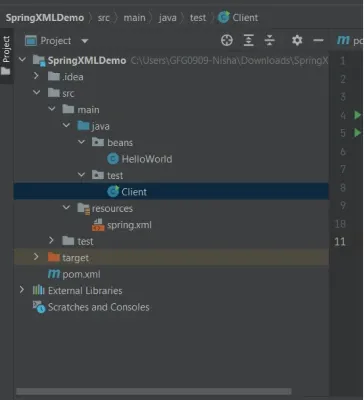
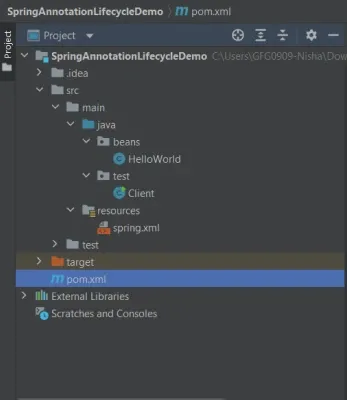
Step 2: Project Structure
Organize the project using standard Maven directories for Java source files and resource files.
In this approach, a Spring bean can define custom initialization and destruction logic by implementing two Spring-provided interfaces: InitializingBean and DisposableBean.
afterPropertiesSet(): called after the bean is created and dependencies are injected.
destroy(): called just before the Spring container is closed.
Note: To trigger the destroy() method, we must explicitly close the Spring container using ConfigurableApplicationContext.close().
Step 1: Create the Project
Create a Maven project in IntelliJ IDEA with the required GroupId, ArtifactId, and Java version.
Open IntelliJ IDEA
Click New Project -> Maven
Select JDK (Java 8 / 11 / 17)
Enter:
GroupId: beans
ArtifactId: SpringLifecycleDemo
Click Finish
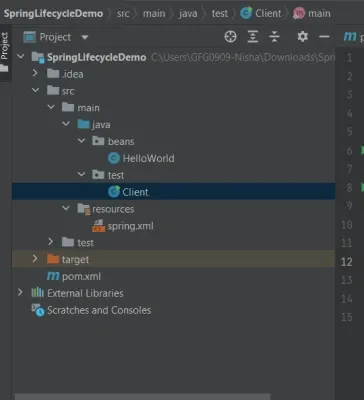
Step 2: Project Structure
Arrange the project into standard Maven folders for Java source files and resource files.
Add the spring-context dependency in pom.xml to enable Spring core and lifecycle support.
Step 4: Create the Bean Class
Implement InitializingBean and DisposableBean in the bean class to define custom initialization and destruction logic.
HelloWorld.java
Explanation:
afterPropertiesSet() runs automatically after bean creation.
destroy() runs automatically before the container shuts down.
Step 5: Configure the Spring XML File
Define the bean in spring.xml so that Spring can manage its lifecycle.
spring.xml
Explanation:
Registers HelloWorld as a Spring-managed bean.
No need to specify init or destroy methods explicitly.
Step 6: Create the Driver Class
Load the Spring container using ClassPathXmlApplicationContext to initialize the bean. Close the ConfigurableApplicationContext to trigger the destroy() lifecycle method.
Client.java
Explanation:
Loads the Spring container.
Closing the container triggers the destroy() method.
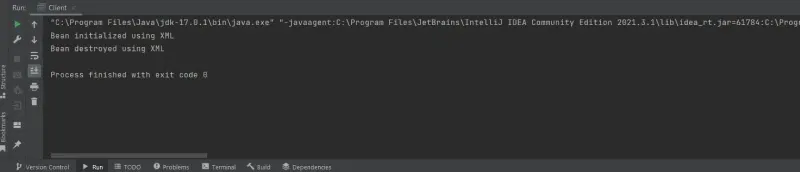
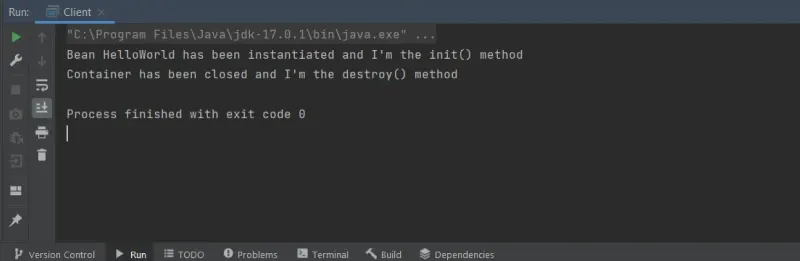
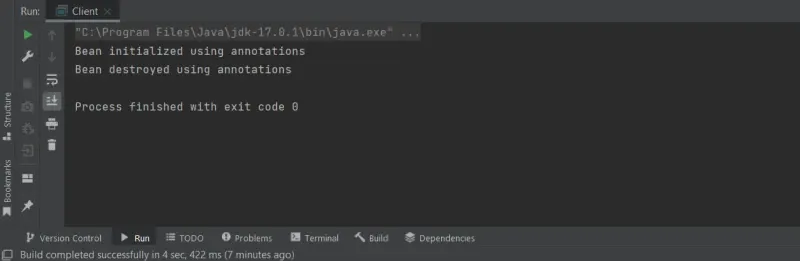
Step 7: Run the Application
Run the driver class to observe the execution of initialization and destruction methods.