|
VOOZH | about |
|
VOOZH | about |
In this article, we will learn how to use the widely used Jackson JSON library to map an array of JSON items to a Java POJO class instance.
Below are the steps and their implementations to convert an array of JSON items to a Java POJO class instance.
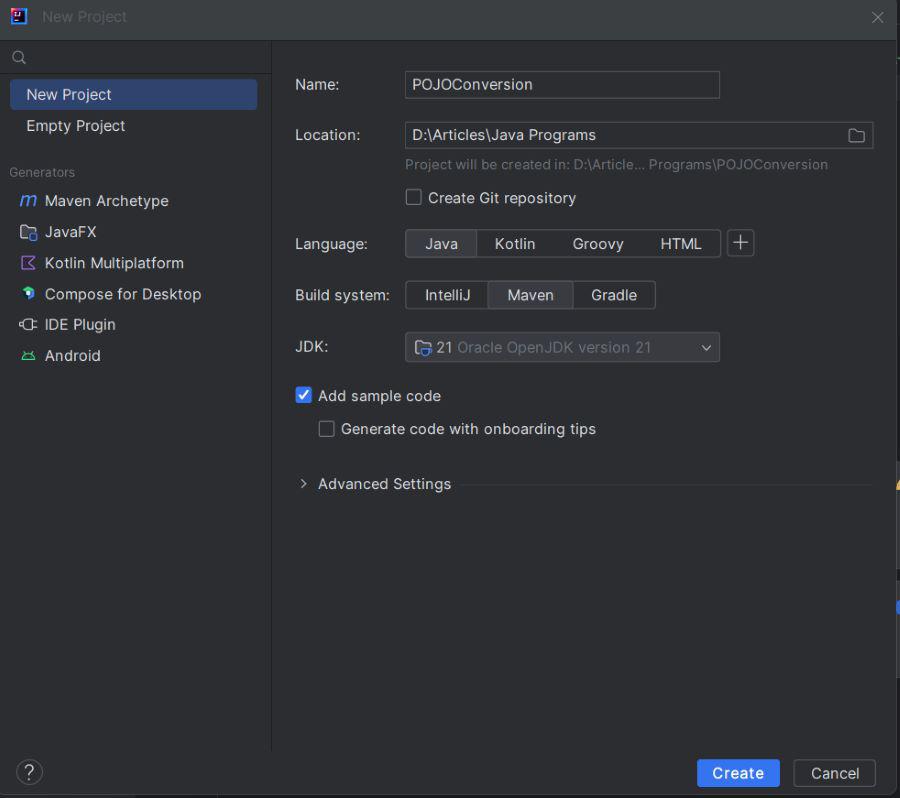
Open any preferred IDE and create a new Maven project. Here we will be using IntelliJ IDEA, we can do this by selecting File -> New -> Project.. -> Maven and following the wizard.
👁 Project CreationNow, we will add Jackson dependencies to the XML file.
<dependencies>
 <!-- Other dependencies -->
 <dependency>
 <groupId>com.fasterxml.jackson.core</groupId>
 <artifactId>jackson-databind</artifactId>
 <version>2.12.5</version> <!-- Use the latest version available -->
 </dependency>
</dependencies>
After adding dependency to the pom.xml file, we will now create a POJO class named User.
User.java
The User class defines a POJO to map JSON data with name and age properties. Getters and setters are provided for Jackson to populate objects.
Name: Ram, Age: 30
Name: Sita, Age: 25